Центр объявлений
1.How to switch Split/Merge
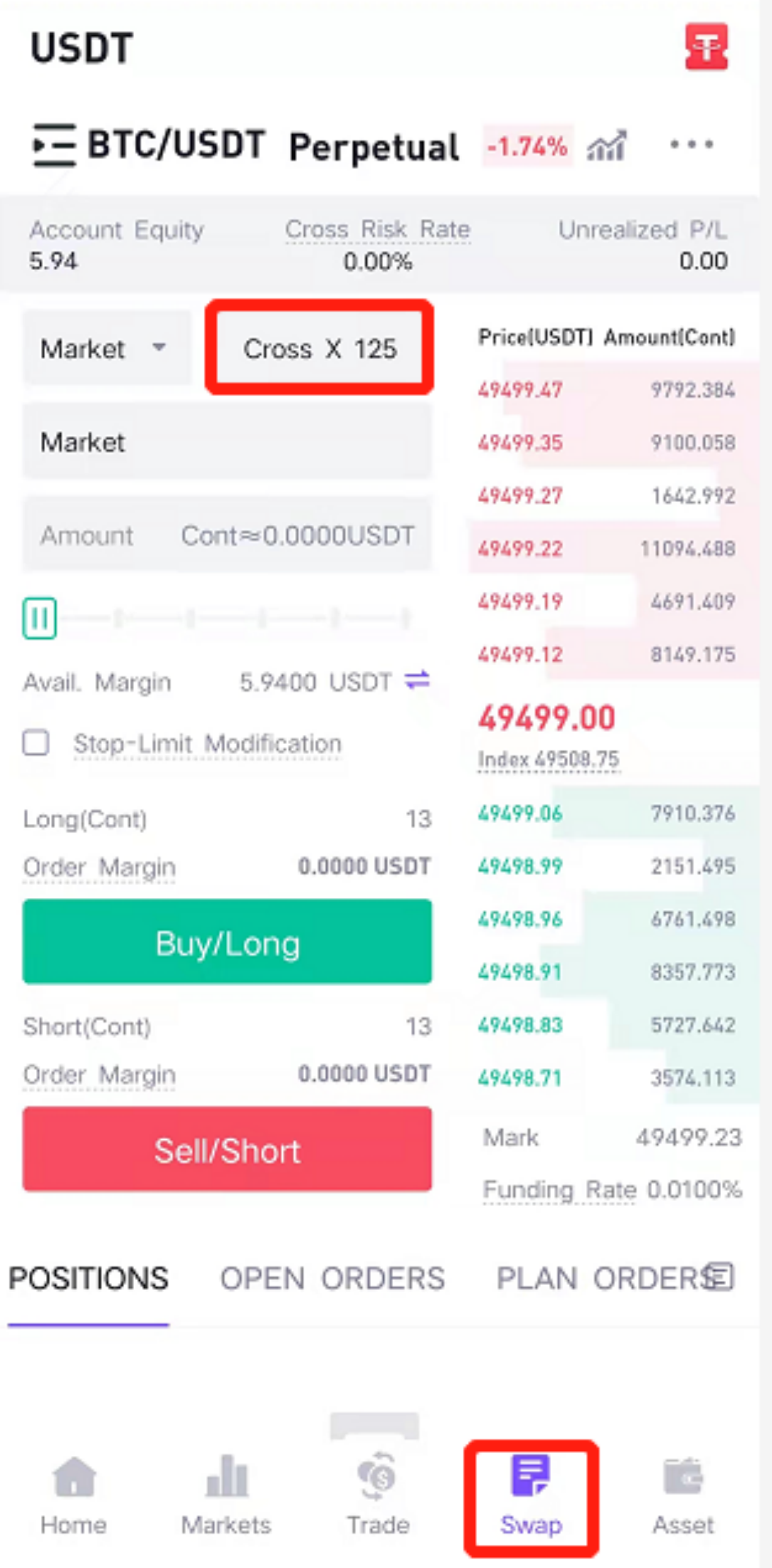
Open CoinW App and enter the Futures trading page to login, click on the position mode button in the red frame of the upper right
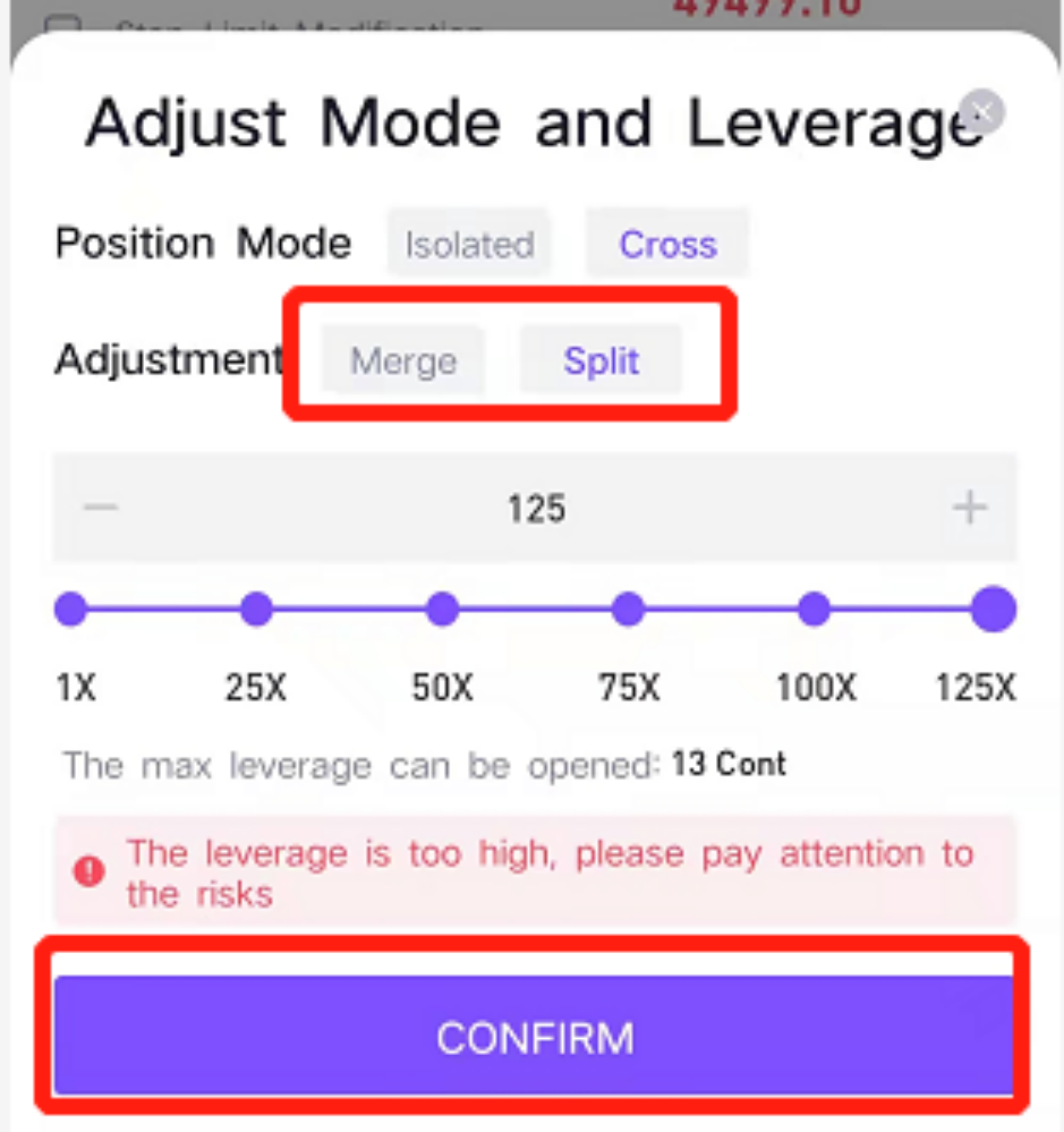
Choose “Merge” or “Split” for position Adjustment, and then click the confirmation button below (the font turns blue to indicate it is selected)
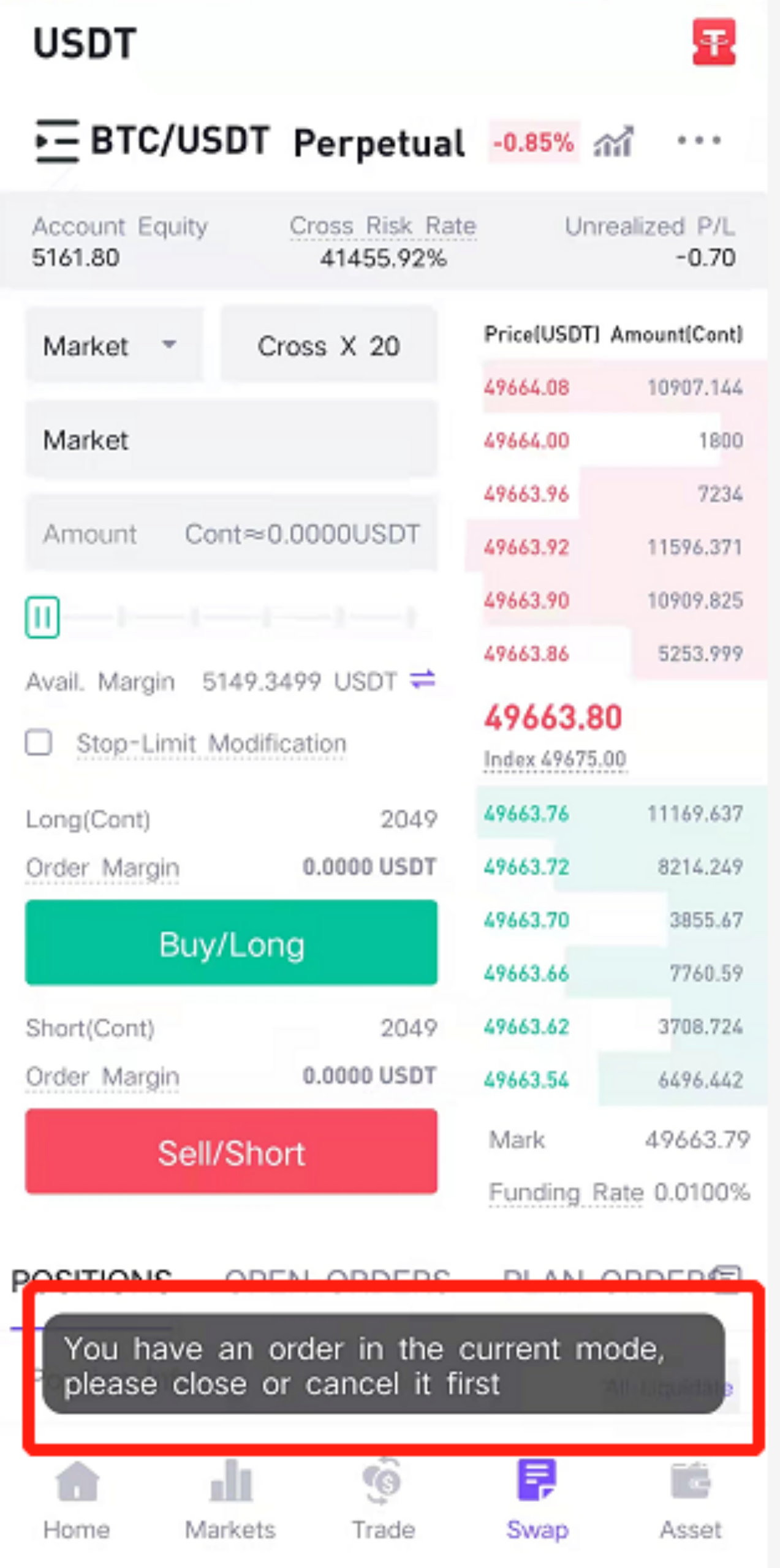
Note: If you need to change the mode, please ensure that there are no holding positions or uncompleted orders; if there are, please close the positions and withdraw the orders before switching the Merge/Split mode.
2.Changes in relevant data after Merge
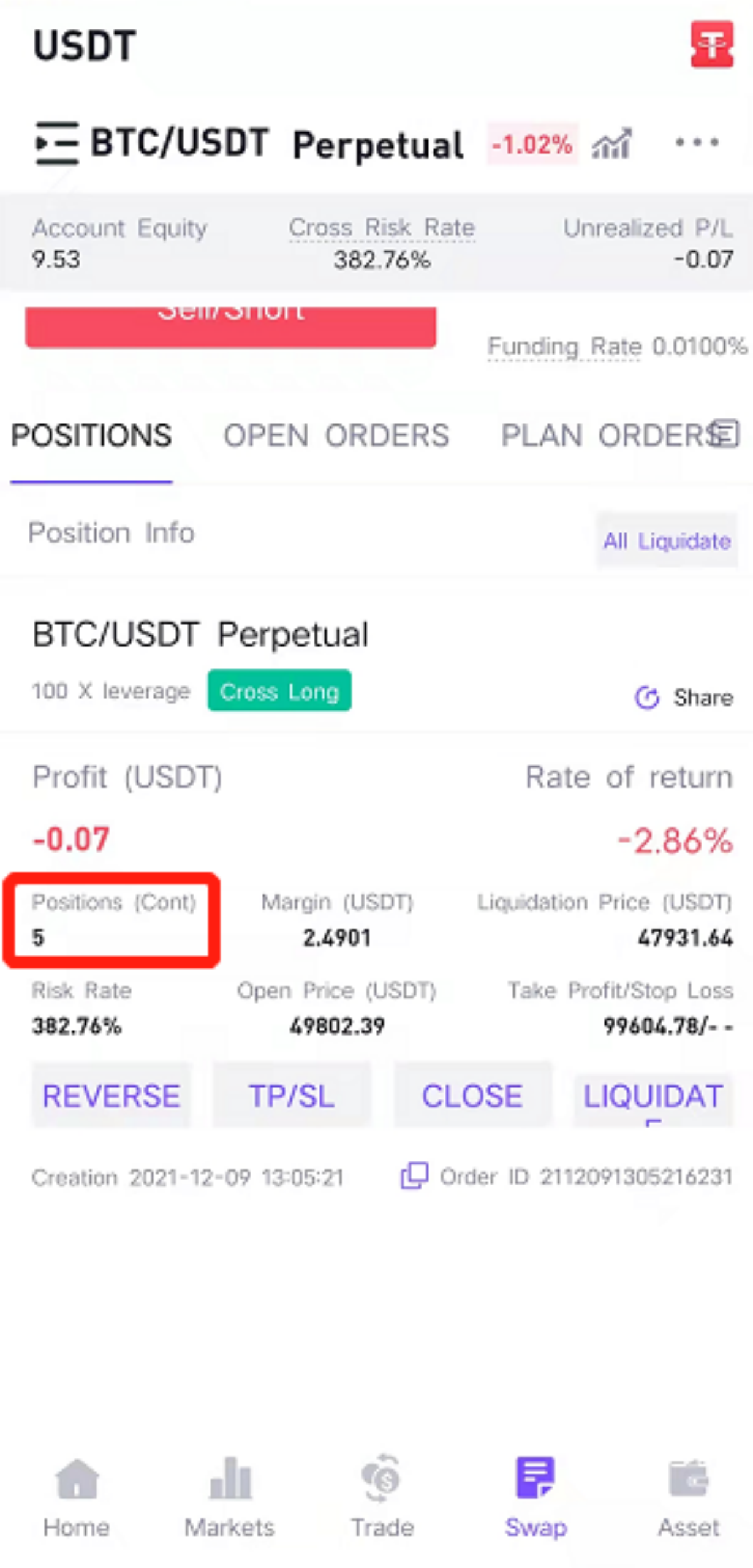
First: open 5 long position in the BTCUSDT trading pair for the first time, it can be seen that the current position is 5, the margin is 12.7401, the opening price is 50960.55, and the estimated liquidation price is 48415.07
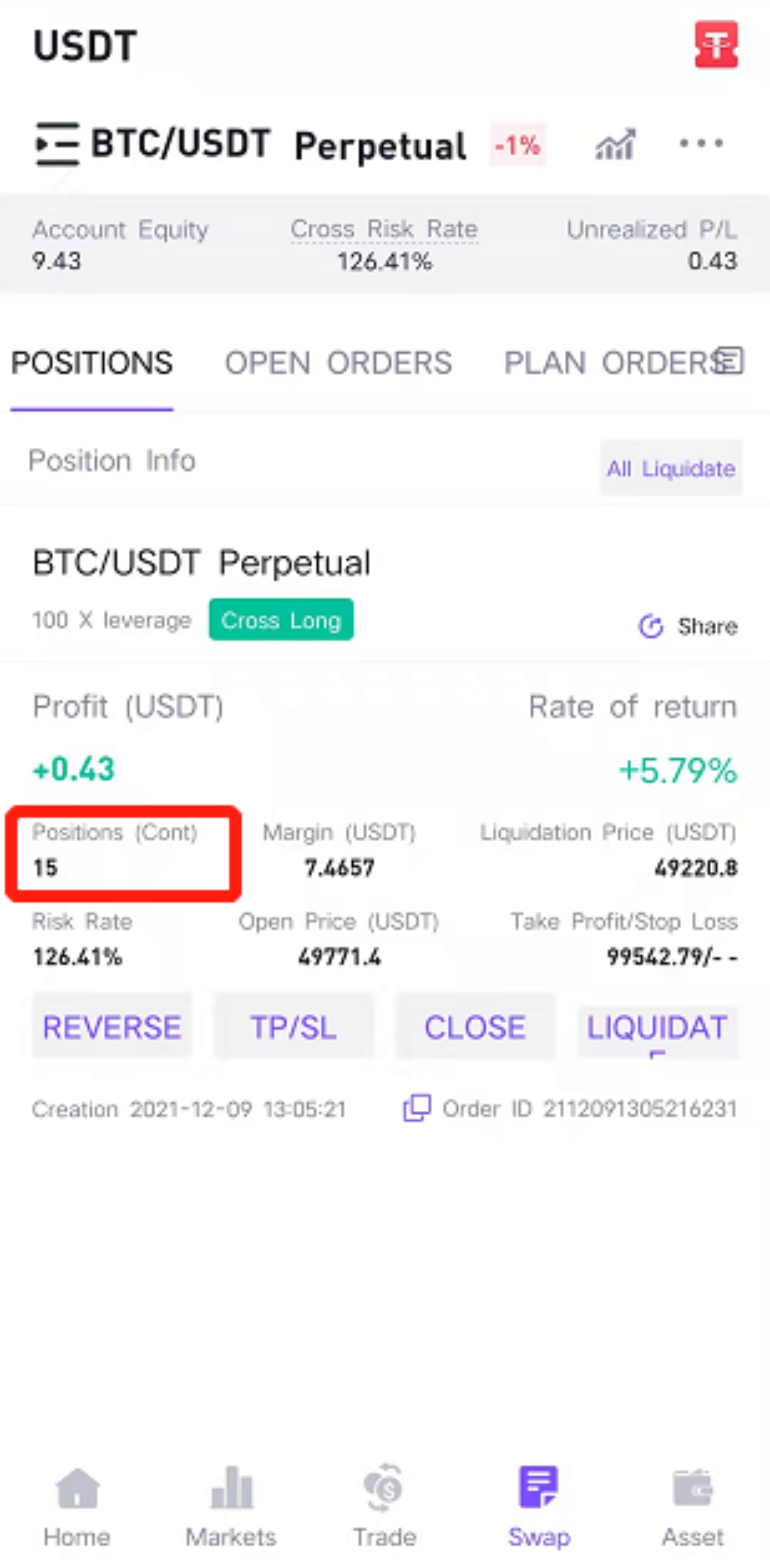
Second: After opening 10 long position in the BTCUSDT trading pair, the number of positions is 15 (that is, the original position 5 + the position added 10). Due to the increase in the number of positions, the margin is adjusted to 38.2072, the opening price (the average price of 15 positions) is adjusted to 50942.92, and the estimated liquidation price is adjusted to 48398.32
3.Changes in relevant data after Split
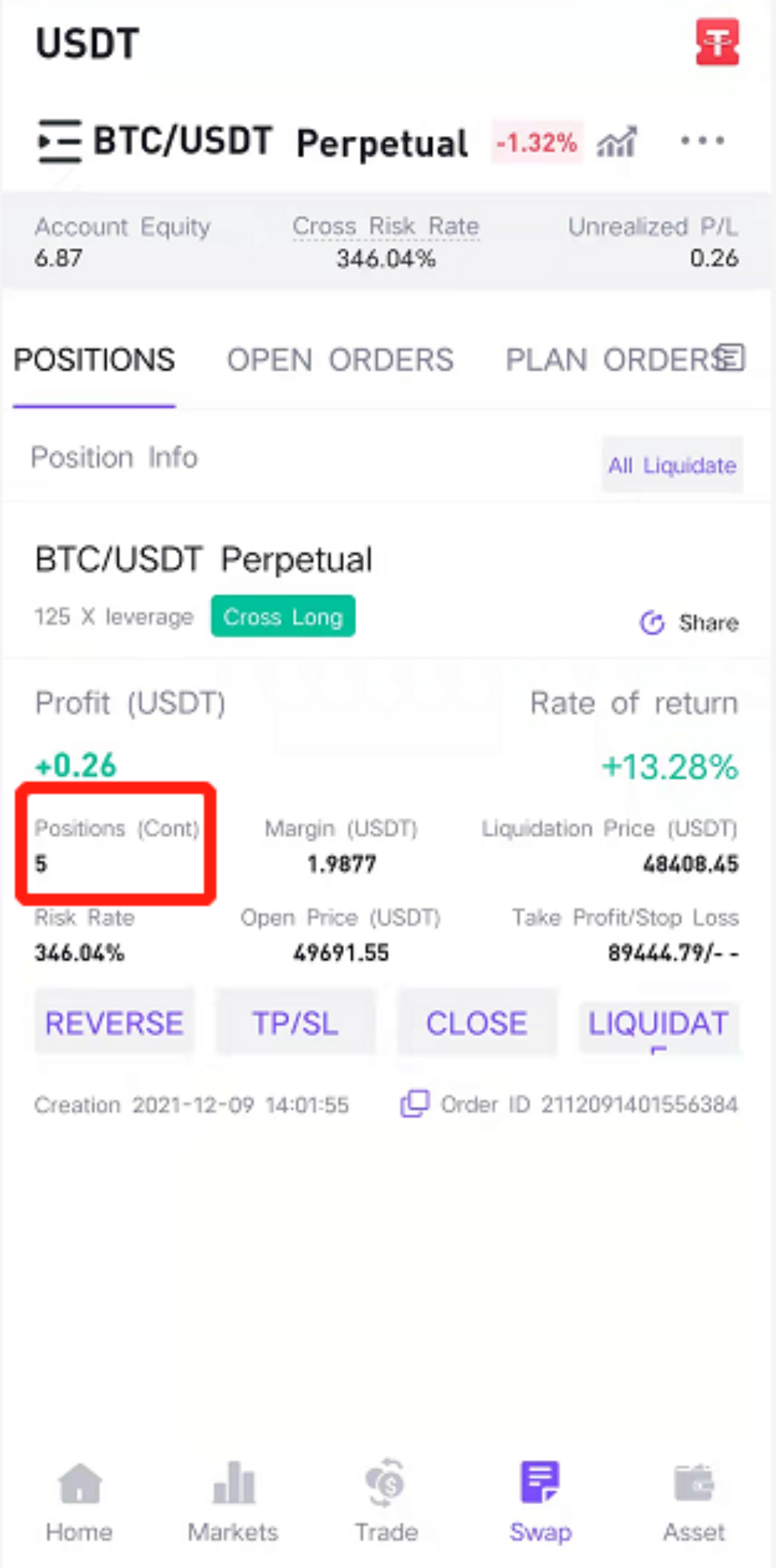
First: open 5 long position in the BTCUSDT trading pair for the first time, it can be seen that the current number of positions is 5
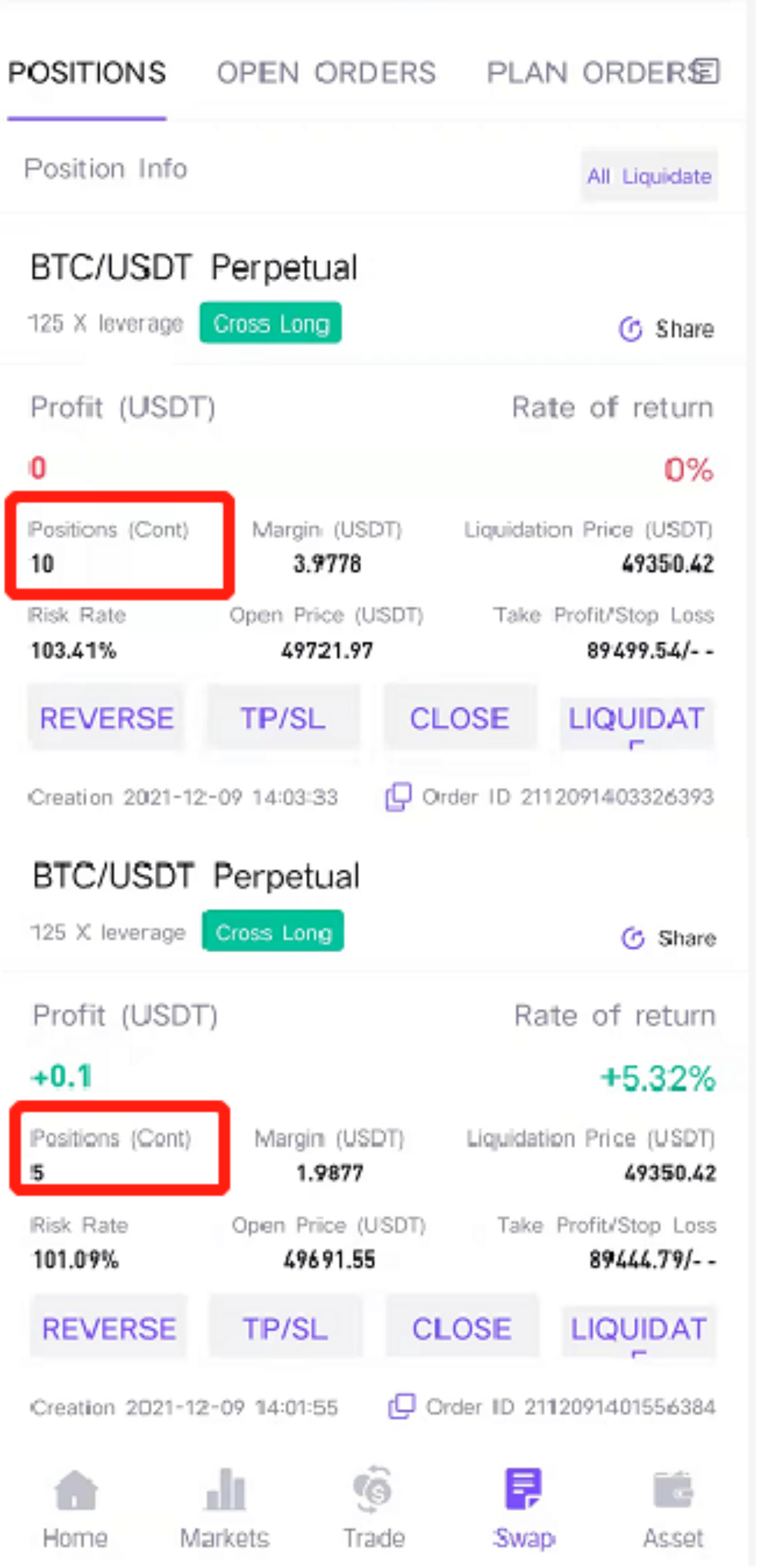
Second: After opening 10 long position in the BTCUSDT trading pair, it shows two positions separately, one is the original 10 positions, and the other is the newly opened 5 positions. In the Split position mode, positions are displayed separately, and each has its own opening price, estimated liquidation price, and margin
1.How to switch Split/Merge
Open CoinW App and enter the Futures trading page to login, click on the position mode button in the red frame of the upper right
Choose “Merge” or “Split” for position Adjustment, and then click the confirmation button below (the font turns blue to indicate it is selected)
Note: If you need to change the mode, please ensure that there are no holding positions or uncompleted orders; if there are, please close the positions and withdraw the orders before switching the Merge/Split mode.
2.Changes in relevant data after Merge
First: open 5 long position in the BTCUSDT trading pair for the first time, it can be seen that the current position is 5, the margin is 12.7401, the opening price is 50960.55, and the estimated liquidation price is 48415.07
Second: After opening 10 long position in the BTCUSDT trading pair, the number of positions is 15 (that is, the original position 5 + the position added 10). Due to the increase in the number of positions, the margin is adjusted to 38.2072, the opening price (the average price of 15 positions) is adjusted to 50942.92, and the estimated liquidation price is adjusted to 48398.32
3.Changes in relevant data after Split
First: open 5 long position in the BTCUSDT trading pair for the first time, it can be seen that the current number of positions is 5
Second: After opening 10 long position in the BTCUSDT trading pair, it shows two positions separately, one is the original 10 positions, and the other is the newly opened 5 positions. In the Split position mode, positions are displayed separately, and each has its own opening price, estimated liquidation price, and margin