Preguntas frecuentes
Las estafas en línea son cada vez más comunes, con muchos estafadores que se hacen pasar por representantes oficiales de la plataforma en las principales redes sociales para llevar a cabo sus fraudes.
Al comunicarse con alguien que afirma ser un “representante oficial de la plataforma,” por favor verifique su identidad para evitar ser engañado.
A continuación, una guía sobre cómo verificar a través de los canales oficiales para confirmar si la persona es un representante legítimo:
WEB
(1) Visite el sitio web oficial de CoinW: https://www.coinw.com/es_ES/;
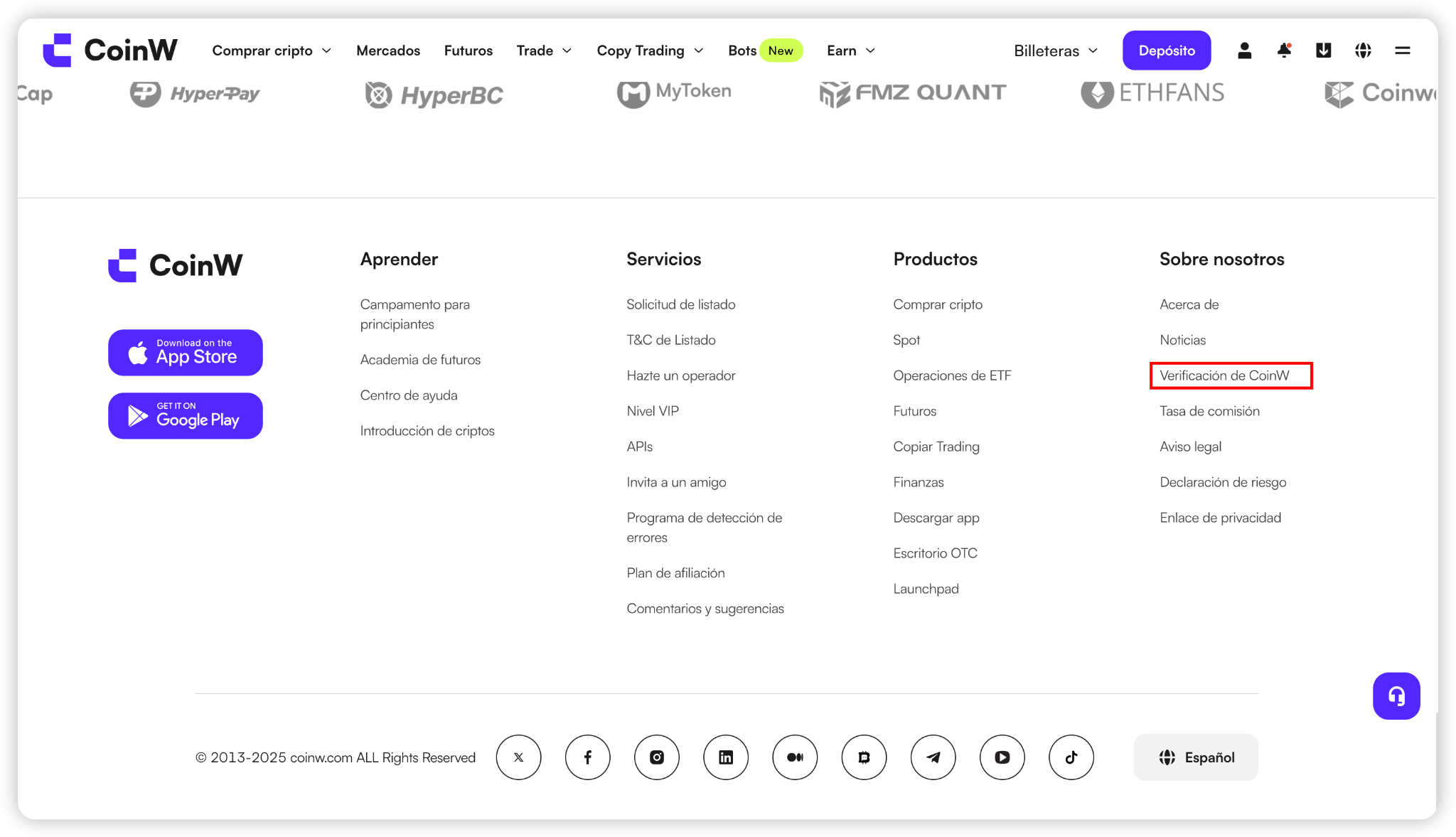
(2) Desplácese hasta la parte inferior de la página y haga clic en el Canal de Verificación Oficial en el lado derecho;
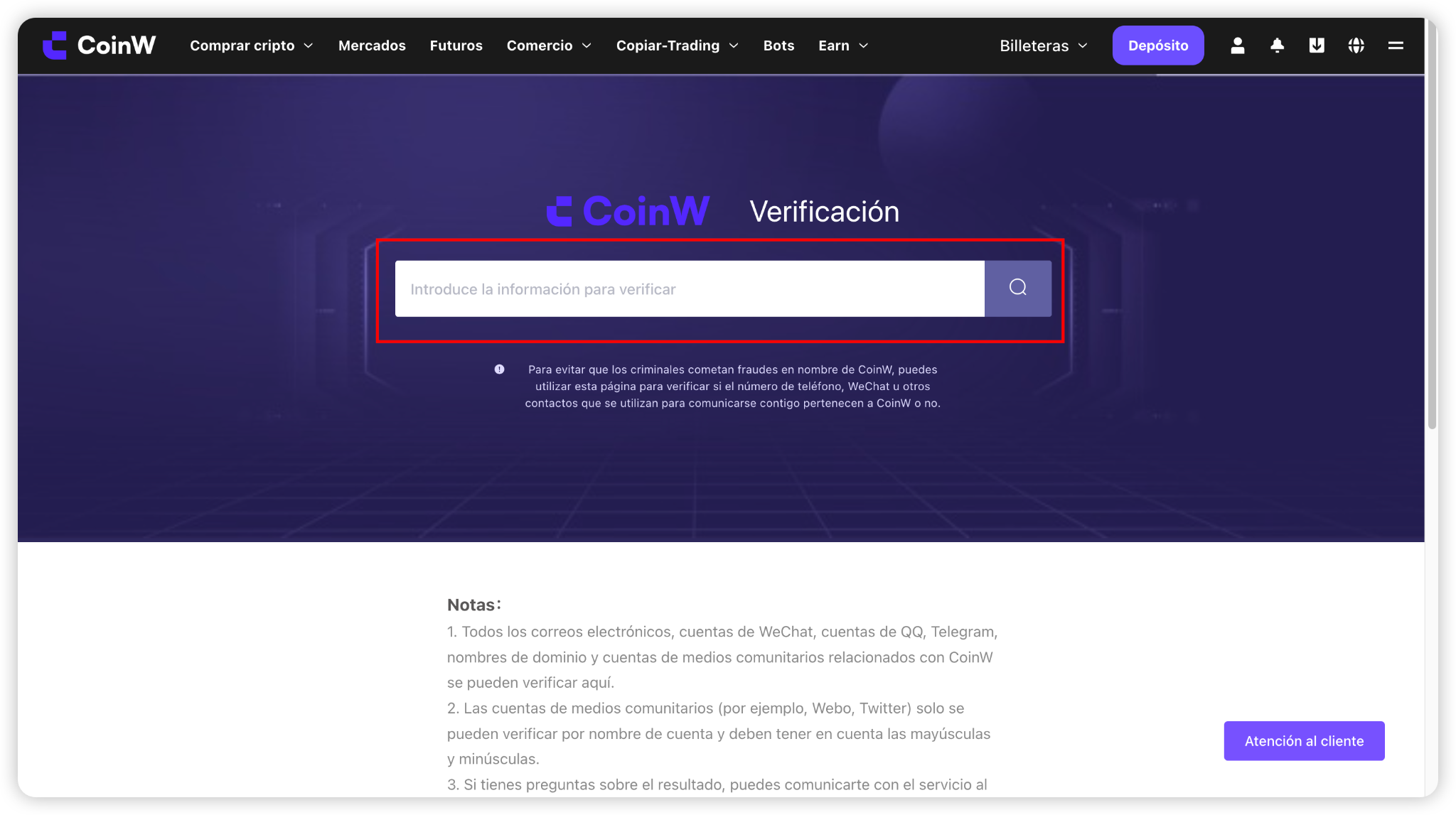
(3) Ingrese la información que desea verificar en el campo de la página, luego haga clic en el icono de lupa para buscar;
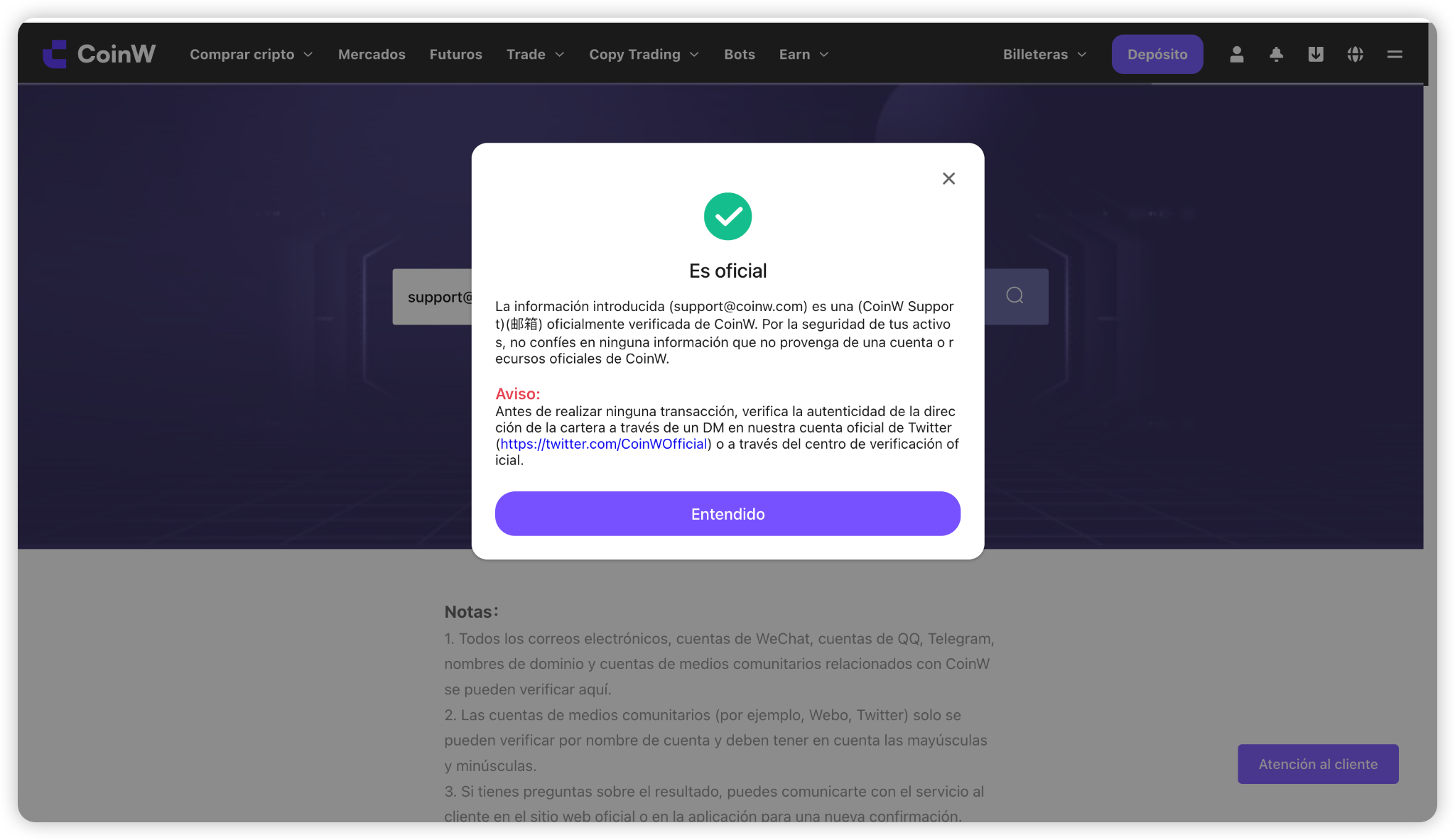
(4) Después de hacer clic en buscar, la página mostrará los resultados de la verificación.
Estos resultados indicarán el tipo de cuenta:
Por ejemplo, si la página muestra que la cuenta es una cuenta de Email, es una cuenta oficial.
APP
(1) Abra la aplicación CoinW y vaya a la página principal;
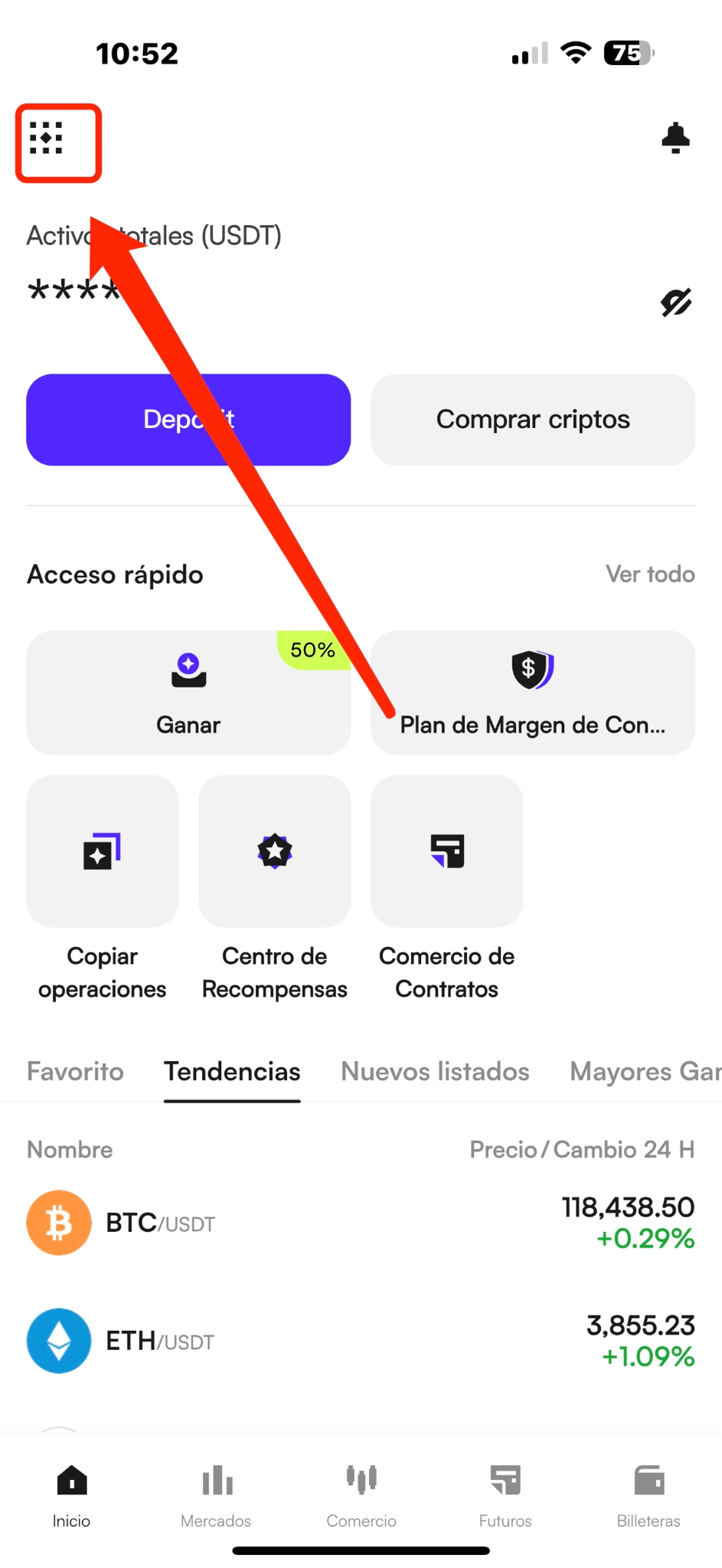
(2) Toque el ícono en la esquina superior izquierda para entrar en su centro personal;
(3) Toque su perfil, luego desplácese hasta la parte inferior de la página de la cuenta y seleccione Ayuda y Soporte;
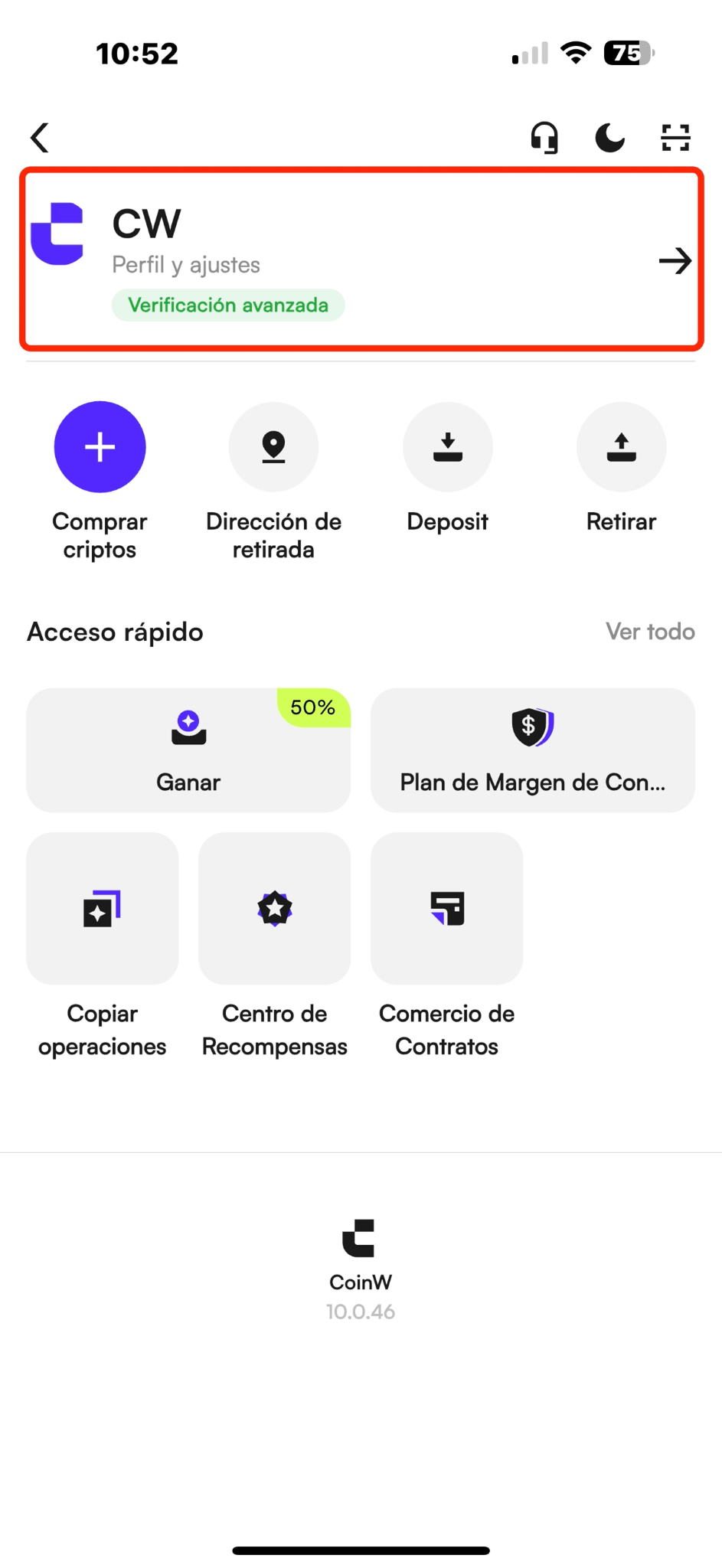
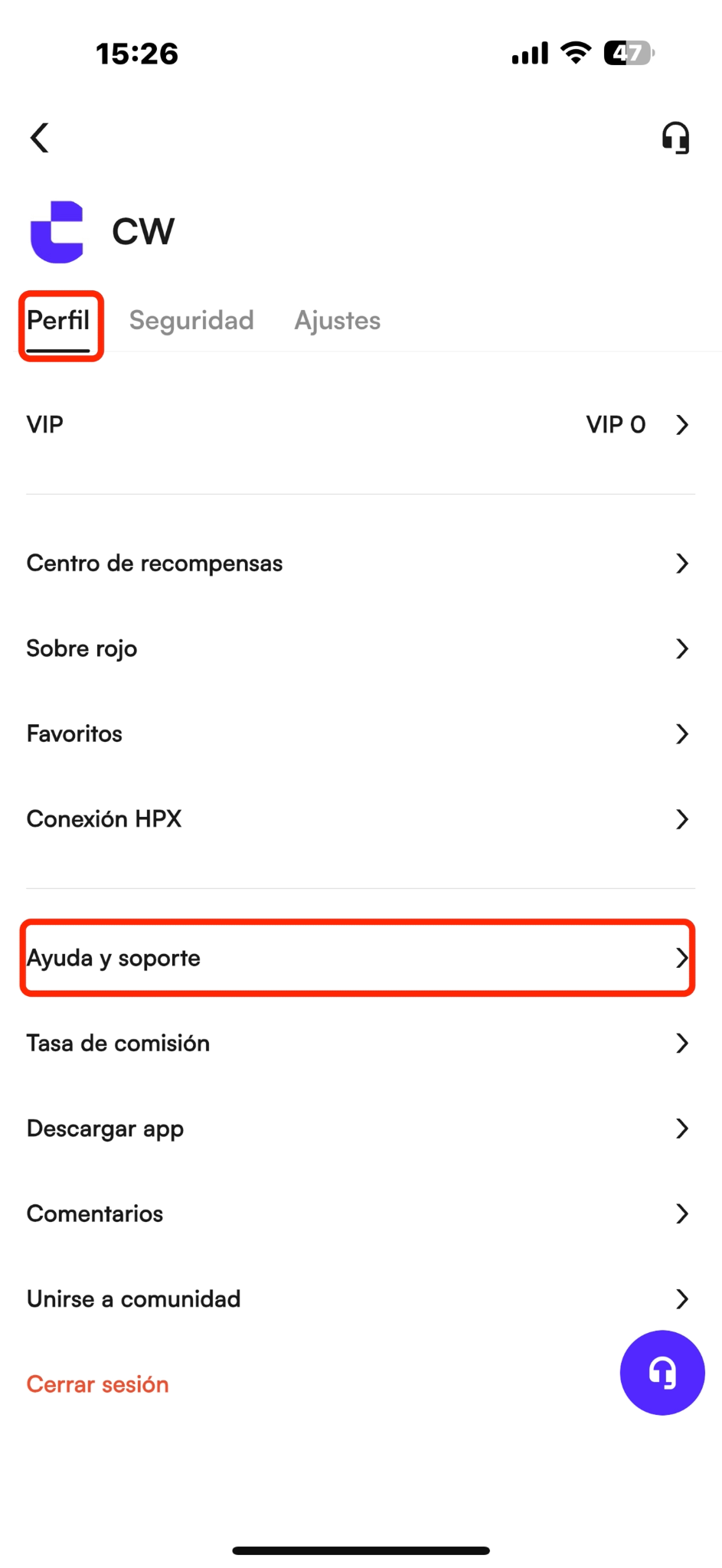
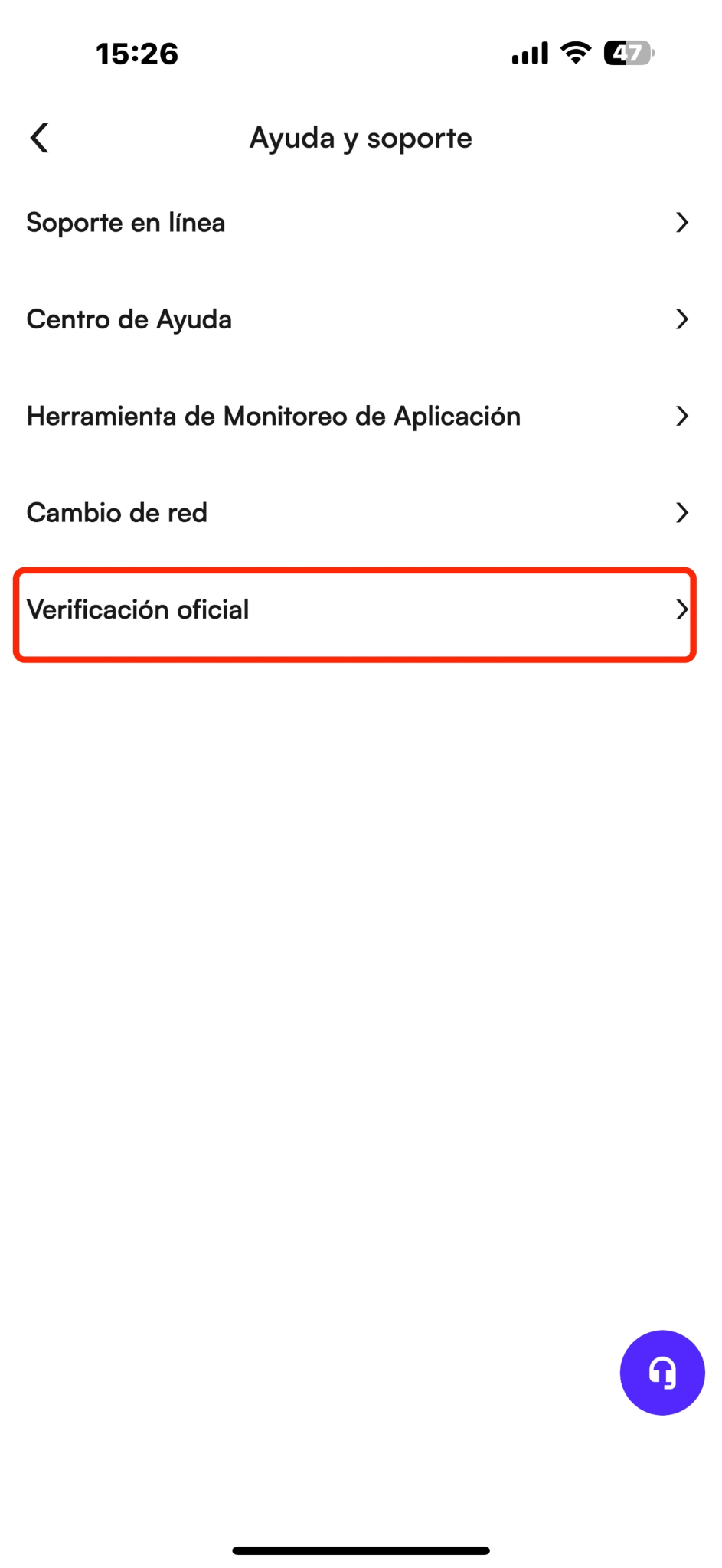
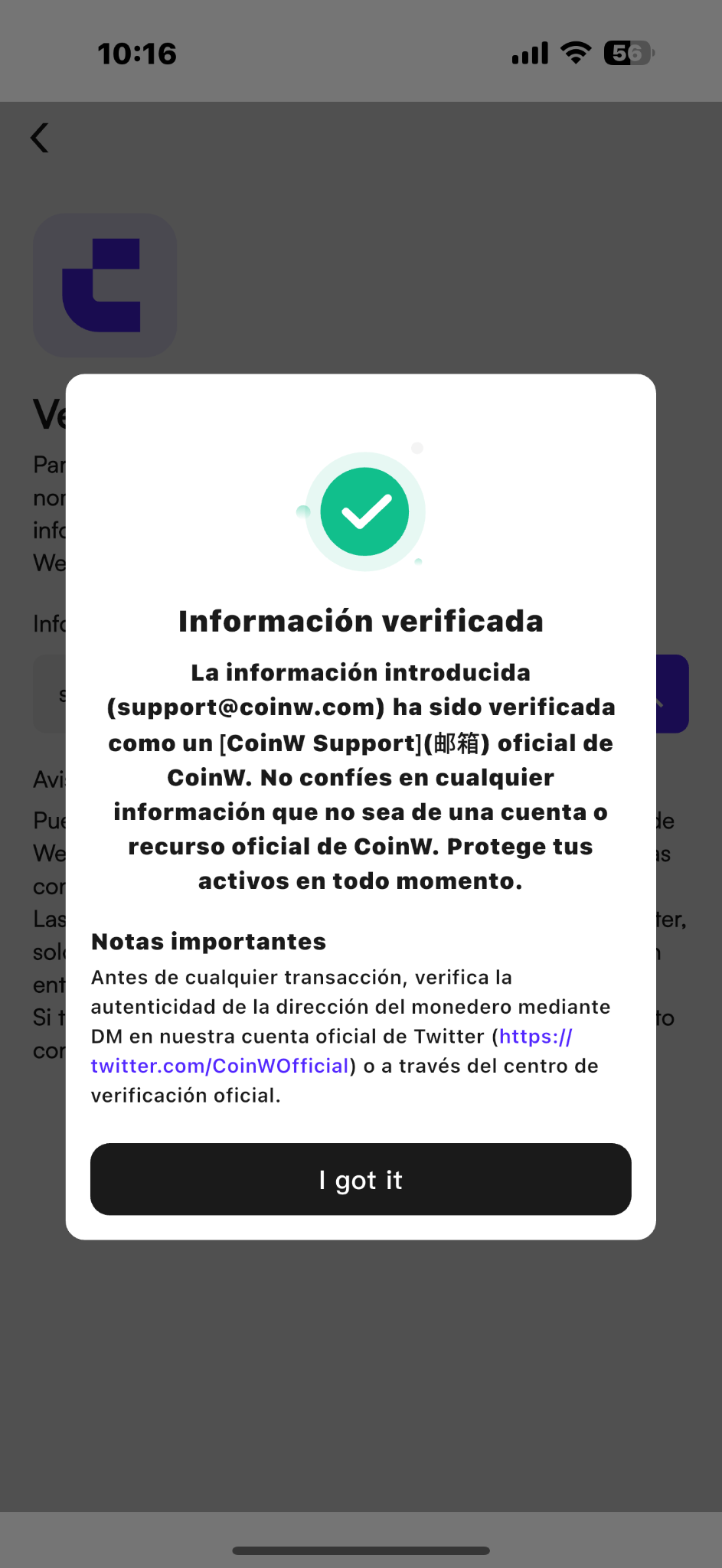
(4) Toque el botón de Verificación Oficial. En la página de verificación, ingrese la información que desea verificar y toque el botón de búsqueda a la derecha;
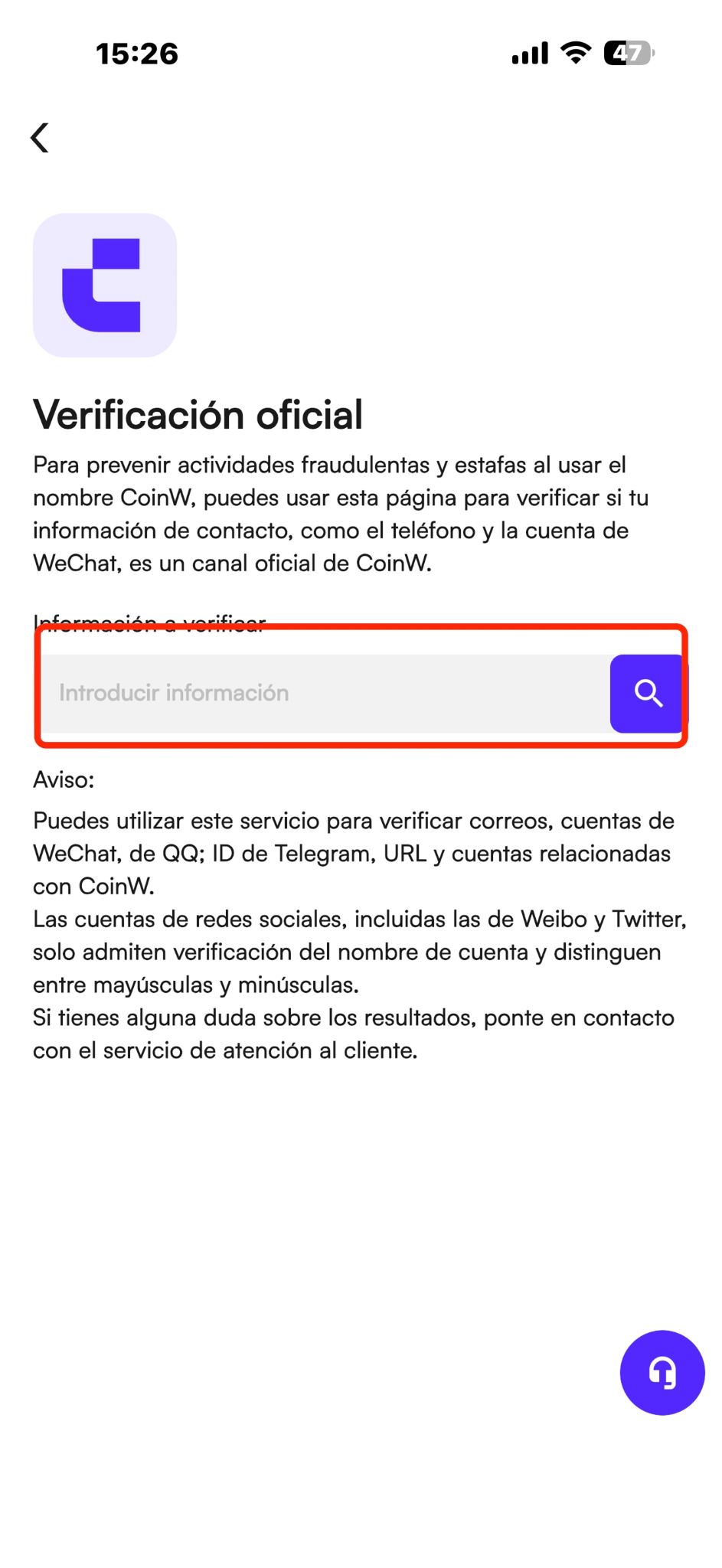
(5) Después de hacer clic en buscar, la página mostrará los resultados de la verificación.
Estos resultados indicarán el tipo de cuenta:
Por ejemplo, si la página muestra que la cuenta es una cuenta de Email, es una cuenta oficial.
Recordatorio amable
(1) El personal oficial nunca le pedirá códigos de verificación, contraseñas u otra información privada. Tampoco le indicarán que transfiera fondos a una dirección específica ni prometerán levantar restricciones de cuenta tras realizar una transferencia. Si alguien le pide realizar operaciones riesgosas, asegúrese de verificar su identidad antes de proceder.
(2) Todas las direcciones de correo electrónico, IDs de WeChat, cuentas de Discord, Telegram, dominios y cuentas de medios relacionadas con CoinW pueden ser verificadas a través de este canal.
(3) Las cuentas de redes sociales (como Weibo y Twitter) solo soportan verificación por nombre y son sensibles a mayúsculas y minúsculas.
(4) Algunas cuentas oficiales pueden no estar actualizadas en tiempo real. Si tiene dudas sobre los resultados de la verificación, contacte al servicio oficial de atención al cliente a través del sitio web o la aplicación para una confirmación adicional.
Las estafas en línea son cada vez más comunes, con muchos estafadores que se hacen pasar por representantes oficiales de la plataforma en las principales redes sociales para llevar a cabo sus fraudes.
Al comunicarse con alguien que afirma ser un “representante oficial de la plataforma,” por favor verifique su identidad para evitar ser engañado.
A continuación, una guía sobre cómo verificar a través de los canales oficiales para confirmar si la persona es un representante legítimo:
WEB
(1) Visite el sitio web oficial de CoinW: https://www.coinw.com/es_ES/;
(2) Desplácese hasta la parte inferior de la página y haga clic en el Canal de Verificación Oficial en el lado derecho;
(3) Ingrese la información que desea verificar en el campo de la página, luego haga clic en el icono de lupa para buscar;
(4) Después de hacer clic en buscar, la página mostrará los resultados de la verificación.
Estos resultados indicarán el tipo de cuenta:
Por ejemplo, si la página muestra que la cuenta es una cuenta de Email, es una cuenta oficial.
APP
(1) Abra la aplicación CoinW y vaya a la página principal;
(2) Toque el ícono en la esquina superior izquierda para entrar en su centro personal;
(3) Toque su perfil, luego desplácese hasta la parte inferior de la página de la cuenta y seleccione Ayuda y Soporte;
(4) Toque el botón de Verificación Oficial. En la página de verificación, ingrese la información que desea verificar y toque el botón de búsqueda a la derecha;
(5) Después de hacer clic en buscar, la página mostrará los resultados de la verificación.
Estos resultados indicarán el tipo de cuenta:
Por ejemplo, si la página muestra que la cuenta es una cuenta de Email, es una cuenta oficial.
Recordatorio amable
(1) El personal oficial nunca le pedirá códigos de verificación, contraseñas u otra información privada. Tampoco le indicarán que transfiera fondos a una dirección específica ni prometerán levantar restricciones de cuenta tras realizar una transferencia. Si alguien le pide realizar operaciones riesgosas, asegúrese de verificar su identidad antes de proceder.
(2) Todas las direcciones de correo electrónico, IDs de WeChat, cuentas de Discord, Telegram, dominios y cuentas de medios relacionadas con CoinW pueden ser verificadas a través de este canal.
(3) Las cuentas de redes sociales (como Weibo y Twitter) solo soportan verificación por nombre y son sensibles a mayúsculas y minúsculas.
(4) Algunas cuentas oficiales pueden no estar actualizadas en tiempo real. Si tiene dudas sobre los resultados de la verificación, contacte al servicio oficial de atención al cliente a través del sitio web o la aplicación para una confirmación adicional.