FAQ

How to Add a Withdrawal Address
Published on: 2025/08/15 00:55Last Update: 2025/08/15 00:55

WEB

Method 1

(1) First, log in to the CoinW official website.

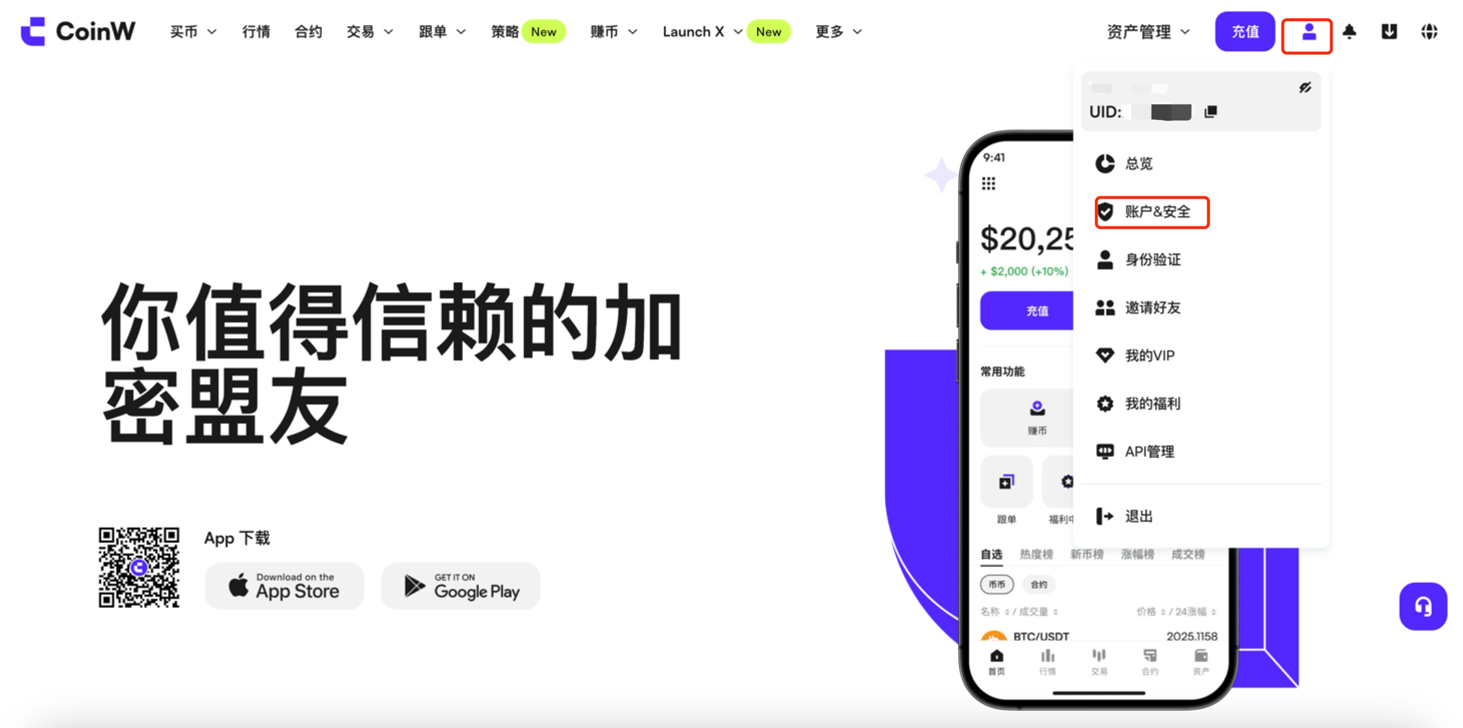
(2) Click the profile icon in the upper right corner and select Account & Security.

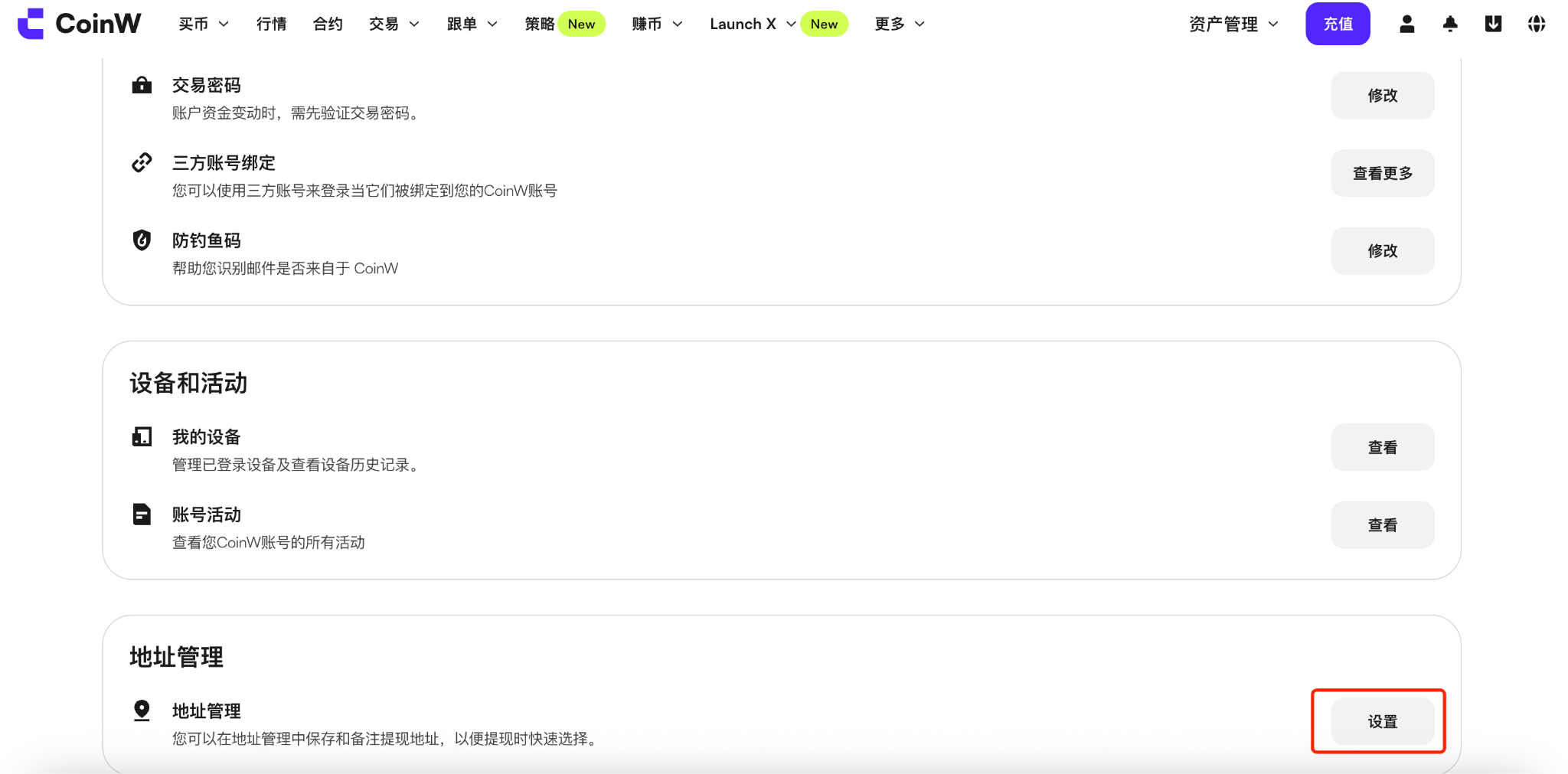
(3) Scroll down to the bottom of the page and click the Settings button next to Address Management.

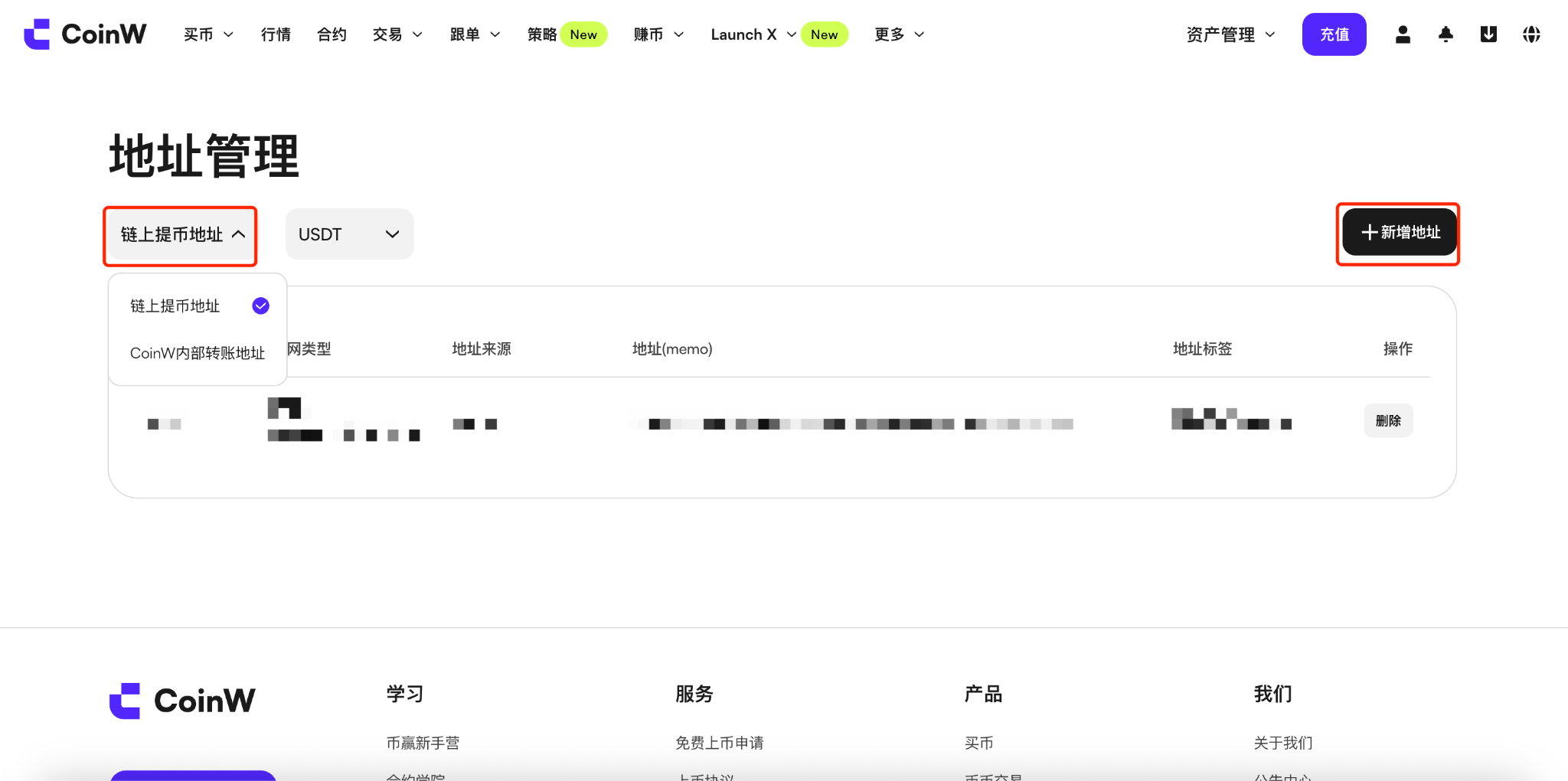
(4) On the Address Management page, you can choose to add Wallet Address or CoinW User.

After selecting the type, click the + Add New Address button on the right side of the page.


Method 2

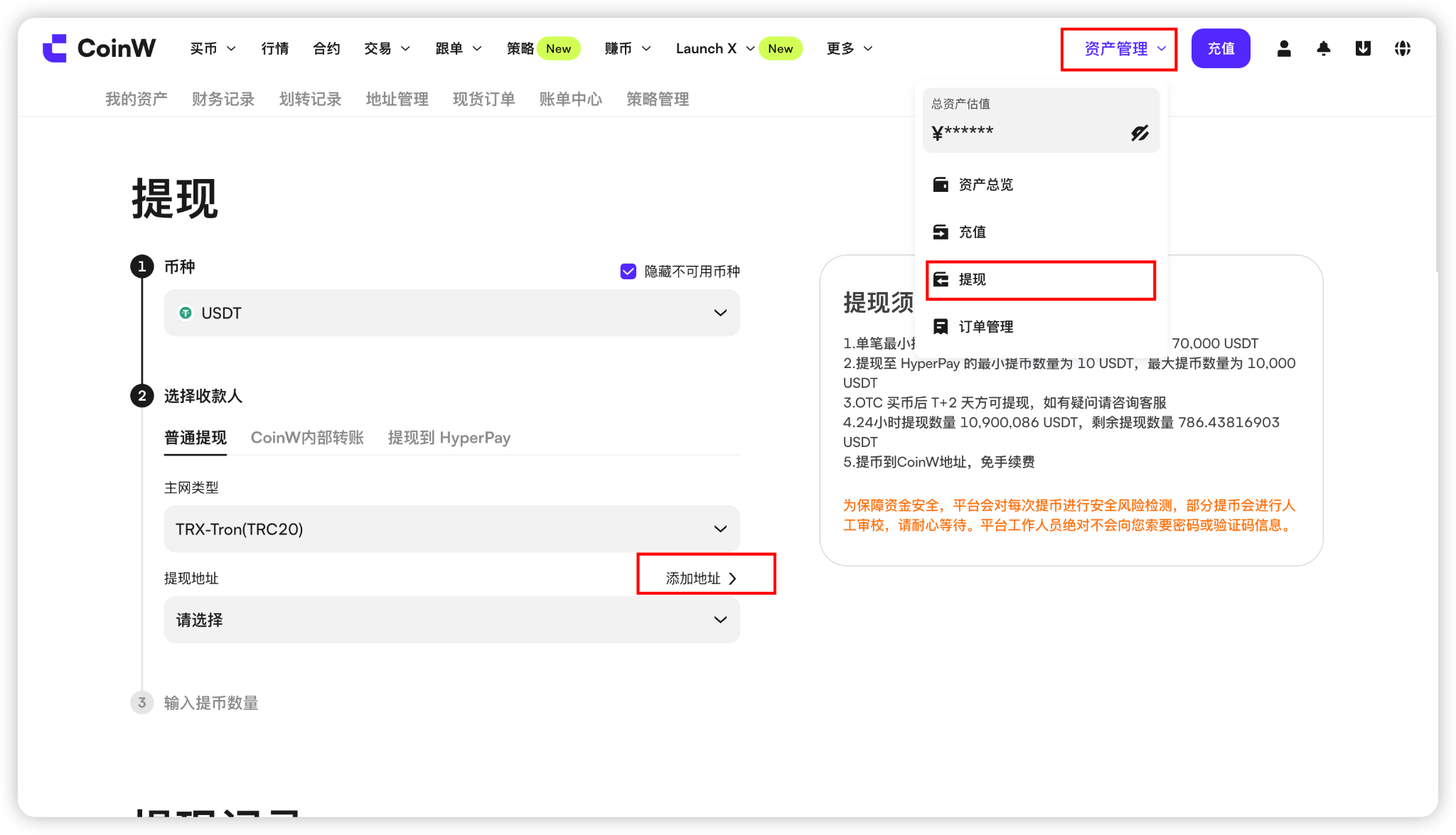
Enter the withdrawal page, select the cryptocurrency and network, then click the Add Address button to access the address binding page.


How to fill in information when adding a withdrawal address

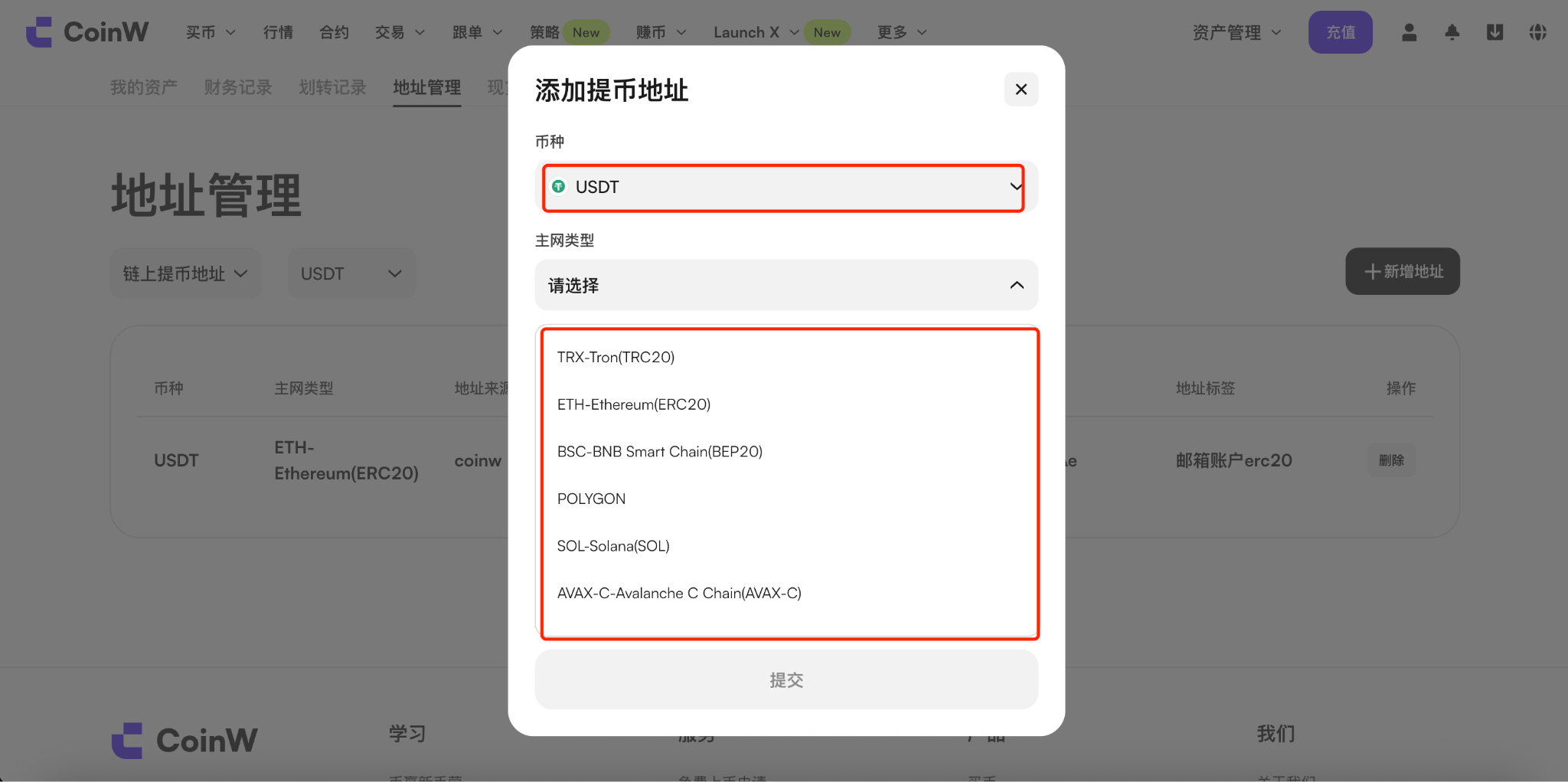
(1) Select the cryptocurrency and address you would like to add. Please make sure to confirm the network name of the address on the recipient platform and fill it in correctly;

(2) After selecting the network, copy the recipient’s address and paste it into the address field on the page;

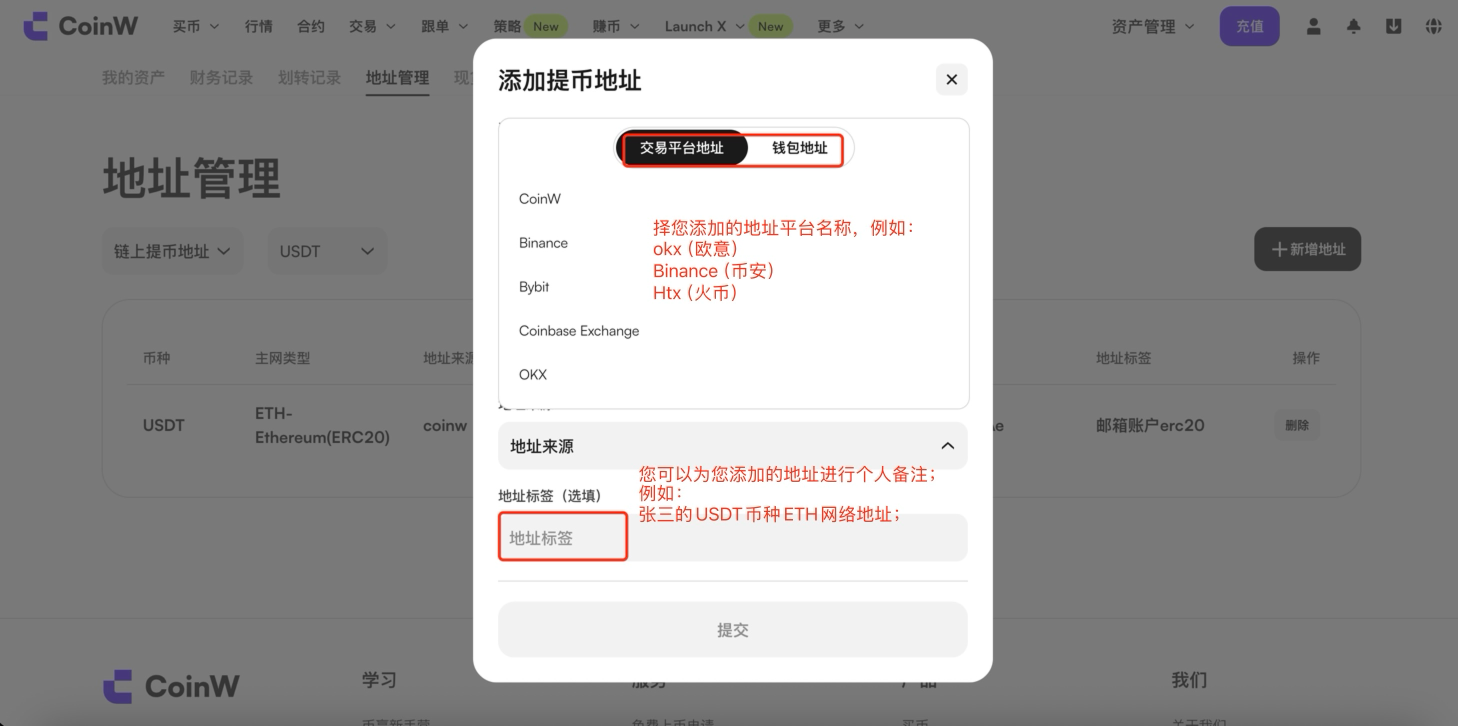
(3) Select the address type (Platform or Wallet), then choose the platform name the address belongs to, for example:

  • OKX

  • Binance

  • HTX

If you are not sure which platform it belongs to, you may select any option, as this will not affect subsequent operations;

(4) Address Label (Optional): You may add a custom remark, for example:
“Zhang San’s USDT (ETH Network) Address”; 

After completing all the information, click the [Add] button to finish.

(5) If you want to add a CoinW internal transfer address, please follow the above steps and click [+ Add Address];

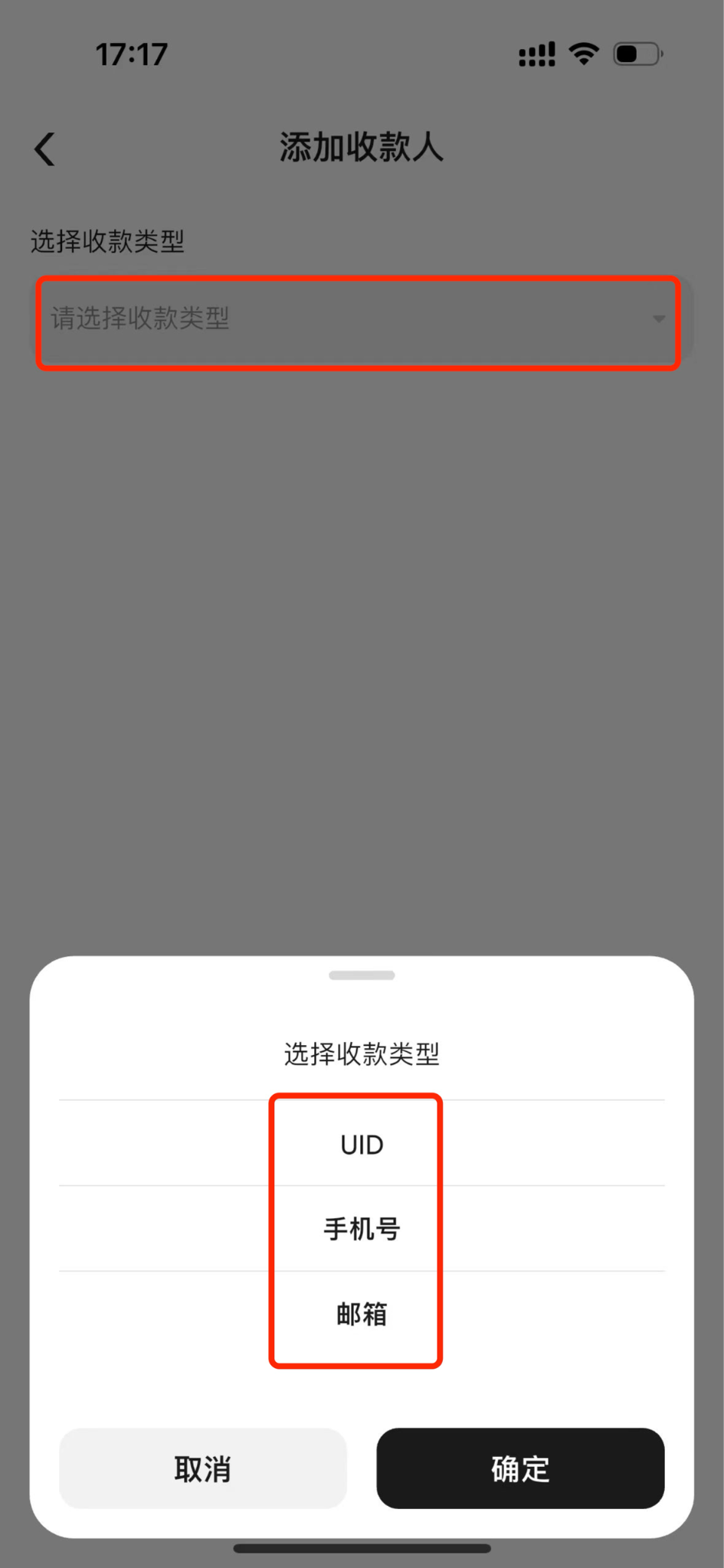
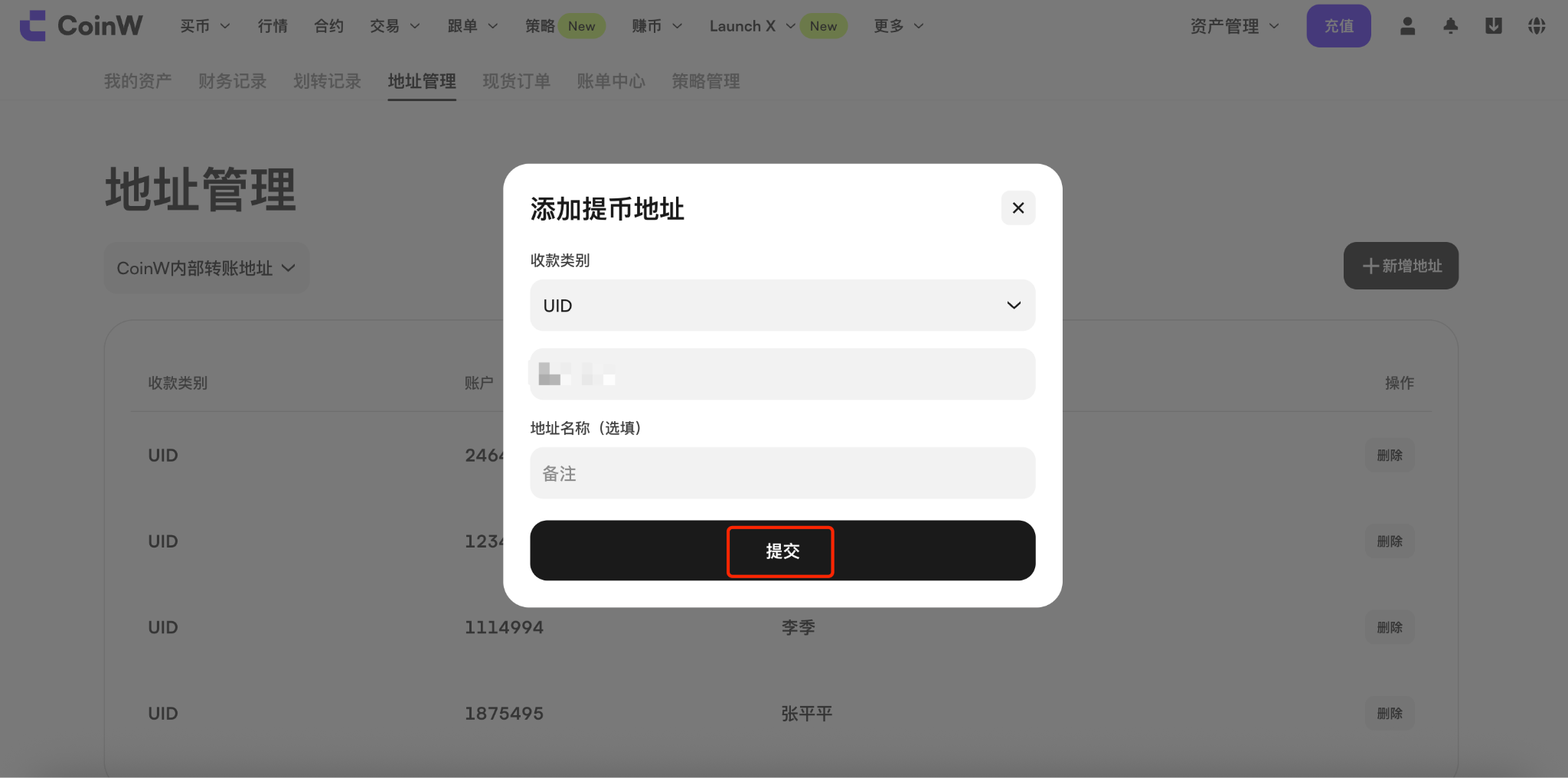
(6) After entering the page, you need to select the recipient account type. Currently, the platform supports the following types: UID, phone number, and email address. The following example uses UID:
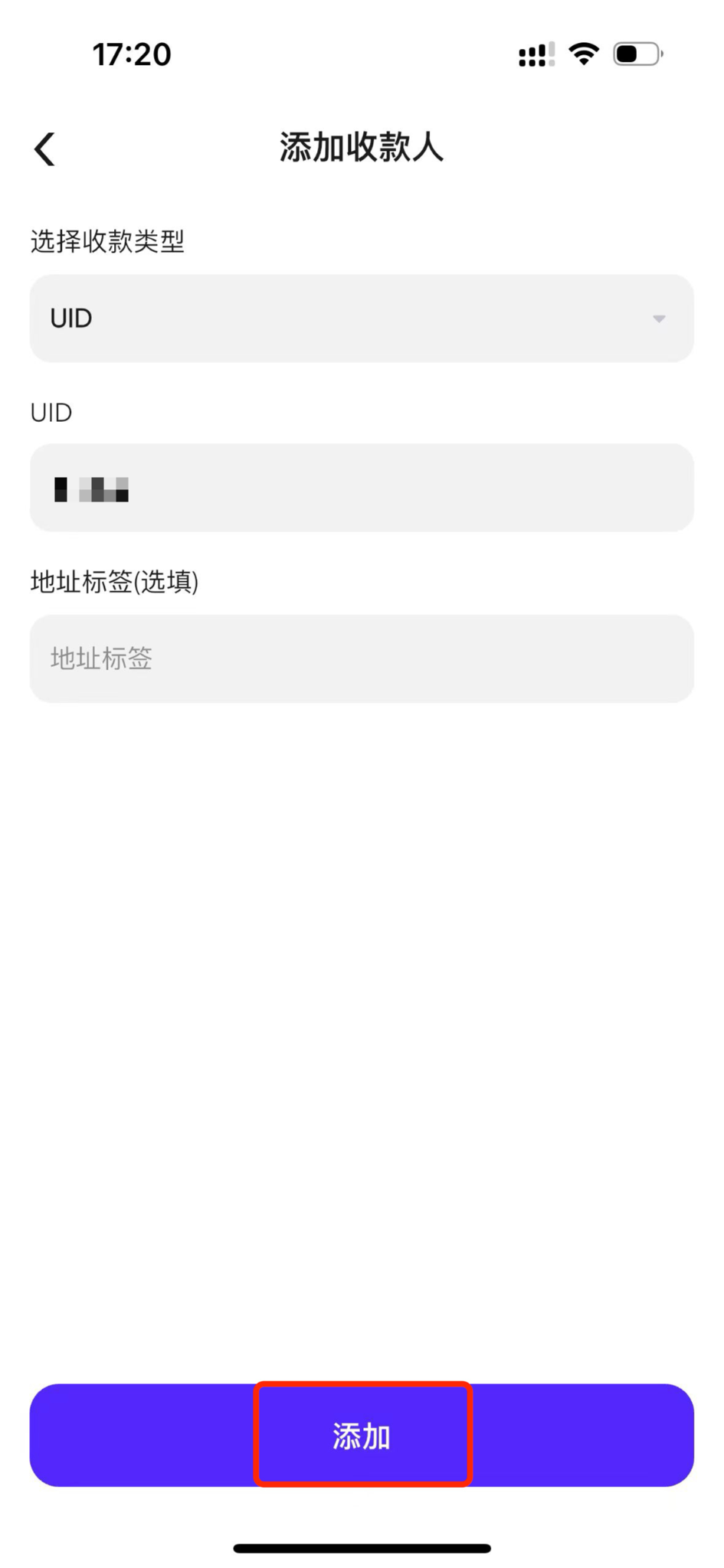
After entering the recipient account UID on the page, you may optionally add an address label as your personal remark, for example: “Li Si’s Address”;

(7) After entering the UID, click the [Add] button at the bottom of the page to successfully add the address.


APP

Method 1

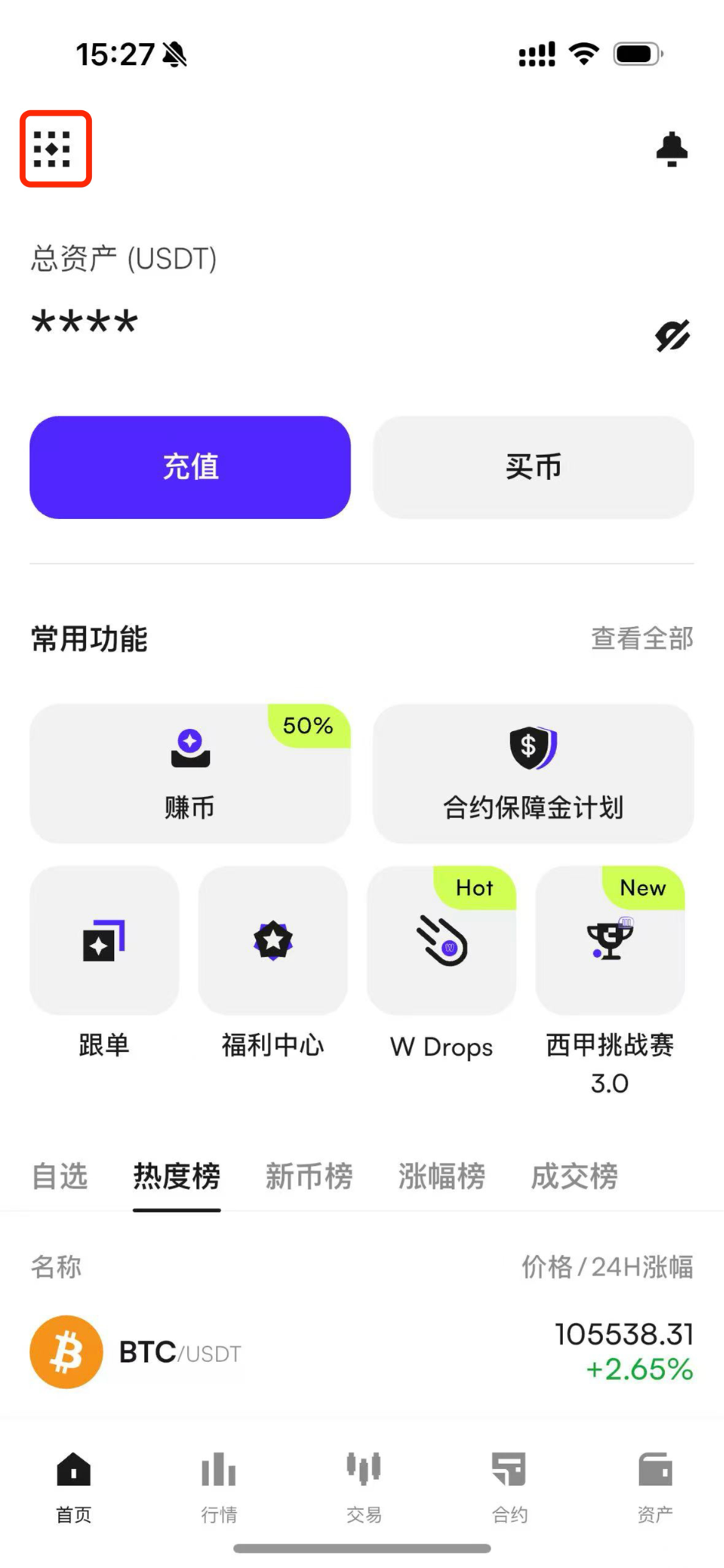
(1) First, open the CoinW app home page.

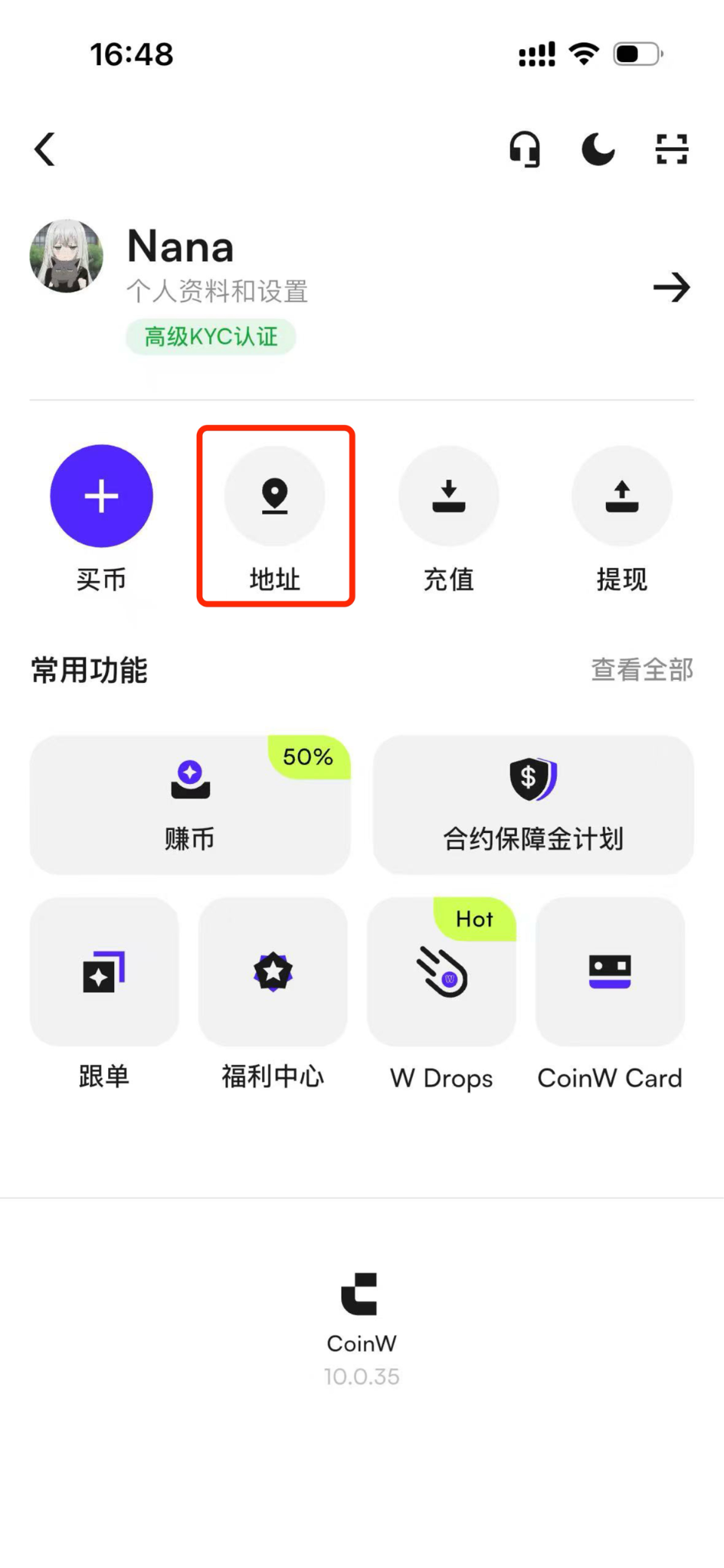
(2) Tap the top-left corner to enter the Personal Center.

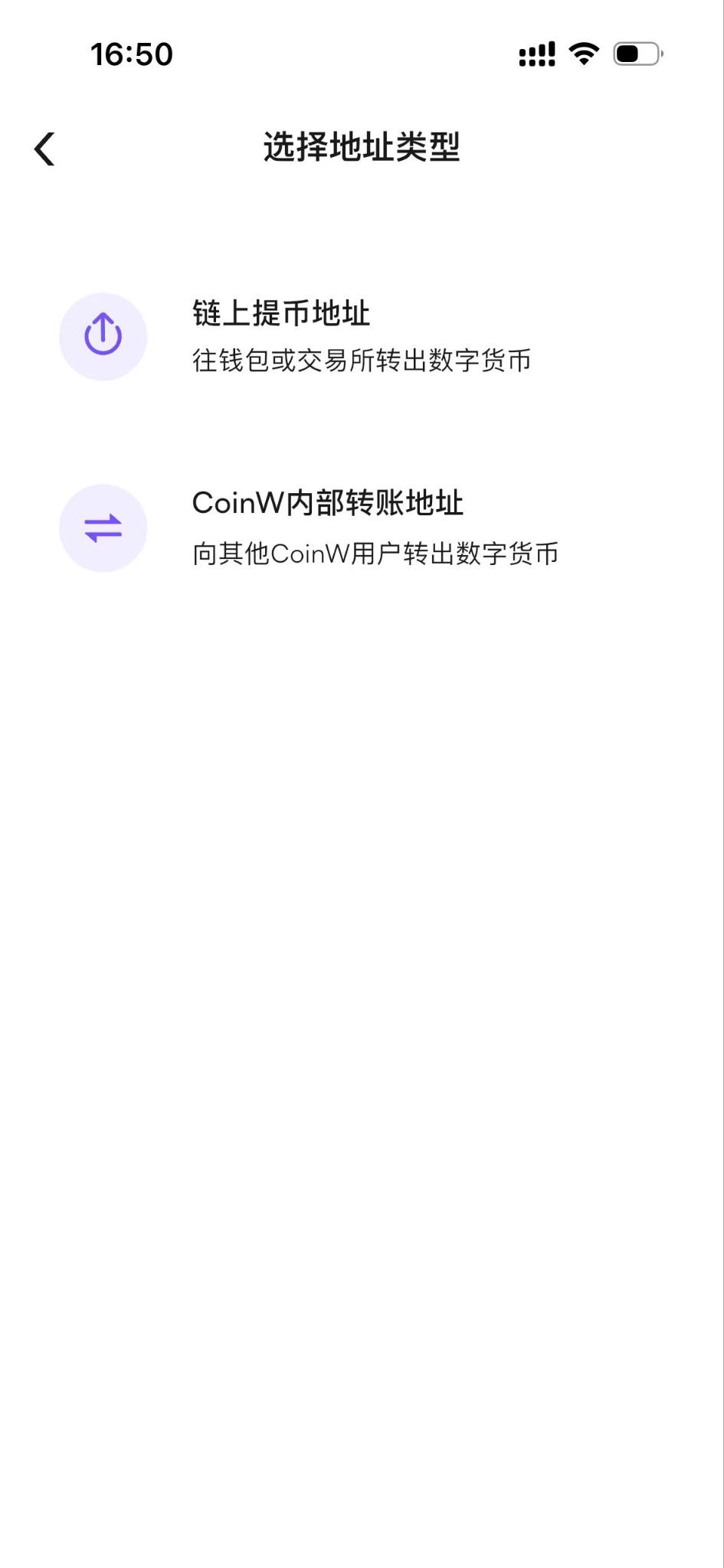
(3) In the Personal Center, tap Withdrawal Address, then choose Wallet Address or CoinW User.


Method 2

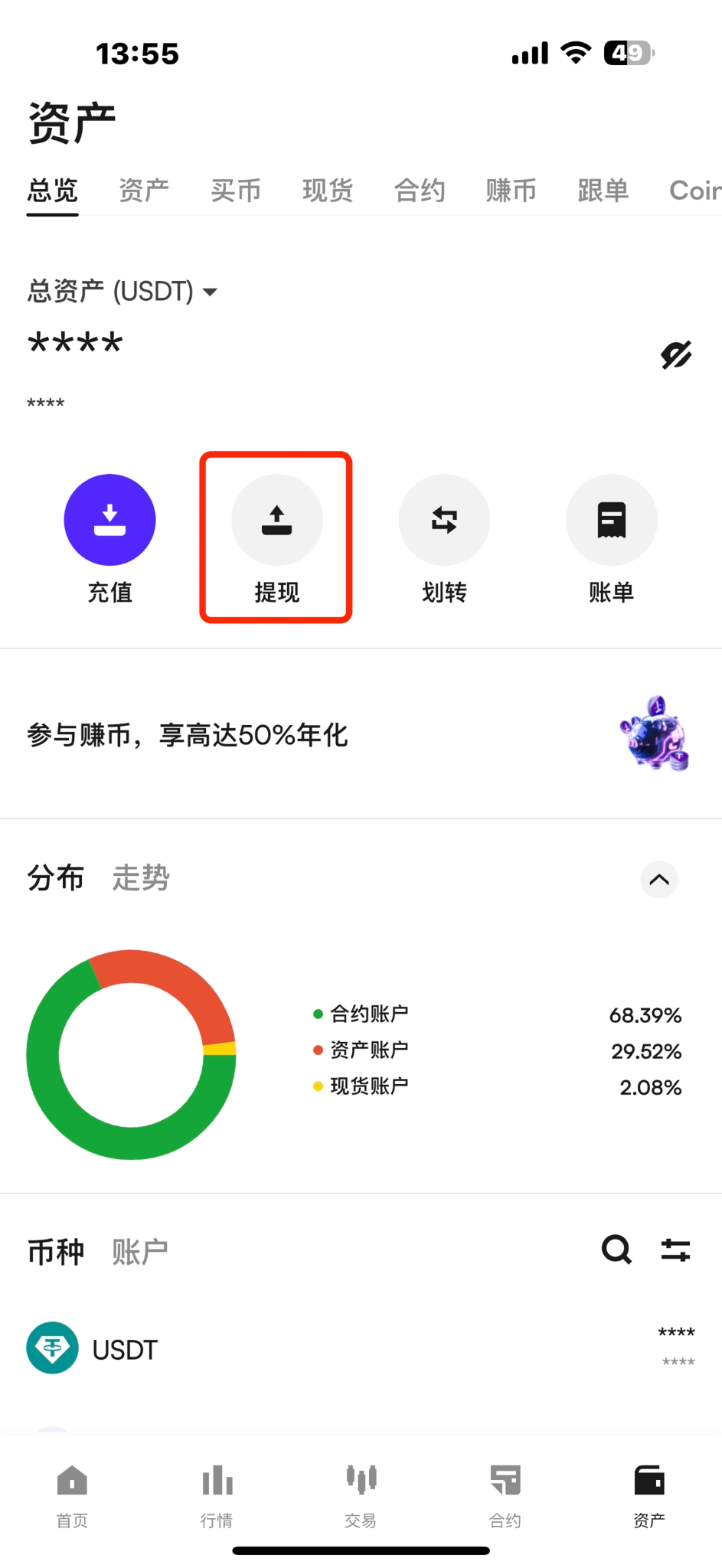
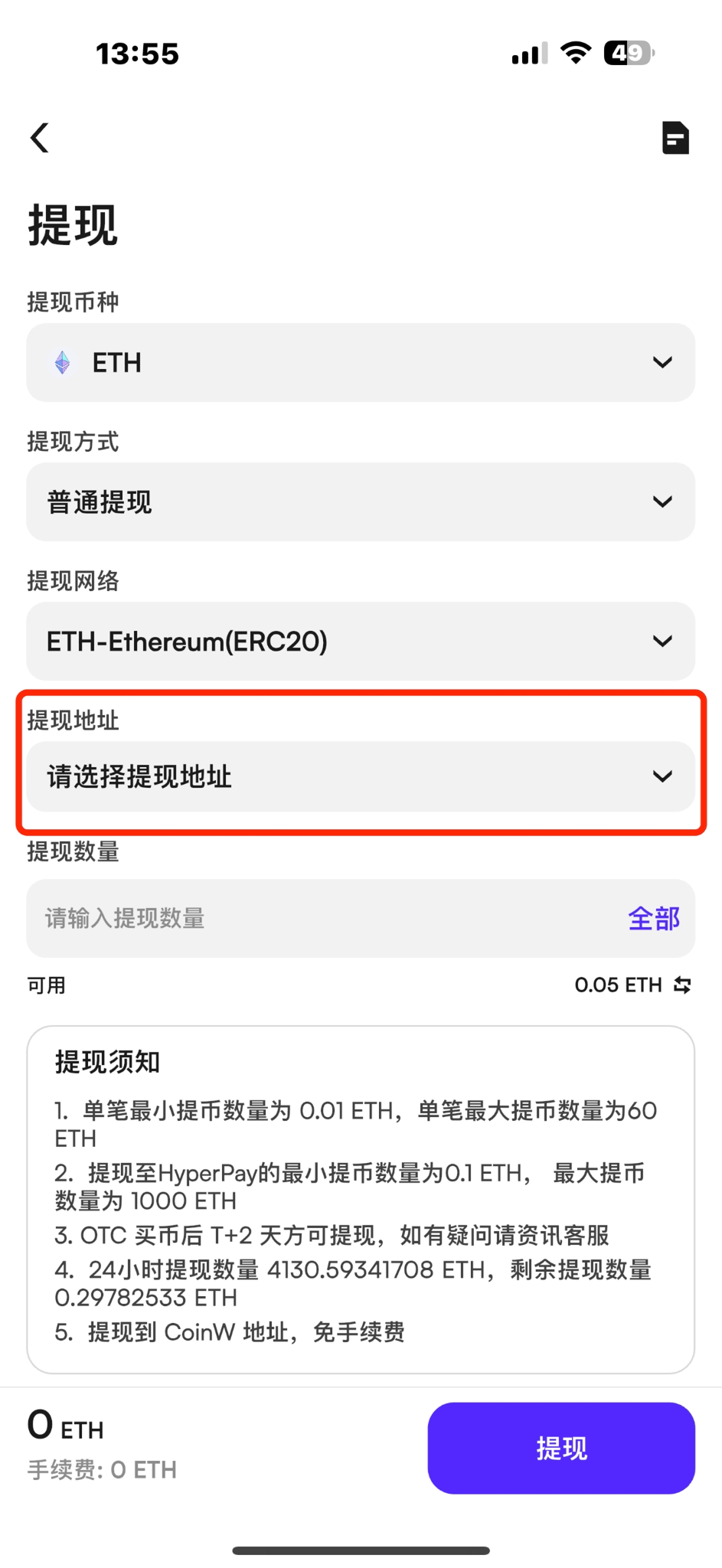
(1) Enter the withdrawal page, select the cryptocurrency you want to withdraw, and choose Standard Withdrawal.

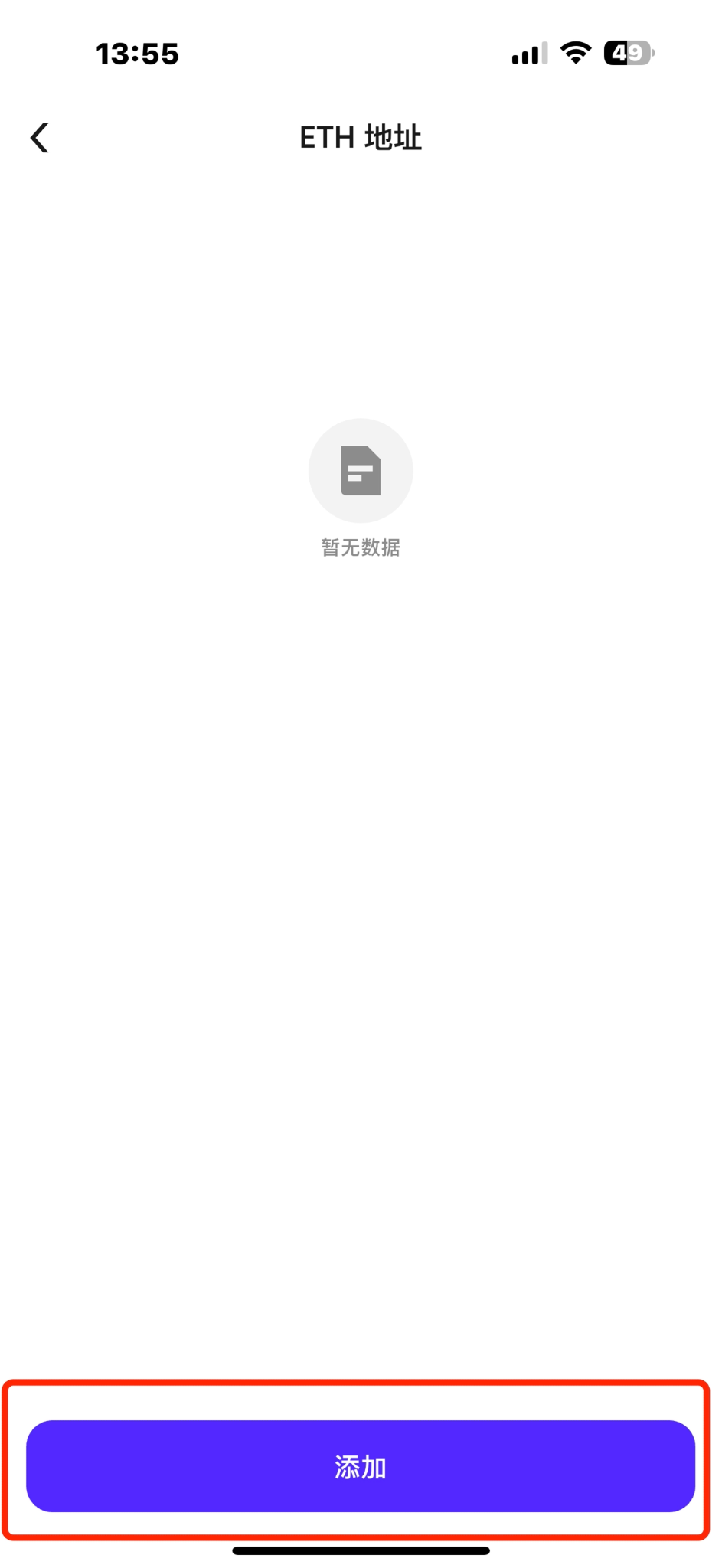
(2) On the withdrawal initiation page, after selecting the withdrawal method and network, click Select Address to open the address book.

Then, click the Add button at the bottom to enter the Add Withdrawal Address page.


How to fill in information when adding a withdrawal address

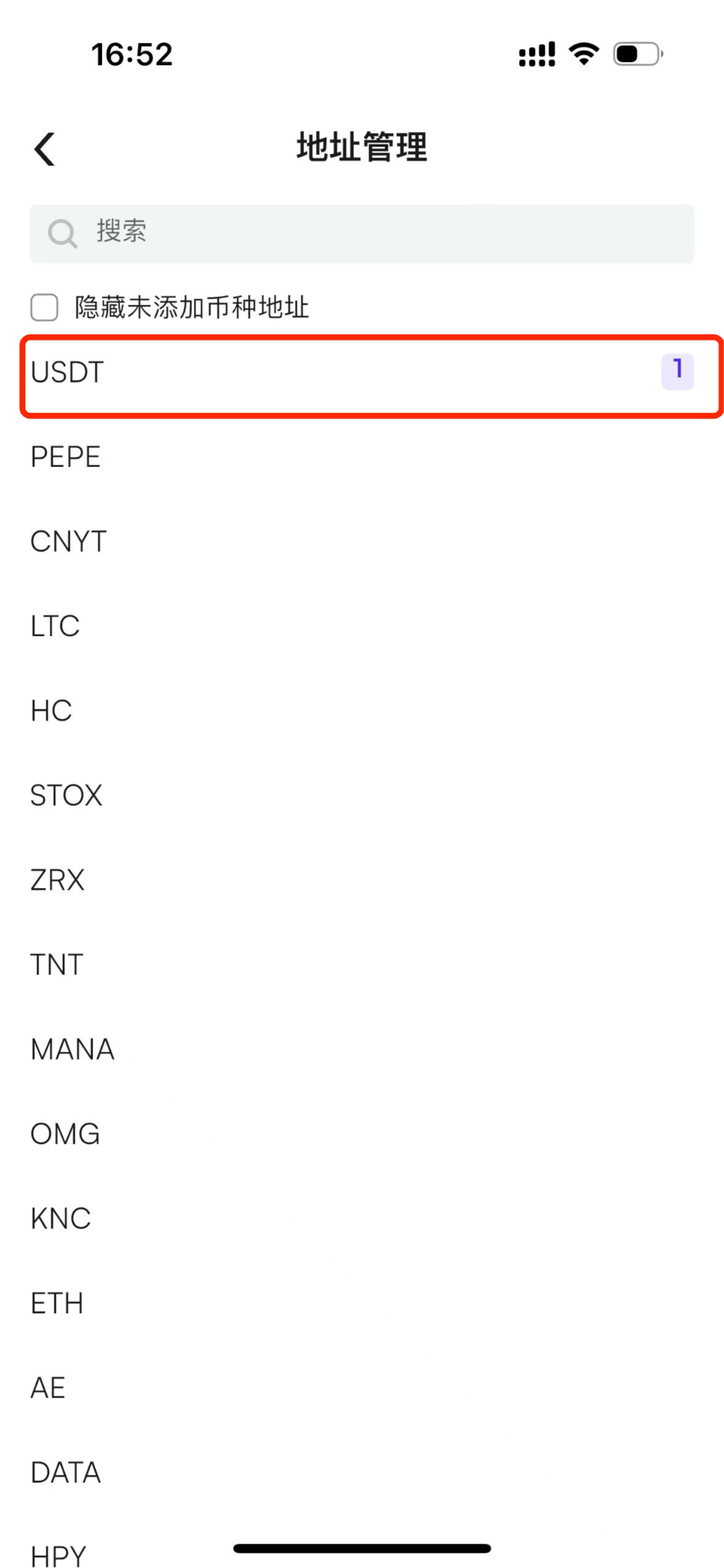
(1) To add an on-chain withdrawal address, please select the cryptocurrency according to the address you would like to add (for example: USDT);

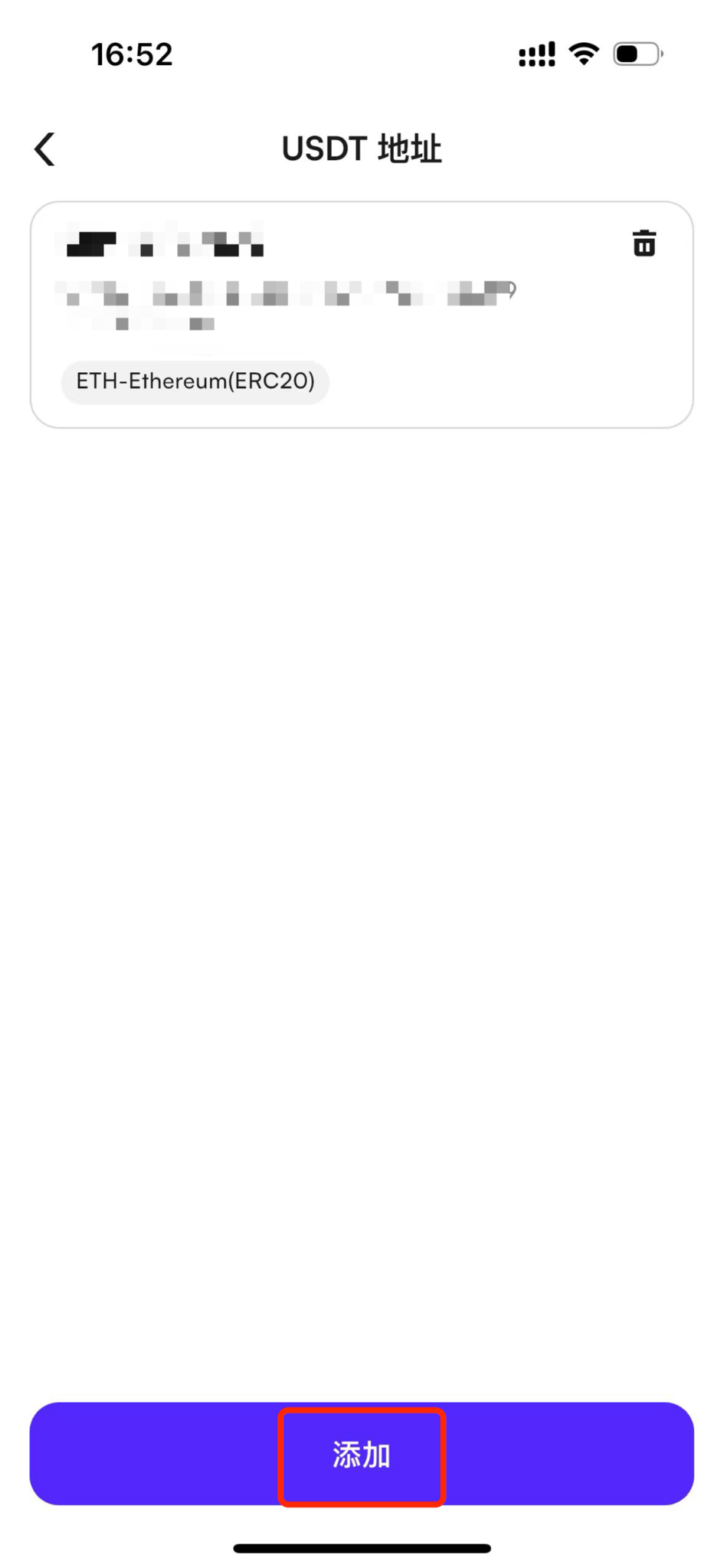
(2) After selecting the cryptocurrency, you will be redirected to the address book page. Click the [Add] button at the bottom;

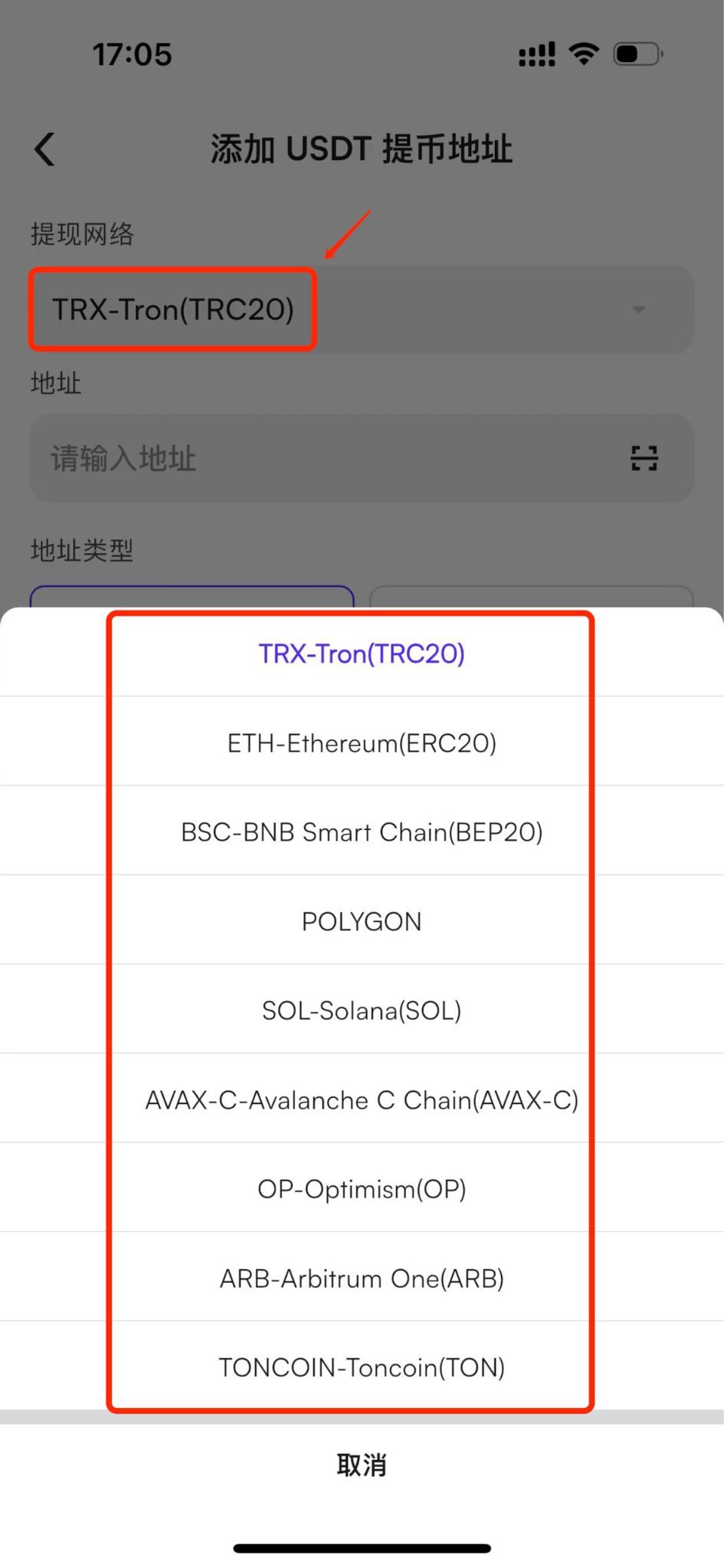
(3) After entering the add address page, please select the network corresponding to the address. Be sure to verify the network name of the address on the recipient platform and fill it in correctly;

(4) After selecting the network, copy the recipient platform’s address and paste it into the address field on the page;

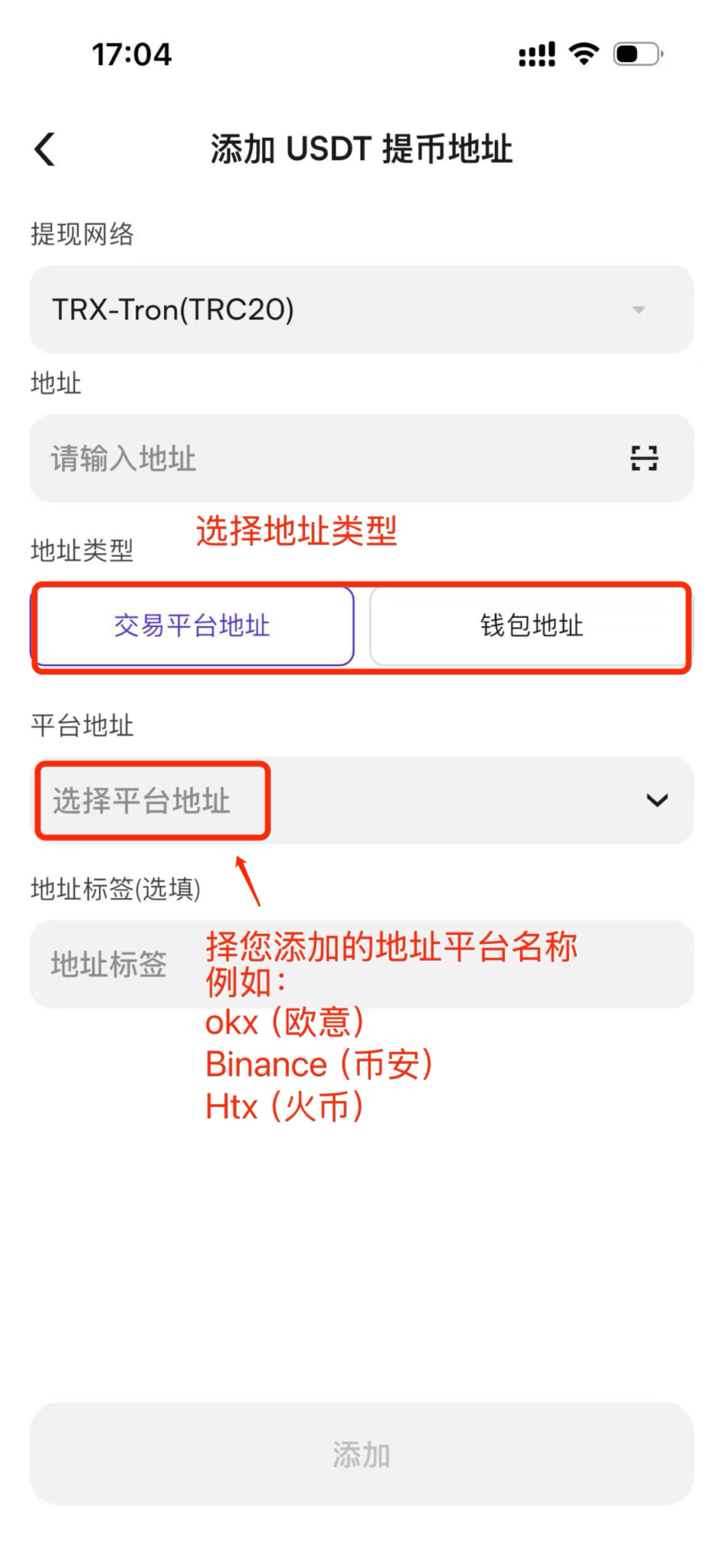
(5) Next, select the address type (Platform or Wallet), then choose the platform name the address belongs to, for example:

  • OKX

  • Binance

  • HTX

If you are unsure of the platform name, you may select any option, as this will not affect subsequent transfers;

(6) Address Label (Optional): You may add a remark for the address, for example:
“Zhang San’s USDT (ETH Network) Address”;

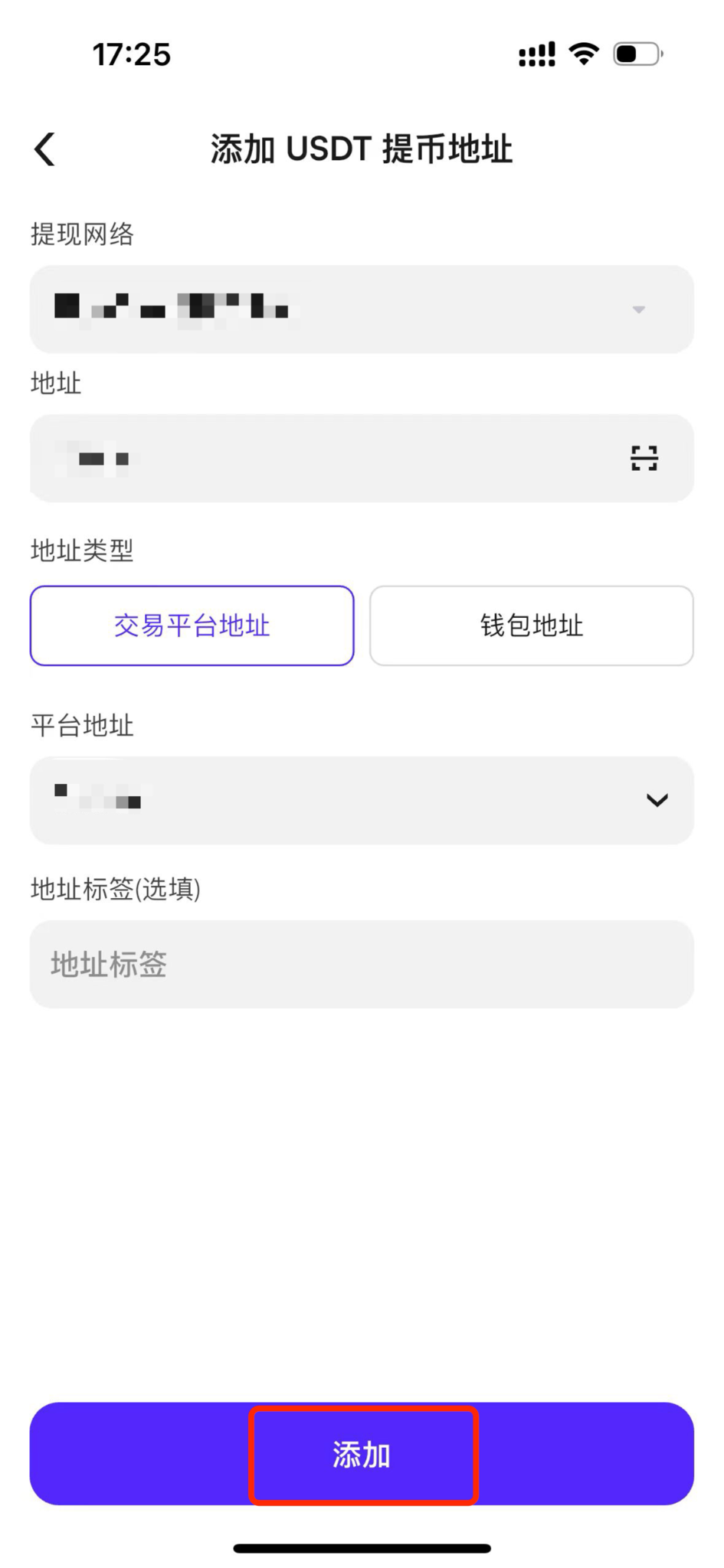
After completing all the information, click the [Add] button to finish.

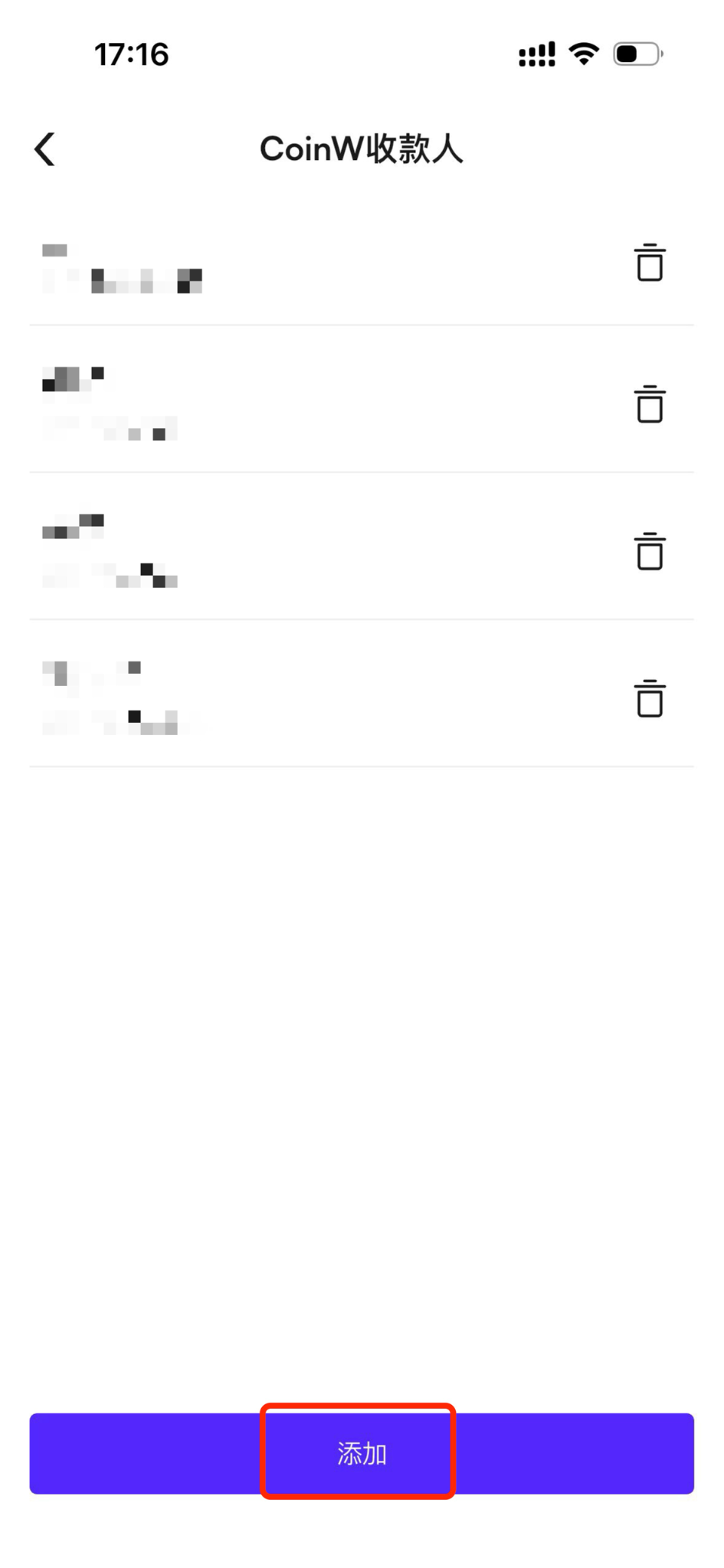
(7) To add a CoinW internal transfer address, enter the page and click the [Add] button at the bottom;

(8) After entering the page, you need to select the recipient account type. Currently, the platform supports the following types: UID, phone number, and email address. The following example uses UID:
After entering the recipient account UID on the page, you may optionally add an address label as your personal remark, for example: “Li Si’s Address”;

(9) After entering the UID, click the [Add] button at the bottom of the page to successfully add the address.

Was this article helpful?
2 out of 1 found this helpful
Limited-Time New User Offer!
Sign up now to claim your exclusive 12000 USDT gift pack!
Already have an account?Log In
Popular Articles
How to Add a Withdrawal Address
Published on: 2025/08/15 00:55Last Update: 2025/08/15 00:55

WEB

Method 1

(1) First, log in to the CoinW official website.

(2) Click the profile icon in the upper right corner and select Account & Security.

(3) Scroll down to the bottom of the page and click the Settings button next to Address Management.

(4) On the Address Management page, you can choose to add Wallet Address or CoinW User.

After selecting the type, click the + Add New Address button on the right side of the page.


Method 2

Enter the withdrawal page, select the cryptocurrency and network, then click the Add Address button to access the address binding page.


How to fill in information when adding a withdrawal address

(1) Select the cryptocurrency and address you would like to add. Please make sure to confirm the network name of the address on the recipient platform and fill it in correctly;

(2) After selecting the network, copy the recipient’s address and paste it into the address field on the page;

(3) Select the address type (Platform or Wallet), then choose the platform name the address belongs to, for example:

  • OKX

  • Binance

  • HTX

If you are not sure which platform it belongs to, you may select any option, as this will not affect subsequent operations;

(4) Address Label (Optional): You may add a custom remark, for example:
“Zhang San’s USDT (ETH Network) Address”; 

After completing all the information, click the [Add] button to finish.

(5) If you want to add a CoinW internal transfer address, please follow the above steps and click [+ Add Address];

(6) After entering the page, you need to select the recipient account type. Currently, the platform supports the following types: UID, phone number, and email address. The following example uses UID:
After entering the recipient account UID on the page, you may optionally add an address label as your personal remark, for example: “Li Si’s Address”;

(7) After entering the UID, click the [Add] button at the bottom of the page to successfully add the address.


APP

Method 1

(1) First, open the CoinW app home page.

(2) Tap the top-left corner to enter the Personal Center.

(3) In the Personal Center, tap Withdrawal Address, then choose Wallet Address or CoinW User.


Method 2

(1) Enter the withdrawal page, select the cryptocurrency you want to withdraw, and choose Standard Withdrawal.

(2) On the withdrawal initiation page, after selecting the withdrawal method and network, click Select Address to open the address book.

Then, click the Add button at the bottom to enter the Add Withdrawal Address page.


How to fill in information when adding a withdrawal address

(1) To add an on-chain withdrawal address, please select the cryptocurrency according to the address you would like to add (for example: USDT);

(2) After selecting the cryptocurrency, you will be redirected to the address book page. Click the [Add] button at the bottom;

(3) After entering the add address page, please select the network corresponding to the address. Be sure to verify the network name of the address on the recipient platform and fill it in correctly;

(4) After selecting the network, copy the recipient platform’s address and paste it into the address field on the page;

(5) Next, select the address type (Platform or Wallet), then choose the platform name the address belongs to, for example:

  • OKX

  • Binance

  • HTX

If you are unsure of the platform name, you may select any option, as this will not affect subsequent transfers;

(6) Address Label (Optional): You may add a remark for the address, for example:
“Zhang San’s USDT (ETH Network) Address”;

After completing all the information, click the [Add] button to finish.

(7) To add a CoinW internal transfer address, enter the page and click the [Add] button at the bottom;

(8) After entering the page, you need to select the recipient account type. Currently, the platform supports the following types: UID, phone number, and email address. The following example uses UID:
After entering the recipient account UID on the page, you may optionally add an address label as your personal remark, for example: “Li Si’s Address”;

(9) After entering the UID, click the [Add] button at the bottom of the page to successfully add the address.

Was this article helpful?
2 out of 1 found this helpful
Limited-Time New User Offer!
Sign up now to claim your exclusive 12000 USDT gift pack!
Already have an account?Log In
Popular Articles