Preguntas frecuentes
Hay muchas razones por las cuales la recarga no se refleja, las más comunes son:
la plataforma o cartera de destino no envió correctamente, el número de confirmaciones no es suficiente, red incorrecta, no se llenó Memo/Tag y por eso la recarga no se acredita, entre otros.
Si recarga desde otra plataforma a CoinW y la recarga no se refleja, por favor contacte primero al servicio al cliente de la otra plataforma para verificar si el TXID se emitió correctamente y si el número de confirmaciones es suficiente:
Si tras consultar al servicio al cliente de la otra plataforma todo está en orden pero la recarga aún no se refleja, deberá proporcionar su UID, moneda y red al correo de servicio al cliente ([email protected]) para que podamos verificar y resolver el problema.
O también puede contactar directamente con el servicio al cliente a través de la APP o la WEB para que le ayuden a consultar.
Si ha retirado fondos desde CoinW hacia otra plataforma o cartera y la recarga no se refleja, por favor contacte primero al servicio al cliente o consulte usted mismo el estado del TXID en la cadena de bloques.
¿Cómo consultar el estado del TXID en la cadena de bloques?
Ejemplo con BTC:
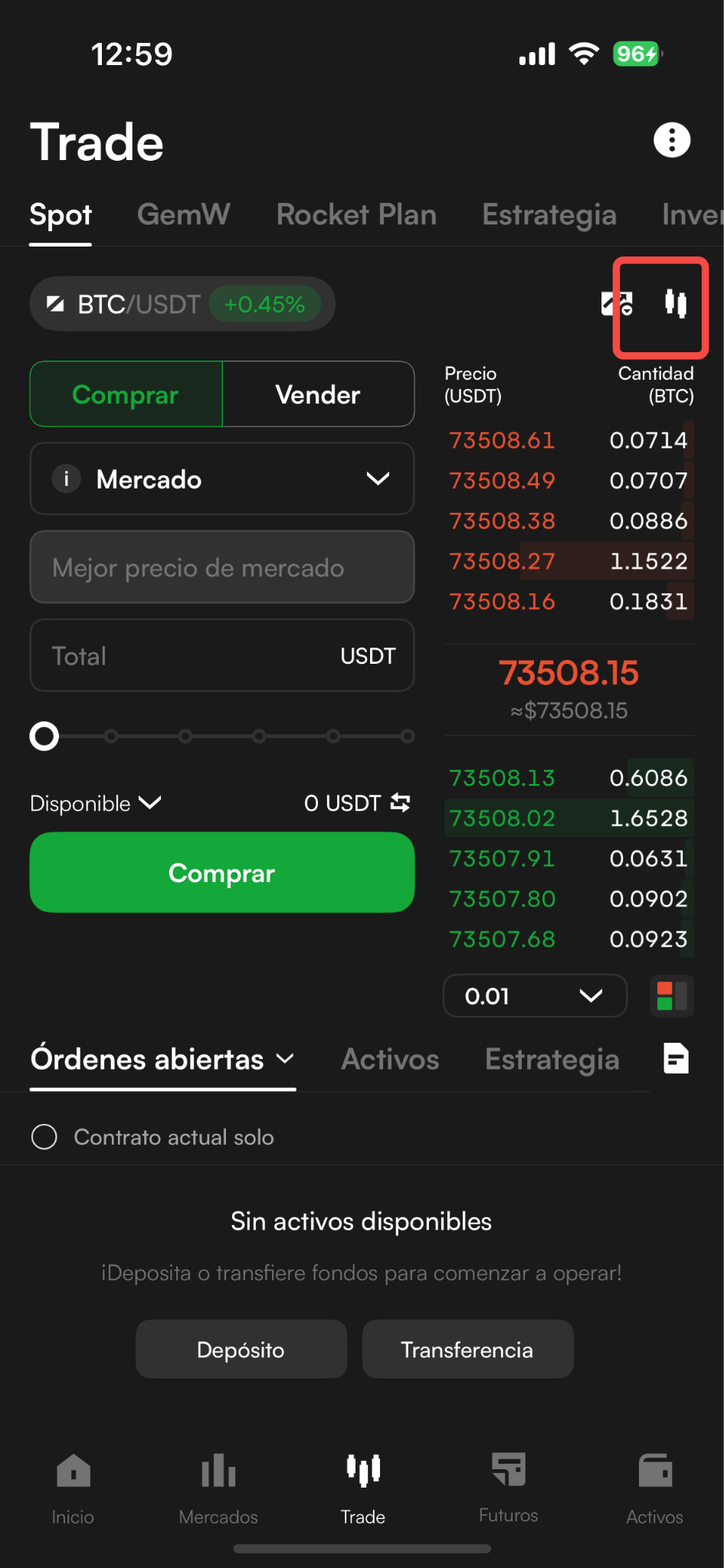
Abra la APP de CoinW y vaya a la página de trading spot, pulse el ícono de gráfico K en la esquina superior derecha para acceder a la página del gráfico;
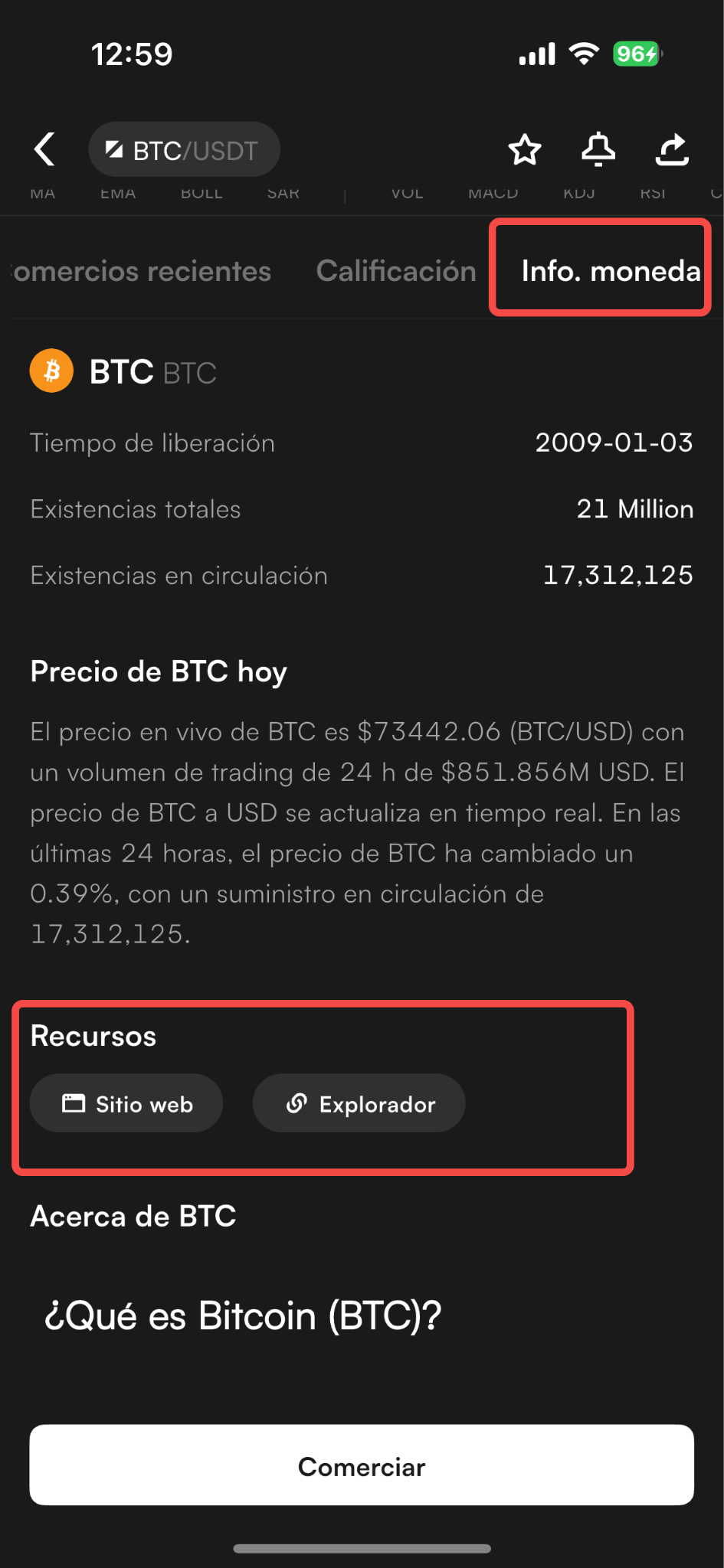
En la página del gráfico, desplácese hacia abajo hasta “Enciclopedia de monedas” y encuentre el enlace, allí se mostrará la página oficial de la moneda y el explorador de bloques;
Si no puede abrir el explorador de bloques, intente conectarse mediante VPN.
¿Cómo contactar con el servicio al cliente?
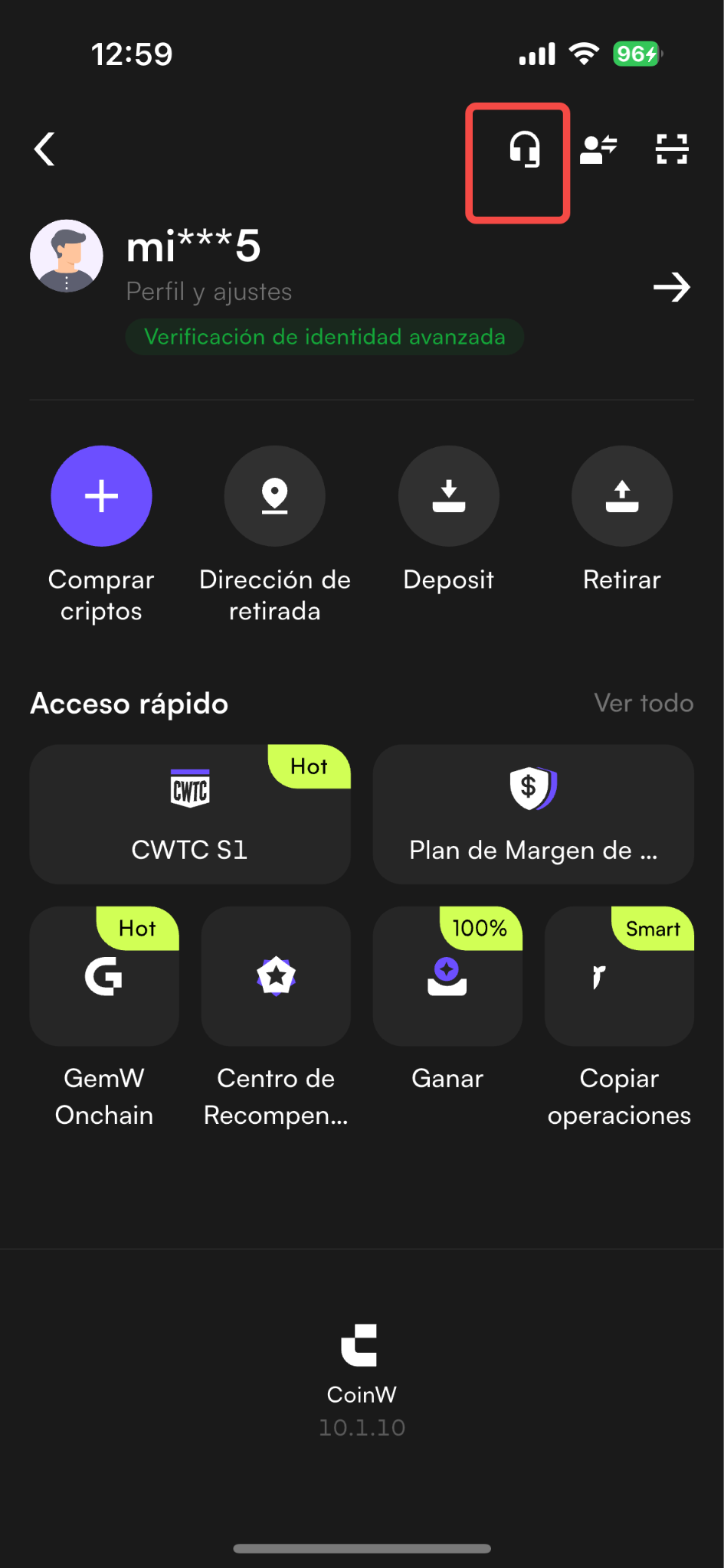
APP: En la página principal de CoinW APP, pulse en la esquina superior izquierda para entrar al centro personal, y pulse el ícono de auriculares en la esquina superior derecha.
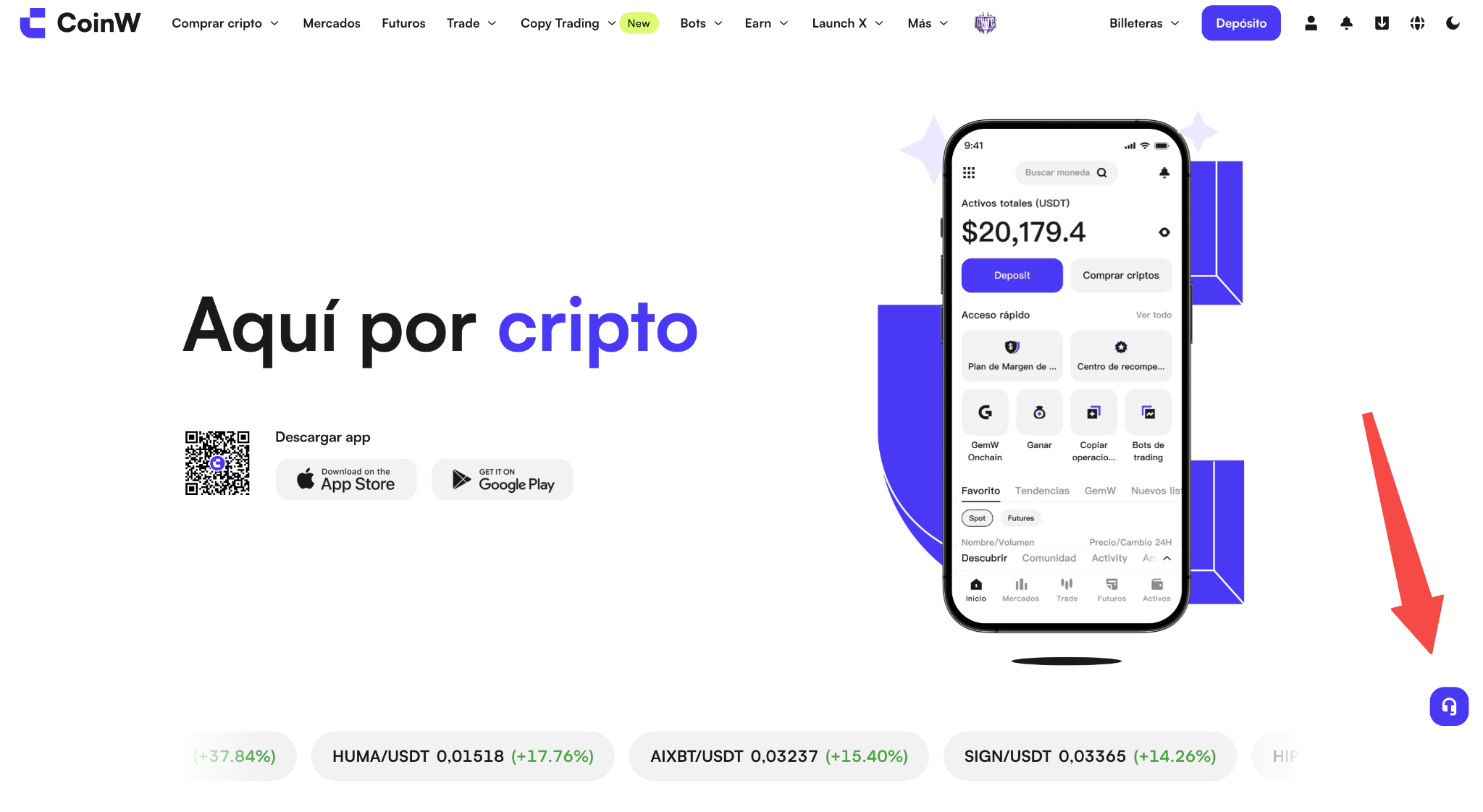
WEB: Acceda a la página oficial de CoinW y pulse el ícono de auriculares en el lado derecho.
Hay muchas razones por las cuales la recarga no se refleja, las más comunes son:
la plataforma o cartera de destino no envió correctamente, el número de confirmaciones no es suficiente, red incorrecta, no se llenó Memo/Tag y por eso la recarga no se acredita, entre otros.
Si recarga desde otra plataforma a CoinW y la recarga no se refleja, por favor contacte primero al servicio al cliente de la otra plataforma para verificar si el TXID se emitió correctamente y si el número de confirmaciones es suficiente:
Si tras consultar al servicio al cliente de la otra plataforma todo está en orden pero la recarga aún no se refleja, deberá proporcionar su UID, moneda y red al correo de servicio al cliente ([email protected]) para que podamos verificar y resolver el problema.
O también puede contactar directamente con el servicio al cliente a través de la APP o la WEB para que le ayuden a consultar.
Si ha retirado fondos desde CoinW hacia otra plataforma o cartera y la recarga no se refleja, por favor contacte primero al servicio al cliente o consulte usted mismo el estado del TXID en la cadena de bloques.
¿Cómo consultar el estado del TXID en la cadena de bloques?
Ejemplo con BTC:
Abra la APP de CoinW y vaya a la página de trading spot, pulse el ícono de gráfico K en la esquina superior derecha para acceder a la página del gráfico;
En la página del gráfico, desplácese hacia abajo hasta “Enciclopedia de monedas” y encuentre el enlace, allí se mostrará la página oficial de la moneda y el explorador de bloques;
Si no puede abrir el explorador de bloques, intente conectarse mediante VPN.
¿Cómo contactar con el servicio al cliente?
APP: En la página principal de CoinW APP, pulse en la esquina superior izquierda para entrar al centro personal, y pulse el ícono de auriculares en la esquina superior derecha.
WEB: Acceda a la página oficial de CoinW y pulse el ícono de auriculares en el lado derecho.