Часті питання
Інструкція з торгівлі деривативами в мобільному додатку CoinW
(1) Спочатку відкрий головну сторінку додатку CoinW.
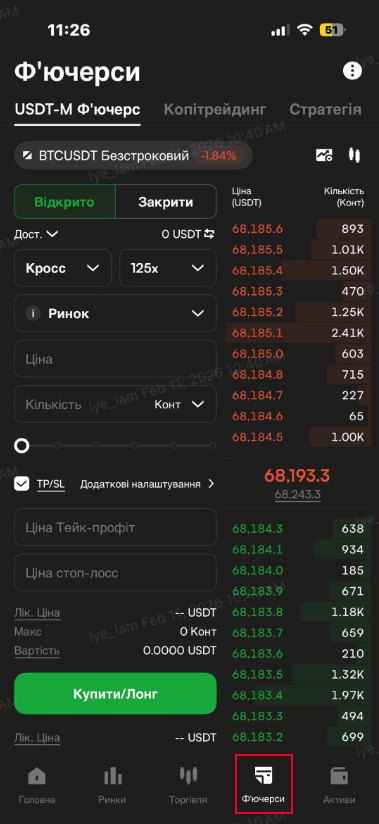
(2) Натисни на кнопку «Контракт» у нижньому меню.
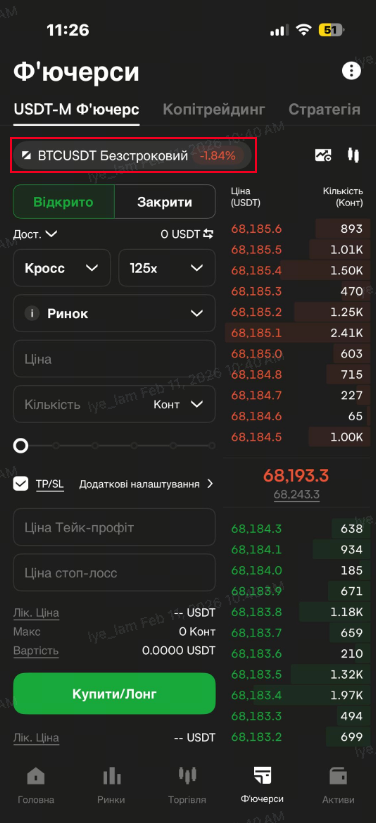
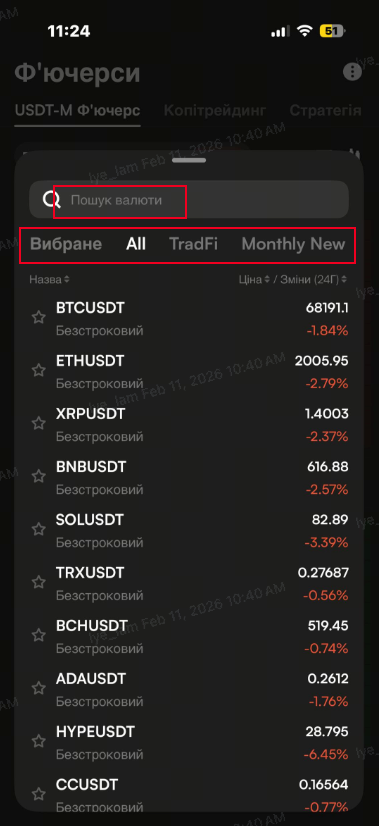
(3) У верхньому лівому куті натисни на кнопку торгової пари та обери бажану пару.
Можна шукати вручну або вибирати за категоріями.
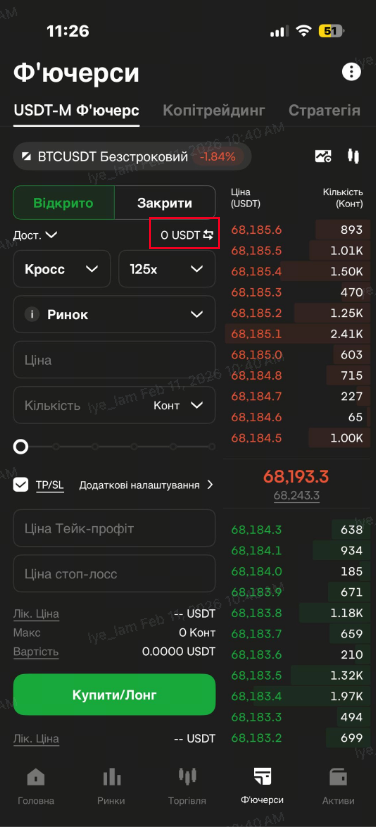
(4) Переконайся, що у твоєму контрактному акаунті є USDT.
Якщо ні — натисни «Переказ» біля балансу, щоб переказати кошти з іншого акаунту до контрактного акаунту.
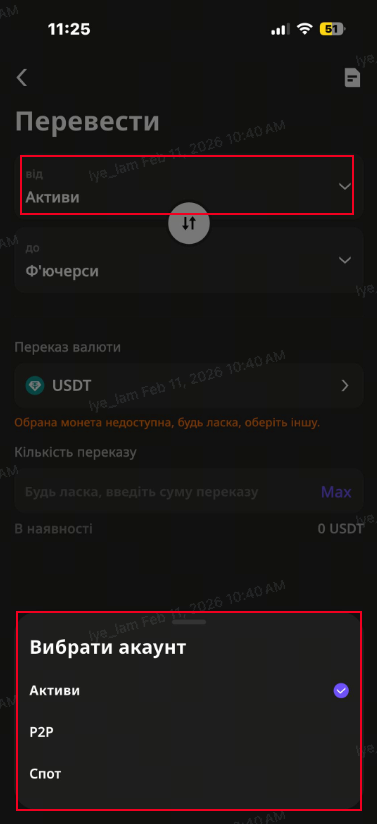
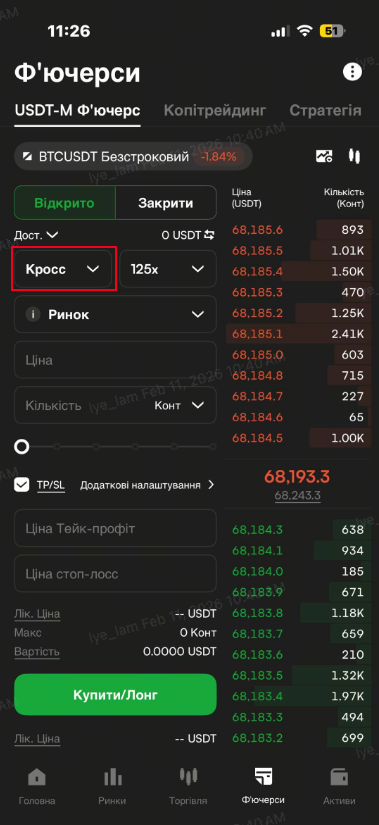
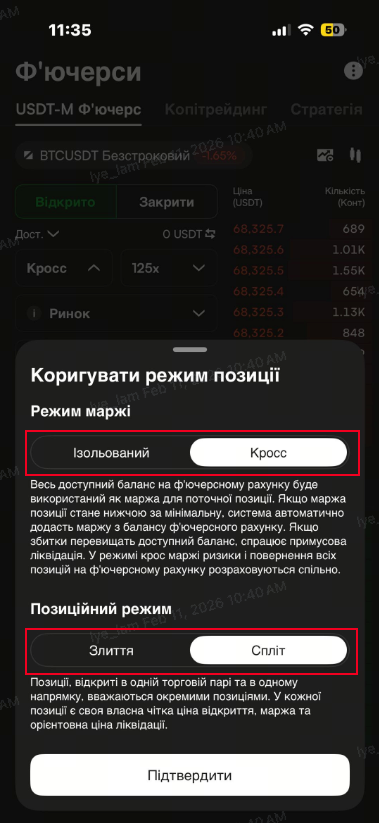
(5) Вибери режим позиції та налаштуй плече (левередж):
Крос (Cross Margin) — використовується весь баланс контрактного акаунту як маржа.
Ізольований (Isolated Margin) — маржа встановлюється вручну на кожну позицію.
Роздільний режим позицій — кілька позицій по одній парі та напрямку відображаються окремо.
Об'єднаний режим позицій — дані кількох позицій того ж типу поєднуються в одну.
Змінити режим можна лише за відсутності відкритих позицій та активних ордерів.
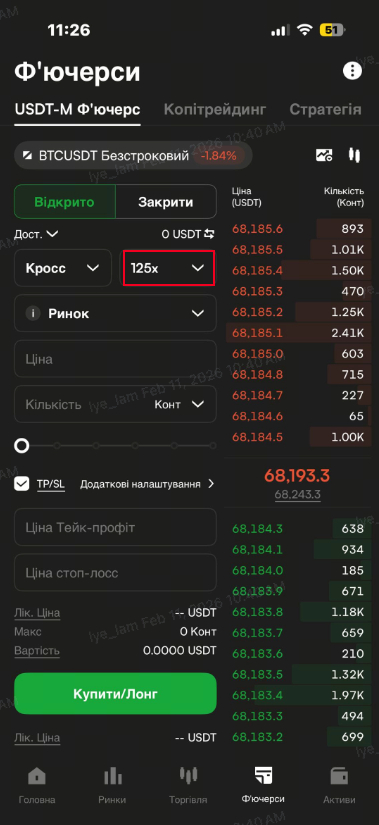
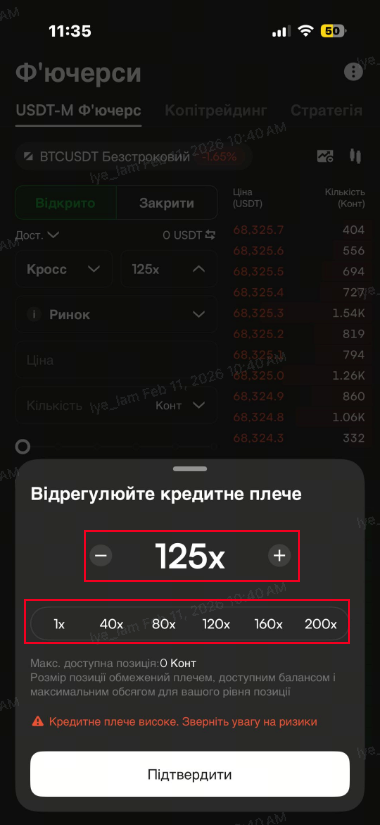
(6) Левередж (плече):
Він дозволяє торгувати на більшу суму при меншому капіталі.
Наприклад, якщо 1 BTC = 30 000 USDT, без плеча потрібно 30 000 USDT.
Зі 100x плечем достатньо 300 USDT.
Налаштувати плече можна кнопками “-” та “+” або вибрати фіксоване значення.
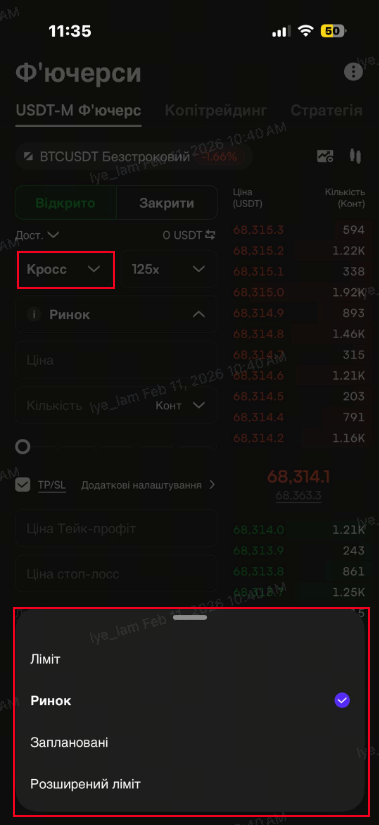
(7) Вибери тип ордеру та напрямок:
Доступні типи:
Лімітний ордер
Ринковий ордер
Тригер-ордер (умовний)
Розширений ордер (Post-only, Fill or Kill, IOC)
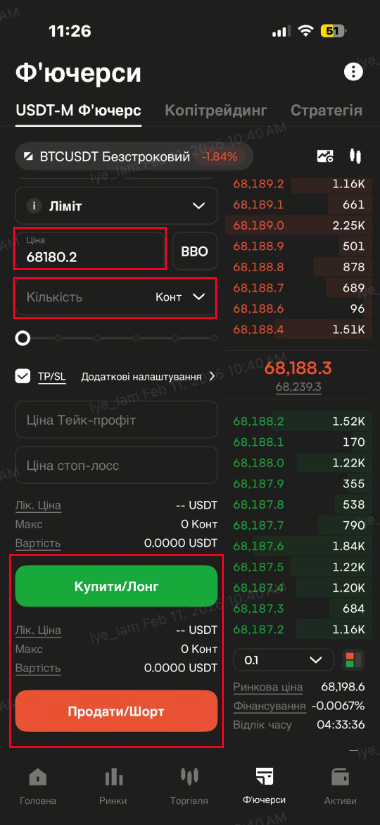
(8) Введи ціну та кількість, а потім натисни «Відкрити лонг» або «Відкрити шорт».
Якщо це ринковий ордер — ціну вводити не потрібно.
(9) Після відкриття позиції ти побачиш її у відповідному блоці.
Рекомендується встановити тейк-профіт / стоп-лосс або відстежувати ліквідаційну ціну.
Щоб закрити позицію, натисни кнопку «Закрити» та обери тип закриття: ринкове, лімітне або з одного кліка.
Інструкція для WEB-версії CoinW
(1) Увійди у свій акаунт на офіційному сайті CoinW.
(2) Натисни на розділ «Контракт» у верхньому меню.
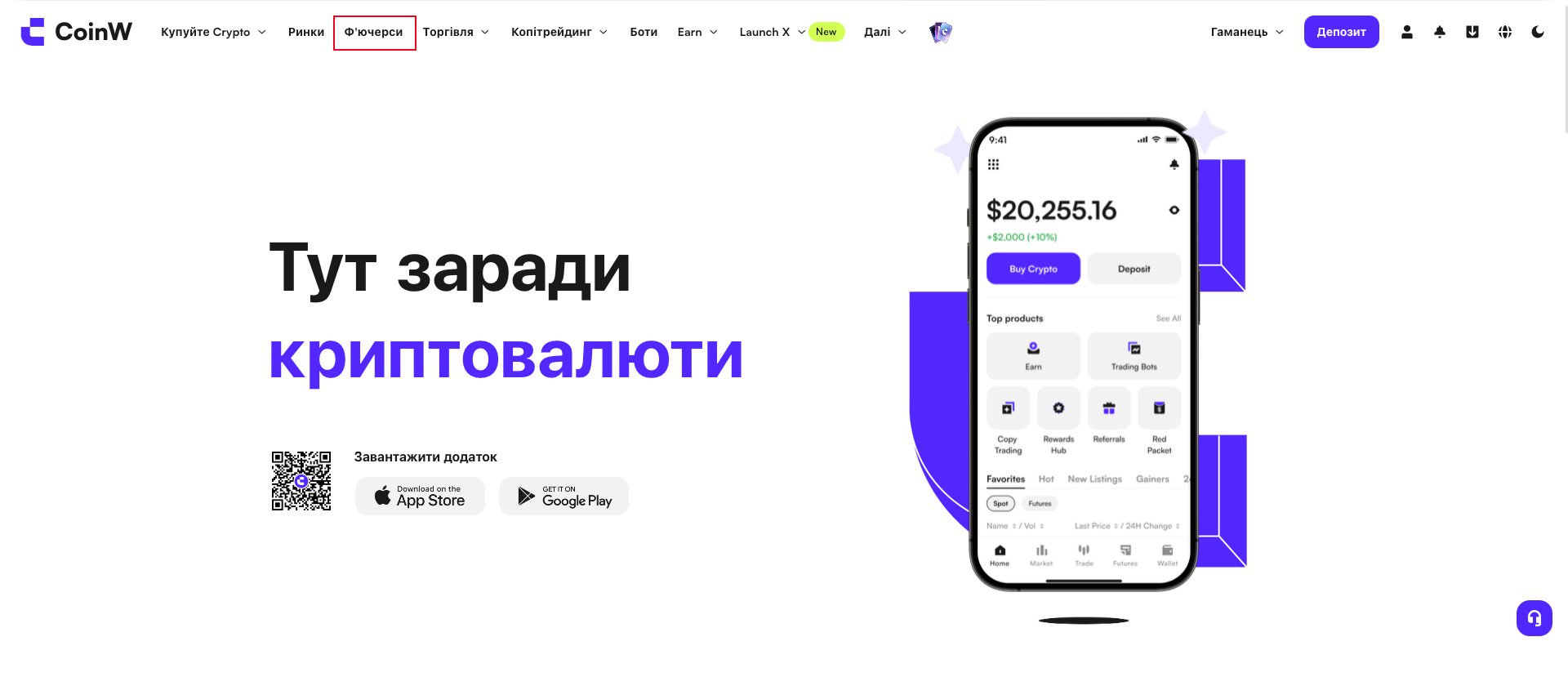
(3) У верхньому лівому куті натисни на торгову пару та обери потрібну.
Можна скористатися пошуком або фільтрами.
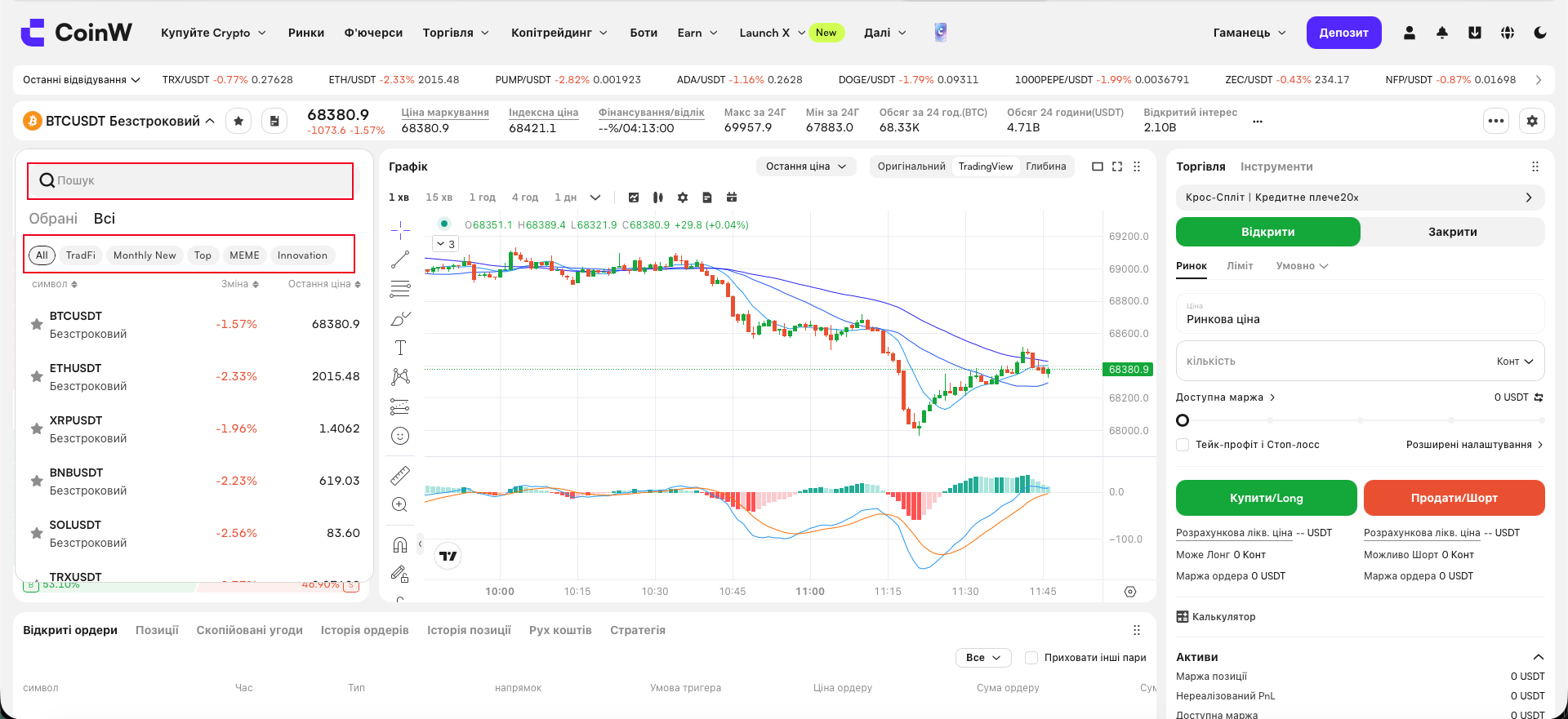
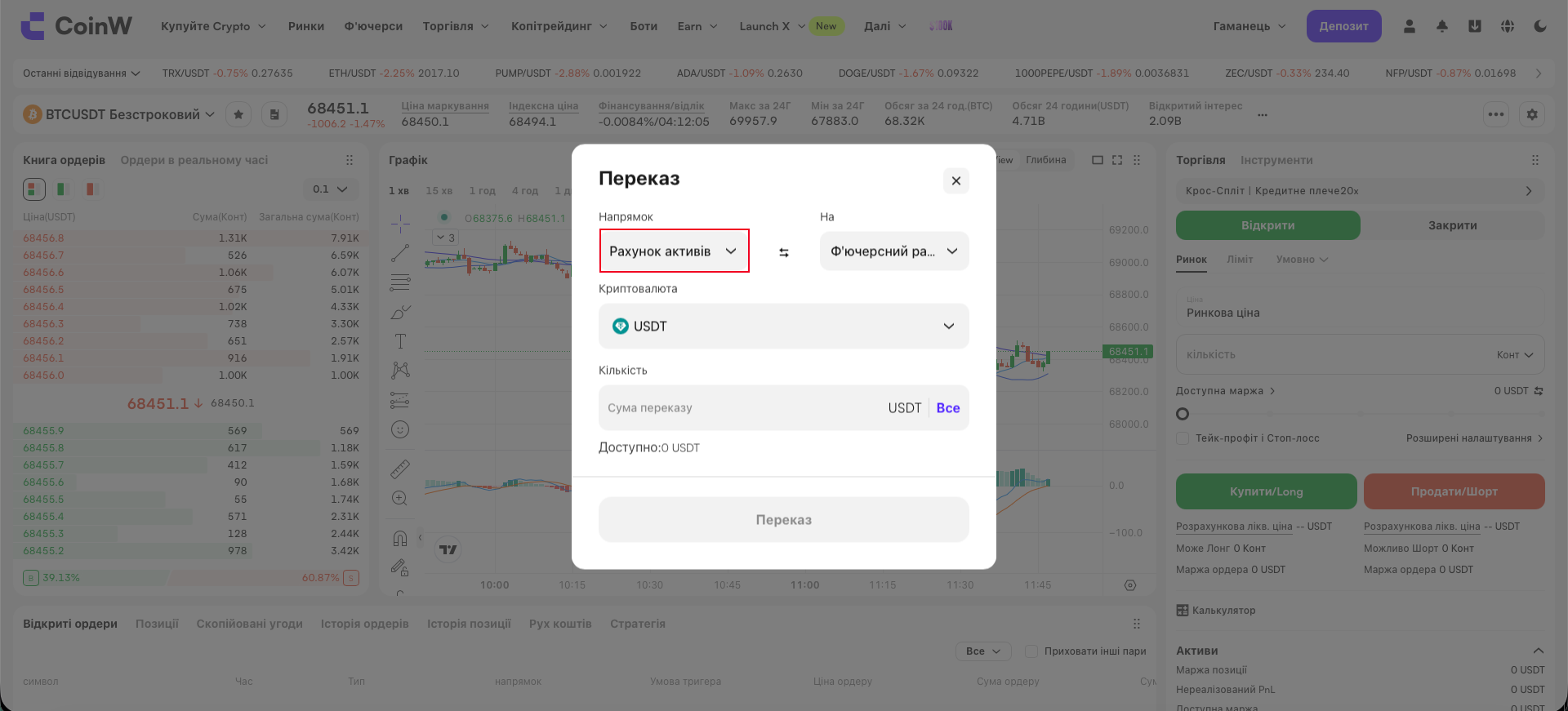
(4) Перевір, чи є кошти в твоєму контрактному акаунті.
Якщо ні, натисни «Переказ», щоб перевести USDT з іншого акаунту.
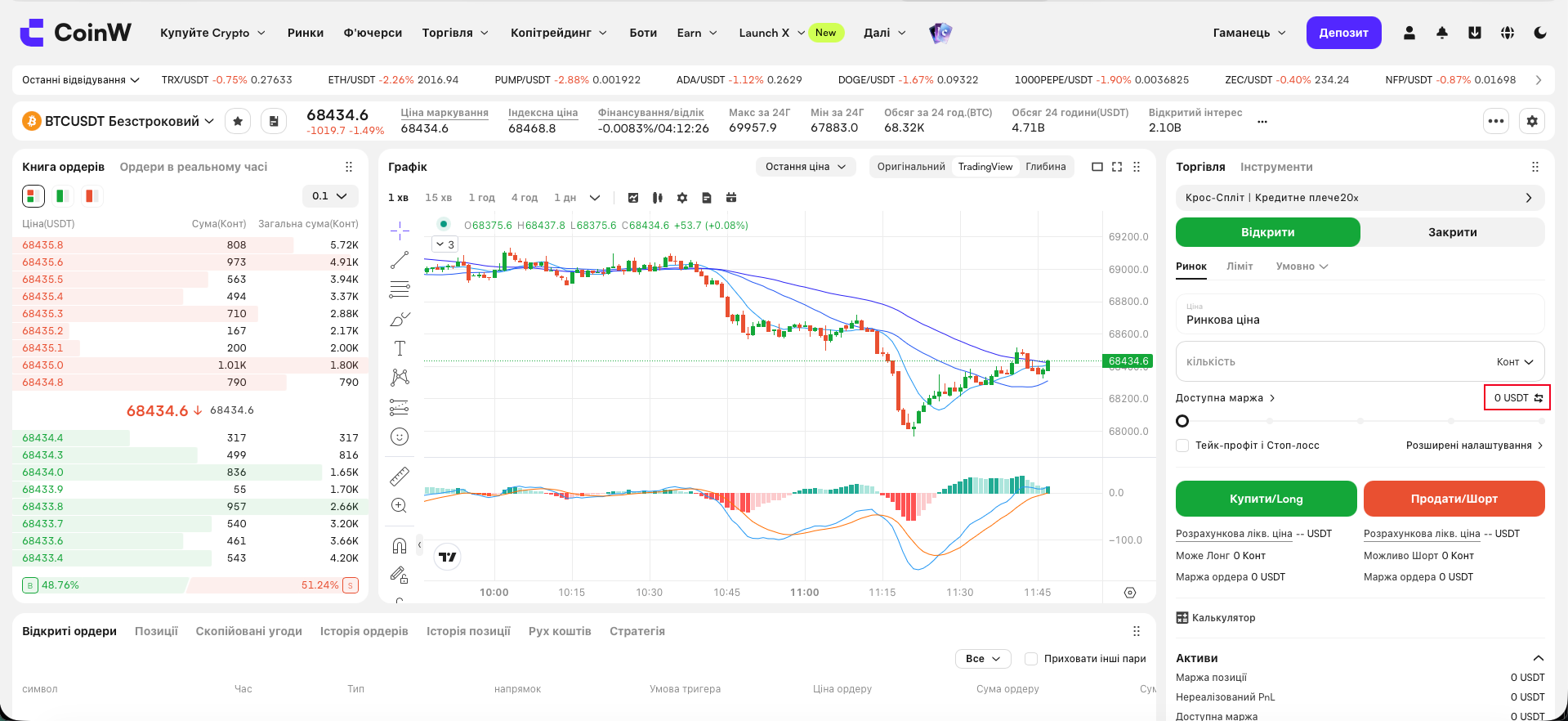
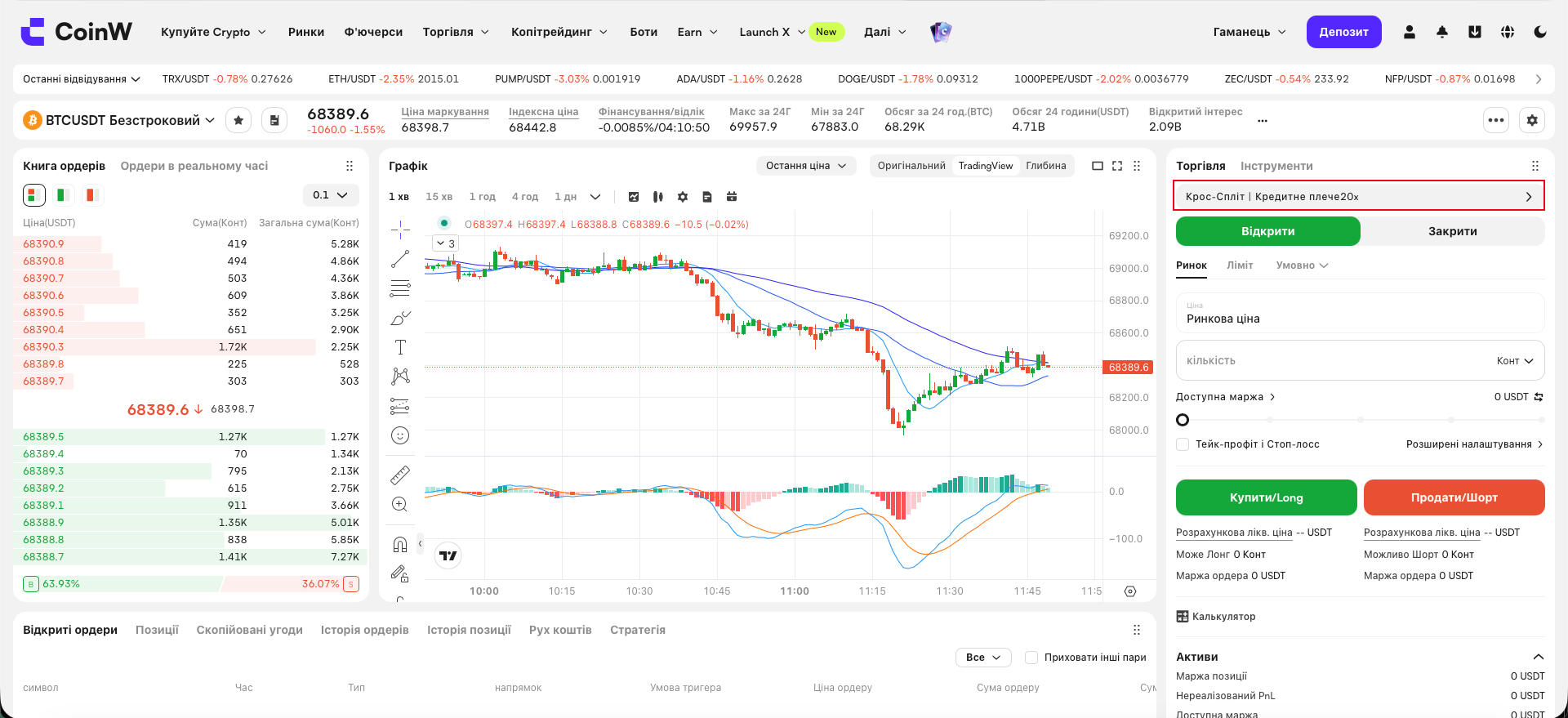
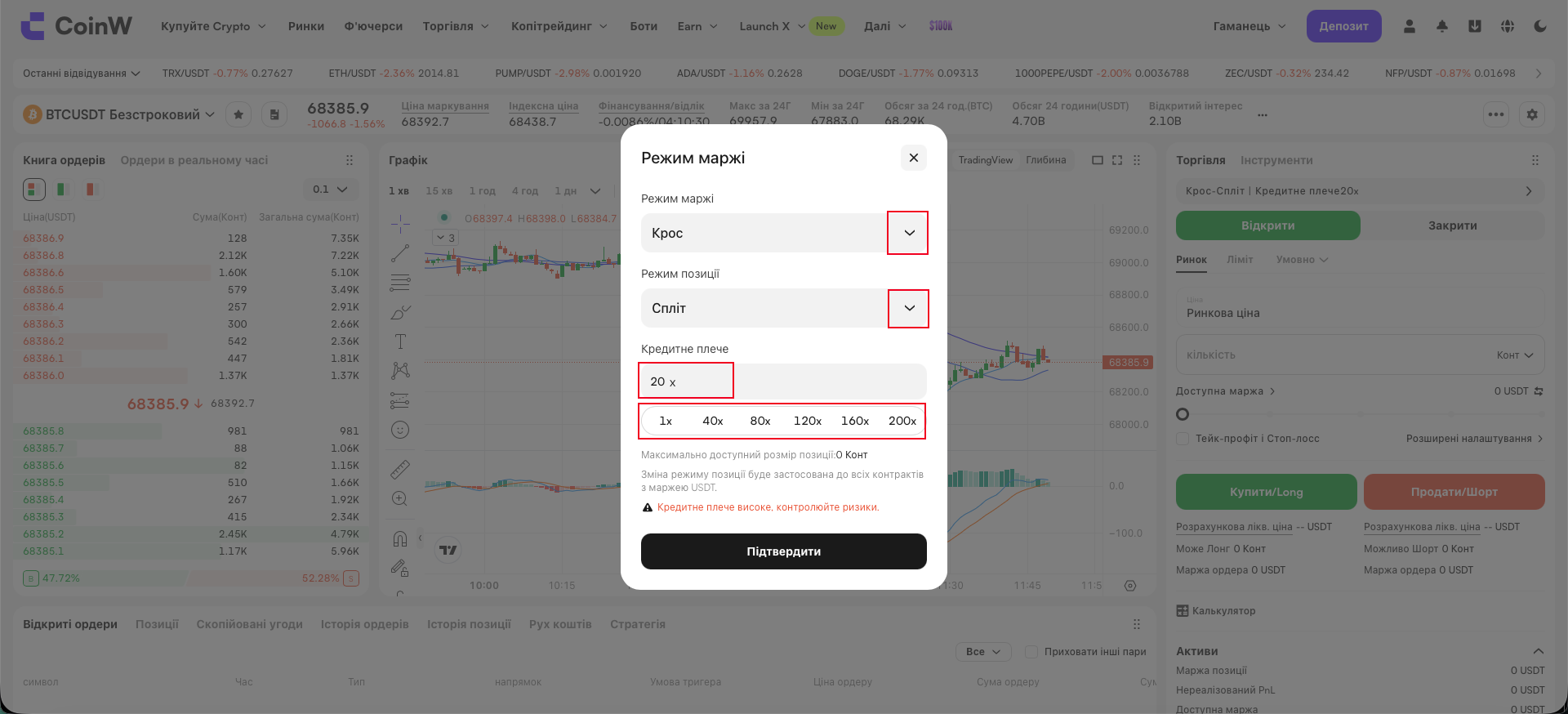
(5) Вибери режим позиції та налаштуй плече:
Крос — використовується весь баланс контрактного акаунту.
Ізольований — фіксований обсяг маржі на позицію.
Роздільний / об'єднаний — дозволяє переглядати кілька позицій окремо або як одну.
Зміни можливі тільки без відкритих позицій та ордерів.
(6) Левередж дозволяє відкрити велику позицію з меншими коштами.
Наприклад, 1 BTC = 30 000 USDT, а з 100x плечем потрібно лише 300 USDT.
Плече можна налаштувати вручну або вибрати зі списку.
(7) Вибери тип ордеру та напрямок:
Лімітний
Ринковий
Умовний
Розширений (Post Only, Fill or Kill, IOC)
(8) Введи необхідні дані та натисни «Купити (лонг)» або «Продати (шорт)».
(9) Після відкриття позиції вона з’явиться у твоєму портфелі.
Можна одразу встановити тейк-профіт / стоп-лосс.
Щоб закрити позицію — натисни «Закрити», обери тип ордеру на закриття та підтвердь.
Інструкція з торгівлі деривативами в мобільному додатку CoinW
(1) Спочатку відкрий головну сторінку додатку CoinW.
(2) Натисни на кнопку «Контракт» у нижньому меню.
(3) У верхньому лівому куті натисни на кнопку торгової пари та обери бажану пару.
Можна шукати вручну або вибирати за категоріями.
(4) Переконайся, що у твоєму контрактному акаунті є USDT.
Якщо ні — натисни «Переказ» біля балансу, щоб переказати кошти з іншого акаунту до контрактного акаунту.
(5) Вибери режим позиції та налаштуй плече (левередж):
Крос (Cross Margin) — використовується весь баланс контрактного акаунту як маржа.
Ізольований (Isolated Margin) — маржа встановлюється вручну на кожну позицію.
Роздільний режим позицій — кілька позицій по одній парі та напрямку відображаються окремо.
Об'єднаний режим позицій — дані кількох позицій того ж типу поєднуються в одну.
Змінити режим можна лише за відсутності відкритих позицій та активних ордерів.
(6) Левередж (плече):
Він дозволяє торгувати на більшу суму при меншому капіталі.
Наприклад, якщо 1 BTC = 30 000 USDT, без плеча потрібно 30 000 USDT.
Зі 100x плечем достатньо 300 USDT.
Налаштувати плече можна кнопками “-” та “+” або вибрати фіксоване значення.
(7) Вибери тип ордеру та напрямок:
Доступні типи:
Лімітний ордер
Ринковий ордер
Тригер-ордер (умовний)
Розширений ордер (Post-only, Fill or Kill, IOC)
(8) Введи ціну та кількість, а потім натисни «Відкрити лонг» або «Відкрити шорт».
Якщо це ринковий ордер — ціну вводити не потрібно.
(9) Після відкриття позиції ти побачиш її у відповідному блоці.
Рекомендується встановити тейк-профіт / стоп-лосс або відстежувати ліквідаційну ціну.
Щоб закрити позицію, натисни кнопку «Закрити» та обери тип закриття: ринкове, лімітне або з одного кліка.
Інструкція для WEB-версії CoinW
(1) Увійди у свій акаунт на офіційному сайті CoinW.
(2) Натисни на розділ «Контракт» у верхньому меню.
(3) У верхньому лівому куті натисни на торгову пару та обери потрібну.
Можна скористатися пошуком або фільтрами.
(4) Перевір, чи є кошти в твоєму контрактному акаунті.
Якщо ні, натисни «Переказ», щоб перевести USDT з іншого акаунту.
(5) Вибери режим позиції та налаштуй плече:
Крос — використовується весь баланс контрактного акаунту.
Ізольований — фіксований обсяг маржі на позицію.
Роздільний / об'єднаний — дозволяє переглядати кілька позицій окремо або як одну.
Зміни можливі тільки без відкритих позицій та ордерів.
(6) Левередж дозволяє відкрити велику позицію з меншими коштами.
Наприклад, 1 BTC = 30 000 USDT, а з 100x плечем потрібно лише 300 USDT.
Плече можна налаштувати вручну або вибрати зі списку.
(7) Вибери тип ордеру та напрямок:
Лімітний
Ринковий
Умовний
Розширений (Post Only, Fill or Kill, IOC)
(8) Введи необхідні дані та натисни «Купити (лонг)» або «Продати (шорт)».
(9) Після відкриття позиції вона з’явиться у твоєму портфелі.
Можна одразу встановити тейк-профіт / стоп-лосс.
Щоб закрити позицію — натисни «Закрити», обери тип ордеру на закриття та підтвердь.