FAQ

How to Buy or Sell Crypto through Quick Buy
Published on: 2025/12/25 15:08Last Update: 2025/12/25 18:01

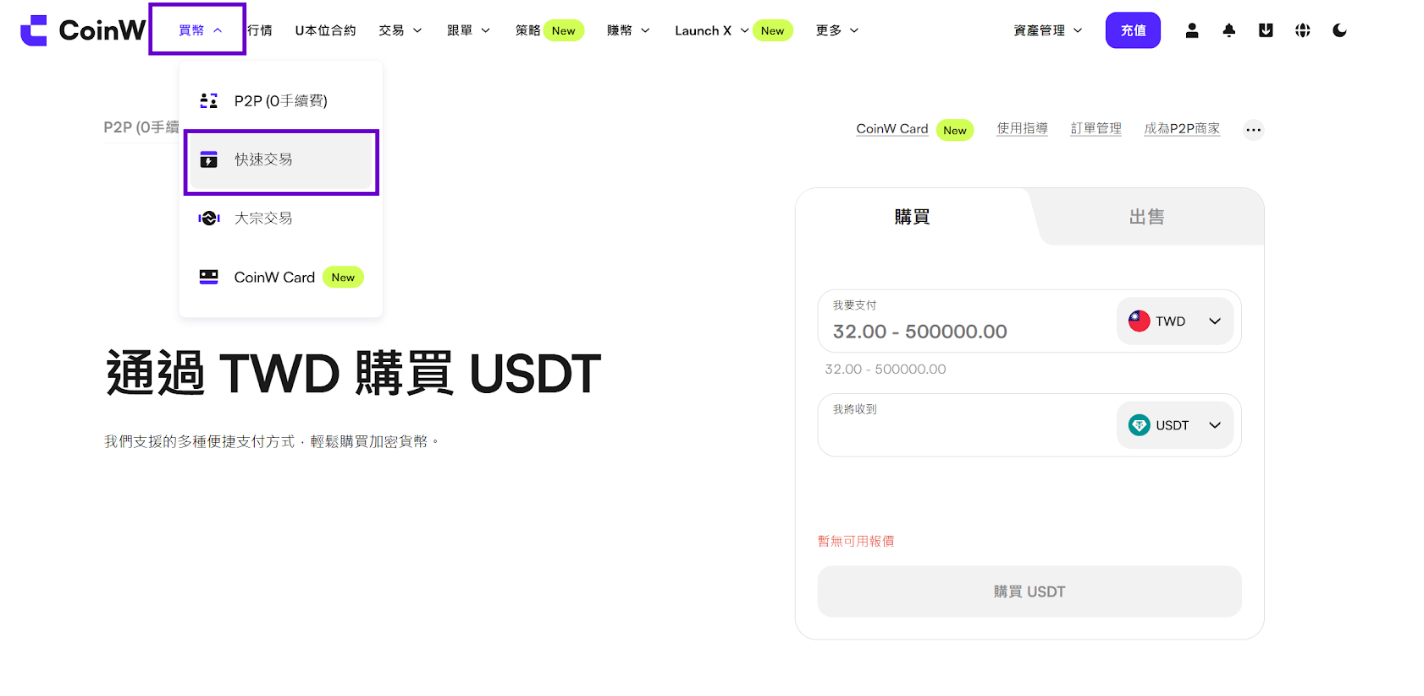
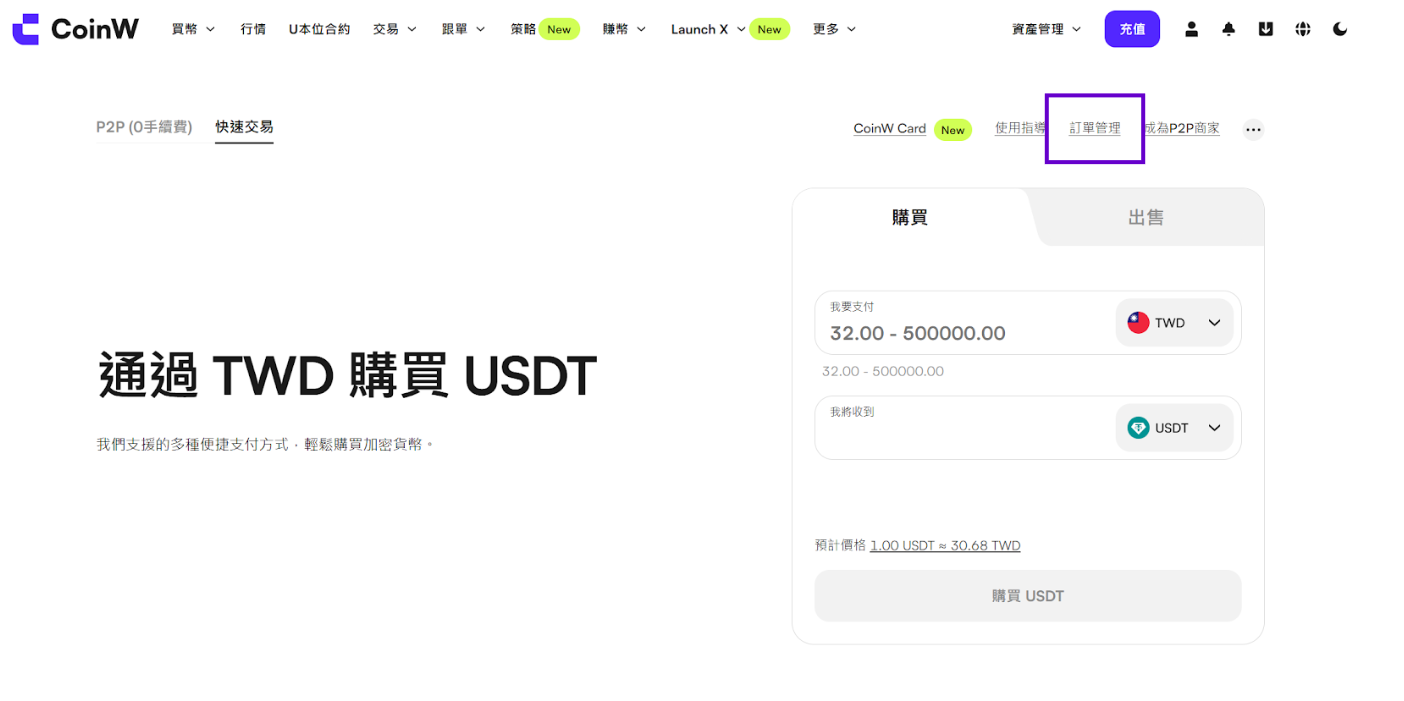
#1 Go to Buy Crypto, Quick Buy


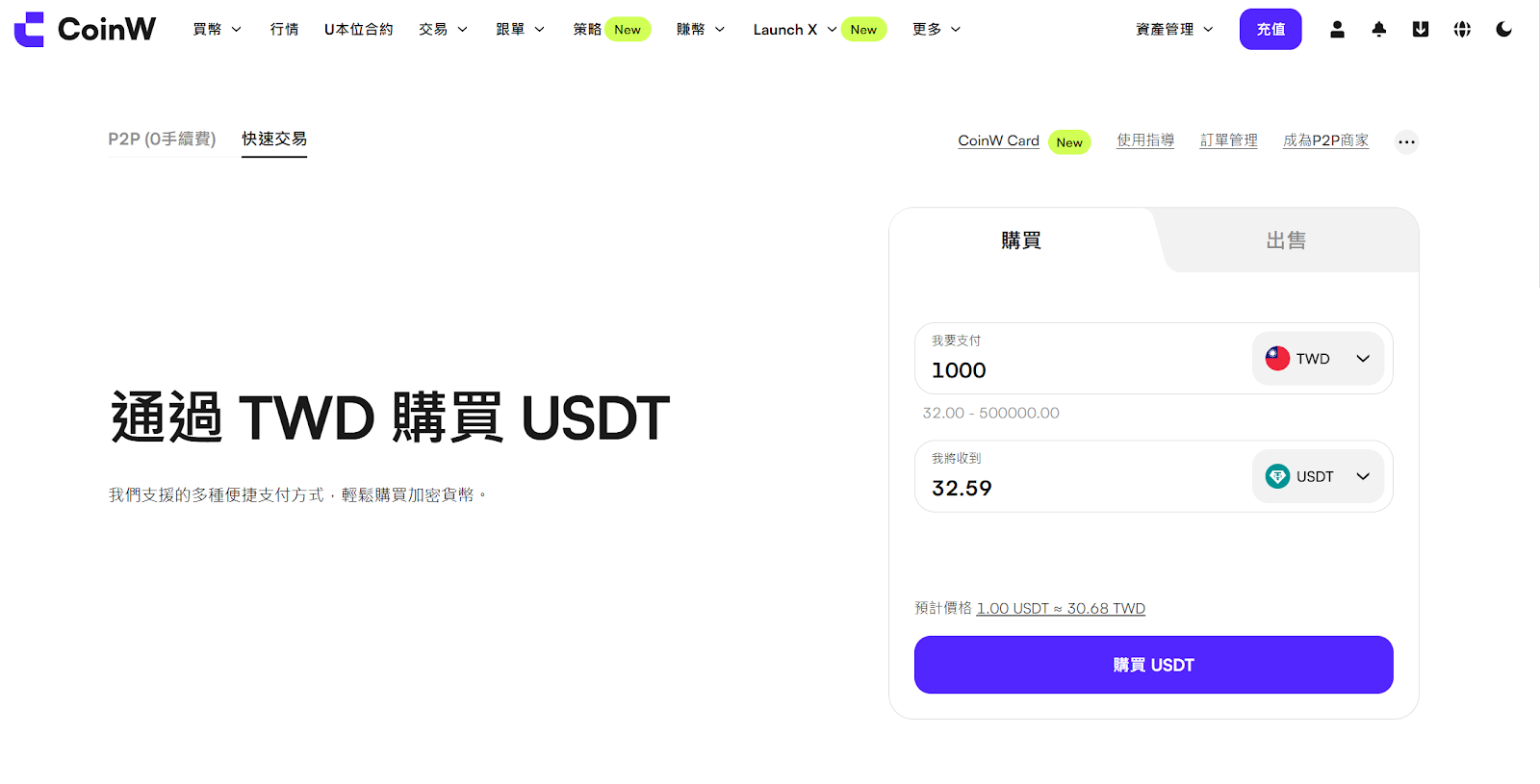
#2 Here, you can choose to buy or sell cryptocurrencies

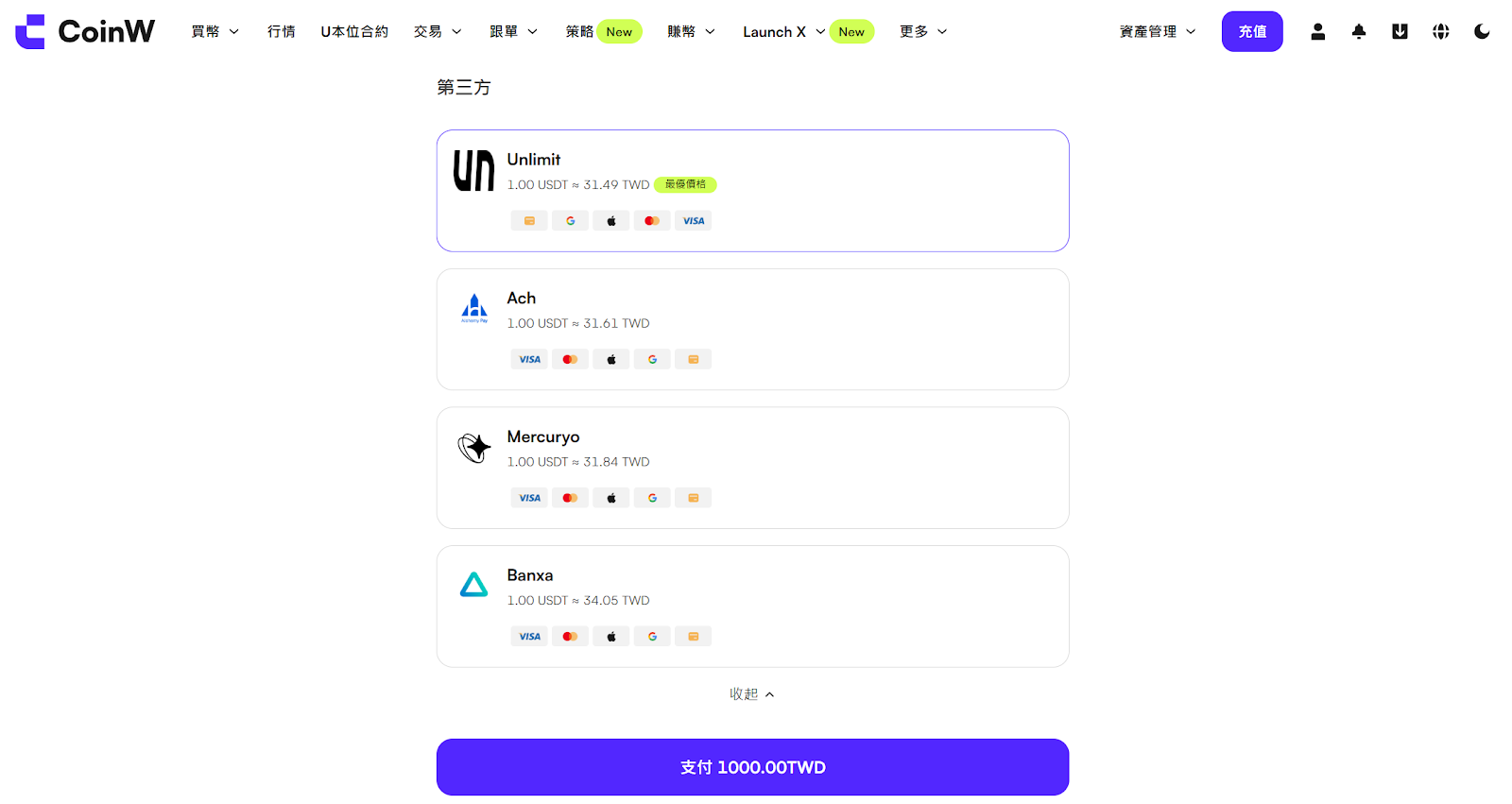
#3 Select a third-party and click Pay


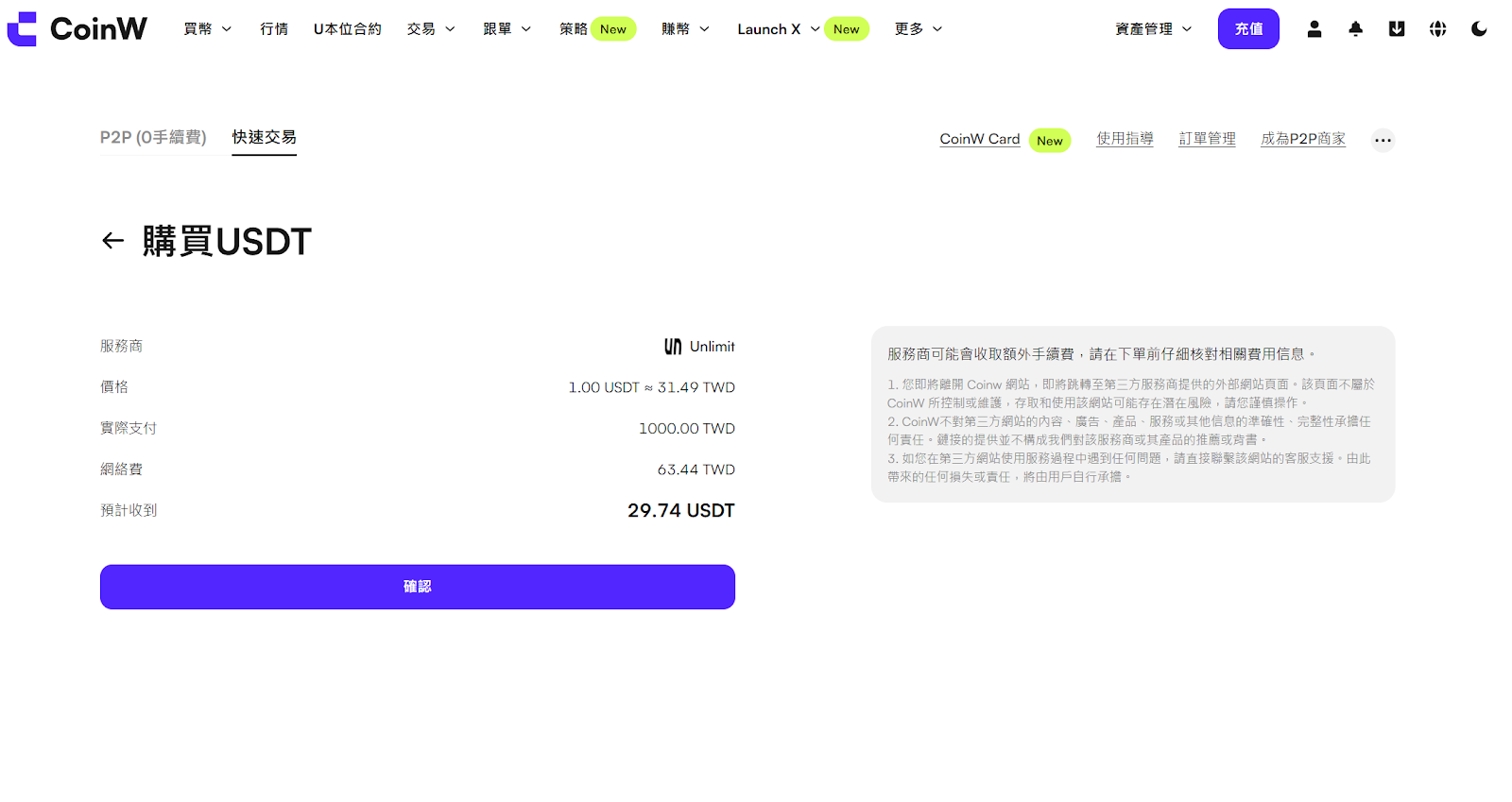
#4 On the order details page, click Confirm

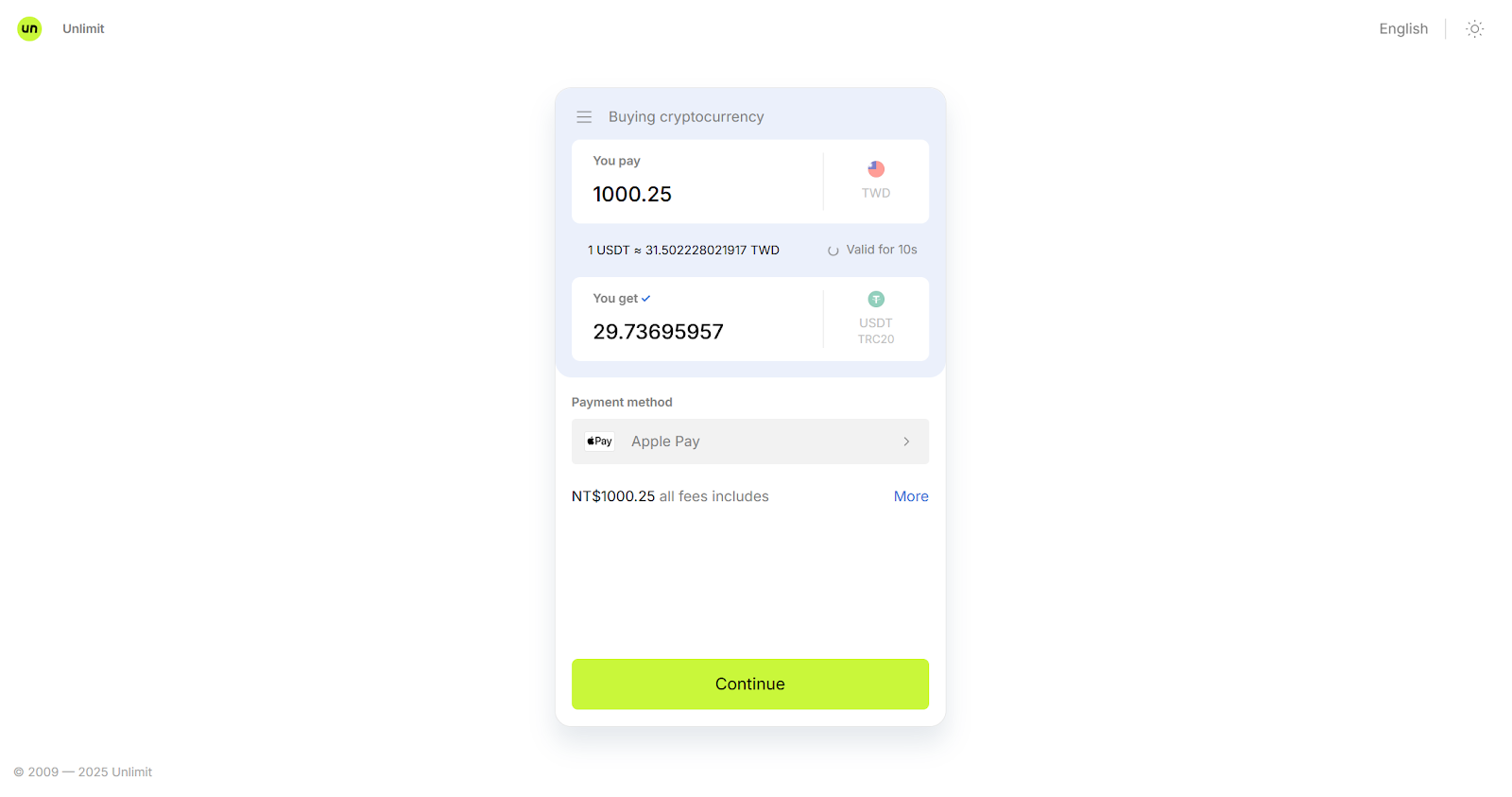
#5 You will then be redirected to a third-party platform, using Unlimit as an example

     Here, you can change the payment method if needed

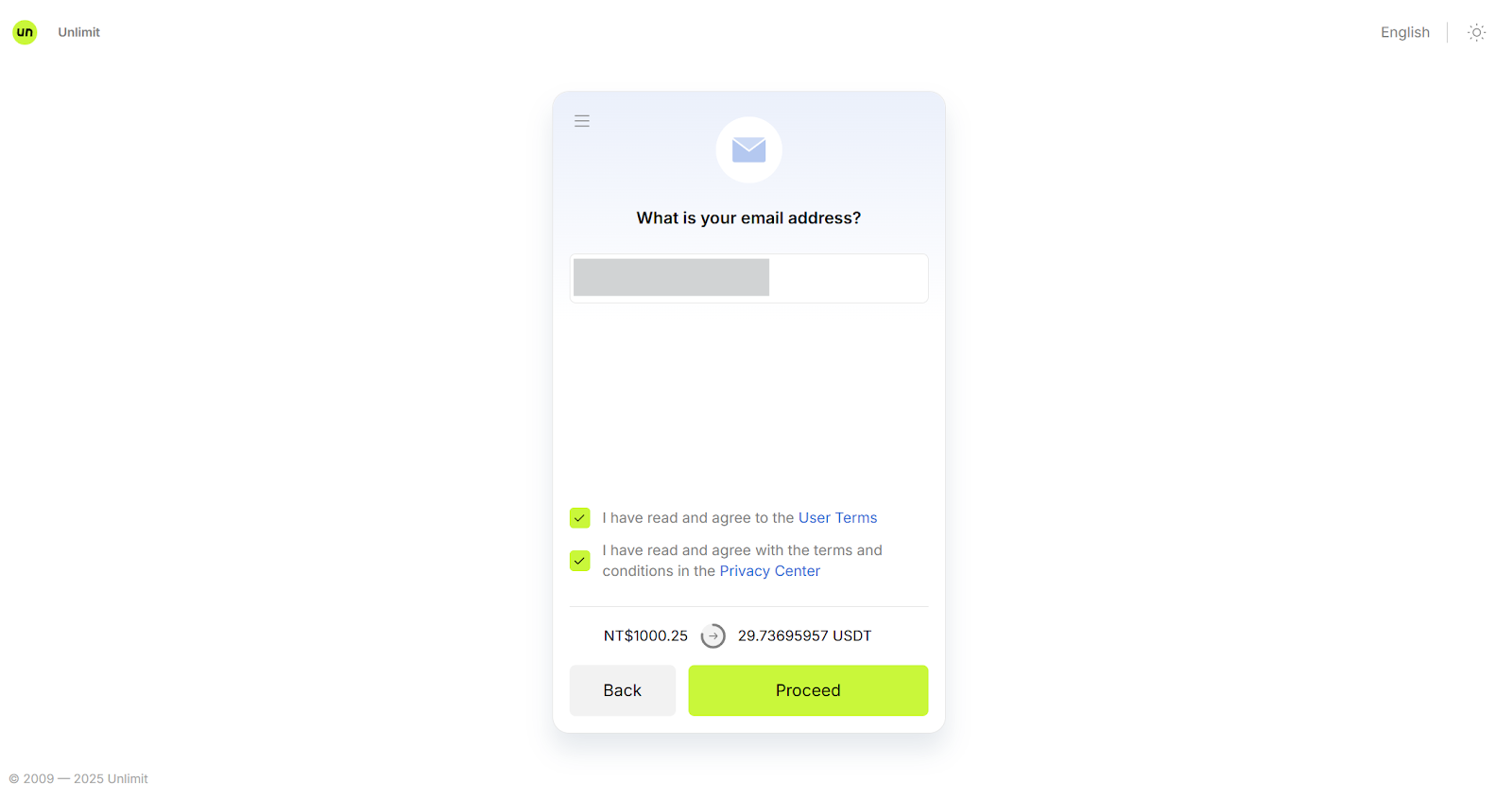
#6 Next, follow the prompts to confirm your email and other basic information

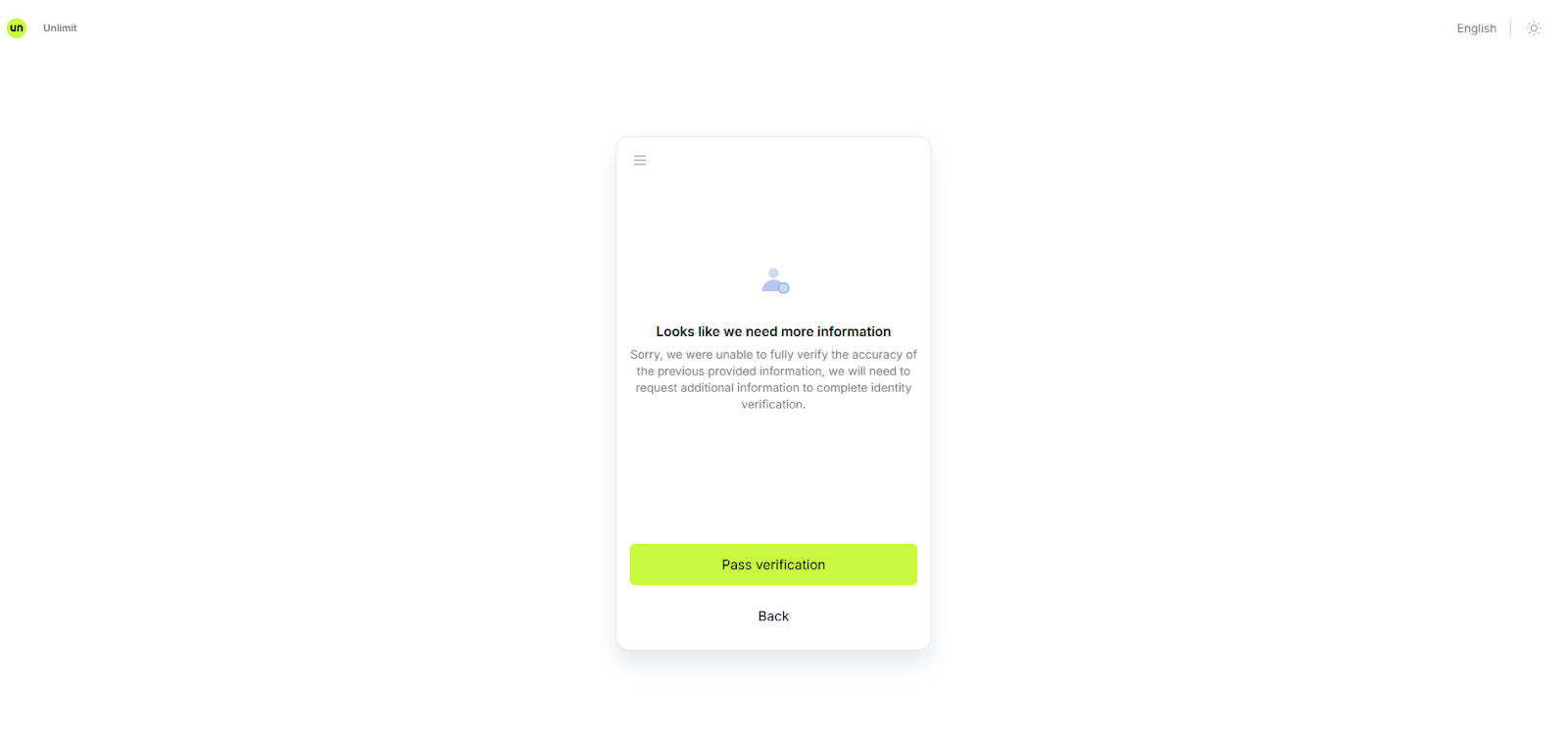
7# Complete the KYC verification


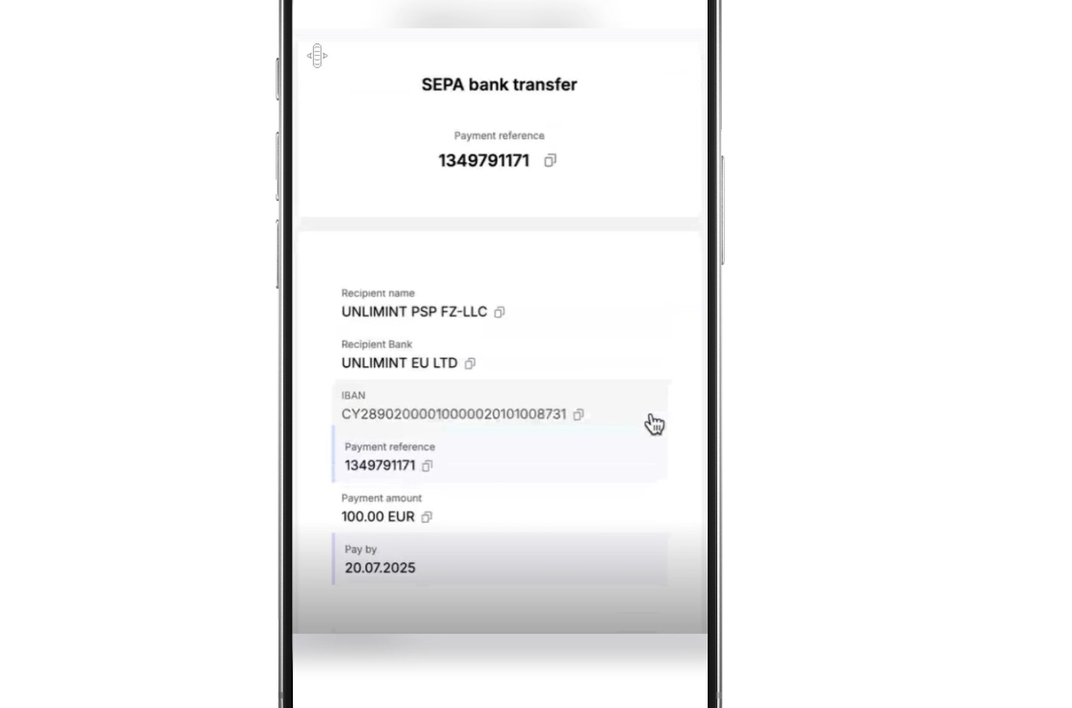
#8 Follow the instructions to complete the payment


9# After the payment is completed, you can check the order status in Orders Tab

     In most cases, you will receive the purchased crypto assets on the same day.


Was this article helpful?
1 out of 0 found this helpful
Limited-Time New User Offer!
Sign up now to claim your exclusive 12000 USDT gift pack!
Already have an account?Log In
Popular Articles
How to Buy or Sell Crypto through Quick Buy
Published on: 2025/12/25 15:08Last Update: 2025/12/25 18:01

#1 Go to Buy Crypto, Quick Buy


#2 Here, you can choose to buy or sell cryptocurrencies

#3 Select a third-party and click Pay


#4 On the order details page, click Confirm

#5 You will then be redirected to a third-party platform, using Unlimit as an example

     Here, you can change the payment method if needed

#6 Next, follow the prompts to confirm your email and other basic information

7# Complete the KYC verification


#8 Follow the instructions to complete the payment


9# After the payment is completed, you can check the order status in Orders Tab

     In most cases, you will receive the purchased crypto assets on the same day.


Was this article helpful?
1 out of 0 found this helpful
Limited-Time New User Offer!
Sign up now to claim your exclusive 12000 USDT gift pack!
Already have an account?Log In
Popular Articles