Preguntas frecuentes
APP
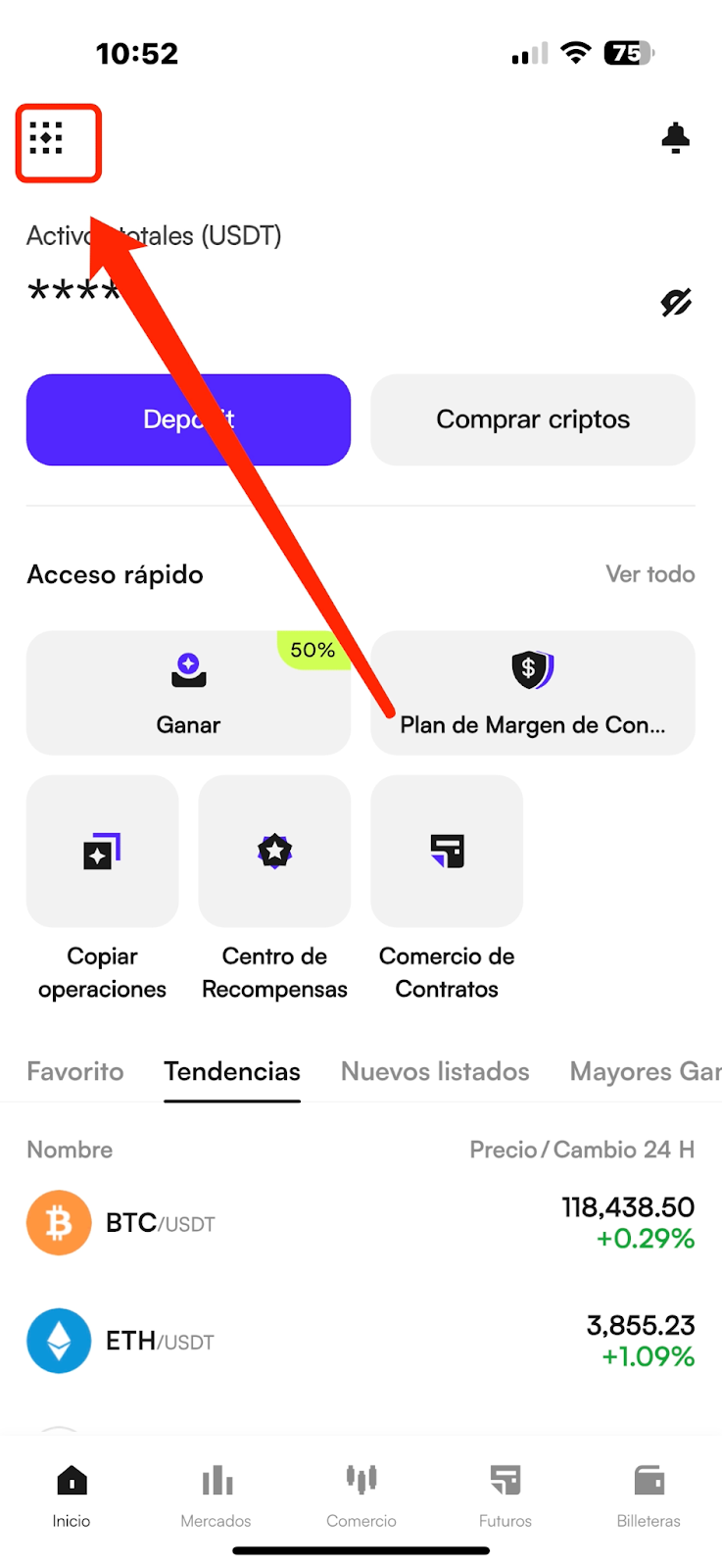
(1) Abra la aplicación CoinW y toque el ícono de cuenta en la esquina superior izquierda de la página principal para entrar al menú Más.
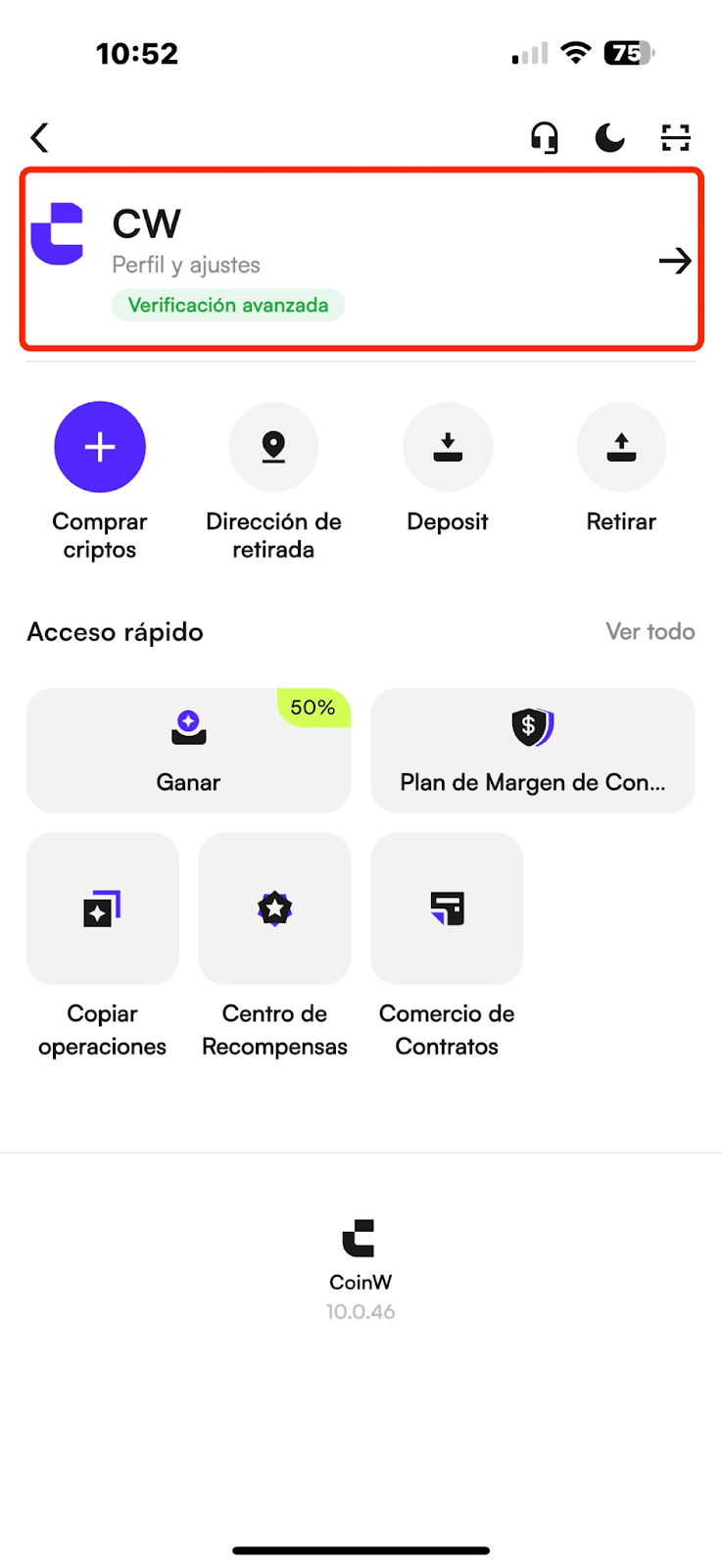
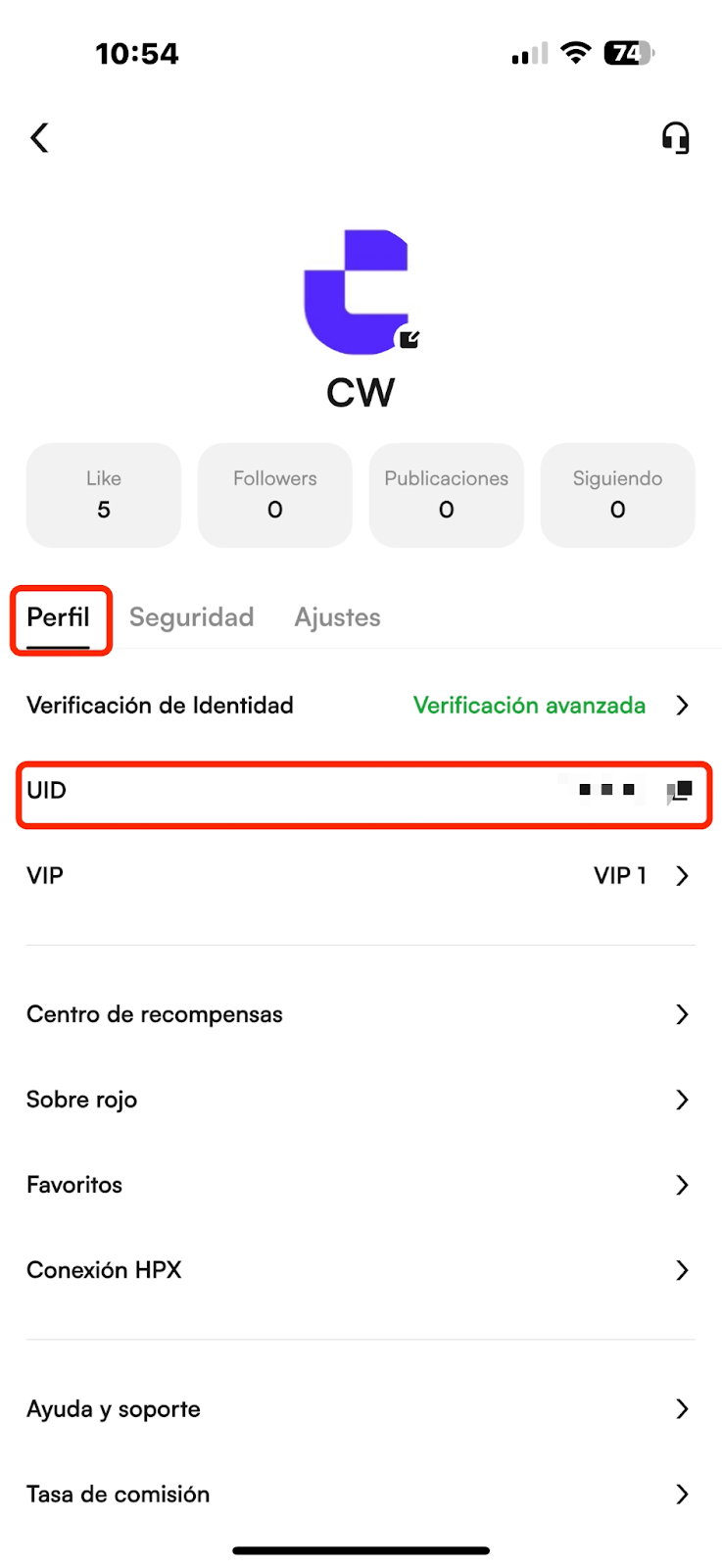
(2) Toque su avatar para entrar al Centro Personal, donde podrá ver su UID de cuenta.
WEB
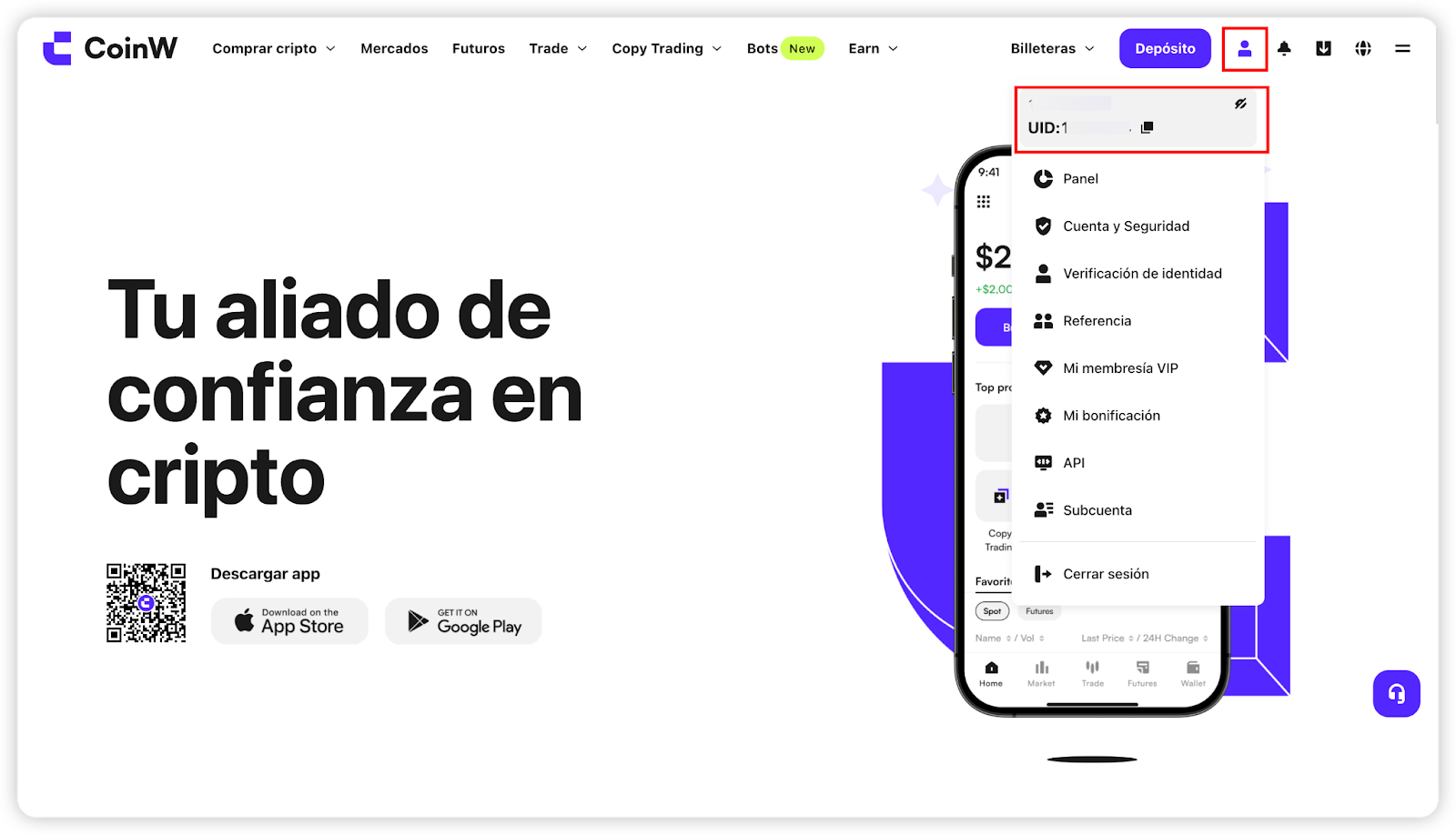
Después de iniciar sesión en el sitio web oficial de CoinW, coloque el cursor del mouse sobre el ícono de la cuenta en la esquina superior derecha; su UID se mostrará.
APP
(1) Abra la aplicación CoinW y toque el ícono de cuenta en la esquina superior izquierda de la página principal para entrar al menú Más.
(2) Toque su avatar para entrar al Centro Personal, donde podrá ver su UID de cuenta.
WEB
Después de iniciar sesión en el sitio web oficial de CoinW, coloque el cursor del mouse sobre el ícono de la cuenta en la esquina superior derecha; su UID se mostrará.