Najczęściej zadawane pytania
Currently, CoinW supports downloading contract trading records via the web platform. Below is a guide on how to download them:
(1) Go to and log in to the official CoinW website: https://www.coinw.com/
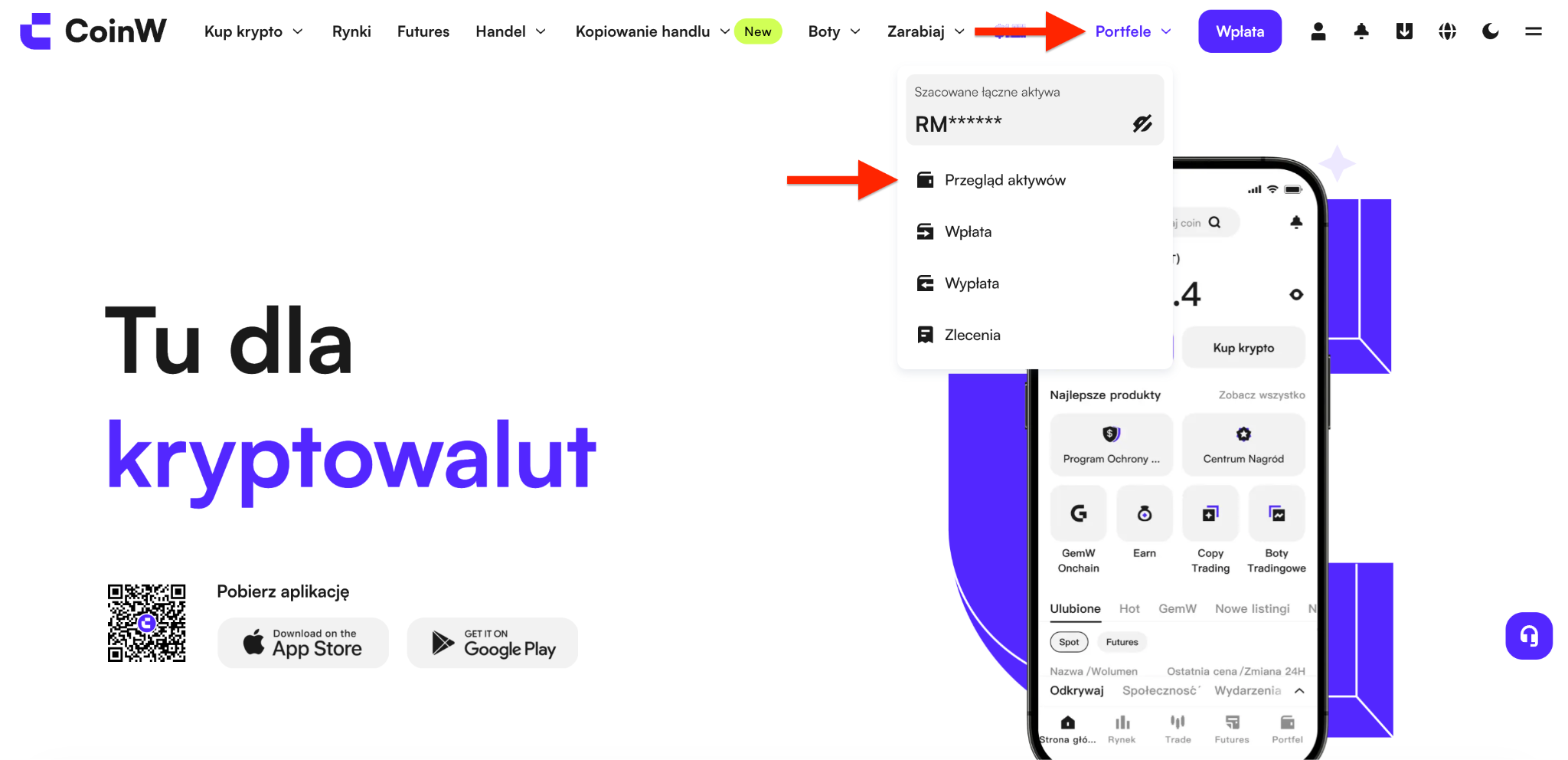
(2) Click on Asset Management at the top right, then select Asset Overview to enter the asset page
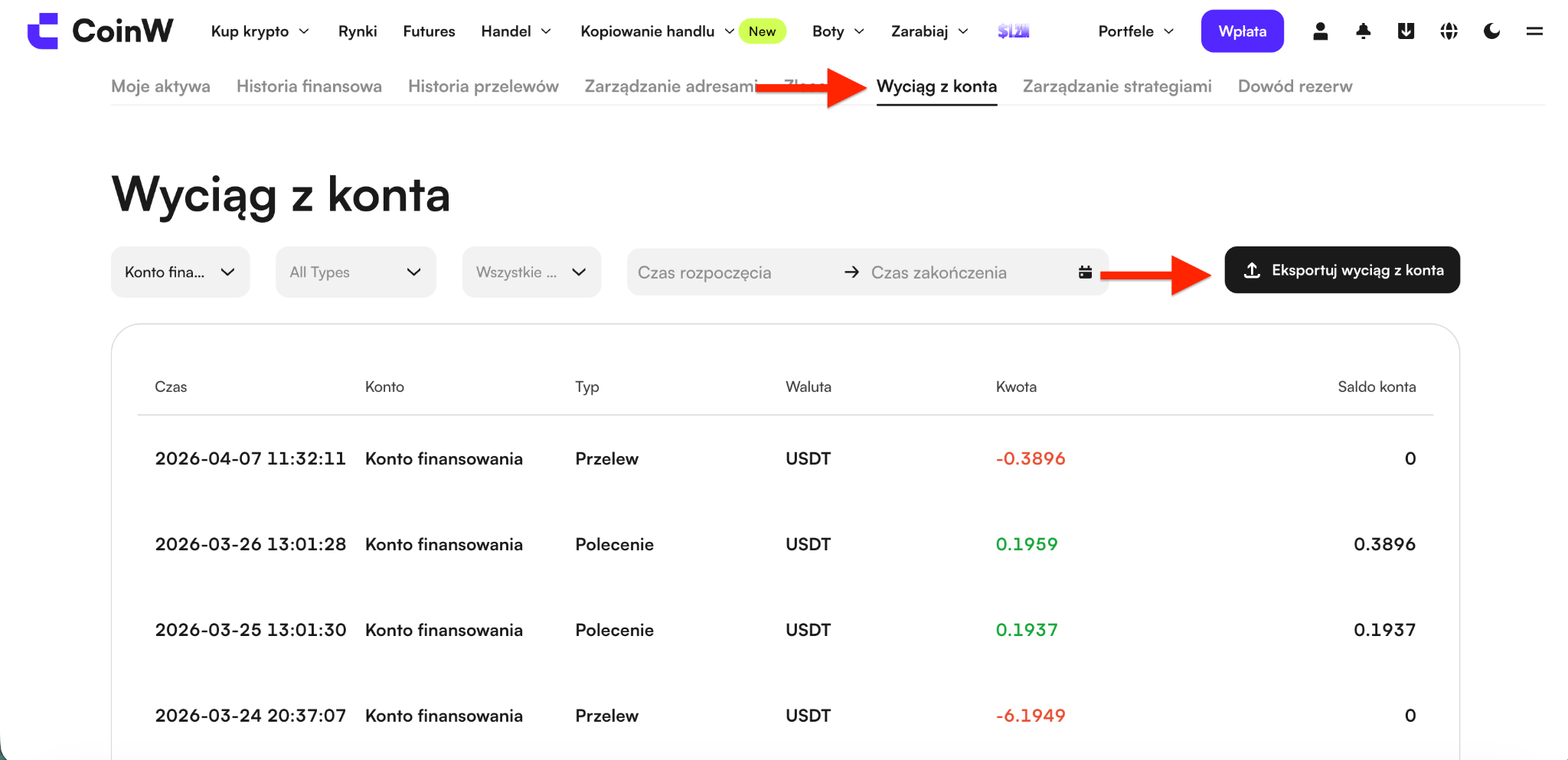
(3) Click on Bill Center, then click the Export Bill button on the right
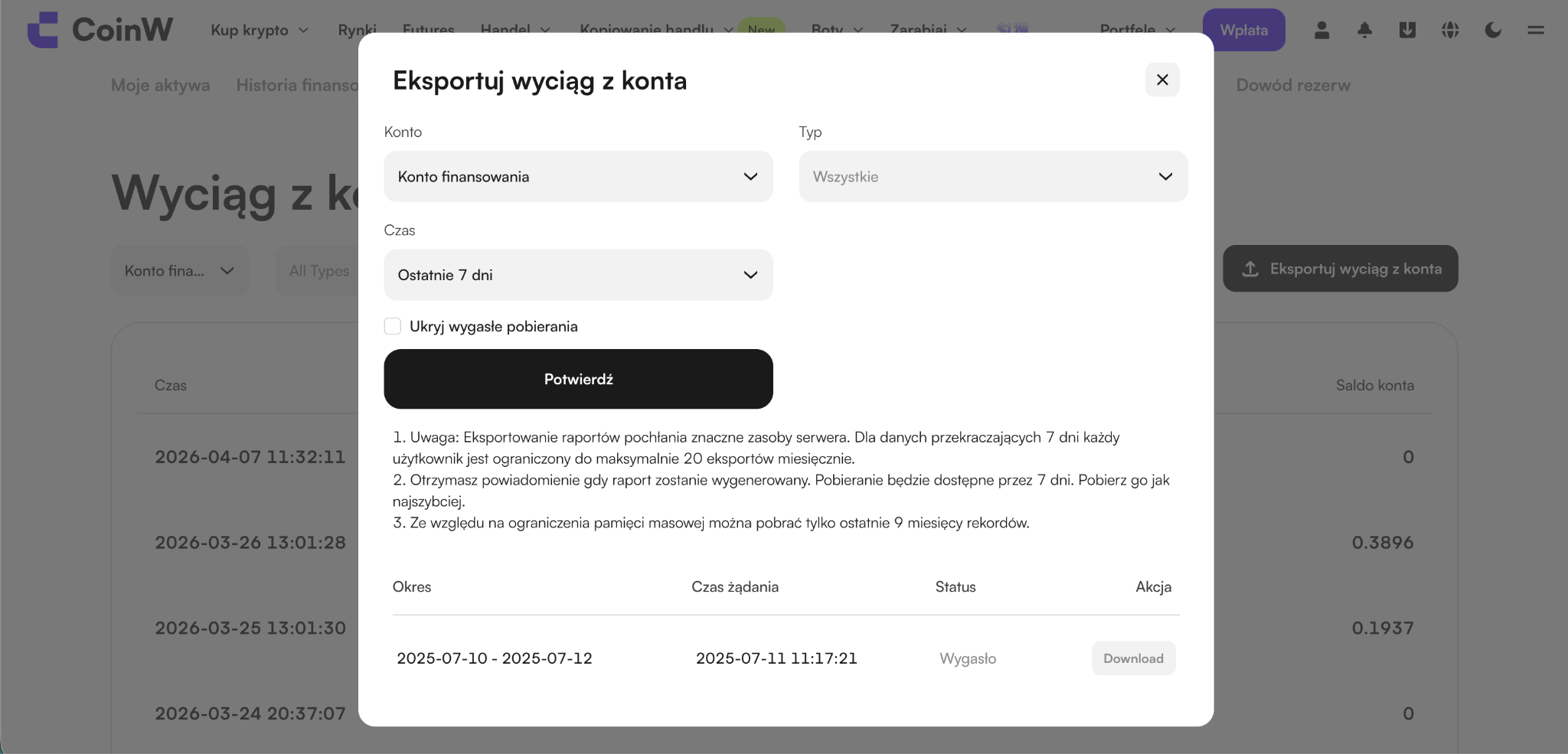
(4) Select the account type as Contract Account, choose Custom for the time range, and after selecting, click Generate Now. The generated bill will appear below, and you can click the Download button on the right to download your transaction records.
Currently, CoinW supports downloading contract trading records via the web platform. Below is a guide on how to download them:
(1) Go to and log in to the official CoinW website: https://www.coinw.com/
(2) Click on Asset Management at the top right, then select Asset Overview to enter the asset page
(3) Click on Bill Center, then click the Export Bill button on the right
(4) Select the account type as Contract Account, choose Custom for the time range, and after selecting, click Generate Now. The generated bill will appear below, and you can click the Download button on the right to download your transaction records.