Perguntas frequentes
Currently, the data export function is only available on the official website and is not supported on the app. Please log in to the official website, navigate to Asset Management, then go to the Statement Center to select the appropriate account and time range for querying and exporting your records.
Steps on the Website:
Log in to the https://www.coinw.com
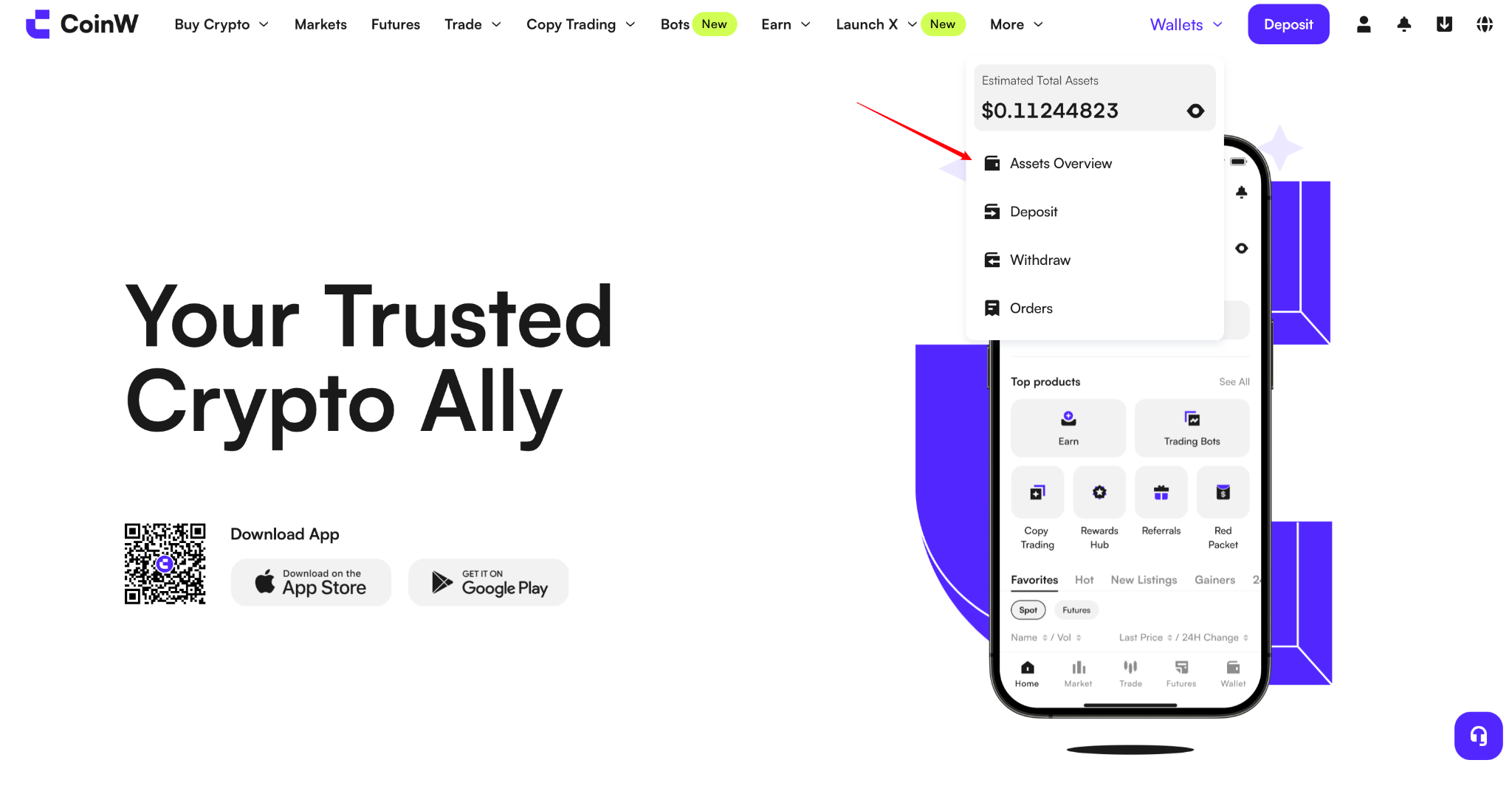
Click Asset Management in the top right corner of the website.
Select Statement Center to view your asset details and order records.
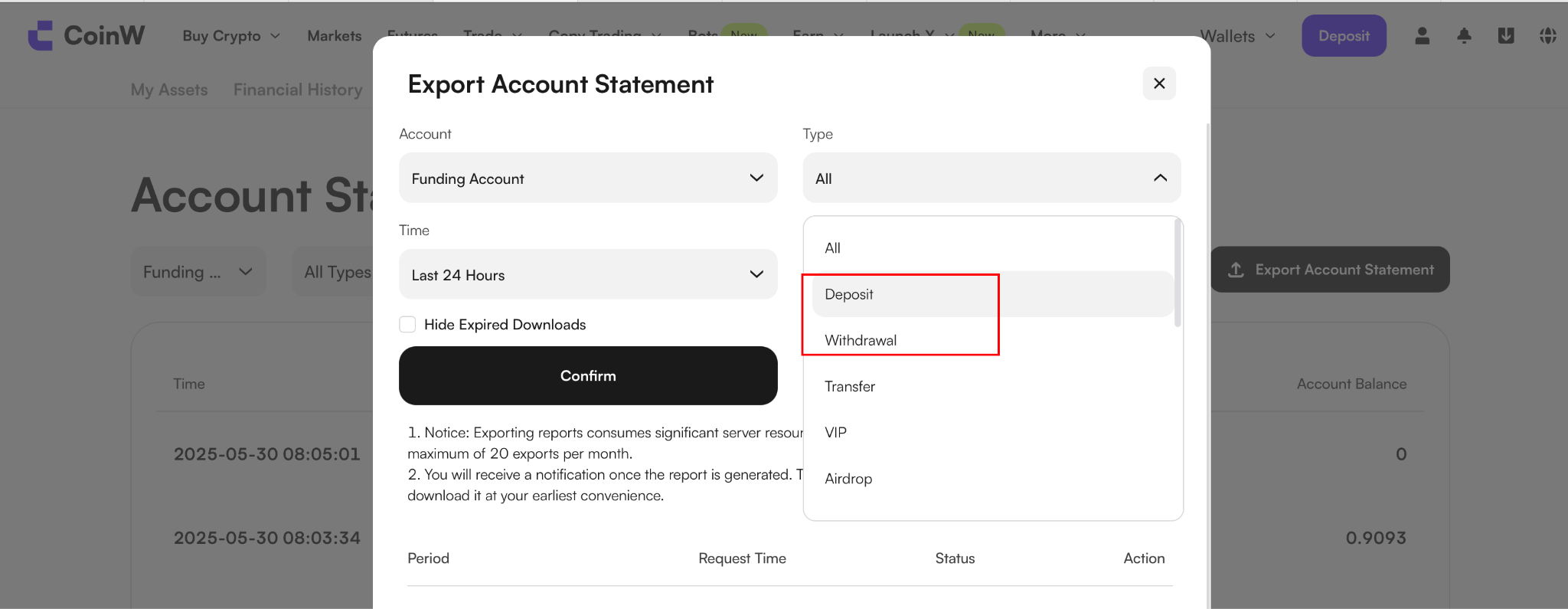
After selecting the Funds Account as the account type, choose either the Deposit or Withdrawal option, then filter by the desired date range. Once the filter is applied, click the Export button to download the corresponding data file. This feature helps you conveniently view and manage the transaction records of your various accounts.
Currently, the data export function is only available on the official website and is not supported on the app. Please log in to the official website, navigate to Asset Management, then go to the Statement Center to select the appropriate account and time range for querying and exporting your records.
Steps on the Website:
Log in to the https://www.coinw.com
Click Asset Management in the top right corner of the website.
Select Statement Center to view your asset details and order records.
After selecting the Funds Account as the account type, choose either the Deposit or Withdrawal option, then filter by the desired date range. Once the filter is applied, click the Export button to download the corresponding data file. This feature helps you conveniently view and manage the transaction records of your various accounts.