Perguntas frequentes
1. There are many possible reasons why a deposit hasn't arrived, including:
The sending platform or wallet did not successfully send the transaction
The required number of confirmations has not been reached
Incorrect network selection
Missing Memo/Tag (for tokens that require it), which may result in the deposit not being credited
2. If you are depositing from another platform to CoinW and the deposit hasn't arrived, please first contact the sending platform's customer support to confirm whether:
The TXID was successfully generated
The required number of confirmations has been completed
If everything appears normal on the sending side but the deposit is still not credited, please provide the following information:
Your UID
Token/coin name
Network
Submit the information via:
Support ticket or Email: [email protected]
You may also contact CoinW’s online support via the app or website for assistance.
If you are withdrawing from CoinW to another platform or wallet and the deposit hasn't arrived, please first check the TXID status on the blockchain or contact CoinW customer service for help.
3. How to check TXID status via blockchain explorer (example with BTC):
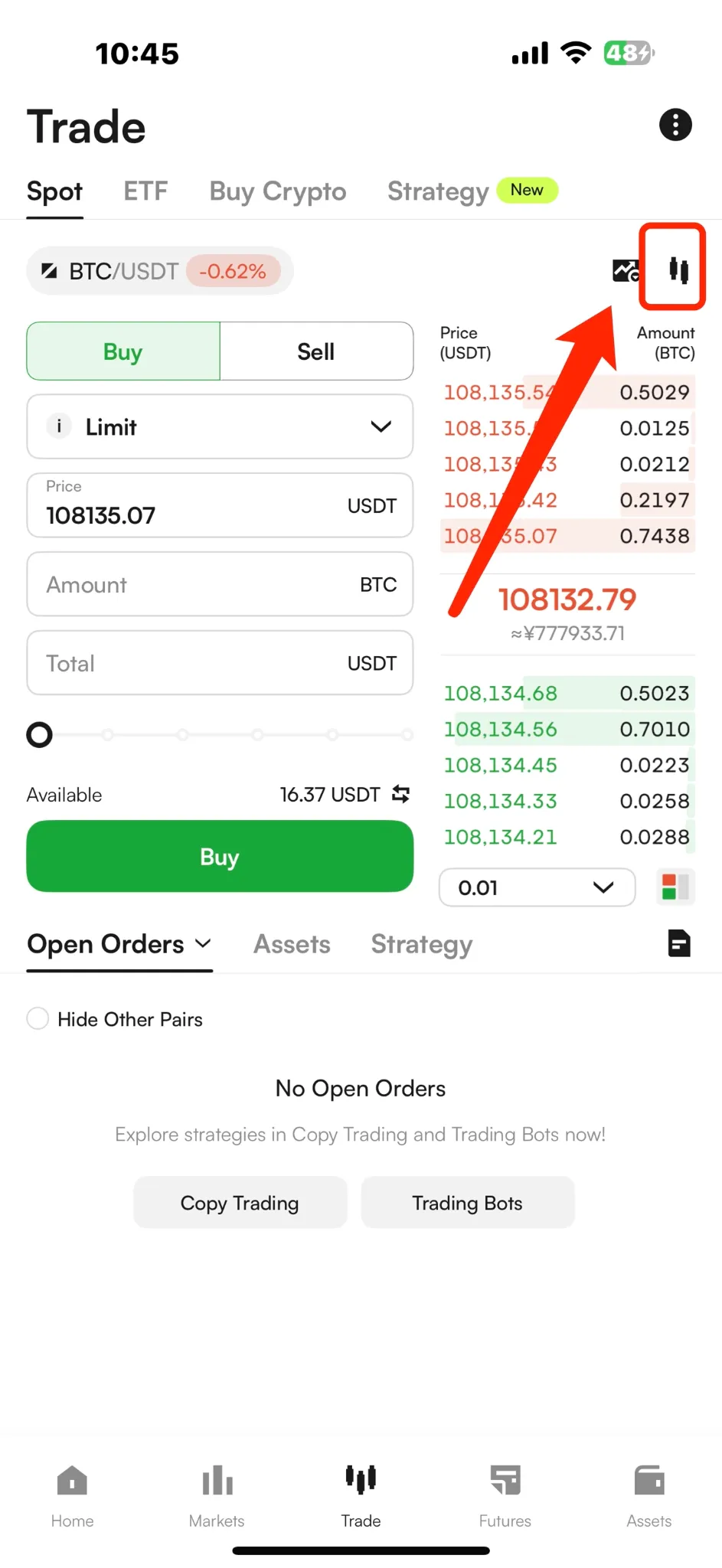
Open the CoinW App, go to the Spot Trading page, and tap the chart icon in the top right corner.
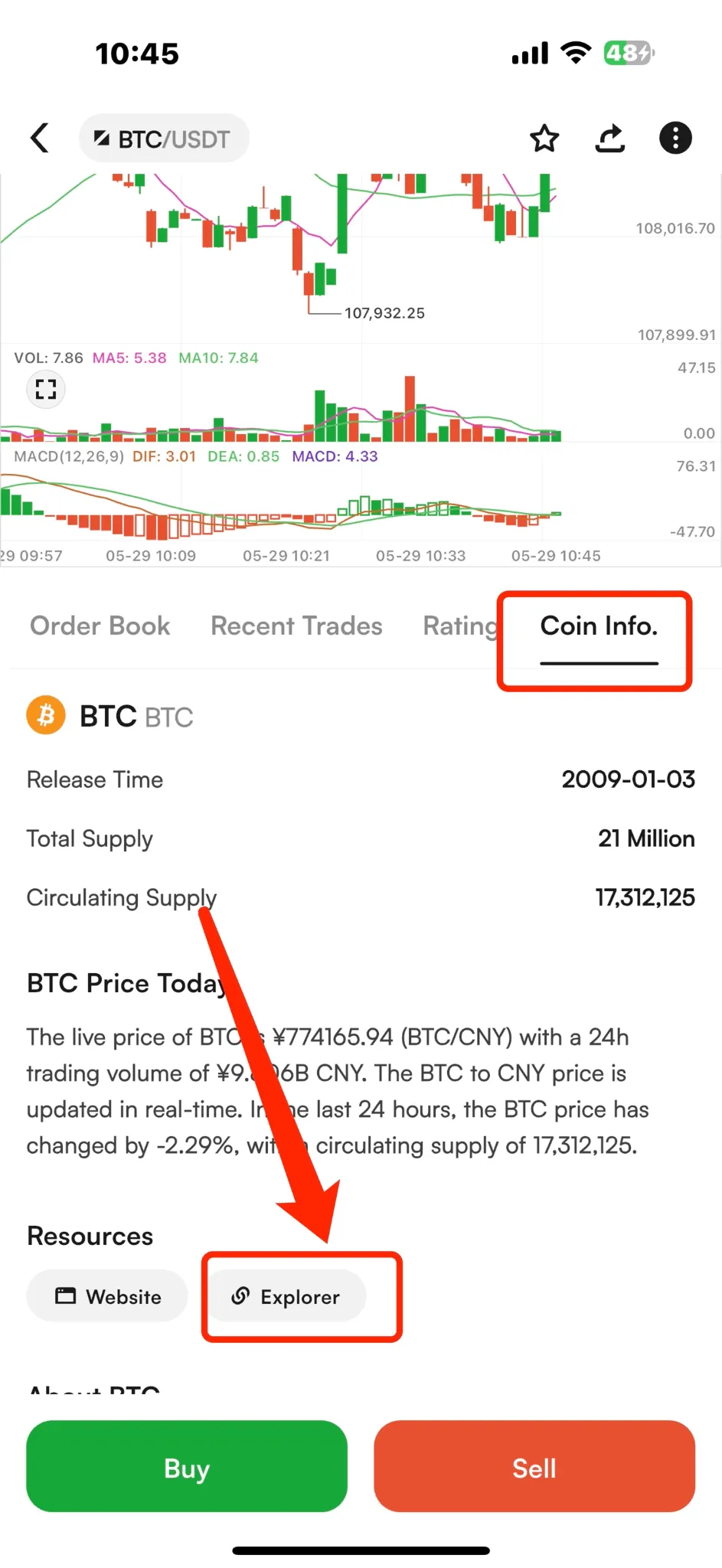
On the chart page, scroll down to Coin Info → locate the block explorer link. This will show the official website and blockchain explorer for that coin.
4. How to contact CoinW customer service:
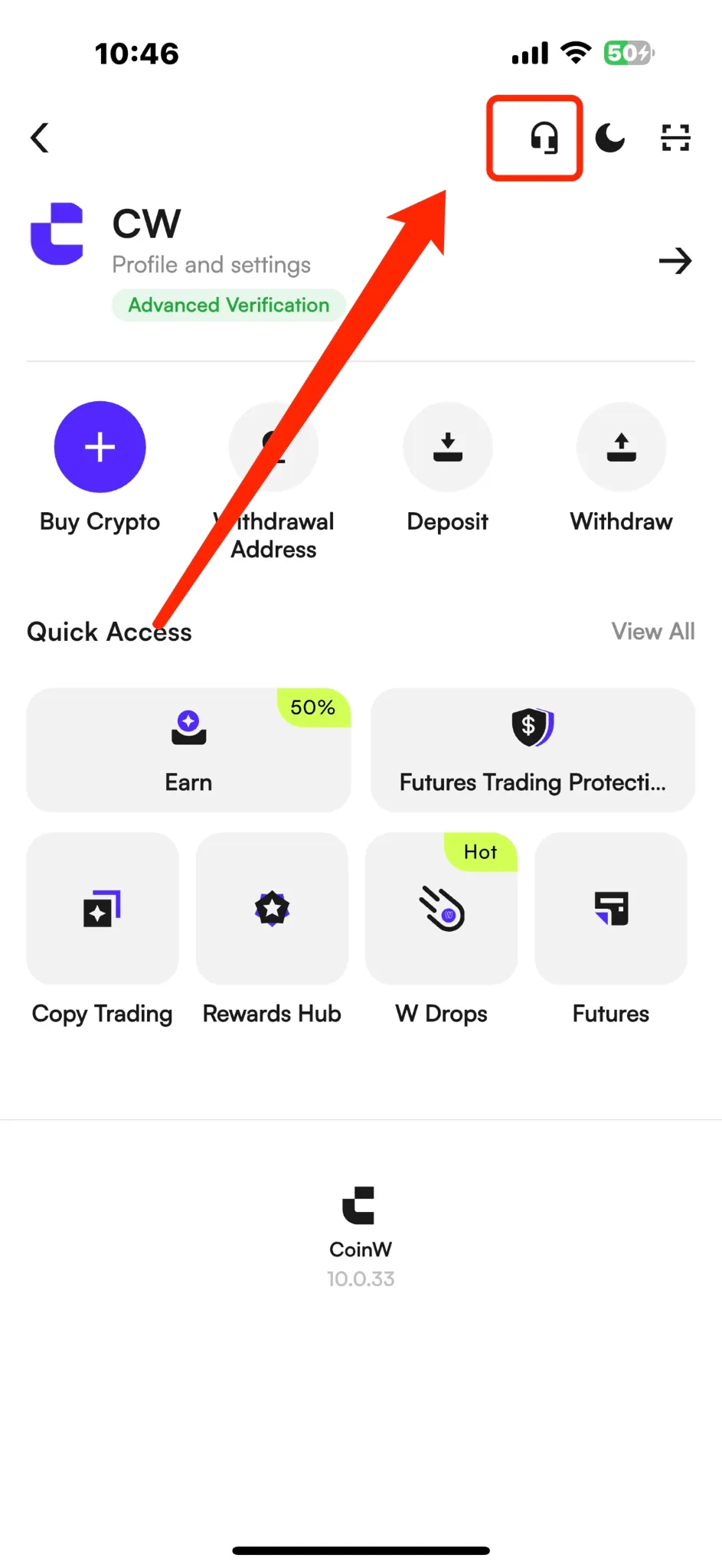
App: Go to the CoinW App homepage, tap the profile icon in the top left corner, then tap the headset icon in the top right.
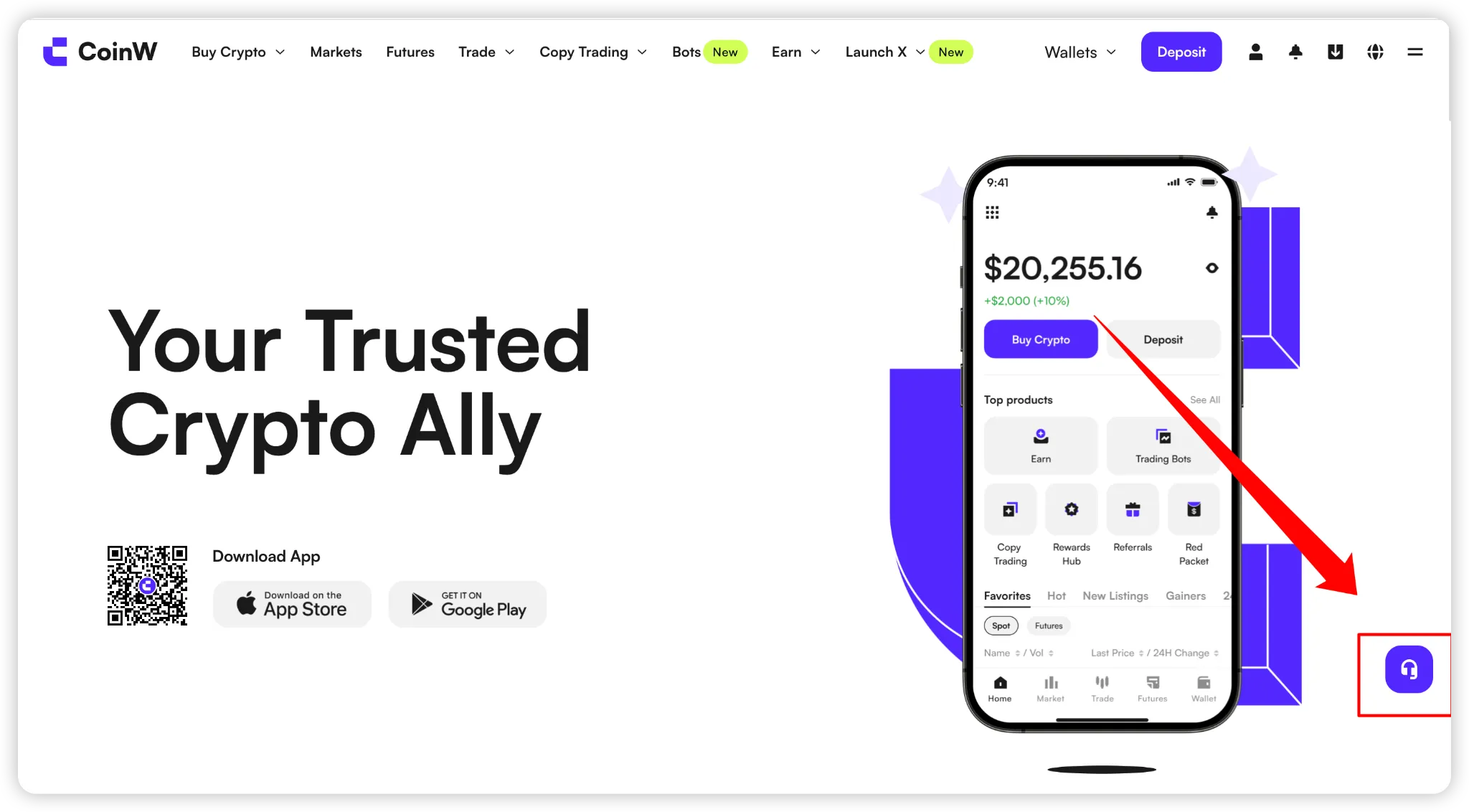
Web: Visit the CoinW website and click the headset icon on the right-hand side of the screen.
1. There are many possible reasons why a deposit hasn't arrived, including:
The sending platform or wallet did not successfully send the transaction
The required number of confirmations has not been reached
Incorrect network selection
Missing Memo/Tag (for tokens that require it), which may result in the deposit not being credited
2. If you are depositing from another platform to CoinW and the deposit hasn't arrived, please first contact the sending platform's customer support to confirm whether:
The TXID was successfully generated
The required number of confirmations has been completed
If everything appears normal on the sending side but the deposit is still not credited, please provide the following information:
Your UID
Token/coin name
Network
Submit the information via:
Support ticket or Email: [email protected]
You may also contact CoinW’s online support via the app or website for assistance.
If you are withdrawing from CoinW to another platform or wallet and the deposit hasn't arrived, please first check the TXID status on the blockchain or contact CoinW customer service for help.
3. How to check TXID status via blockchain explorer (example with BTC):
Open the CoinW App, go to the Spot Trading page, and tap the chart icon in the top right corner.
On the chart page, scroll down to Coin Info → locate the block explorer link. This will show the official website and blockchain explorer for that coin.
4. How to contact CoinW customer service:
App: Go to the CoinW App homepage, tap the profile icon in the top left corner, then tap the headset icon in the top right.
Web: Visit the CoinW website and click the headset icon on the right-hand side of the screen.