Perguntas frequentes
Video tutorial:How To Enroll in a PropW Challenge | #proptrading #crypto #cryptocurrency
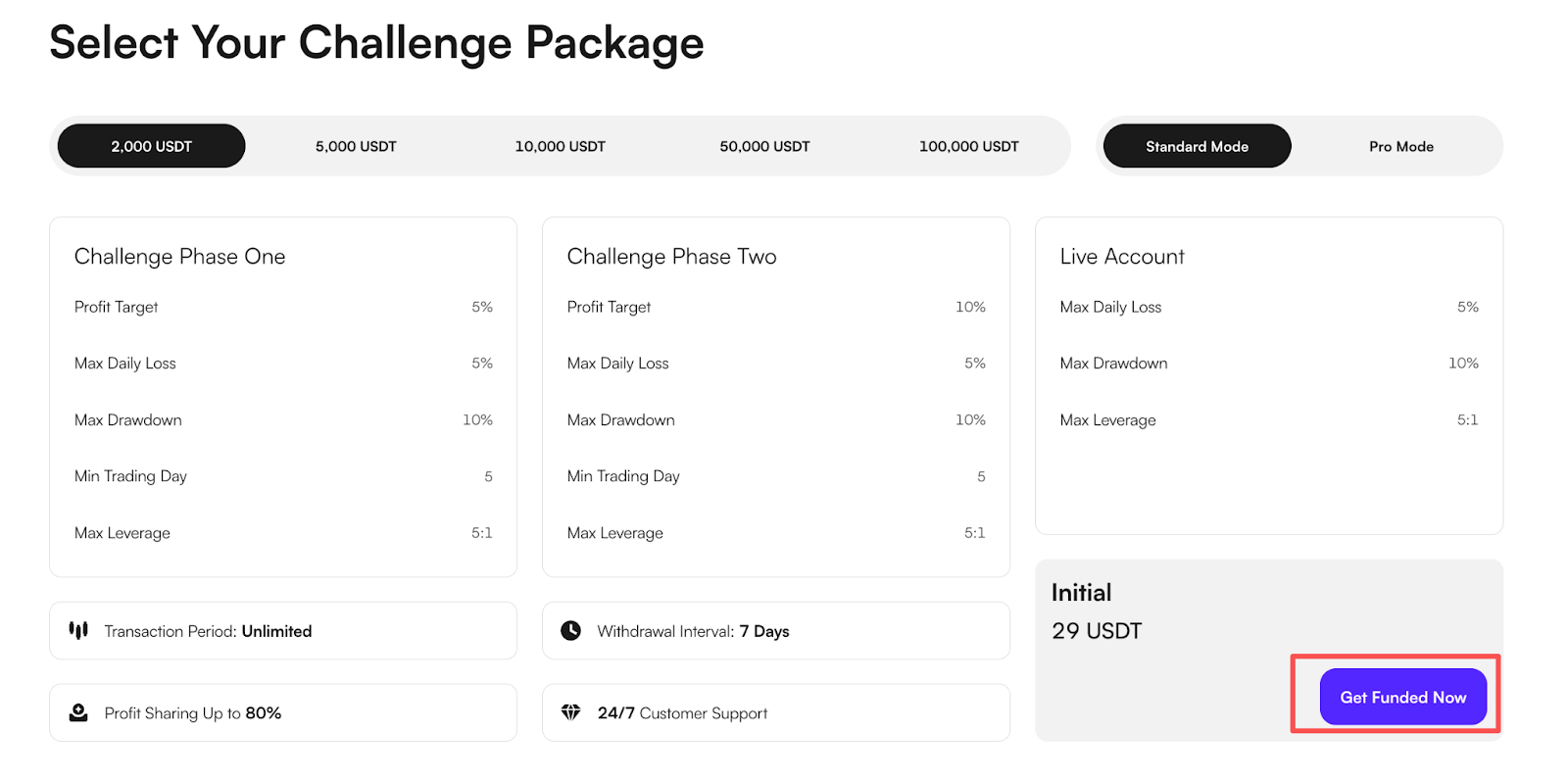
Did you earn/receive a discount coupon? To use it, you need to enroll in a Challenge. During the Challenge purchase stage (refer to "How to Enroll a Challenge?"), after selecting your account, your discount coupon will be automatically applied.
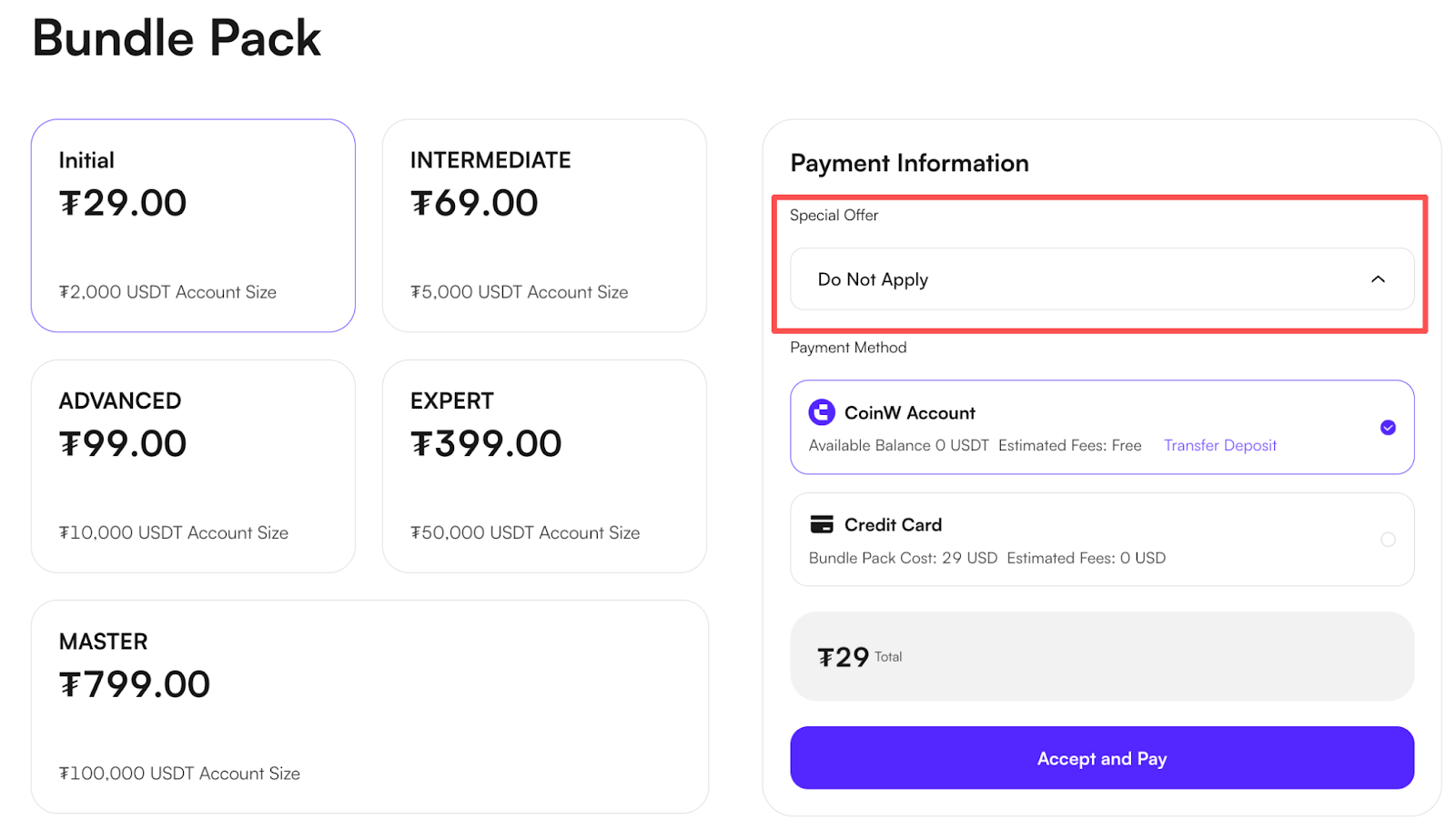
At this stage, you can see the discounted price. If the price does not decrease despite having a coupon, please contact us via the "Help Center" or [email protected] email address.
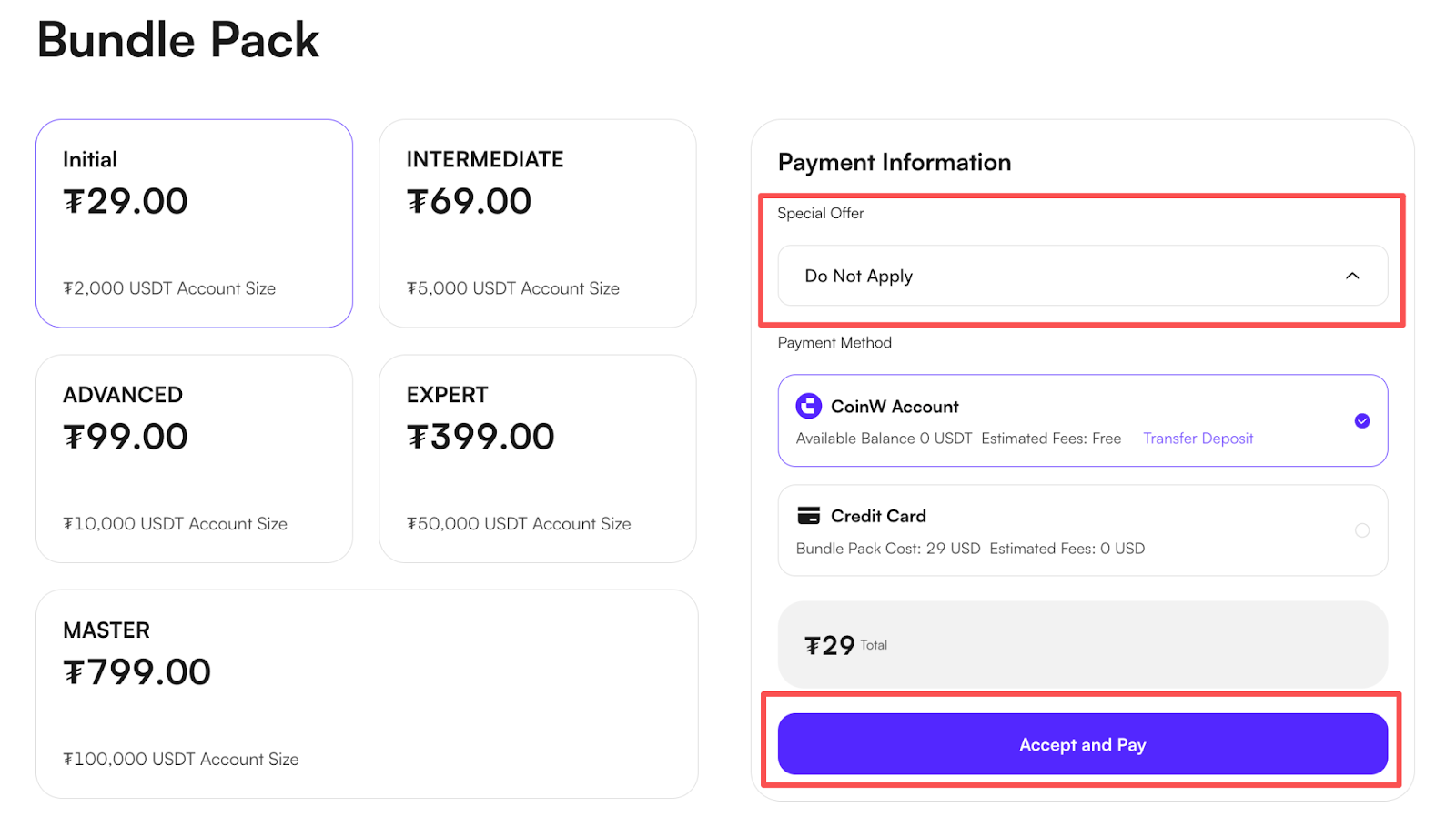
If you have coupons, the best discount will be automatically deducted. You can see the discounted price with the relevant payment section. After applying coupon, please kindly submit your purchase with using “Accept & Pay” button.
If you have more than one voucher and want to make changes between them, please open the drop-down list. You can see your vouchers in the list. Select the coupon you want to use.
Video tutorial:How To Enroll in a PropW Challenge | #proptrading #crypto #cryptocurrency
Did you earn/receive a discount coupon? To use it, you need to enroll in a Challenge. During the Challenge purchase stage (refer to "How to Enroll a Challenge?"), after selecting your account, your discount coupon will be automatically applied.
At this stage, you can see the discounted price. If the price does not decrease despite having a coupon, please contact us via the "Help Center" or [email protected] email address.
If you have coupons, the best discount will be automatically deducted. You can see the discounted price with the relevant payment section. After applying coupon, please kindly submit your purchase with using “Accept & Pay” button.
If you have more than one voucher and want to make changes between them, please open the drop-down list. You can see your vouchers in the list. Select the coupon you want to use.