Perguntas frequentes
How to View Your Account UID
Publicado em: 2025/08/13 10:27|Última atualização: 2025/08/13 10:27
APP
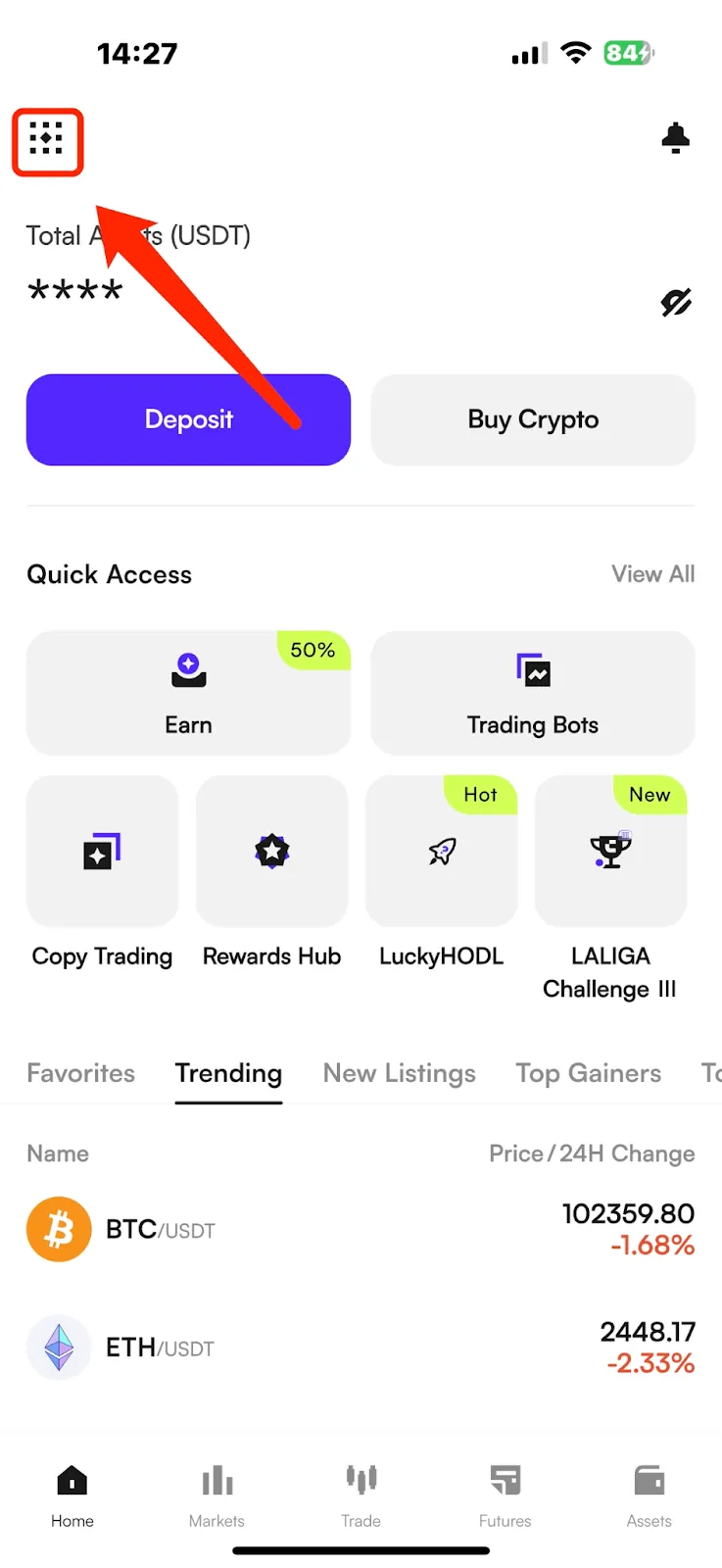
(1) Open the CoinW App, and tap the account icon in the top-left corner of the homepage to enter the More menu.
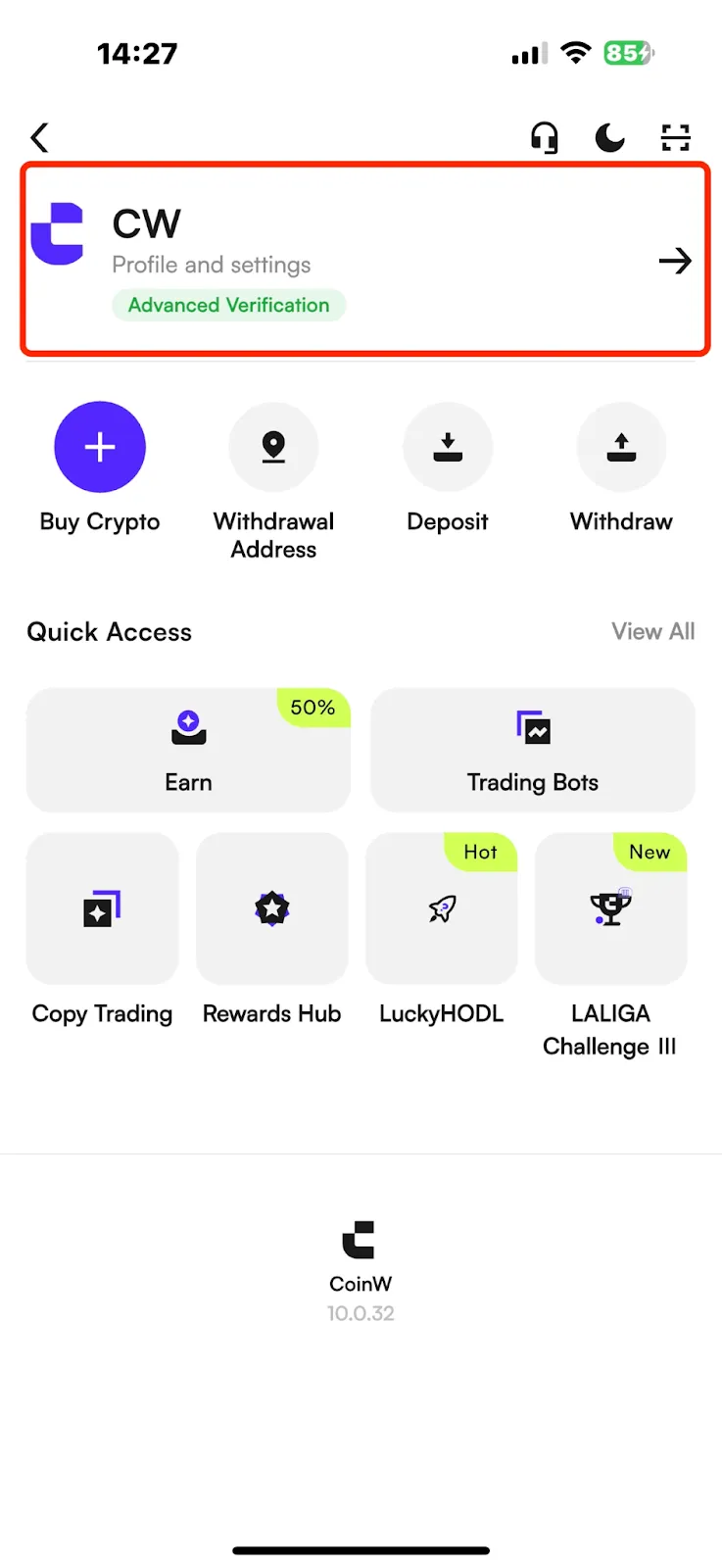
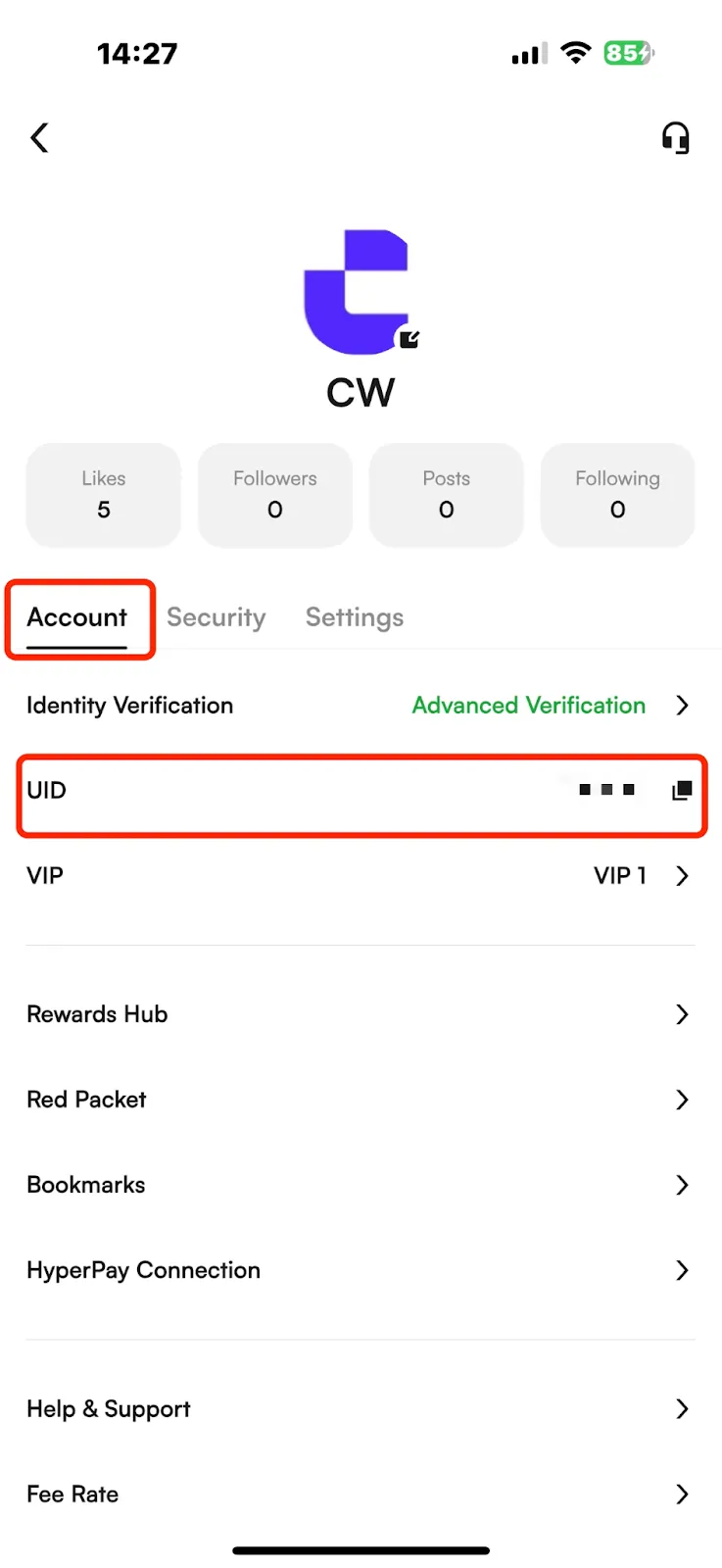
(2) Tap your avatar to enter the Personal Center, where you can view your account UID.
WEB
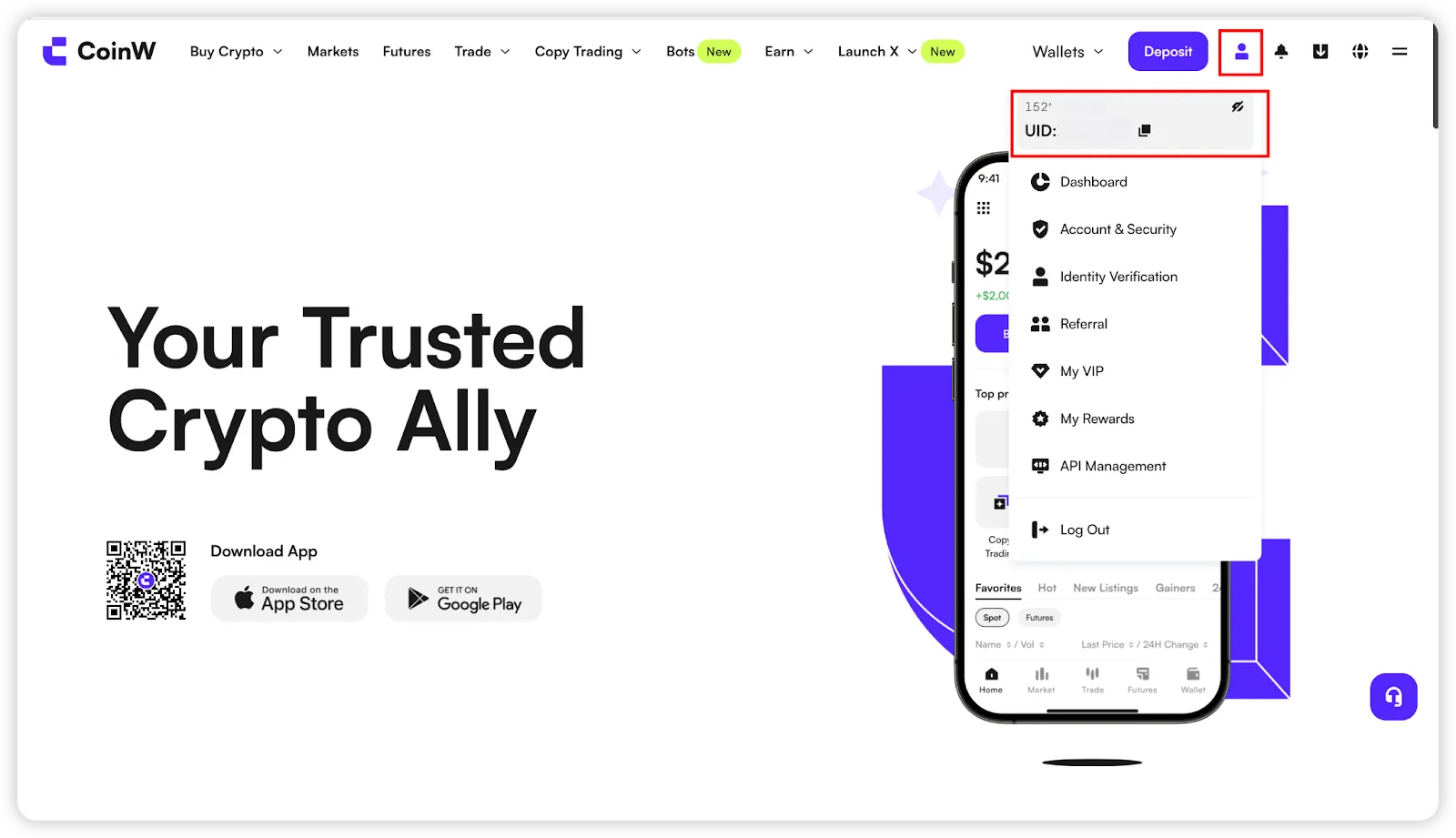
After logging in to the CoinW official website, hover your mouse over the account icon in the top-right corner — your UID will be displayed.
Este artigo foi útil?
Oferta por tempo limitado para novos usuários!
Cadastre-se agora para resgatar seu pacote de presentes exclusivo de 12000 USDT!
Já tem uma conta?Entrar
Artigos Populares
How to View Your Account UID
Publicado em: 2025/08/13 10:27|Última atualização: 2025/08/13 10:27
APP
(1) Open the CoinW App, and tap the account icon in the top-left corner of the homepage to enter the More menu.
(2) Tap your avatar to enter the Personal Center, where you can view your account UID.
WEB
After logging in to the CoinW official website, hover your mouse over the account icon in the top-right corner — your UID will be displayed.
Este artigo foi útil?
Oferta por tempo limitado para novos usuários!
Cadastre-se agora para resgatar seu pacote de presentes exclusivo de 12000 USDT!
Já tem uma conta?Entrar
Artigos Populares