Sık Sorulan Sorular
Currently, the community feature is only available on the app. Here's how you can post or view others' posts in the community:
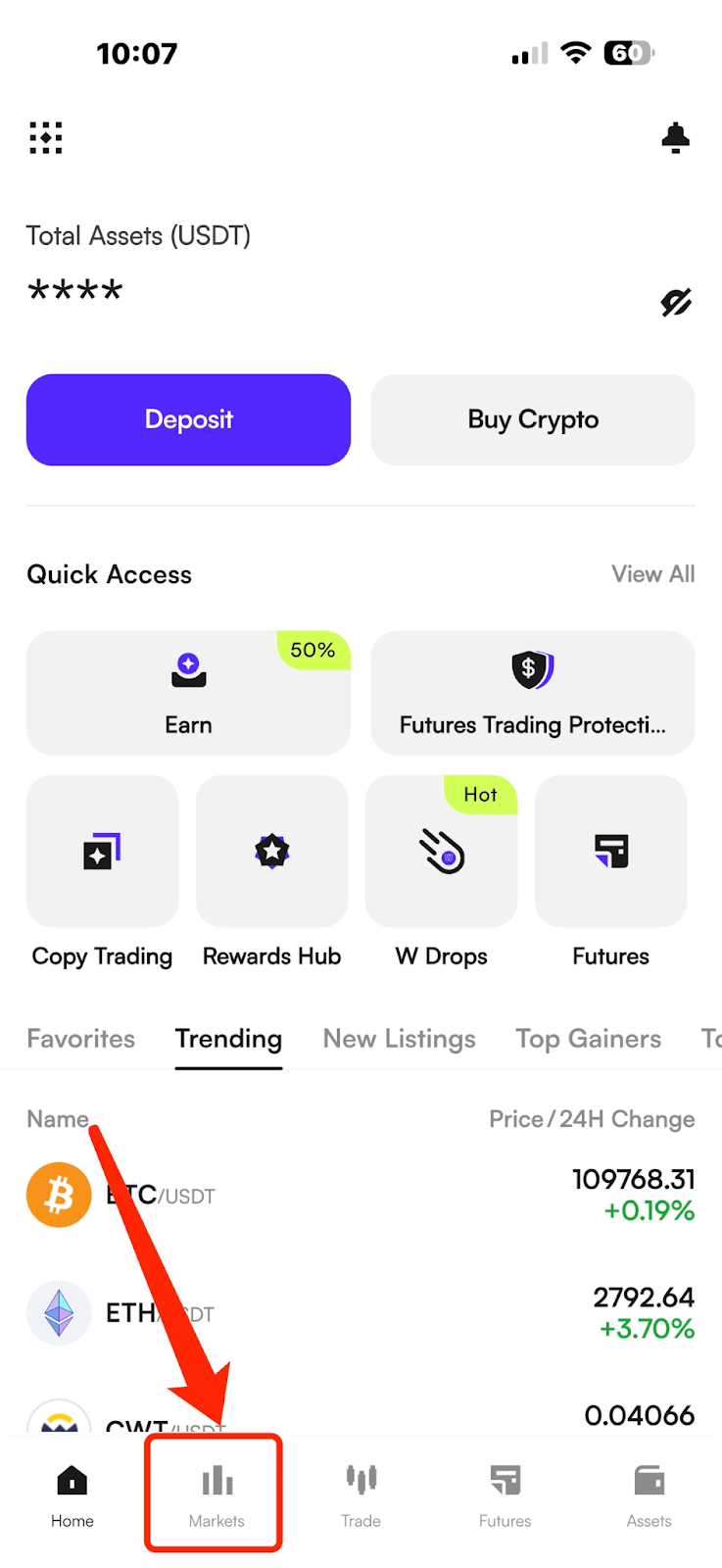
(1) Open the app and go to the homepage.
(2) Tap the "Markets" button in the bottom navigation bar.
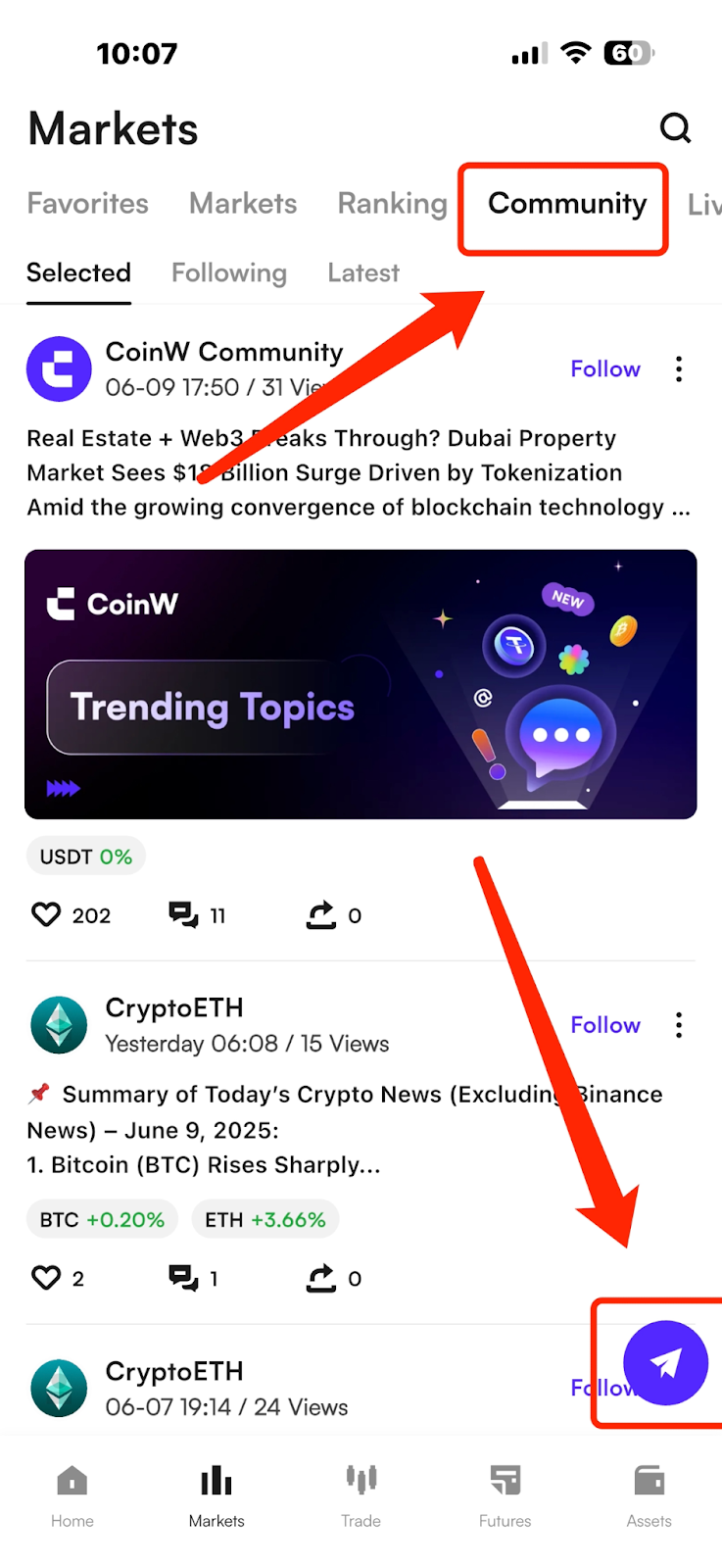
(3) Once you're in the Markets section, tap the "Community" button at the top to enter the community page. To post, tap the small airplane icon in the lower right corner.
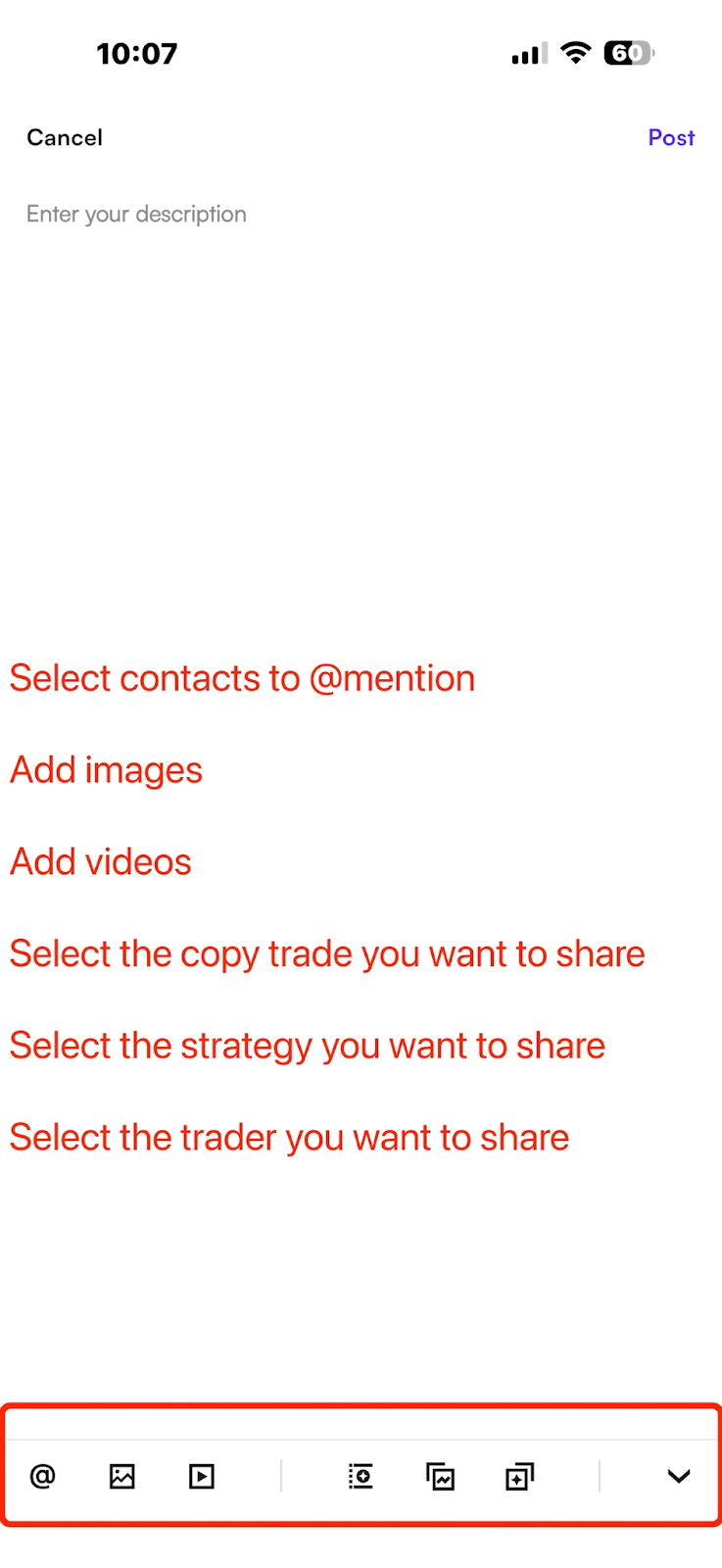
(4) On the post creation page, you can use the buttons at the bottom to add images, videos, and other content.
Currently, the community feature is only available on the app. Here's how you can post or view others' posts in the community:
(1) Open the app and go to the homepage.
(2) Tap the "Markets" button in the bottom navigation bar.
(3) Once you're in the Markets section, tap the "Community" button at the top to enter the community page. To post, tap the small airplane icon in the lower right corner.
(4) On the post creation page, you can use the buttons at the bottom to add images, videos, and other content.