Sık Sorulan Sorular
How to View Your Account UID
Yayınlanma tarihi: 2025/08/13 10:27|Son Güncelleme: 2025/08/13 10:27
APP
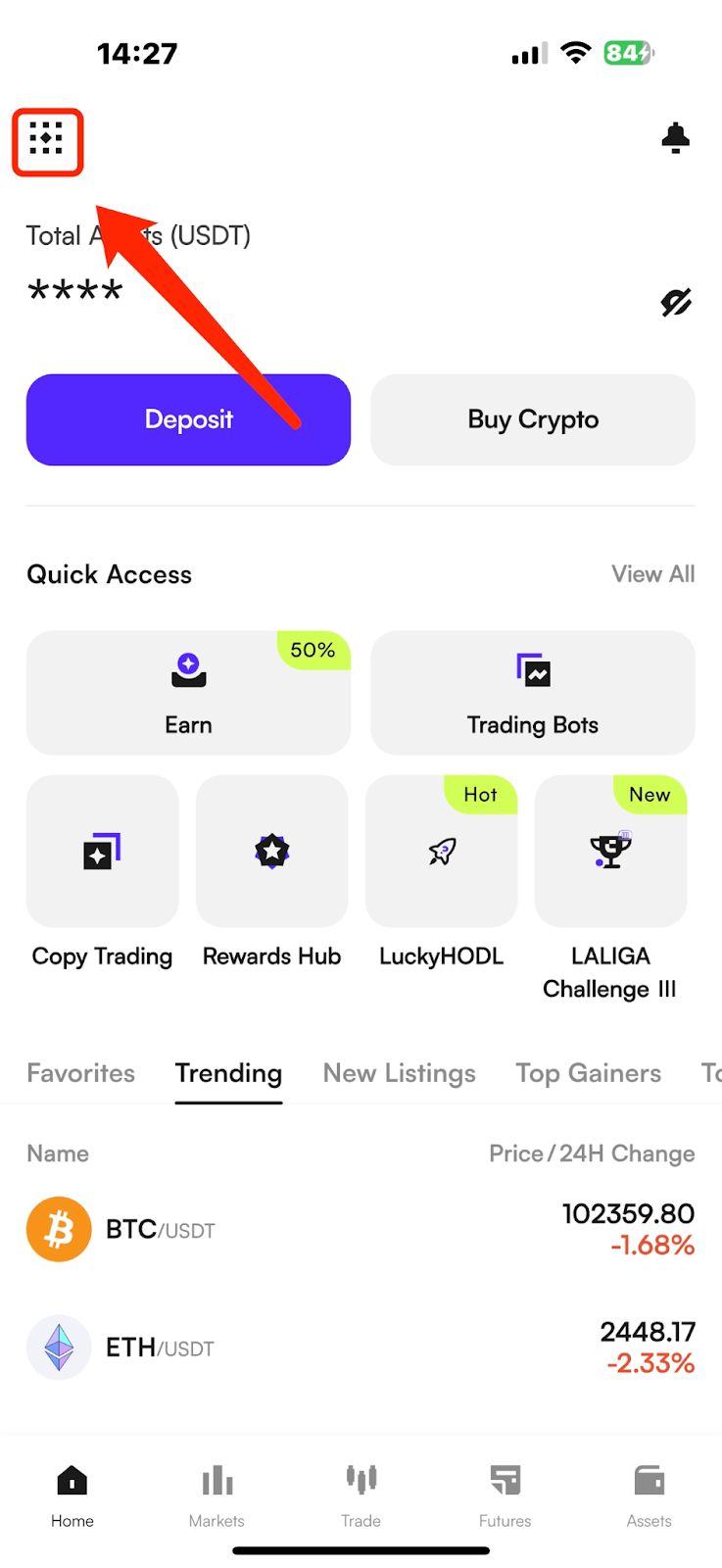
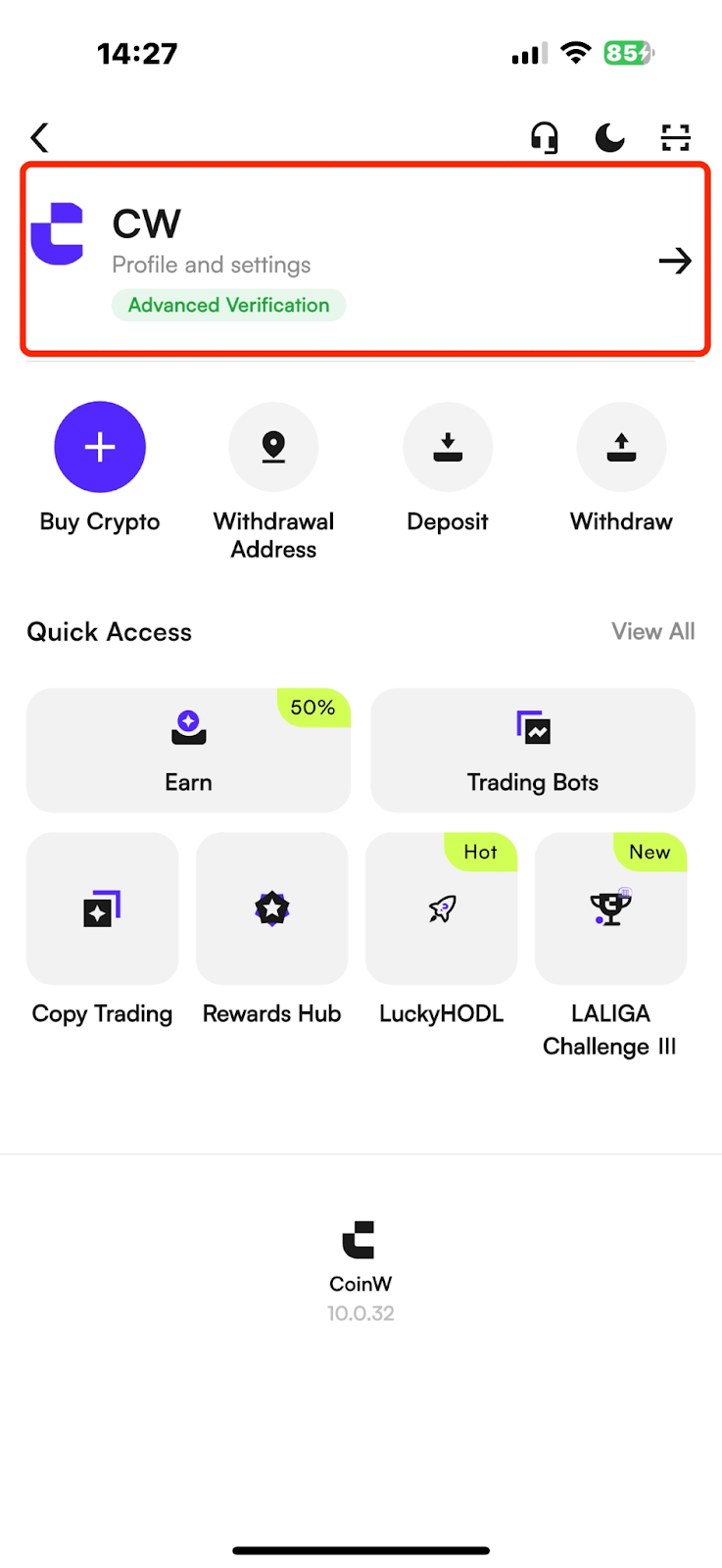
(1) Open the CoinW App, and tap the account icon in the top-left corner of the homepage to enter the More menu.
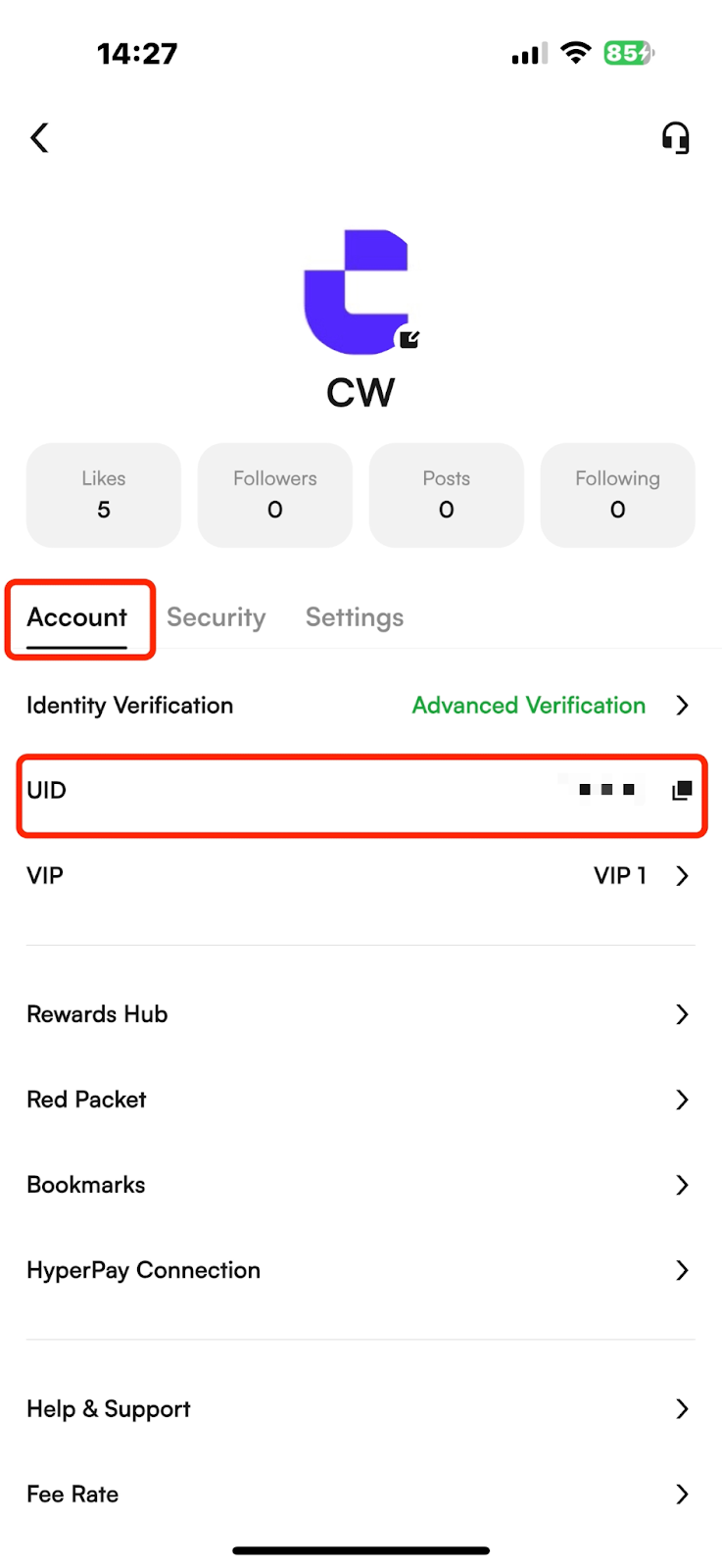
(2) Tap your avatar to enter the Personal Center, where you can view your account UID.
WEB
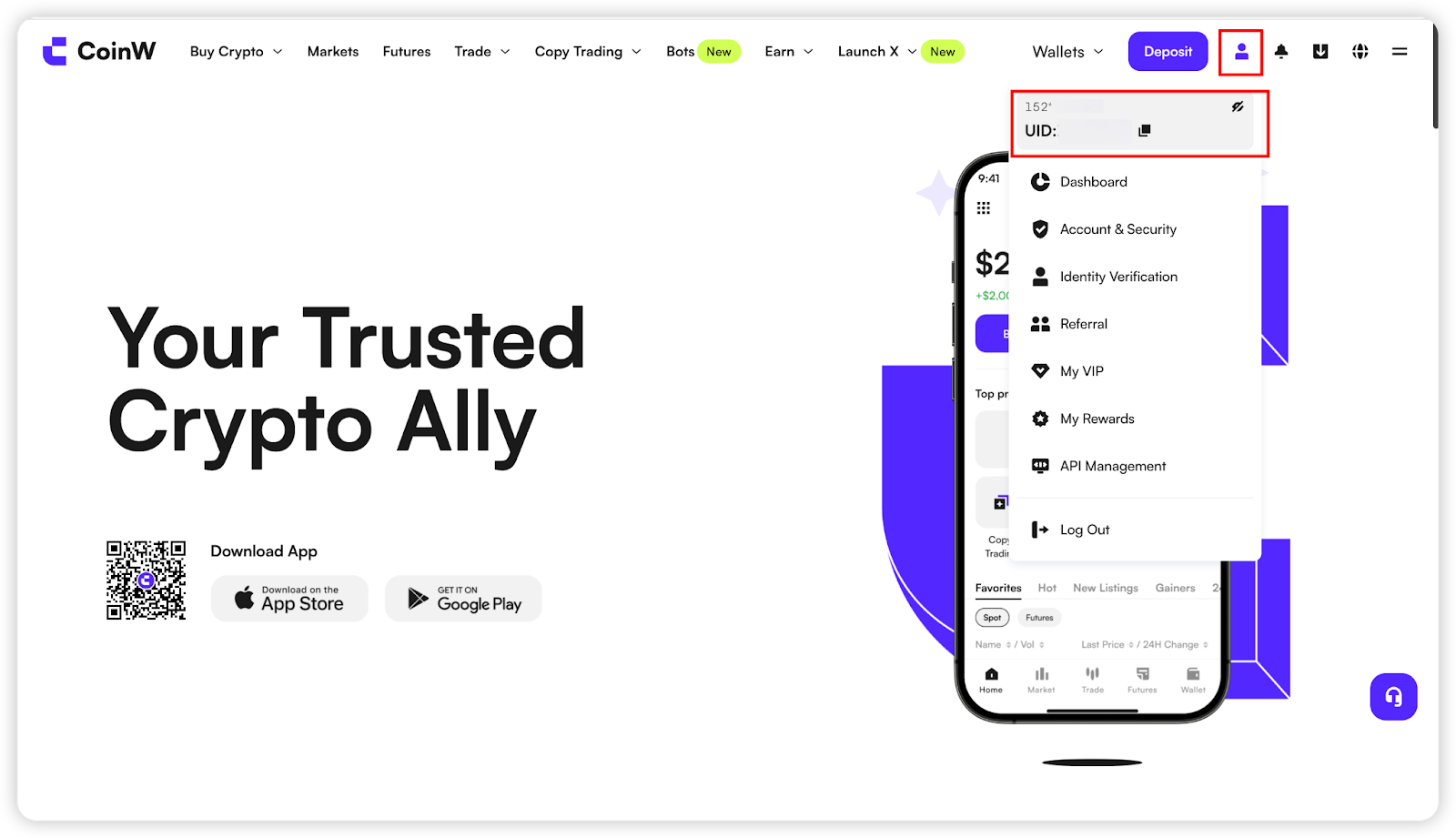
After logging in to the CoinW official website, hover your mouse over the account icon in the top-right corner — your UID will be displayed.
Bu makale yardımcı oldu mu?
Sınırlı Süreli Yeni Kullanıcı Teklifi!
Özel 12000 USDT hediye paketinizi almak için hemen kaydolun!
Zaten bir hesabınız var mı?Giriş Yap
Popüler Makaleler
How to View Your Account UID
Yayınlanma tarihi: 2025/08/13 10:27|Son Güncelleme: 2025/08/13 10:27
APP
(1) Open the CoinW App, and tap the account icon in the top-left corner of the homepage to enter the More menu.
(2) Tap your avatar to enter the Personal Center, where you can view your account UID.
WEB
After logging in to the CoinW official website, hover your mouse over the account icon in the top-right corner — your UID will be displayed.
Bu makale yardımcı oldu mu?
Sınırlı Süreli Yeni Kullanıcı Teklifi!
Özel 12000 USDT hediye paketinizi almak için hemen kaydolun!
Zaten bir hesabınız var mı?Giriş Yap
Popüler Makaleler