Futures Strategy Trading Beginner Guide
I. What Is Futures Strategy Trading?
Futures strategy trading is an automated futures trading tool that executes trades via trading bots based on parameters preset by users. Compared with traditional trading, it significantly reduces the impact of emotional decision-making, enabling users to trade according to preset rules even during periods of extreme market optimism or pessimism.
CoinW Trading Bot currently supports the following strategies: Futures Grid, Futures Martingale, Futures Combo, and Funding Fee Arbitrage.
Futures Grid
After users select a long or short direction (for example, long), the system will automatically execute trades within the predefined price range based on the specified number of grids. When the price declines, the bot will buy at lower levels to open long positions. When the price rises, it will sell at higher levels to close long positions. By capturing repeated price fluctuations within the set range, the strategy buys low and sells high to generate continuous grid profits. This strategy is particularly suitable for volatile markets and can automatically arbitrage through automated execution.
Futures Martingale
The Futures Martingale strategy is designed to build positions progressively as prices decline, aiming to average down costs and profit from rebounds. As prices fall, the strategy will gradually increases positions in the same direction (such as long positions) according to preset rules, thereby lowering the average entry cost. When the market rebounds, users can profit from relatively small price movements due to the reduced cost basis. This strategy is mainly suited for medium- to long-term ranging or bottom-reversal markets. However, in prolonged one-sided market conditions, the continuous increase in position size may significantly amplify risk.
Futures Combbo
The Futures Combo strategy focuses on building and managing a diversified futures portfolio. Users can manually select pairs or use AI-recommended parameters to allocate funds across multiple futures pairs based on the predefined ratios, forming a diversified long-short portfolio. Its core feature is automatic rebalancing. When market movements cause actual allocations to deviate from target ratios, the system will automatically buy or sell the corresponding futures pairs to restore the preset ratios. This strategy helps diversify risk, optimize capital allocation, and maintain long-term portfolio stability.
Funding Fee Arbitrage
The funding fee arbitrage bot is an innovative strategy designed to capture arbitrage opportunities between perpetual futures contracts and their corresponding spot markets. By simultaneously holding spot positions and short futures positions, users can earn returns from funding rate differentials.
II. Advantages of Futures Strategy Trading
Fully Automated, 24/7 Execution
Strategies run continuously on cloud servers. Once parameters are set, the trading bot will execute trades automatically according to predefined rules, eliminating the need for constant market monitoring.
Quick Setup and Launch
Users only need to specify the margin amount to set up and launch a strategy with a simple click. Even beginners with no prior futures trading experience can start strategy trading quickly with ease.
Emotion-Free, Rule-Based Trading
All trades are executed strictly according to preset conditions, minimizing the impact of emotional decision-making and ensuring disciplined strategy execution.
III. How to Use Strategy Trading
Website
Log in to our official website and click Bots on the navigation bar.
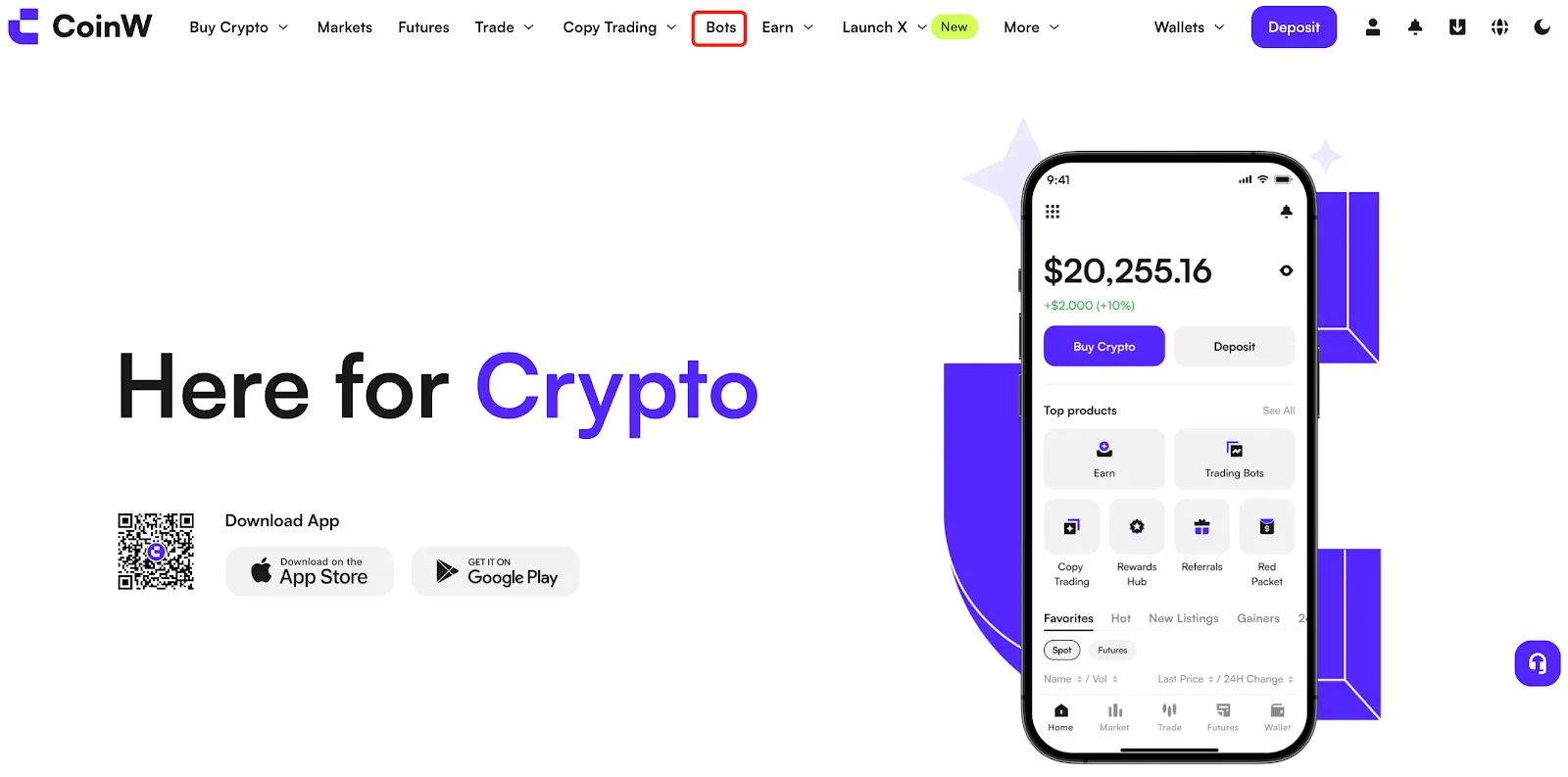
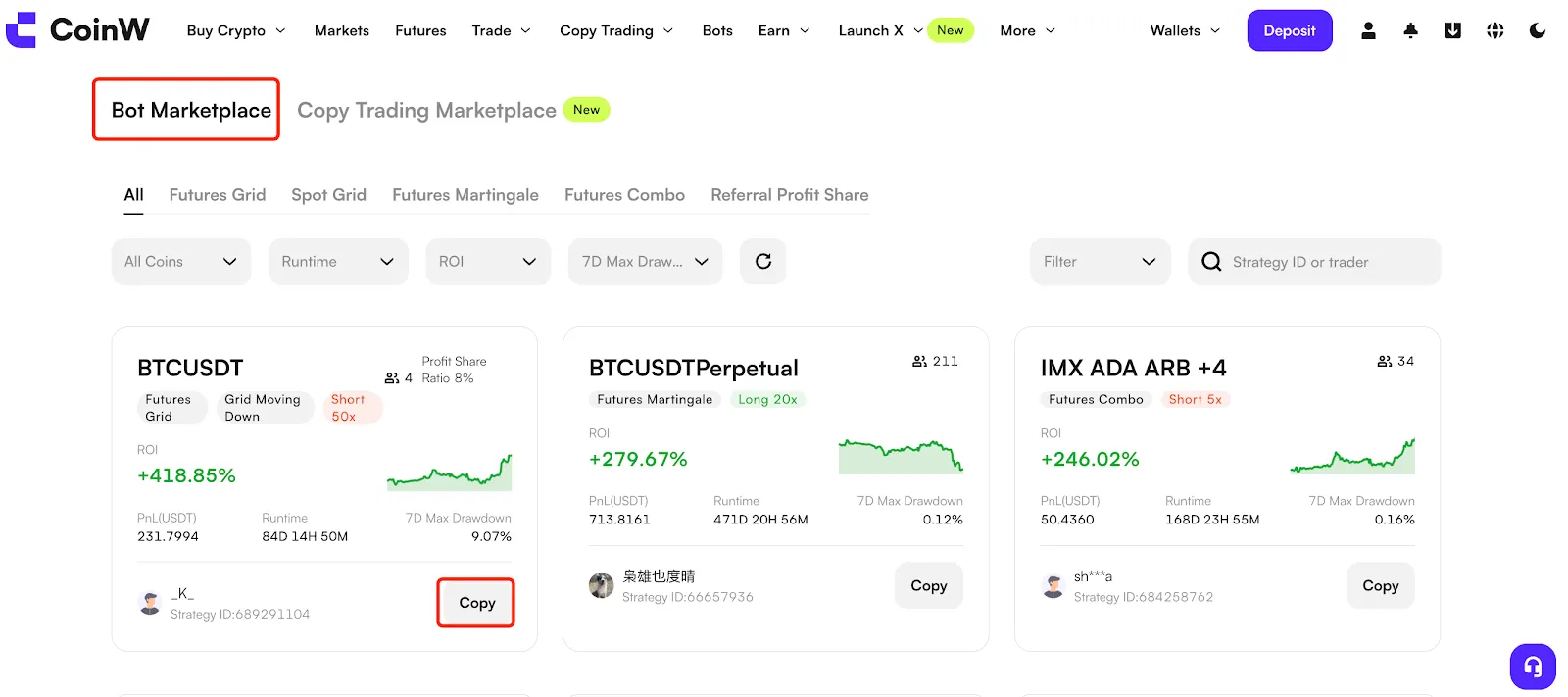
Enter the trading bot page and select your preferred strategy based on metrics such as ROI, PnL, and number of followers and click Copy to proceed with the transaction.
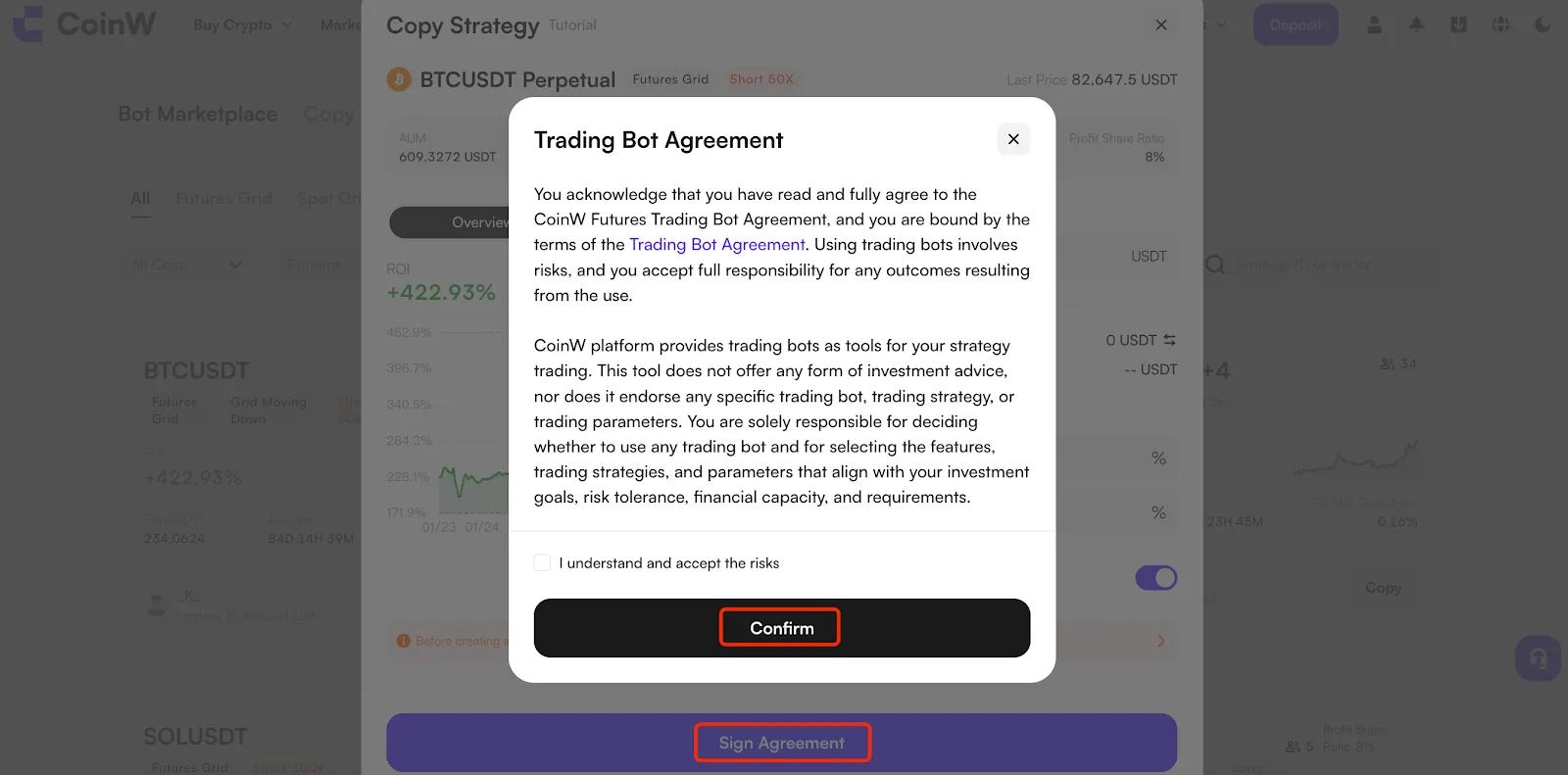
If this is your first time using a trading bot, there will be a popup window showing you the terms. Read through these terms and click Confirm to proceed.
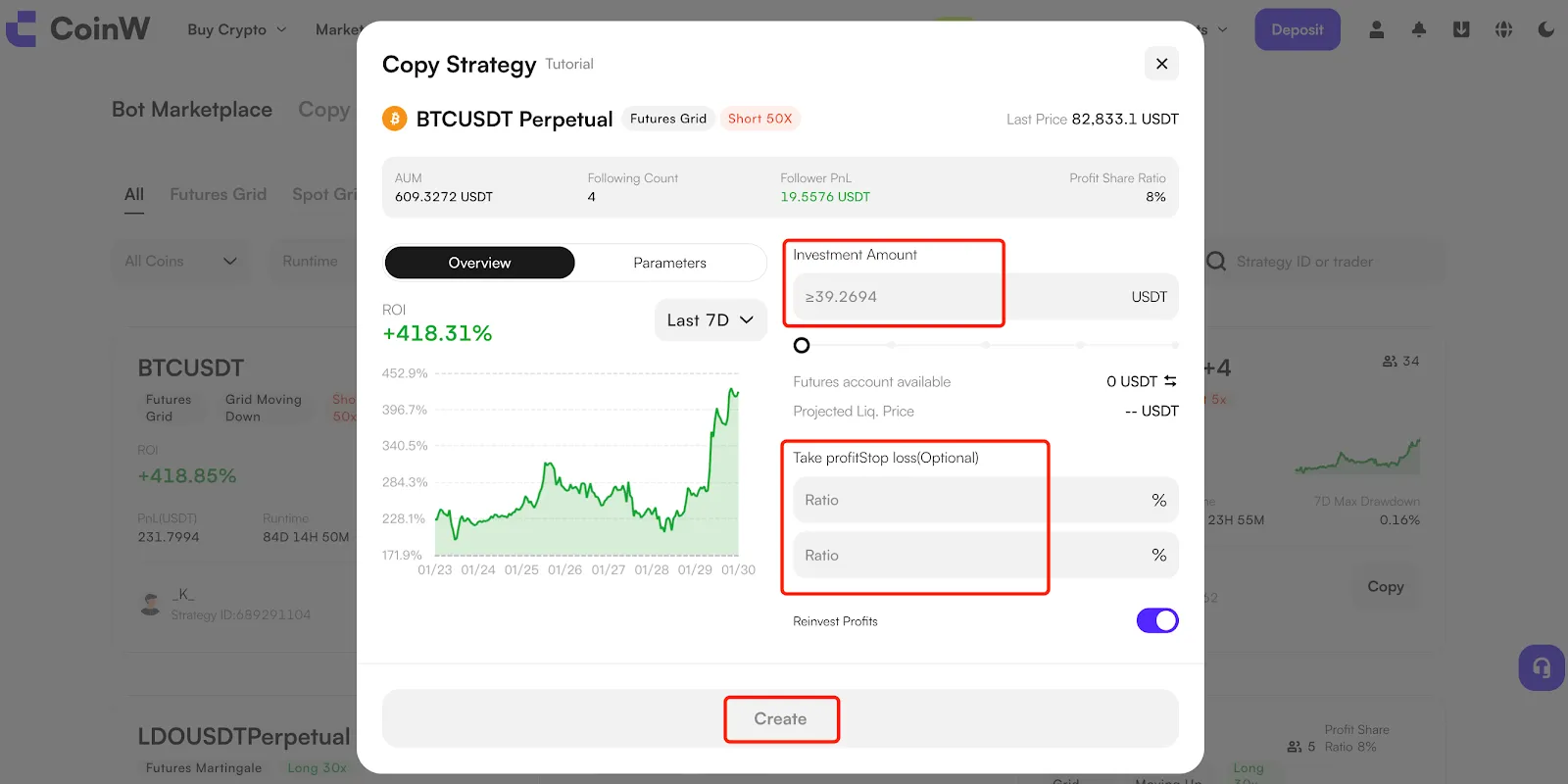
Enter your Investment Amount and complete the Take-Profit and Stop-Loss settings, then click Create to complete the setup.
App
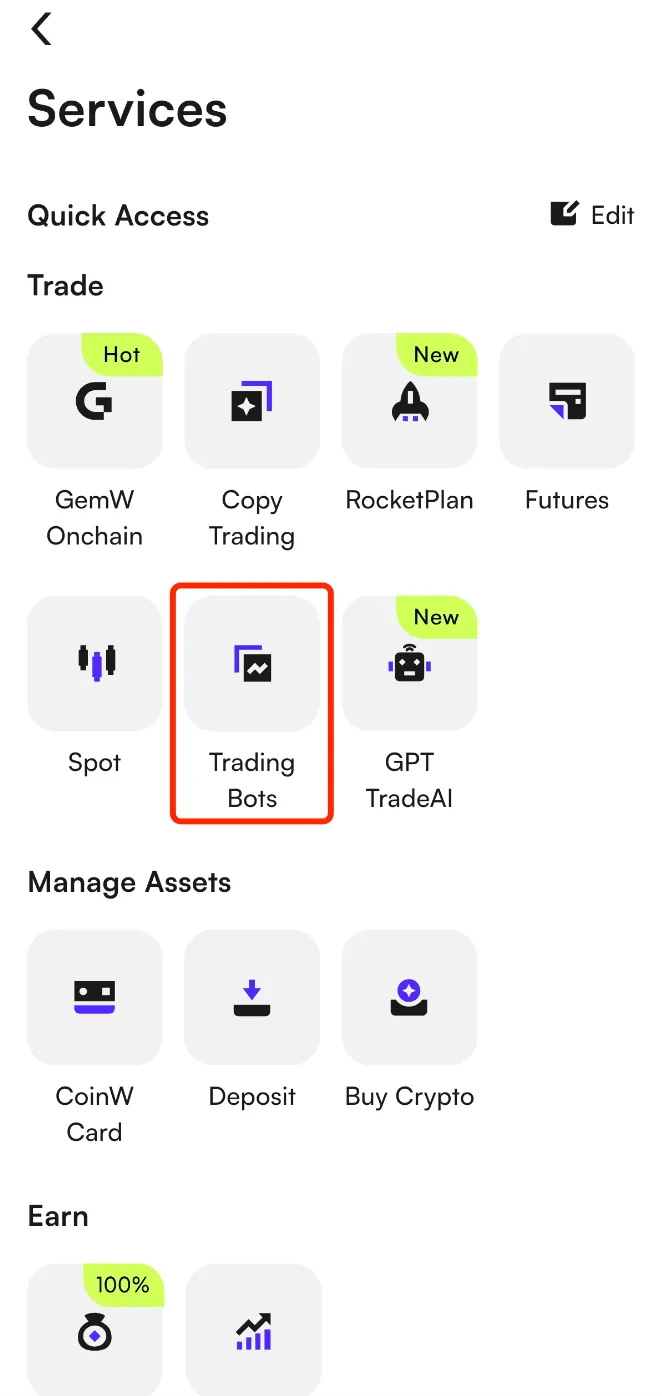
On the home page, tap View All under Quick Access, then tap Trading Bots to enter the marketplace.
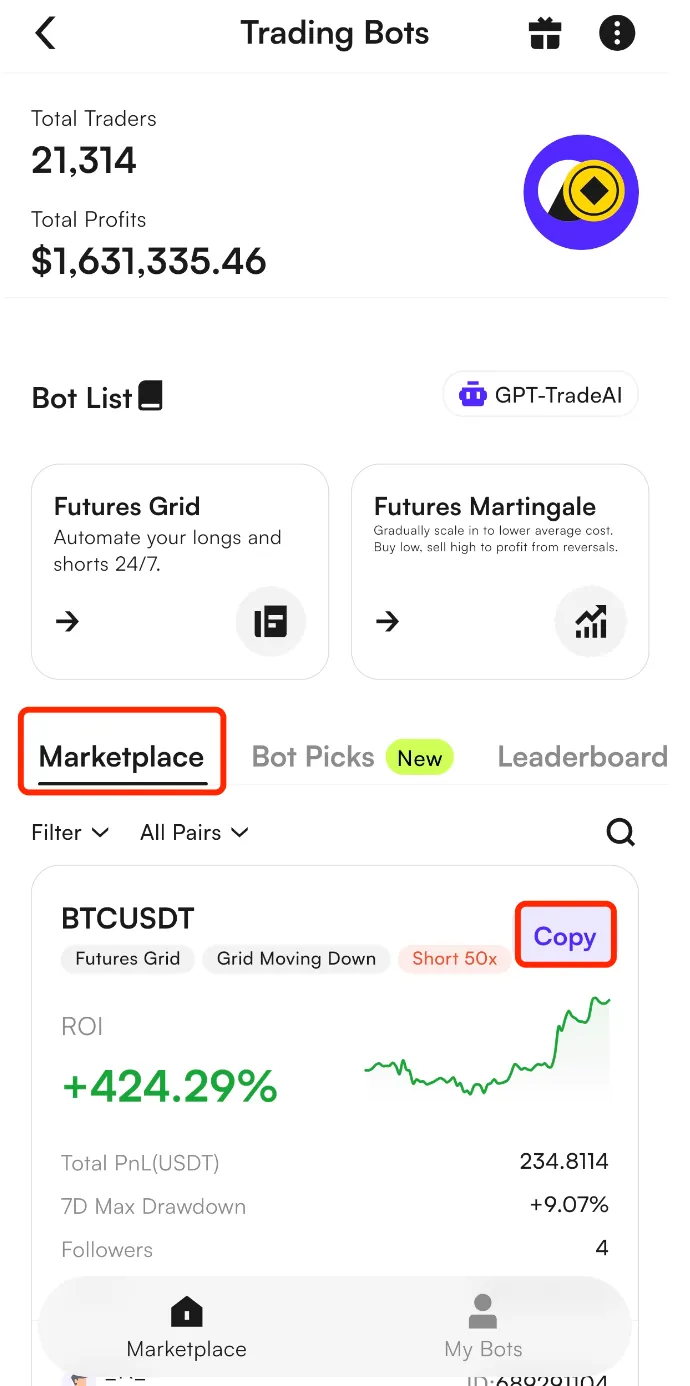
After entering the marketplace, select your preferred strategy based on metrics such as ROI, PnL, and number of followers and click Copy to proceed with the transaction.
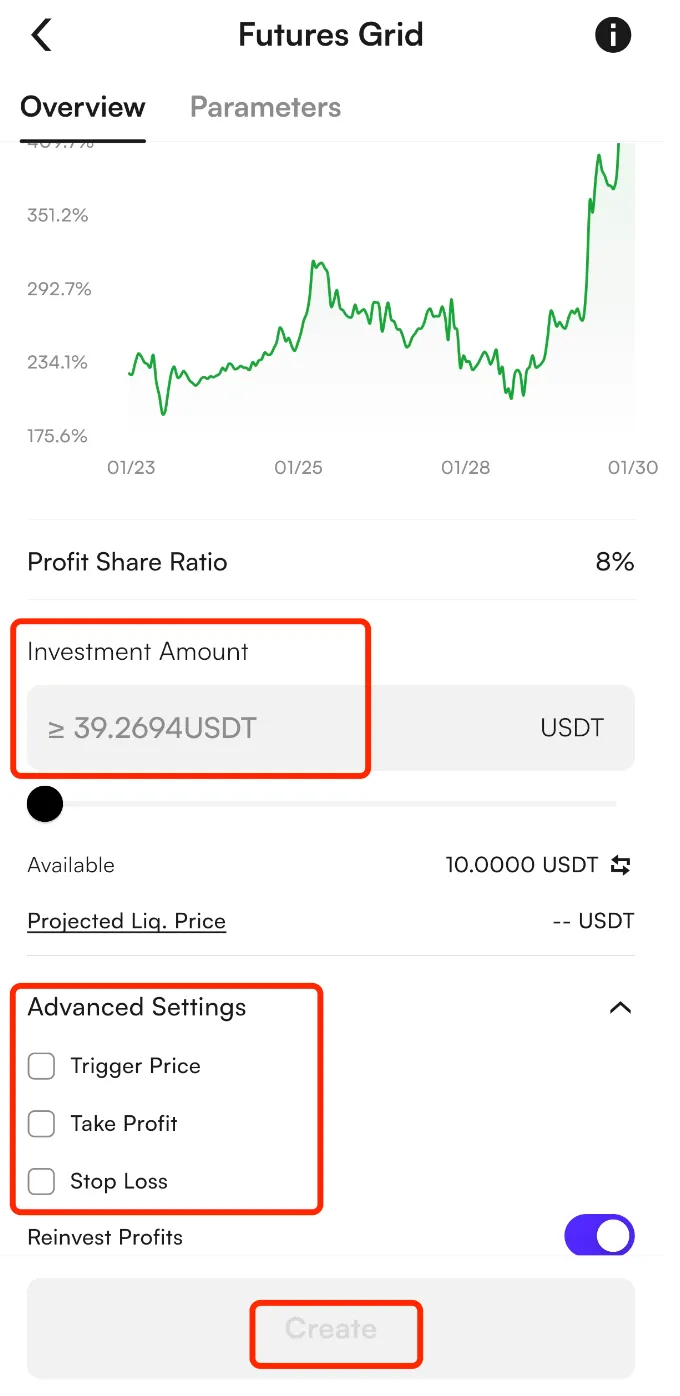
Enter your Investment Amount and complete the advanced settings, then click Create to complete the start strategy trading.
IV. FAQ
Q1: Where are my funds transferred after a strategy is created?
When a strategy is created, the invested funds will be isolated from the futures account and used exclusively for the selected strategy. This may affect the overall risk exposure of users' futures account. Once the strategy is terminated, the funds will be automatically transferred back to the futures account.
Q2: What do the different strategy statuses indicate?
Pending Trigger: The strategy has been created but has not yet been triggered.
Running: The strategy has been triggered and is currently operating.
Terminated Unclosed: The strategy has stopped running, but open positions remain unclosed and need users to manually close them.
Manually Terminated: The user has manually terminated the strategy and all positions have been closed.
Take Profit Terminated/Stop Loss Terminated: The strategy was automatically terminated and the positions were closed after the take-profit or stop-loss conditions were met.
Liquidated: The position reached the liquidation price and was forcibly closed by the system.
Q3: How can I monitor my strategy performance?
Click My Bots in the marketplace to view pending and running strategies.
Click Strategy History to view historical strategies.
Click Terminate to stop a running strategy.
Users are strongly advised to set stop-loss levels and closely monitor market conditions to manage risk effectively.
Risk Warning
Futures trading is a high-risk derivatives activity involving leverage. Due to market volatility, price fluctuations may rapidly amplify gains or losses and, in extreme circumstances, may result in the loss of all margin.
Futures strategy trading is an automated trading tool that executes transactions strictly in accordance with users' preset parameters and predefined rules. It does not provide investment advice, predict market movements, determine price direction, or guarantee any trading outcome or profit. Historical performance data, parameter examples, and any information displayed are provided for reference purposes only and do not constitute a representation or guarantee of future performance. Users should participate only after fully understanding the mechanics and risks of futures trading and making an independent assessment of their own risk tolerance.
You May Also Like

Futures Copy Trading Beginner’s Guide
Futures Copy Trading is a feature that allows users to automatically replicate the trades of professional futures traders. You can select a lead trader on the platform and follow them with a simple click. When the trader opens or closes a position or adjusts their strategy, the system will mirror the trader’s actions in real time and automatically execute the same trades in your account.

Perpetual Futures Beginner's Guide
Perpetual Futures are a type of cryptocurrency derivative with no expiration or settlement date. Unlike traditional futures, users can hold positions indefinitely by choosing to Go Long (Buy) or Go Short (Sell).

Futures Protection Fund Beginner's Guide
Futures Protection Program is a subsidy program offered by CoinW for futures traders. If a user's position is forcibly liquidated, they can claim a USDT subsidy based on their accumulated Futures Protection Fund. The subsidy can be used to offset liquidation losses, trading fees, or margins, helping reduce the overall trading risk.