Proof of Reserves
CoinW is committed to maintaining 100% reserves for user assets and regularly publishes Proof of Reserves reports to enhance platform transparency.

Latest Reserve Ratio
Snapshot Time: ( UTC+8)
Reserve Ratio = Platform Assets Held/Total User Assets. A ratio of 100% or higher indicates that the platform maintains sufficient reserves.
Snapshot Time: ( UTC+8)
Merkle Root Hash
The Merkle tree is constructed from all user balances for secure and efficient verification.

Total Reserve Ratio
The ratio of CoinW’s total USDT reserves to the total USDT balances of all users.
%

What Is Proof of Reserves (PoR)?
Proof of Reserves (PoR) uses cryptographic verification and public wallet ownership validation to provide verifiable on-chain proof that the platform's controlled assets are equal to or greater than the total user balances.
CoinW records each user's account balance hash as a leaf node in the Merkle tree. Users can verify that their assets are included in a reserve snapshot by locating their corresponding hash and recomputing the Merkle root along the verification path. If the calculated root matches the published Merkle root for that snapshot, it confirms that the user's assets are included in the platform's Proof of Reserves.

Why Is a 100% Reserve Important?
100% Reserves Maintained
Sufficient Asset Coverage
Increased User Confidence
Enhanced Asset Protection
Supports Full Withdrawal Coverage


Less Than 100% Reserve
Potential Fund Misuse Risk
Withdrawal Delays or Restrictions
Liquidity Risk During Large-Scale Withdrawals
Higher Insolvency and Asset Loss Risk
How Merkle Tree Works?
A Merkle tree is used to efficiently verify data integrity. Each leaf node represents a user account, where the account ID and balance are hashed using SHA-256. The resulting hashes are paired with adjacent hashes and recalculated layer by layer until the Merkle root is generated. To verify reserves, users hash their own account data, locate their corresponding position in the tree, and recompute the hash path up to the root. If the calculated root matches the officially published Merkle root, it confirms that the user’s data is included in the reserve snapshot and that the published dataset remains consistent.
Hash(N4+N5)
Hash(NO+N1)
Hash(N2+N3)
Hash(DO)
Hash(D1)
Hash(D2)
Hash(D3)
DO
D1
D2
D3
How to Verify My Assets?
Method 1
Automatic Verification
1. Visit the CoinW website and log in to your account.
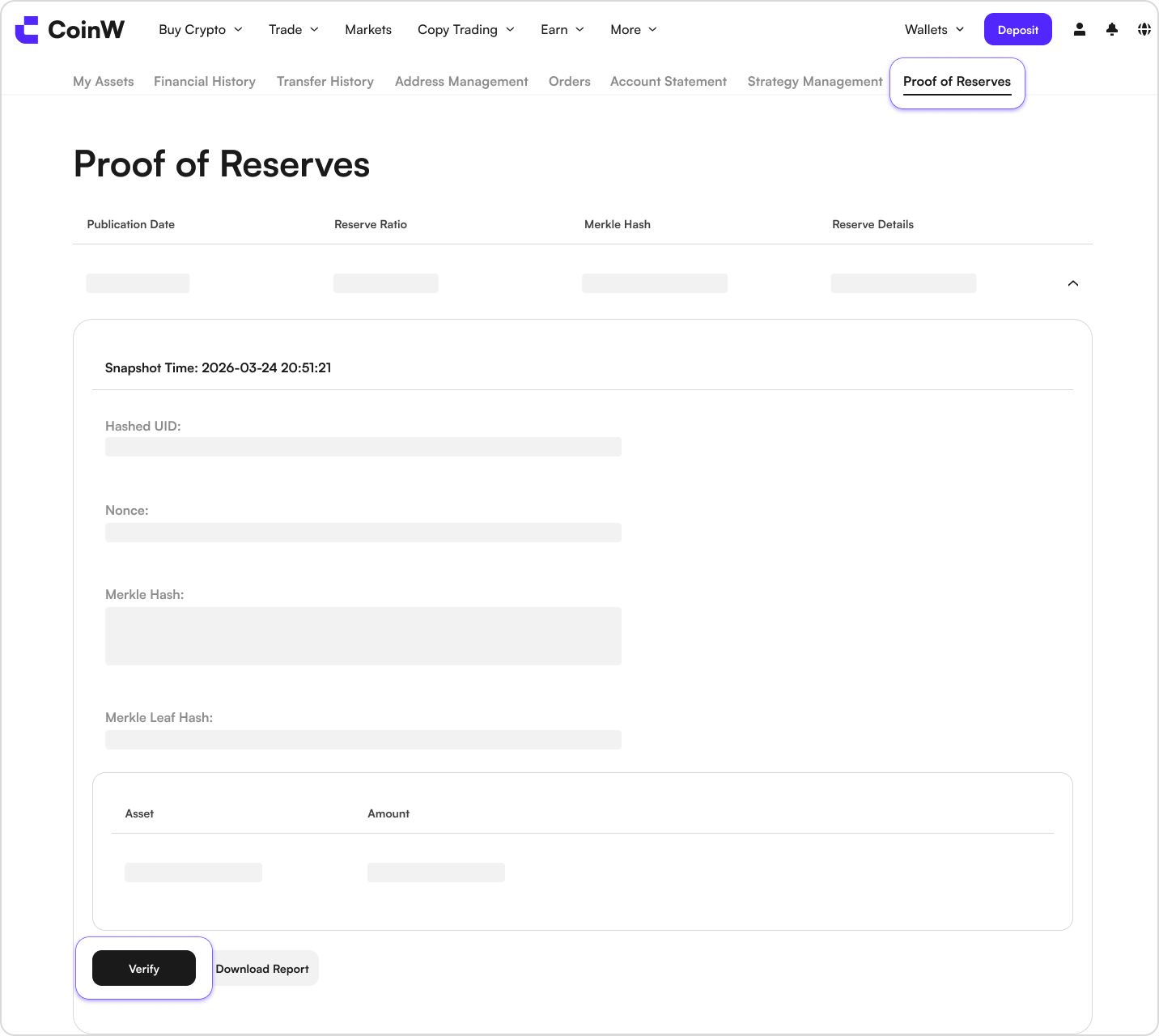
2. Go to Assets > Overview > Proof of Reserves to view the platform's monthly reserve snapshots. Click to expand and review your account data.
3. To verify whether your assets are included in the current Merkle tree, click Verify to start the hash verification process.
The top of the Merkle tree is the root node, and the bottom leaf node represents your account. If the Merkle root hash you calculate matches the published root for that month, it confirms that your assets are included in the current Merkle tree.
Method 2
Manual Verification
1
Download Verification ToolFirst, download the verification program from Github, then rename the downloaded file to Merkle-Validator.
2
Download Verification DataGo to the Personal Asset Verification Page, select the batch you wish to verify, and click Download Data.
The filed will be downloaded in json format and named merkel_tree_cw.json.
3
Prepare Verification FilesExtract the verification tool package and place your downloaded asset data into the folder. The folder structure should appear as shown below.
 merkel_tree_cw
 por-verify-mac-arm64merkel_tree_cw.json
4
Run Manual VerificationOpen cmd or Terminal and use the cd ~/Downloads/merkel_tree_cw command to navigate to the downloaded folder.
On macOS and Linux systems, you may need to run chmod +x por-verify-mac-arm64 to grant the verifier executable permission.
Run the following command to start verification.
./por-verify-mac-arm64 verify merkle_tree_cw.json
If the verification succeeds, the output will display: Verify Success!.
If the verification fails, the output will display: Verify Failed: merkle root mismatch.