FAQ
I. Email Binding for Accounts
(1) If you register using an email, you do not need to bind it again—it will be automatically bound upon successful registration;
(2) If your account is only bound to an email and not a phone number, you cannot unbind the email. To unbind the email, you must first bind a phone number.
Below is the process for binding, changing, and unbinding email.
【WEB】
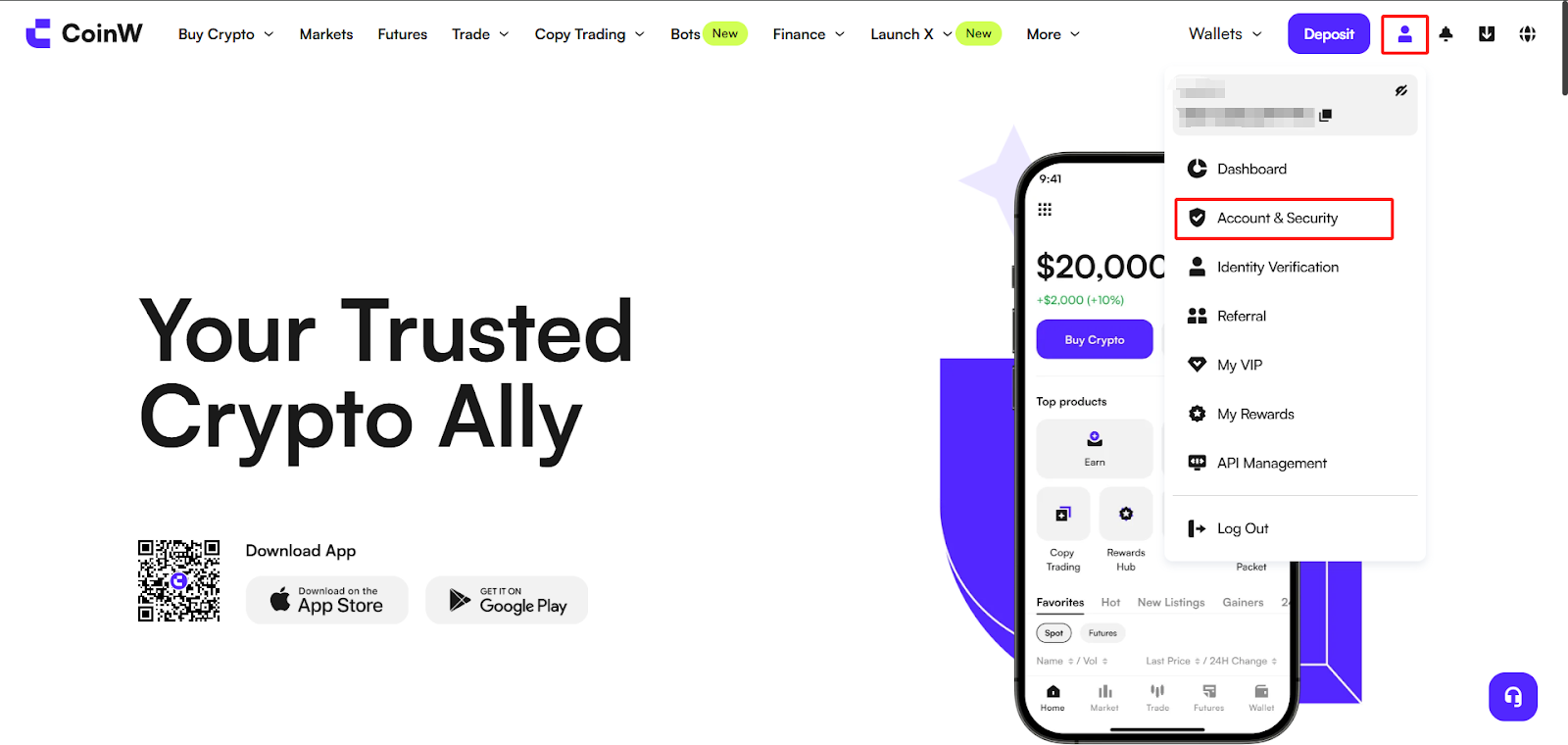
(1) Log in to the CoinW official website, click the account icon in the top right corner, then click [Account & Security] to access the security center;
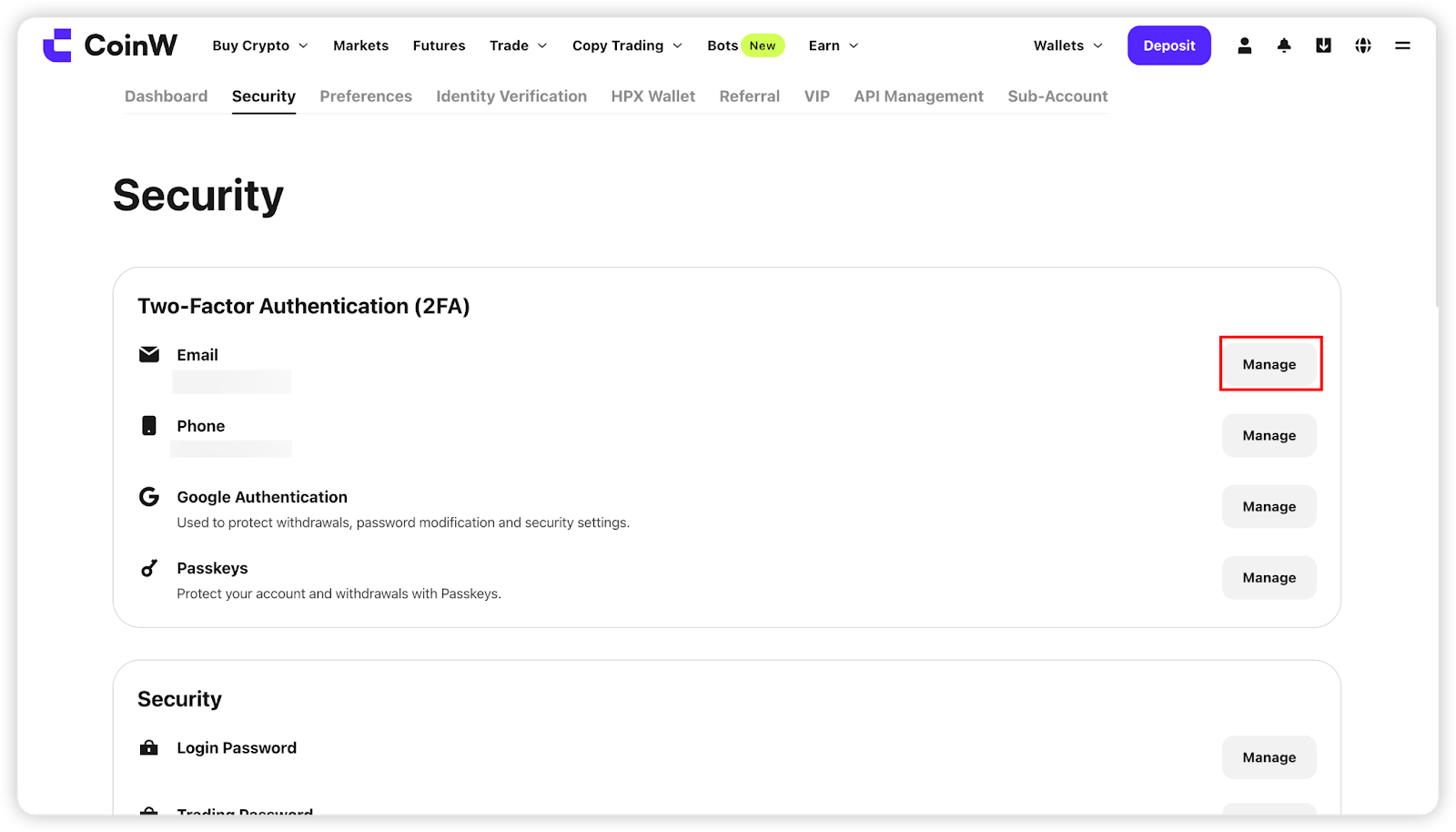
(2) In account management, find the email option and click the [Manage] button on the right. Click [Bind] to enter the binding page.
【APP】
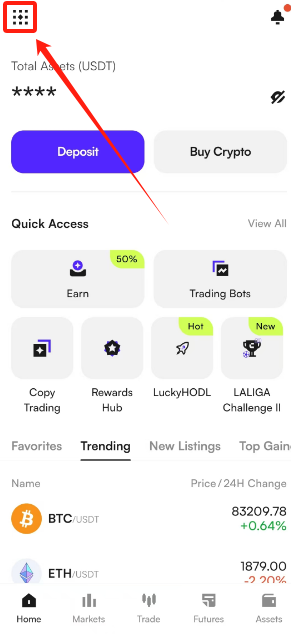
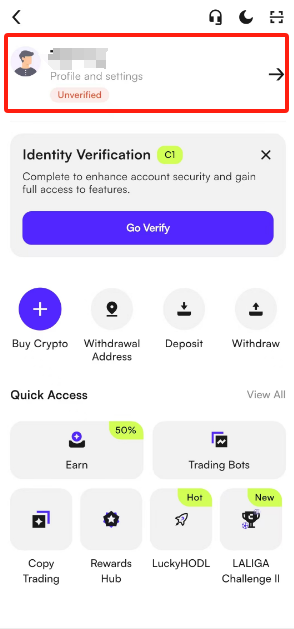
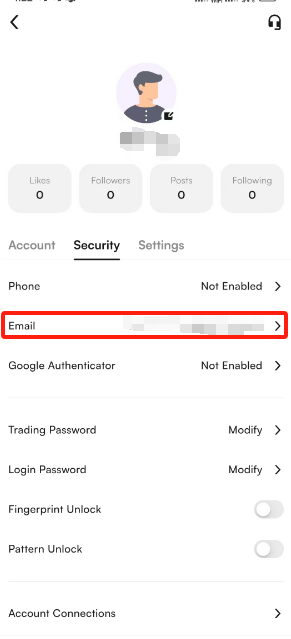
(1) Open the CoinW APP, go to the homepage, click the account icon in the top left corner, click your avatar to enter the security center;
(2) Tap [Security Center] - [Email], then tap to enter the email binding page;
(3) Verify your email and enter the code to successfully bind.
Note:
If you see a message like “This email is already bound/registered”,
it means your email is already linked to another CoinW account. Please use an email that hasn't been used before.
II. Changing or Unbinding Email
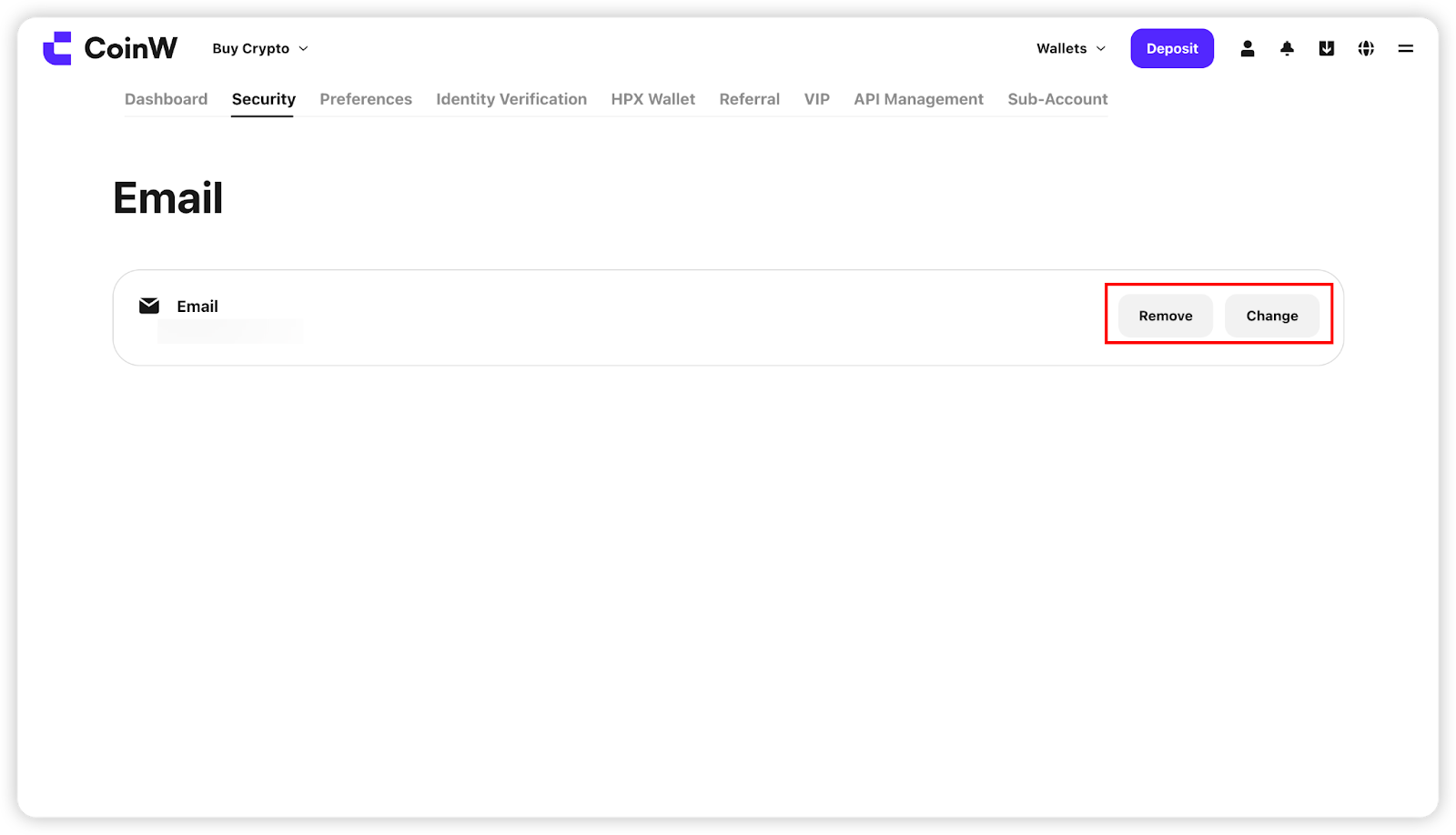
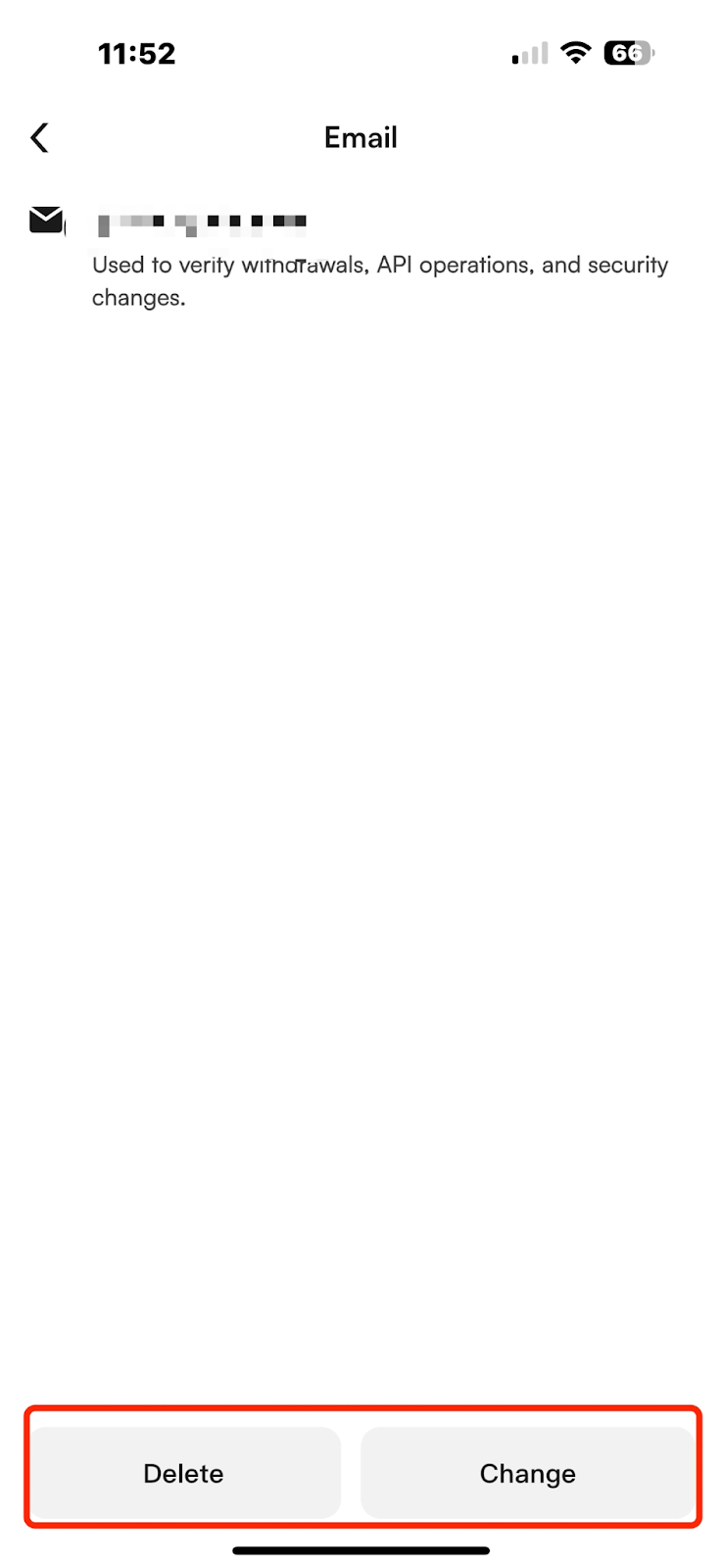
(1) On WEB, click [Change] or [Remove] to access the email modification interface;
On APP, click [Change] or [Delete] to enter the same interface;
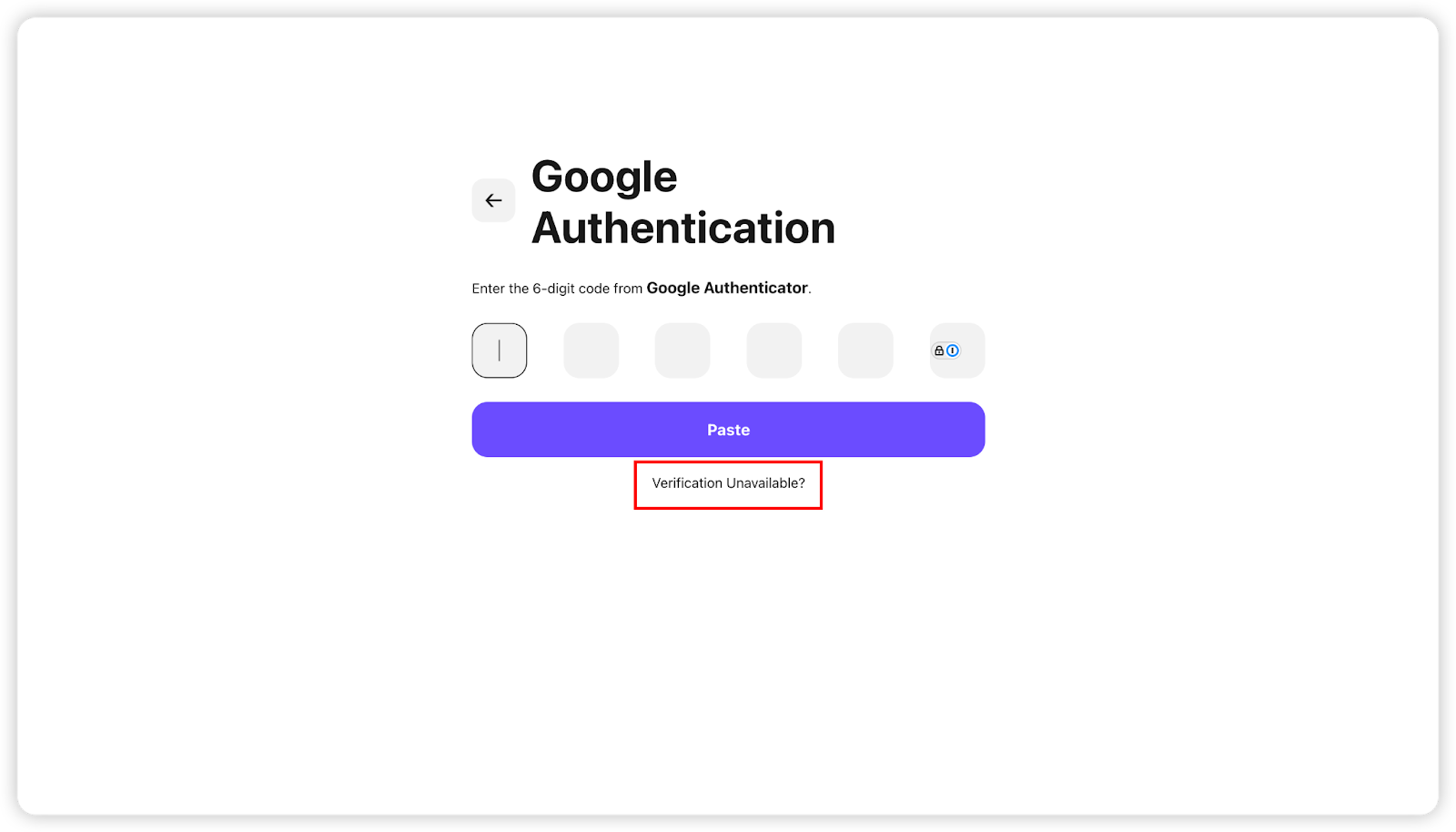
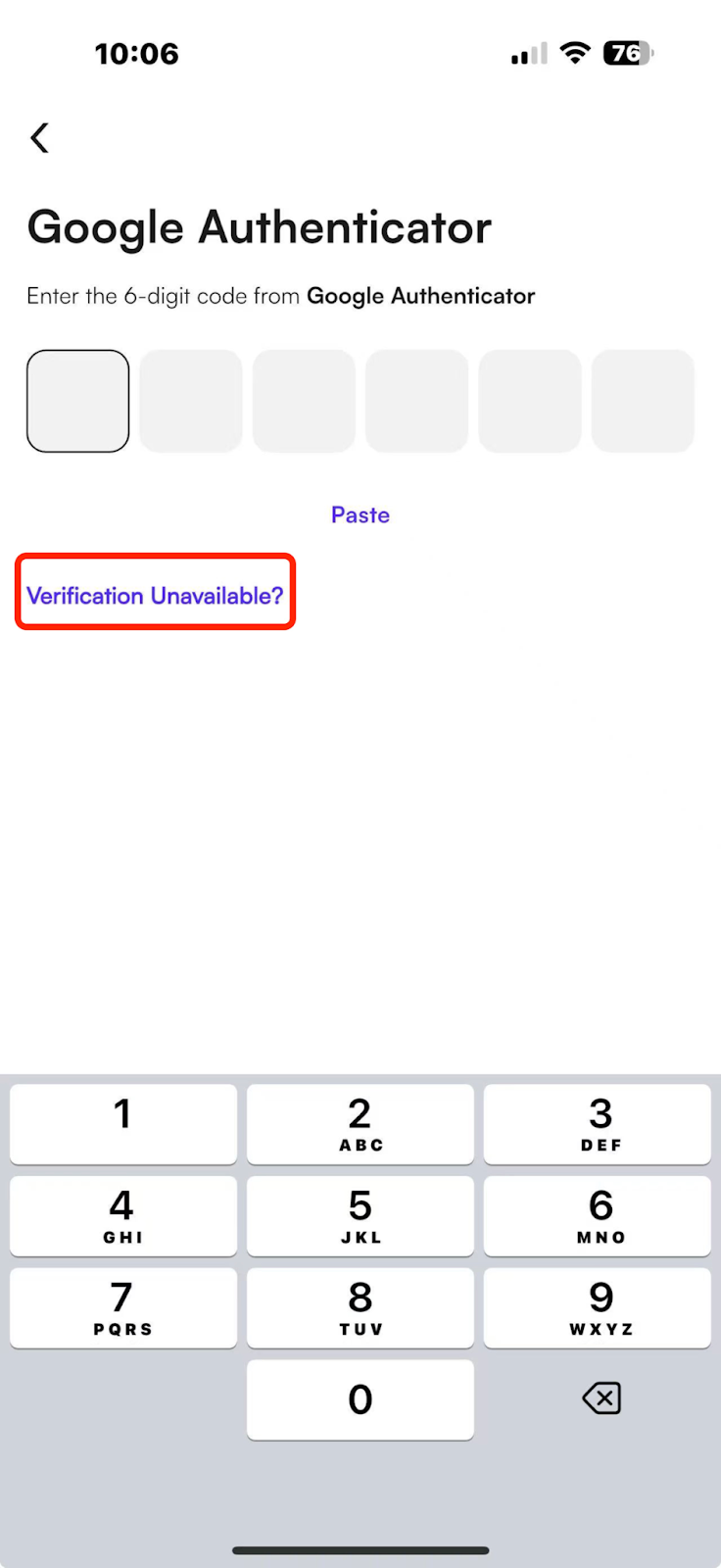
You will need to verify two of your bound security options (e.g. passkey, SMS code, email code, Google code);
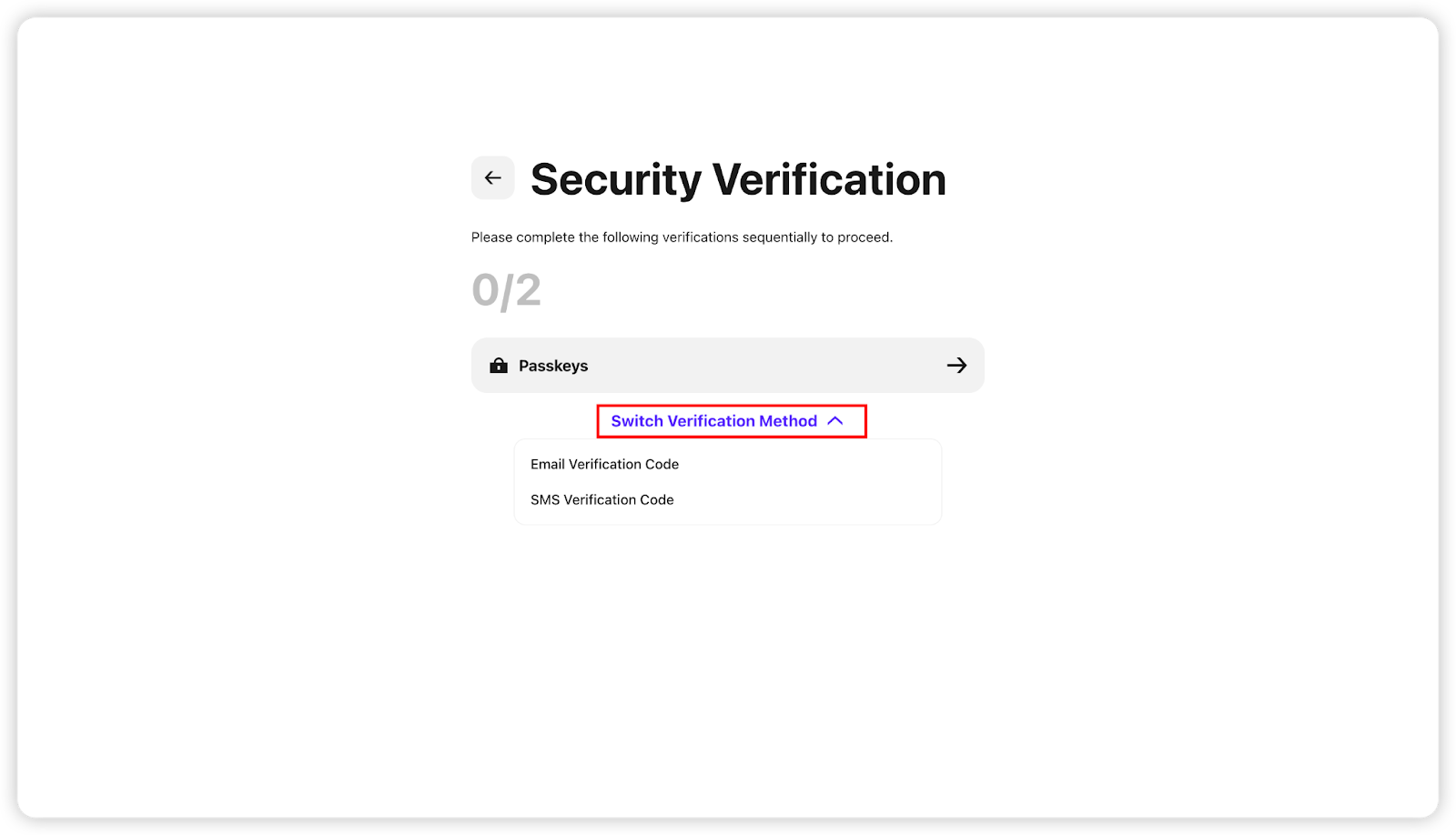
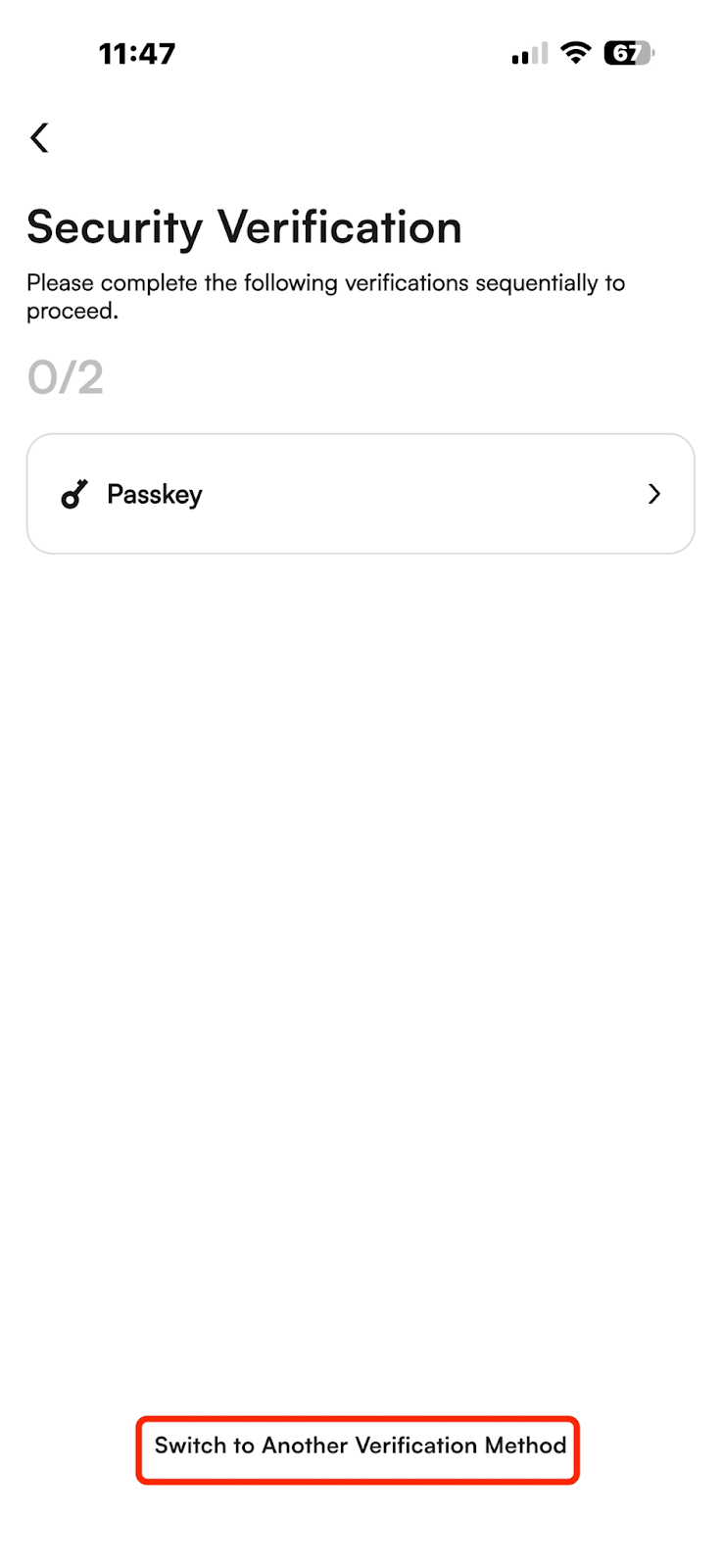
(2) If some security options are unavailable, click [Security Options Unavailable] at the bottom to reset them.
Note:
(1) To protect your assets, after changing your email, withdrawals/USDT sales will be restricted for 24 hours;
(2) Once binding or modification is successful, you will be automatically logged out. Please log in again.
If you have any questions, feel free to contact customer service.
I. Email Binding for Accounts
(1) If you register using an email, you do not need to bind it again—it will be automatically bound upon successful registration;
(2) If your account is only bound to an email and not a phone number, you cannot unbind the email. To unbind the email, you must first bind a phone number.
Below is the process for binding, changing, and unbinding email.
【WEB】
(1) Log in to the CoinW official website, click the account icon in the top right corner, then click [Account & Security] to access the security center;
(2) In account management, find the email option and click the [Manage] button on the right. Click [Bind] to enter the binding page.
【APP】
(1) Open the CoinW APP, go to the homepage, click the account icon in the top left corner, click your avatar to enter the security center;
(2) Tap [Security Center] - [Email], then tap to enter the email binding page;
(3) Verify your email and enter the code to successfully bind.
Note:
If you see a message like “This email is already bound/registered”,
it means your email is already linked to another CoinW account. Please use an email that hasn't been used before.
II. Changing or Unbinding Email
(1) On WEB, click [Change] or [Remove] to access the email modification interface;
On APP, click [Change] or [Delete] to enter the same interface;
You will need to verify two of your bound security options (e.g. passkey, SMS code, email code, Google code);
(2) If some security options are unavailable, click [Security Options Unavailable] at the bottom to reset them.
Note:
(1) To protect your assets, after changing your email, withdrawals/USDT sales will be restricted for 24 hours;
(2) Once binding or modification is successful, you will be automatically logged out. Please log in again.
If you have any questions, feel free to contact customer service.