FAQ
App
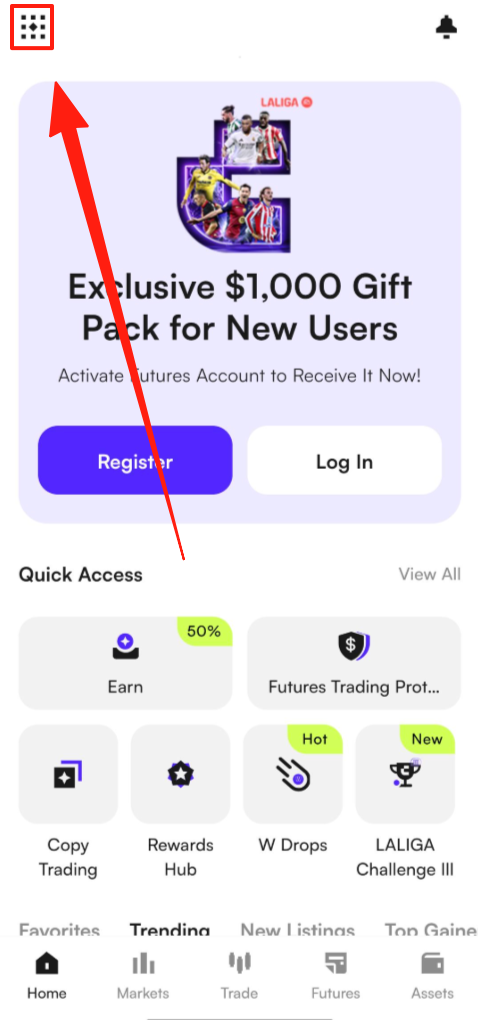
(1) Open the CoinW app and tap the account icon at the top left corner of the home screen to enter the “More” menu.
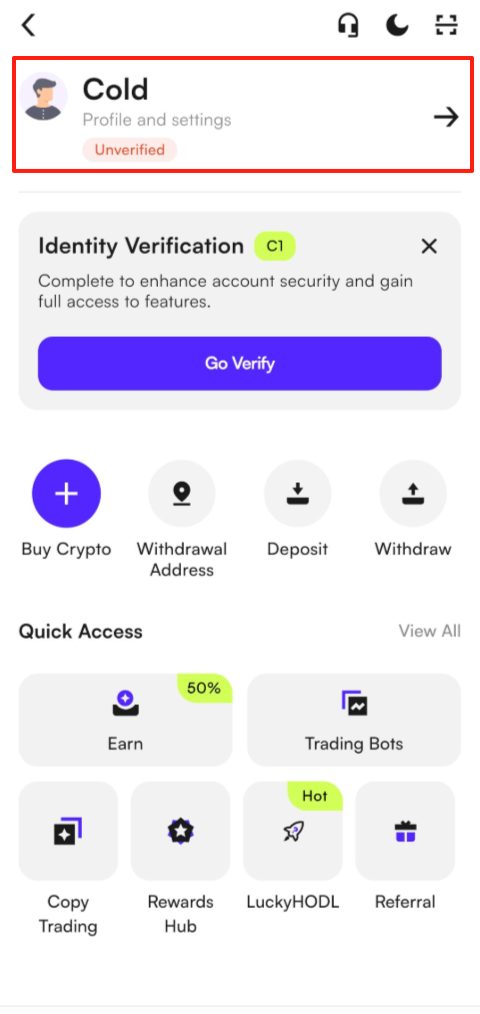
(2) Tap your profile picture, then select Security.
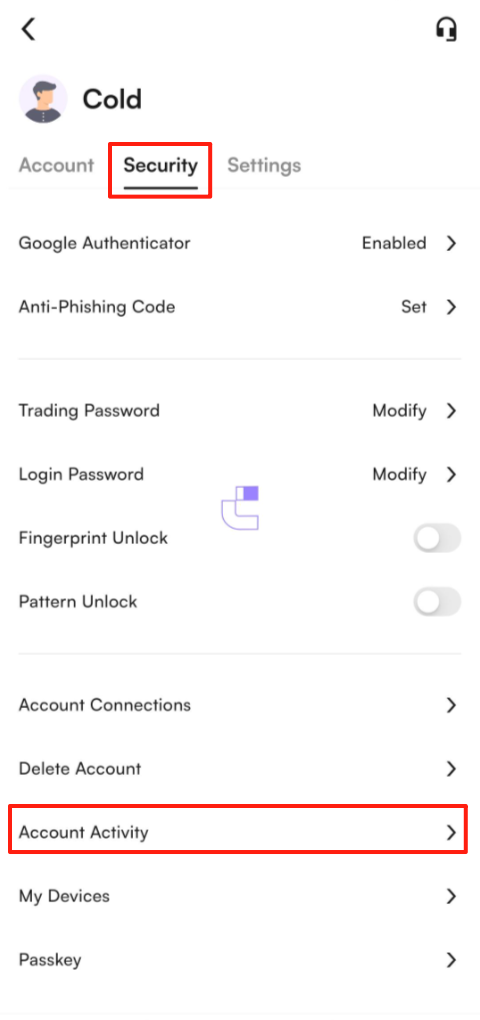
(3) In the Security Center, scroll to the bottom to view your Account Activity.
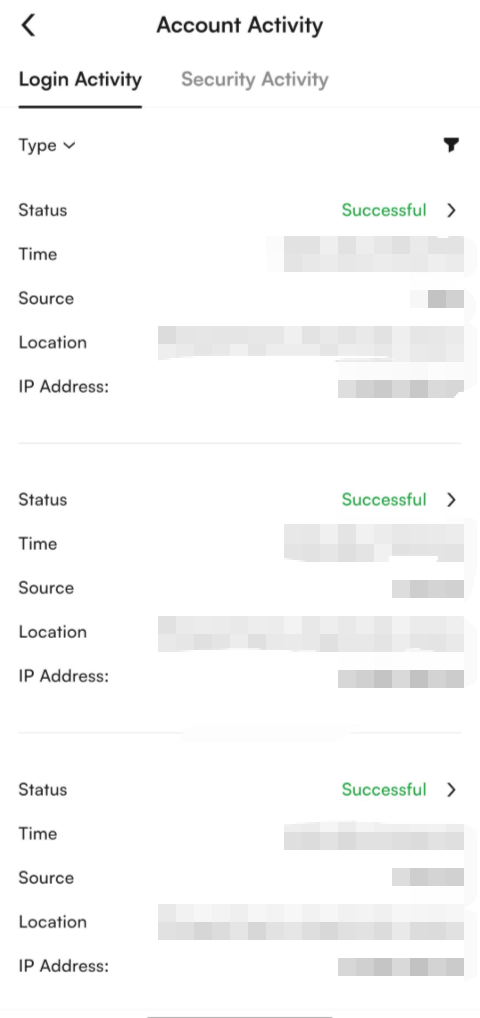
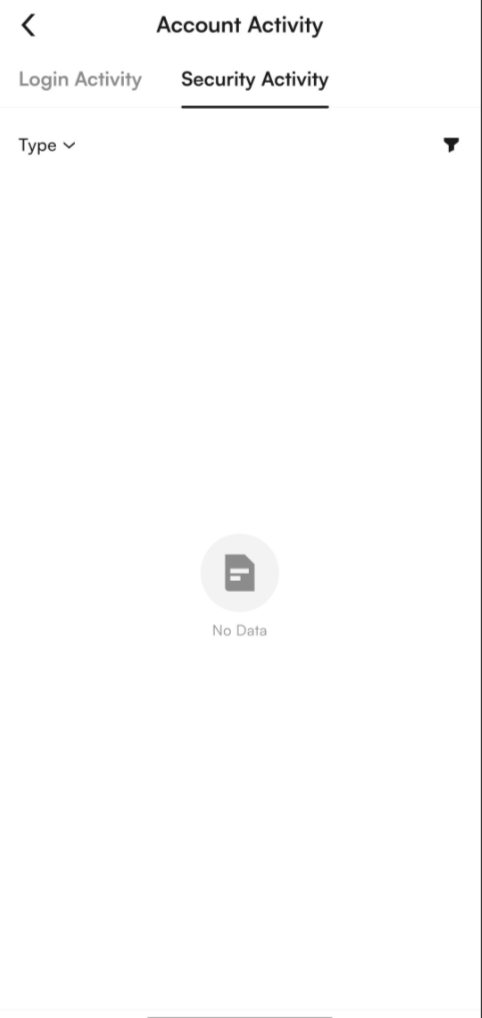
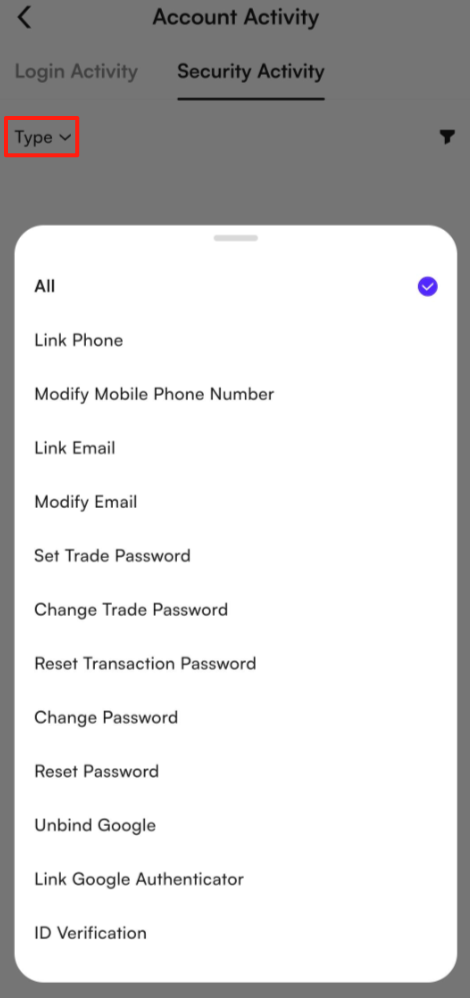
(4) Once you enter the Account Activity page, it will be divided into two sections: Login Activity and Security Activity.
(5) In the Login Activity section, you can view your account’s login history. In the Security Activity section, you can view records of any changes made to your account information.
Web
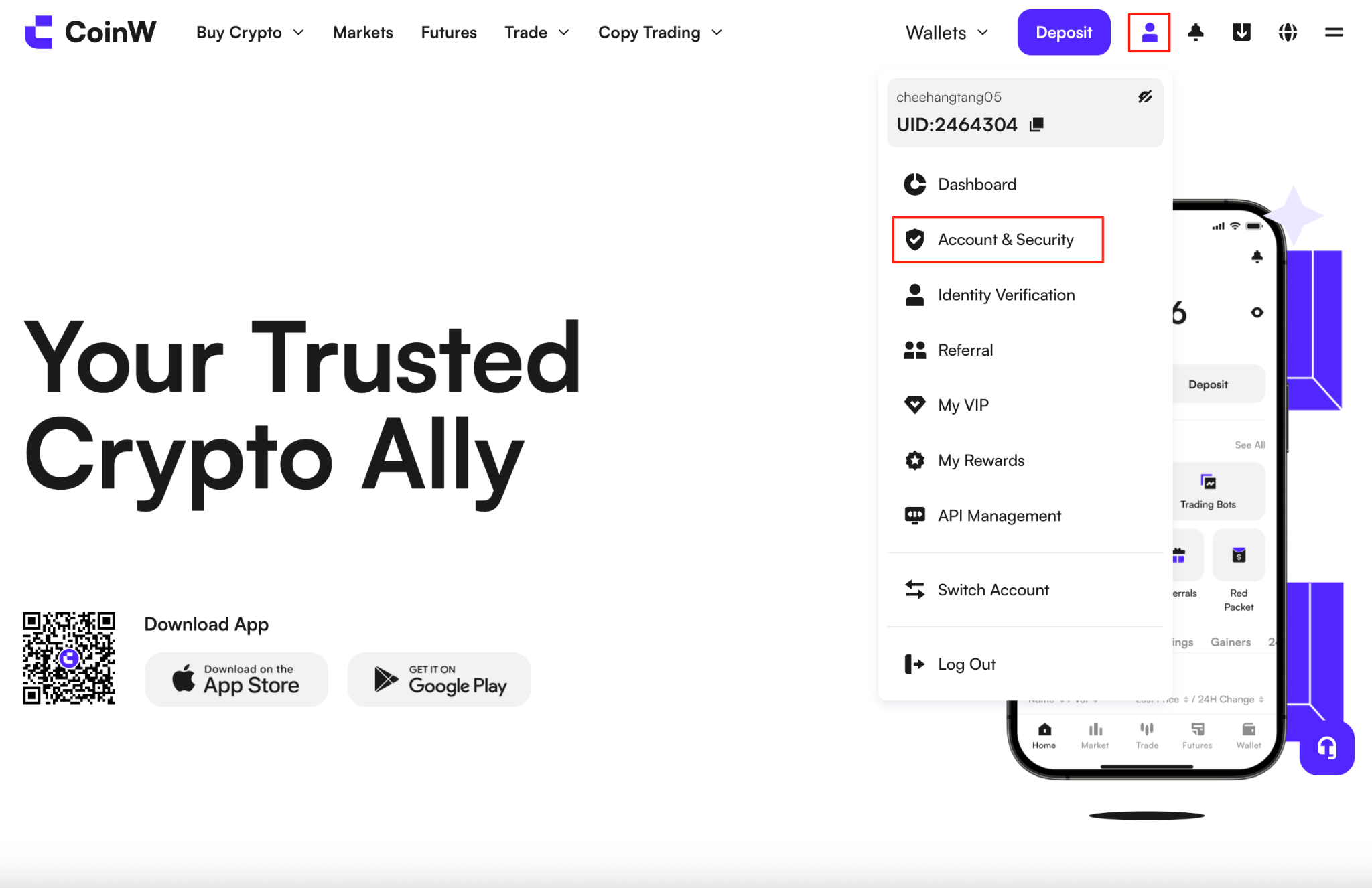
(1) Log in to the official CoinW website and hover your mouse over the profile icon in the top right corner.
(2) Click on Account & Security to enter the Security page.
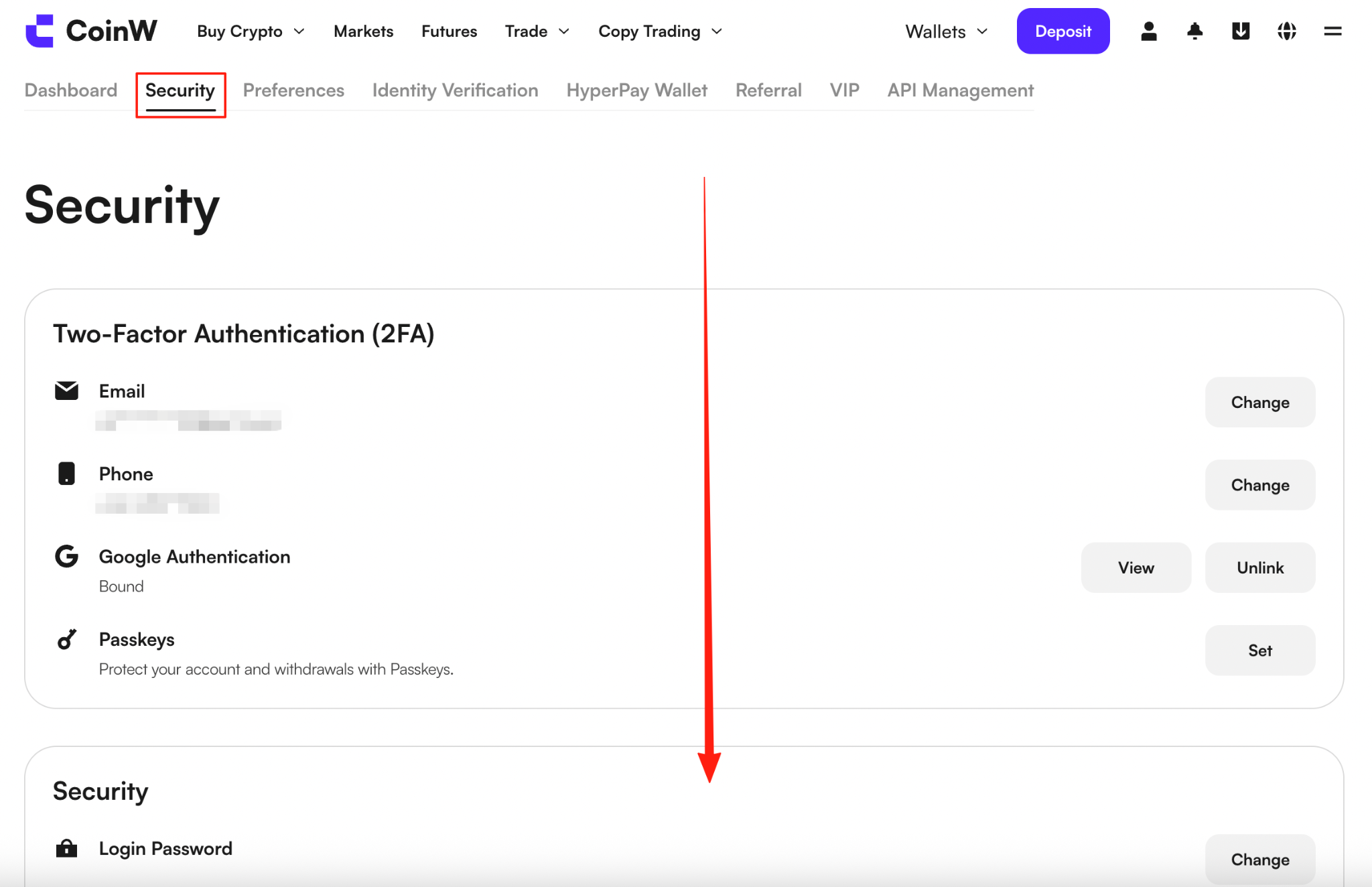
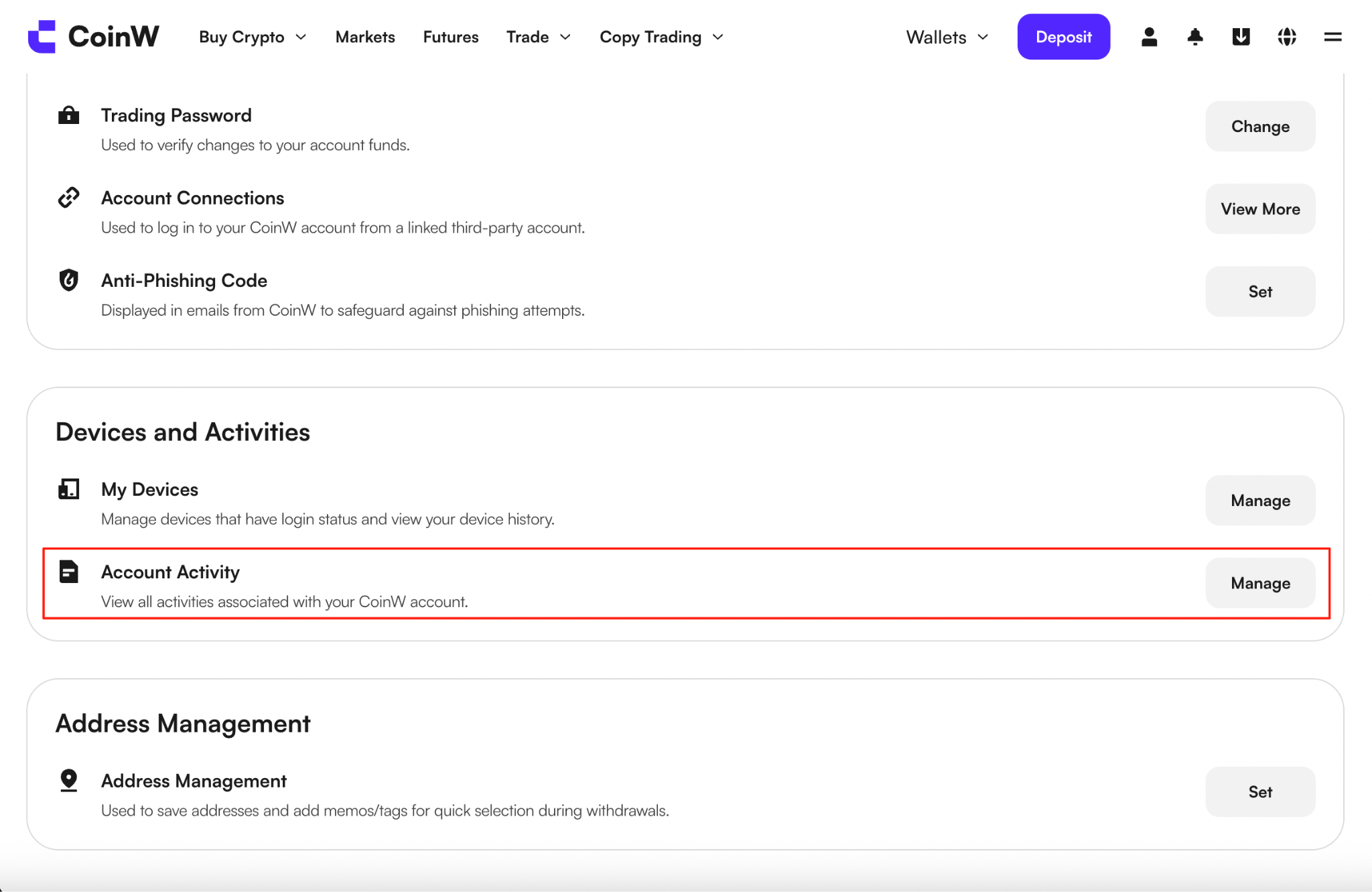
(3) Once you enter the Security, scroll to the bottom of the page to view your Account Activity.
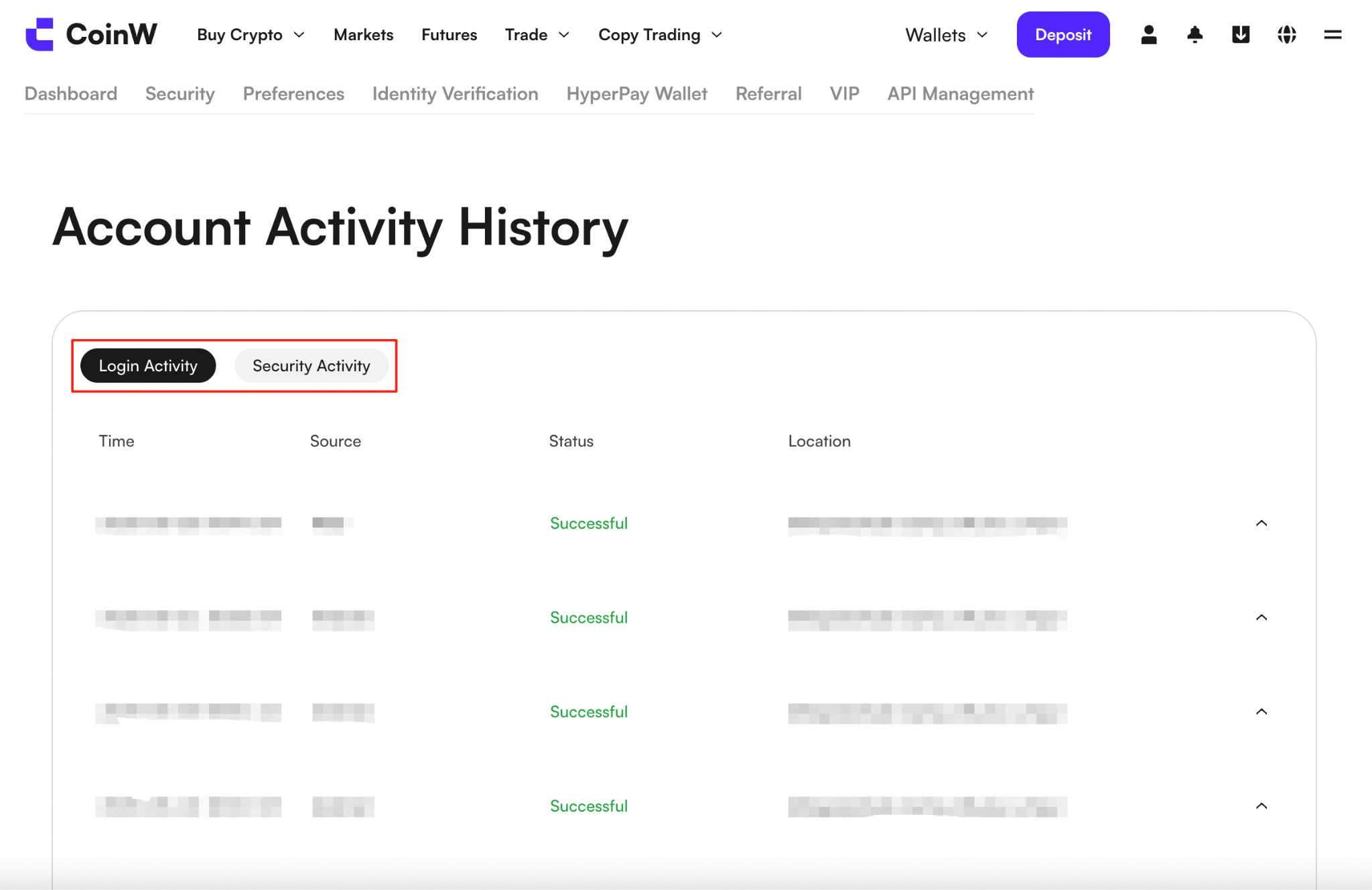
(4) Once you enter the Account Activity page, it will be divided into two sections: Login Activity and Security Activity.
(5) In the Login Activity section, you can view your account’s login history. In the Security Activity section, you can see records of any changes made to your account information.
App
(1) Open the CoinW app and tap the account icon at the top left corner of the home screen to enter the “More” menu.
(2) Tap your profile picture, then select Security.
(3) In the Security Center, scroll to the bottom to view your Account Activity.
(4) Once you enter the Account Activity page, it will be divided into two sections: Login Activity and Security Activity.
(5) In the Login Activity section, you can view your account’s login history. In the Security Activity section, you can view records of any changes made to your account information.
Web
(1) Log in to the official CoinW website and hover your mouse over the profile icon in the top right corner.
(2) Click on Account & Security to enter the Security page.
(3) Once you enter the Security, scroll to the bottom of the page to view your Account Activity.
(4) Once you enter the Account Activity page, it will be divided into two sections: Login Activity and Security Activity.
(5) In the Login Activity section, you can view your account’s login history. In the Security Activity section, you can see records of any changes made to your account information.