FAQ
【WEB】
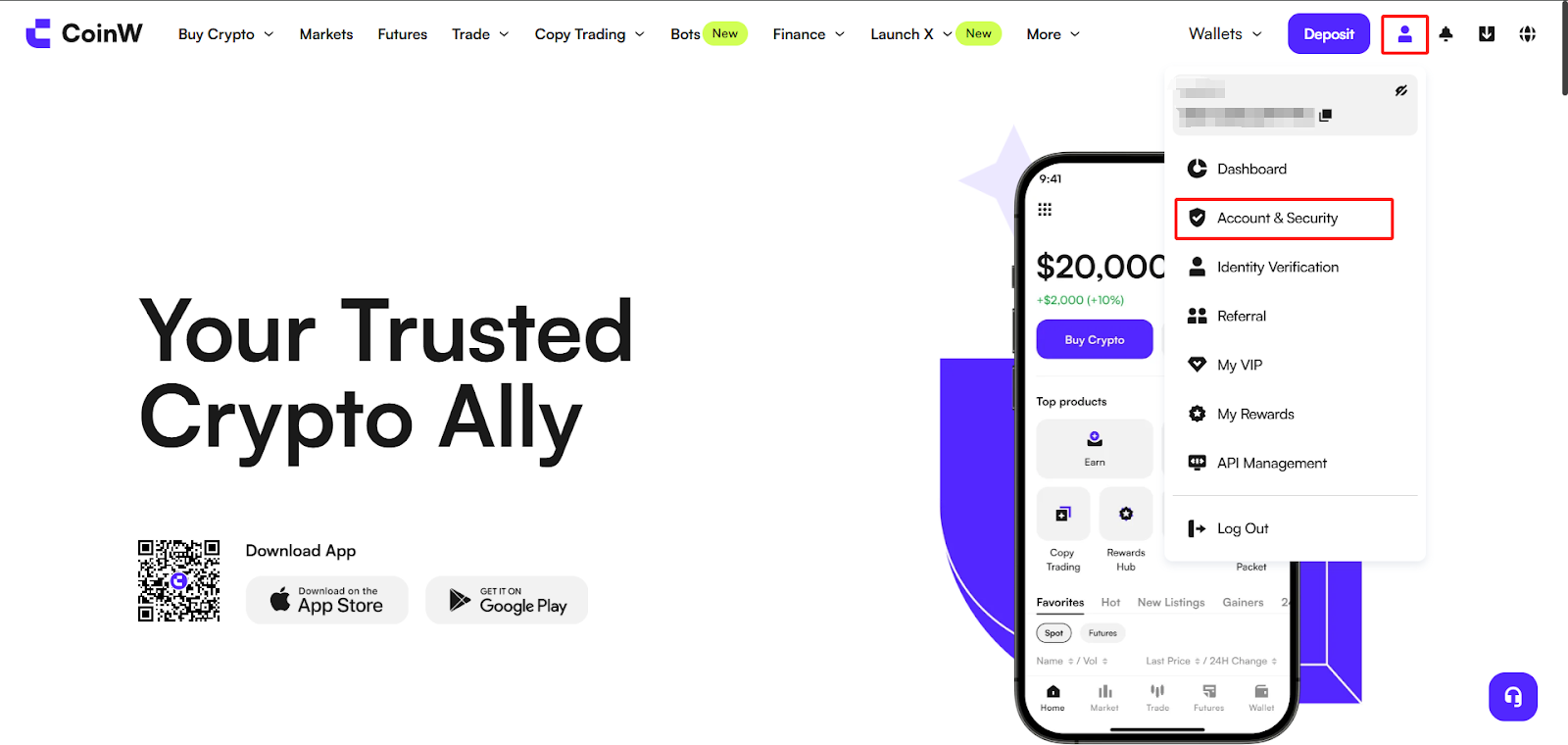
(1) Log in to the CoinW official website. Click the account icon in the top right corner, then click [Account & Security] to enter the security center.
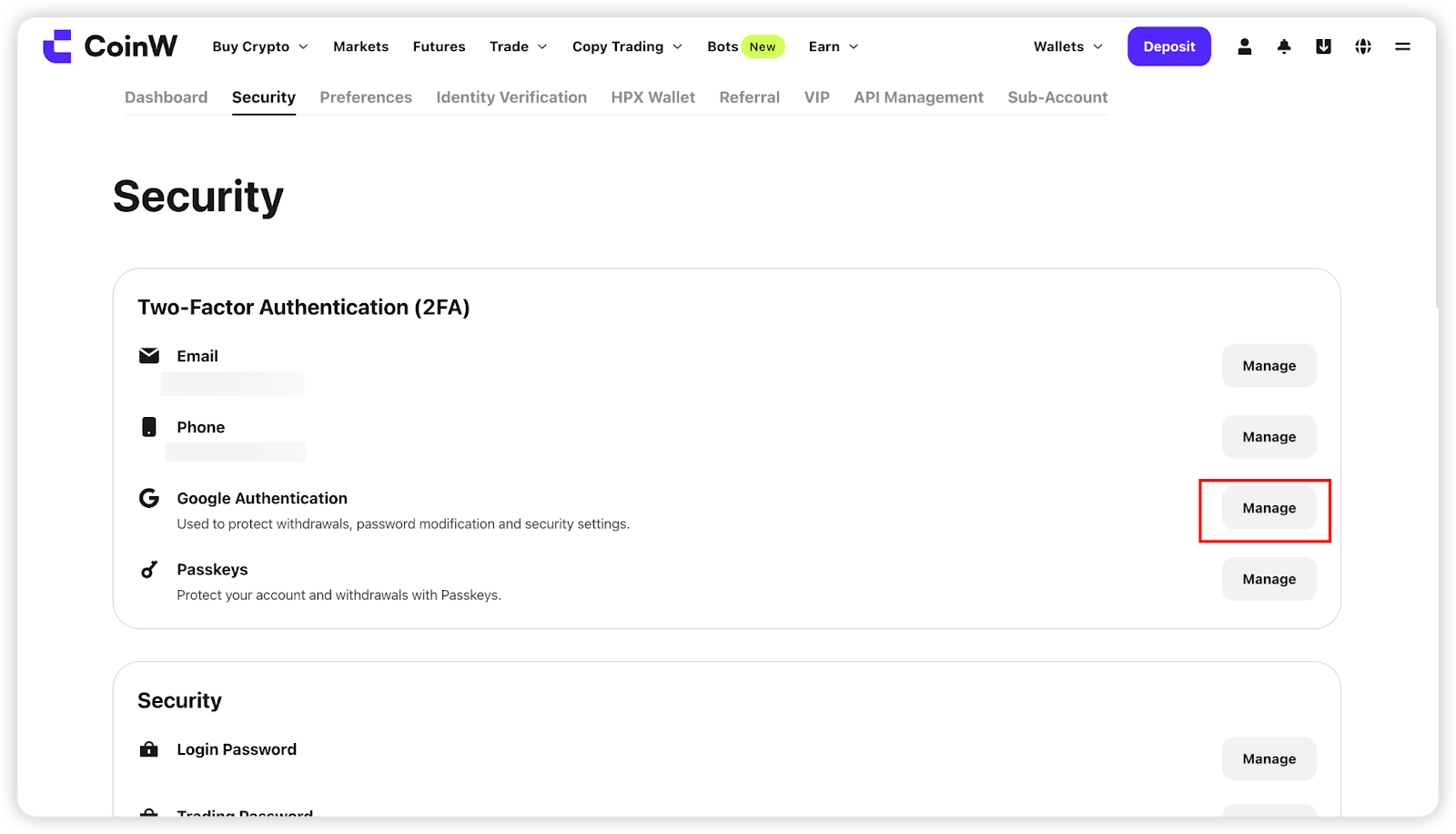
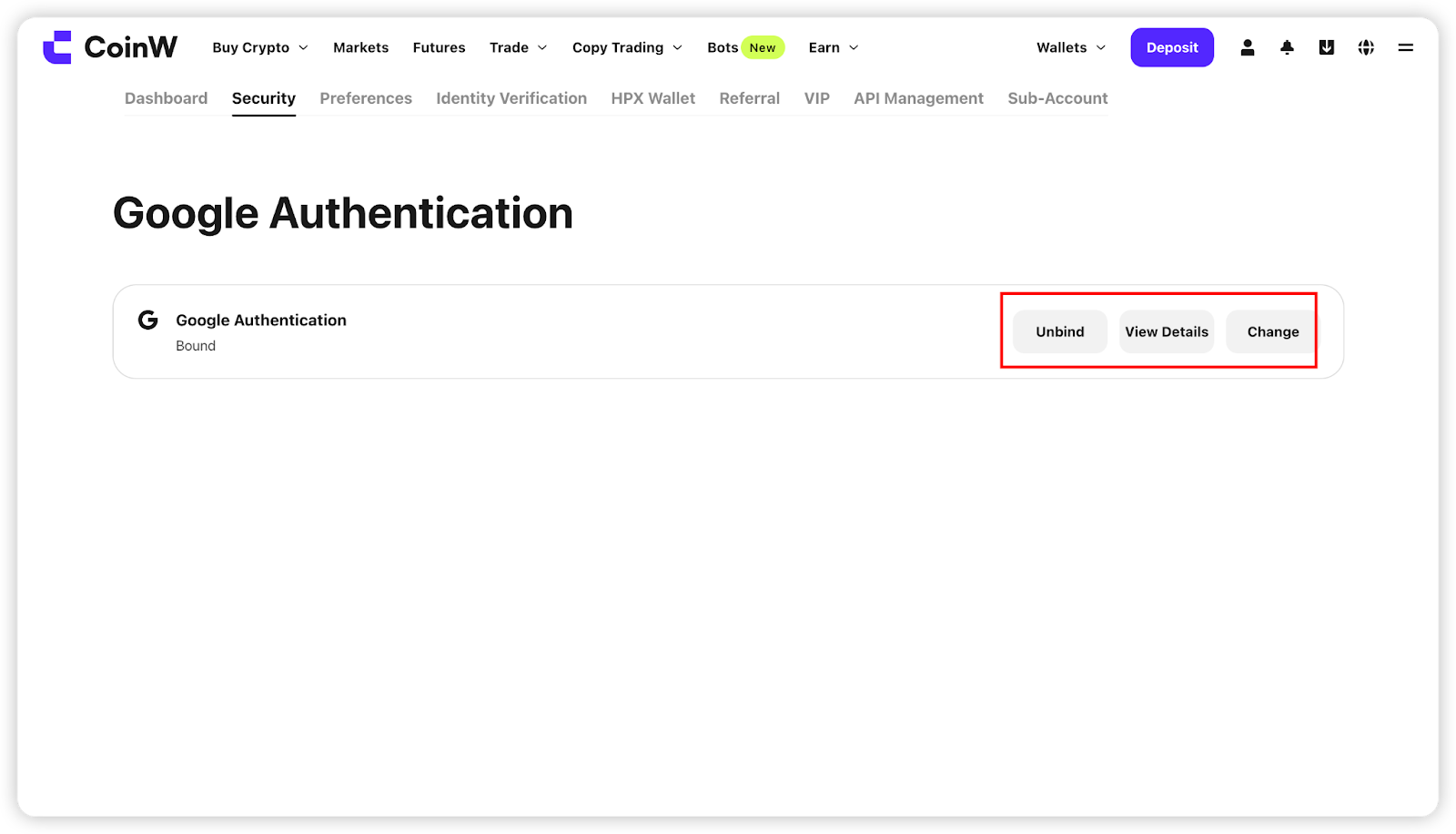
(2) Scroll down to find the Google Authentication option. Click the [Manage] button on the right, then click the [Unbind] button to enter the unbinding interface.
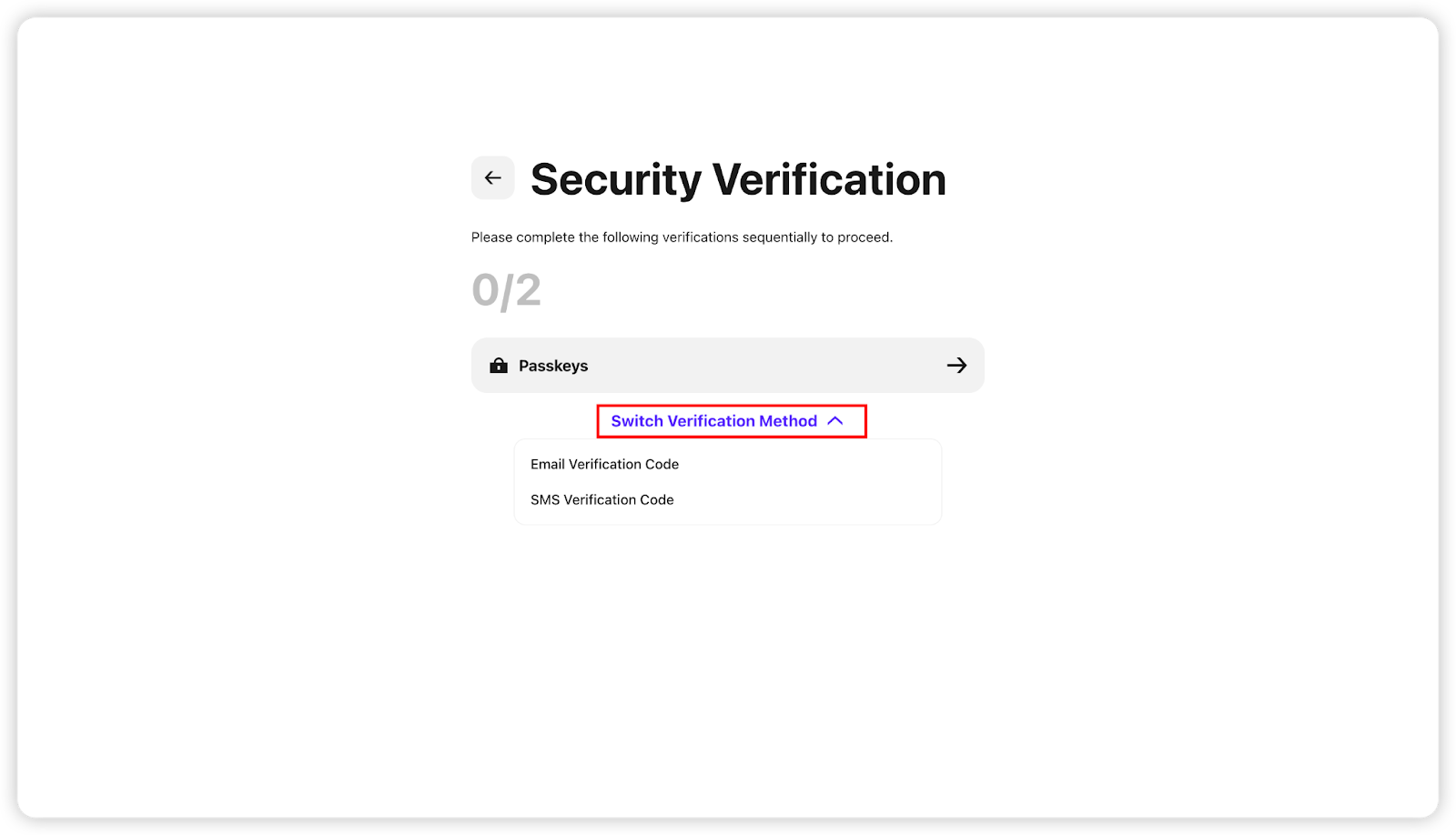
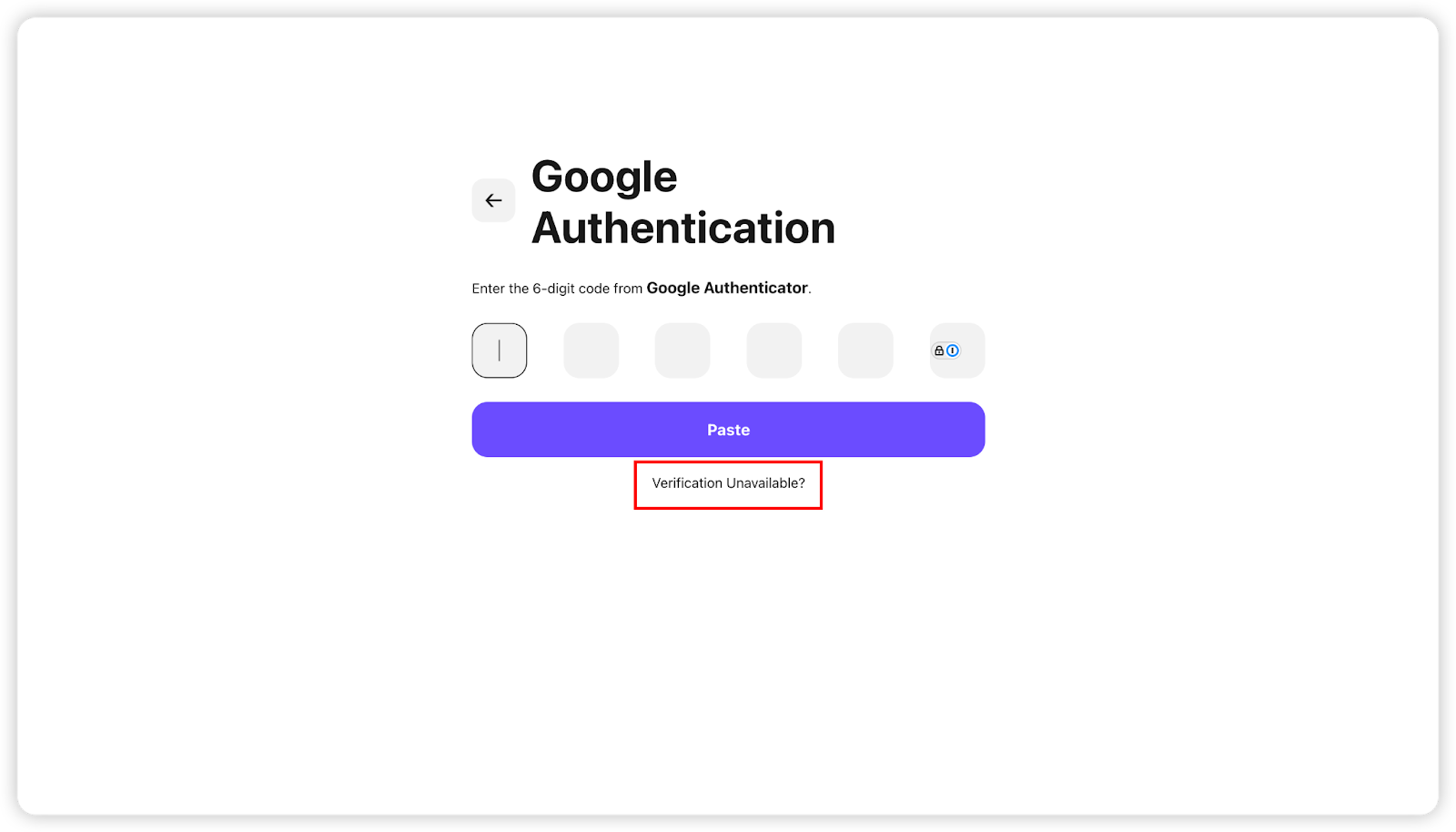
(3) You need to verify two of the following security options: Google verification code, passkey, SMS code, or email code. If any option cannot be verified, you can click [Security Option Unavailable] at the bottom to reset.
【APP】
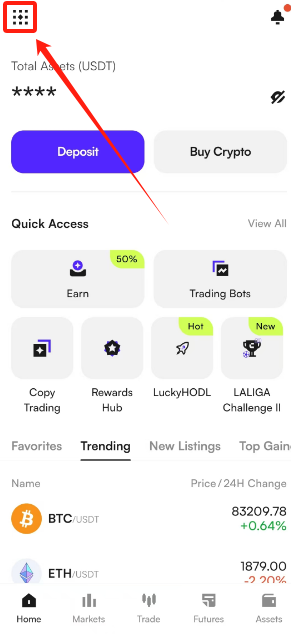
(1) Open the CoinW APP and go to the homepage. Tap the account icon in the top left corner to enter the security center.
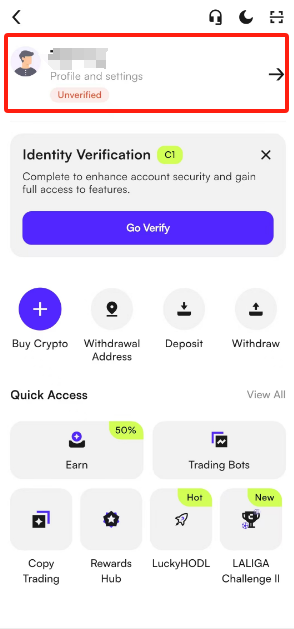
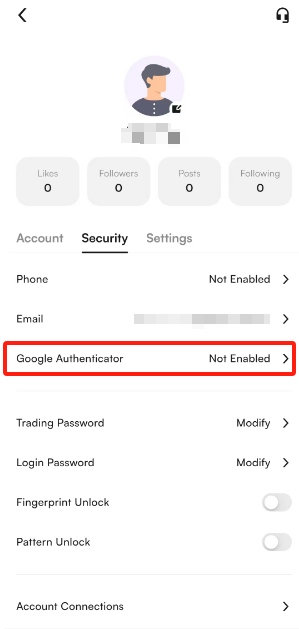
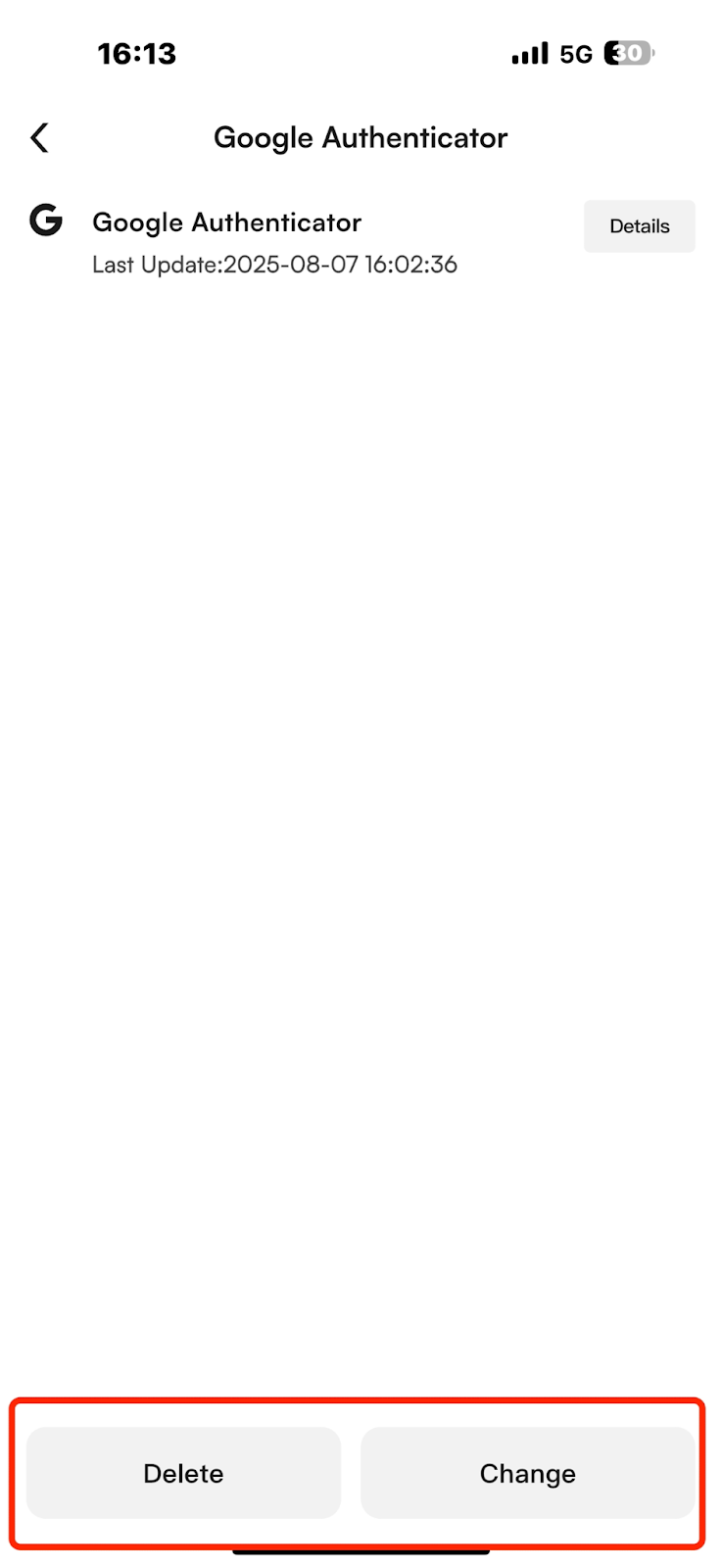
(2) Tap [Security Center] - [Google Authenticator], then tap the [Delete] button to enter the unbinding interface.
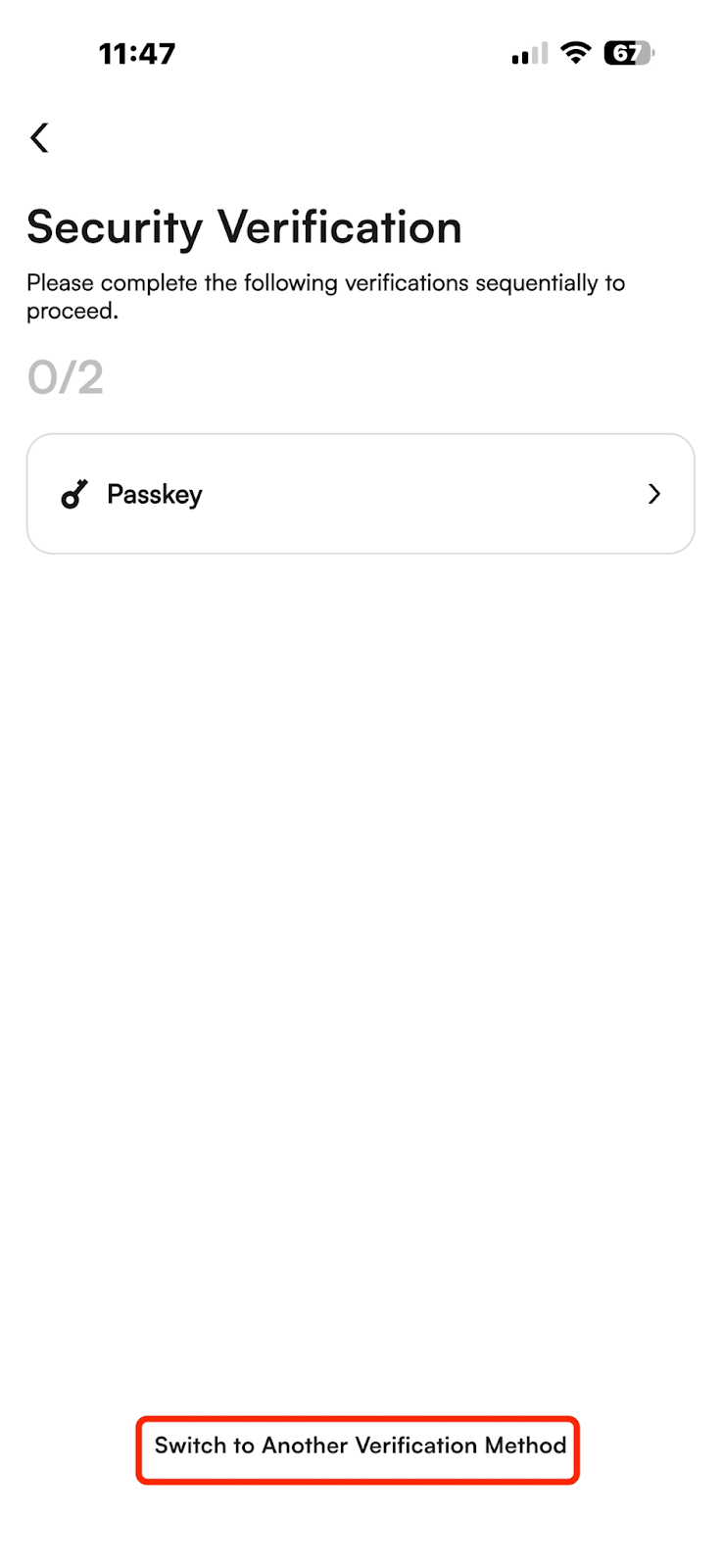
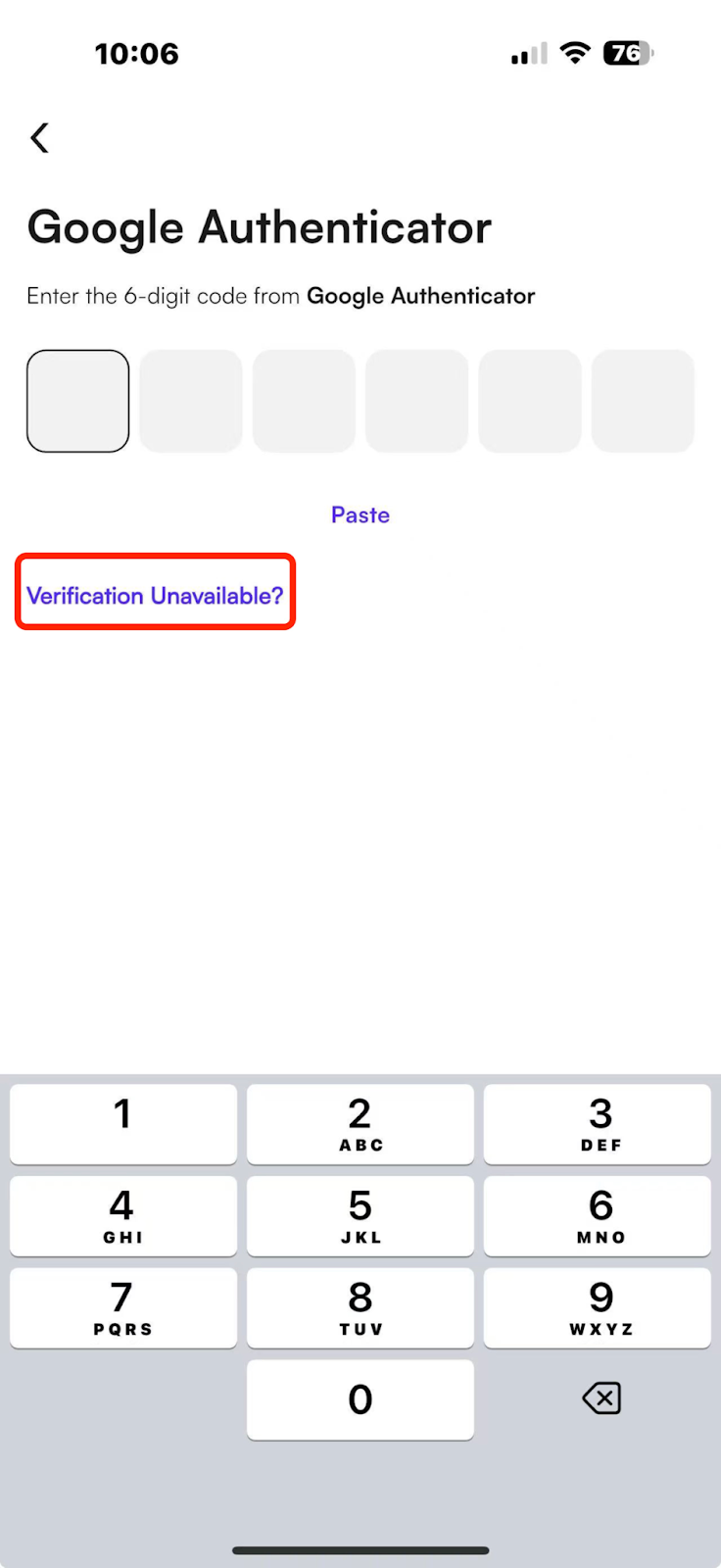
(3) You need to verify two of the following security options: Google verification code, passkey, SMS code, or email code. If any option cannot be verified, you can click [Security Option Unavailable] at the bottom to reset.
Note:
(1) To ensure the security of your account assets, withdrawals or USDT sales will require a 24-hour wait after unbinding Google Authenticator. Thank you for your understanding.
(2) After successful unbinding, your account will be automatically logged out. Please log in again.
If you have any questions, feel free to contact customer support.
【WEB】
(1) Log in to the CoinW official website. Click the account icon in the top right corner, then click [Account & Security] to enter the security center.
(2) Scroll down to find the Google Authentication option. Click the [Manage] button on the right, then click the [Unbind] button to enter the unbinding interface.
(3) You need to verify two of the following security options: Google verification code, passkey, SMS code, or email code. If any option cannot be verified, you can click [Security Option Unavailable] at the bottom to reset.
【APP】
(1) Open the CoinW APP and go to the homepage. Tap the account icon in the top left corner to enter the security center.
(2) Tap [Security Center] - [Google Authenticator], then tap the [Delete] button to enter the unbinding interface.
(3) You need to verify two of the following security options: Google verification code, passkey, SMS code, or email code. If any option cannot be verified, you can click [Security Option Unavailable] at the bottom to reset.
Note:
(1) To ensure the security of your account assets, withdrawals or USDT sales will require a 24-hour wait after unbinding Google Authenticator. Thank you for your understanding.
(2) After successful unbinding, your account will be automatically logged out. Please log in again.
If you have any questions, feel free to contact customer support.