FAQ
About Deposit Operation Process
If you have cryptocurrency on other exchange platforms or wallets and wish to transfer them to CoinW, you can use the "Deposit" function to transfer your assets into your CoinW account.
Here’s a step-by-step guide on how to deposit assets into CoinW:
WEB/PC version
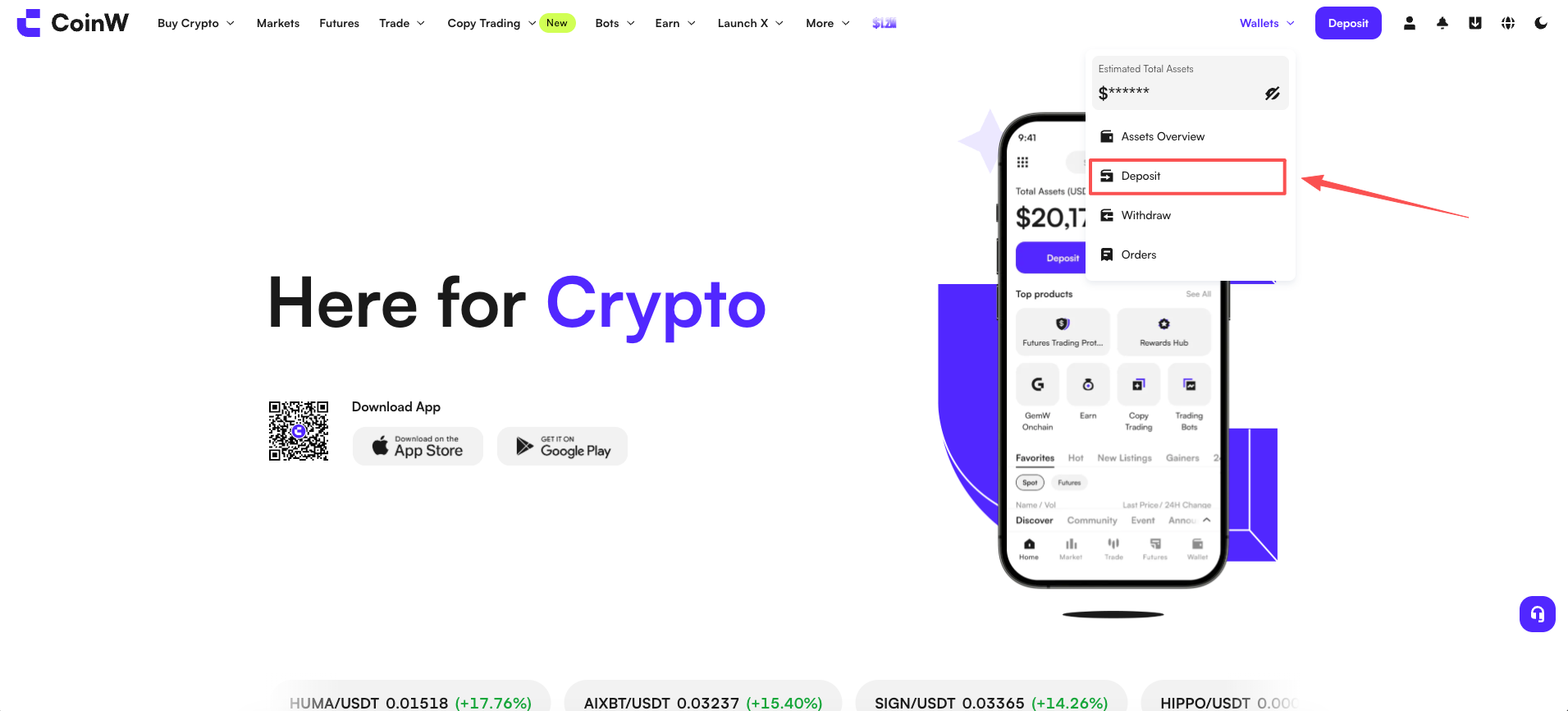
(1) Log in to the CoinW official website and navigate to the asset management section by clicking on 【Assets】 in the top right corner. Then click on the 【Deposit】 button to enter the asset centre interface. Select the cryptocurrency you wish to deposit and its corresponding mainnet type to obtain the deposit address. Alternatively, you can directly visit the website https://www.coinw.com to get the address.
(2) Using USDT as an example, when obtaining the address, you need to select the mainnet type. It's important to ensure that the mainnet type you select matches the mainnet type of the withdrawal platform. For instance, if you choose TRC20 as the mainnet type for the address, then the withdrawal platform also needs to select TRC20 for withdrawal.
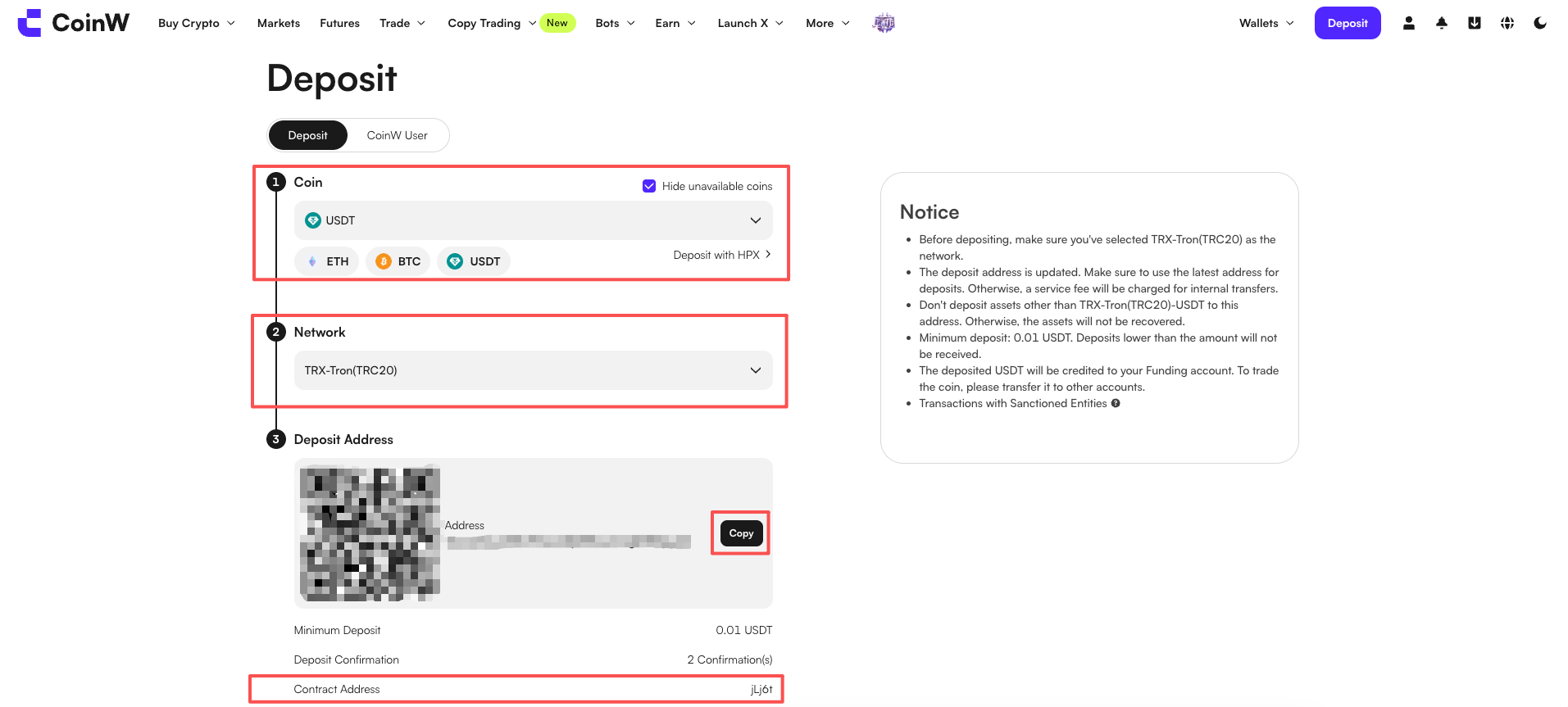
(3) Copy the address and paste it into the withdrawal address section on the other platform to complete the deposit.
APP/Mobile Version
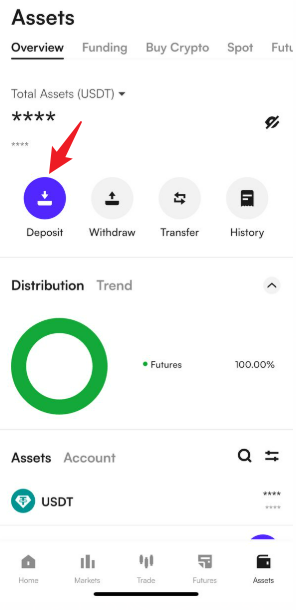
(1) Open the CoinW app and tap on the asset button located at the bottom navigation bar to enter the asset interface.
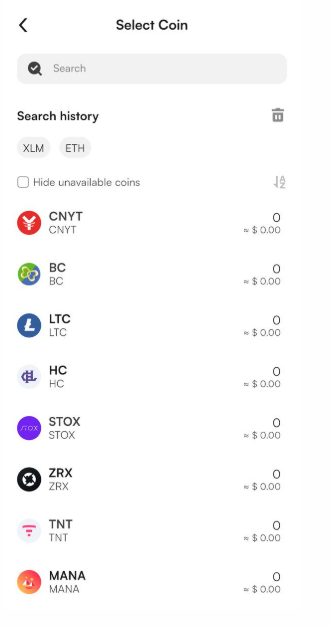
(2) Tap on the 【Deposit】 button at the top, select the cryptocurrency you wish to deposit, and choose the mainnet type to obtain the deposit address for that cryptocurrency.
(3) Copy the address and paste it into the withdrawal address section on the other platform to complete the deposit.
Note:
(1) Pay attention to selecting the mainnet type for depositing funds to ensure that the recipient's network matches the network selected on CoinW for the funds to be credited successfully. For example, if you're obtaining a USDT address on CoinW with the TRC20 network, make sure that you select TRC20 as the network on the recipient platform as well.
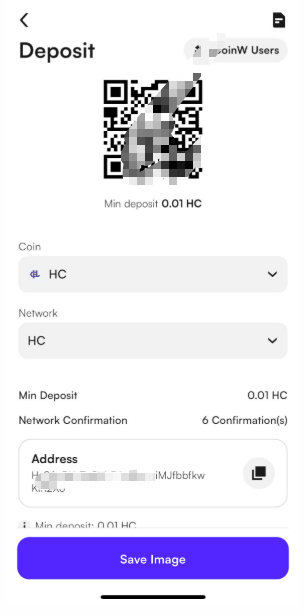
(2) For some tokens, you may need to provide a memo when depositing funds. Please make sure to fill in the memo as required. Failure to do so may result in the deposit not being credited to your account.
(3) Minimum Deposit Amount: This refers to the minimum amount required for depositing a specific cryptocurrency on the platform. Deposits below this minimum amount will not be credited to your account.
(4) Confirmation Time: The blockchain requires X confirmations before the deposit is credited. If the number of confirmations hasn't been reached yet, you may need to wait until it reaches the required number for the deposit to be credited to your account.
(5) Contract Address: This is the contract address for the specific cryptocurrency on the CoinW platform. Please ensure that the cryptocurrency you're depositing matches the contract address on the platform; otherwise, the deposit will not be credited to your account.
About Deposit Operation Process
If you have cryptocurrency on other exchange platforms or wallets and wish to transfer them to CoinW, you can use the "Deposit" function to transfer your assets into your CoinW account.
Here’s a step-by-step guide on how to deposit assets into CoinW:
WEB/PC version
(1) Log in to the CoinW official website and navigate to the asset management section by clicking on 【Assets】 in the top right corner. Then click on the 【Deposit】 button to enter the asset centre interface. Select the cryptocurrency you wish to deposit and its corresponding mainnet type to obtain the deposit address. Alternatively, you can directly visit the website https://www.coinw.com to get the address.
(2) Using USDT as an example, when obtaining the address, you need to select the mainnet type. It's important to ensure that the mainnet type you select matches the mainnet type of the withdrawal platform. For instance, if you choose TRC20 as the mainnet type for the address, then the withdrawal platform also needs to select TRC20 for withdrawal.
(3) Copy the address and paste it into the withdrawal address section on the other platform to complete the deposit.
APP/Mobile Version
(1) Open the CoinW app and tap on the asset button located at the bottom navigation bar to enter the asset interface.
(2) Tap on the 【Deposit】 button at the top, select the cryptocurrency you wish to deposit, and choose the mainnet type to obtain the deposit address for that cryptocurrency.
(3) Copy the address and paste it into the withdrawal address section on the other platform to complete the deposit.
Note:
(1) Pay attention to selecting the mainnet type for depositing funds to ensure that the recipient's network matches the network selected on CoinW for the funds to be credited successfully. For example, if you're obtaining a USDT address on CoinW with the TRC20 network, make sure that you select TRC20 as the network on the recipient platform as well.
(2) For some tokens, you may need to provide a memo when depositing funds. Please make sure to fill in the memo as required. Failure to do so may result in the deposit not being credited to your account.
(3) Minimum Deposit Amount: This refers to the minimum amount required for depositing a specific cryptocurrency on the platform. Deposits below this minimum amount will not be credited to your account.
(4) Confirmation Time: The blockchain requires X confirmations before the deposit is credited. If the number of confirmations hasn't been reached yet, you may need to wait until it reaches the required number for the deposit to be credited to your account.
(5) Contract Address: This is the contract address for the specific cryptocurrency on the CoinW platform. Please ensure that the cryptocurrency you're depositing matches the contract address on the platform; otherwise, the deposit will not be credited to your account.