FAQ
The Internal Transfer feature allows users to move assets between different accounts within the CoinW platform—for example, from a main account to a contract account, or to a financial (Earn) account. These transfers do not require blockchain confirmation, are processed instantly, and incur no fees, offering users a more convenient asset management experience.
Important Notes:
1. Always double-check the transfer information before proceeding, especially when transferring between different account types or to another user’s account.
2. If incorrect information is entered (such as a wrong UID or account type), the transferred assets may be irretrievable, and CoinW will not be liable for losses caused by user input errors.
3. For your asset safety, we strongly recommend verifying the target account details before initiating any transfer.
WEB
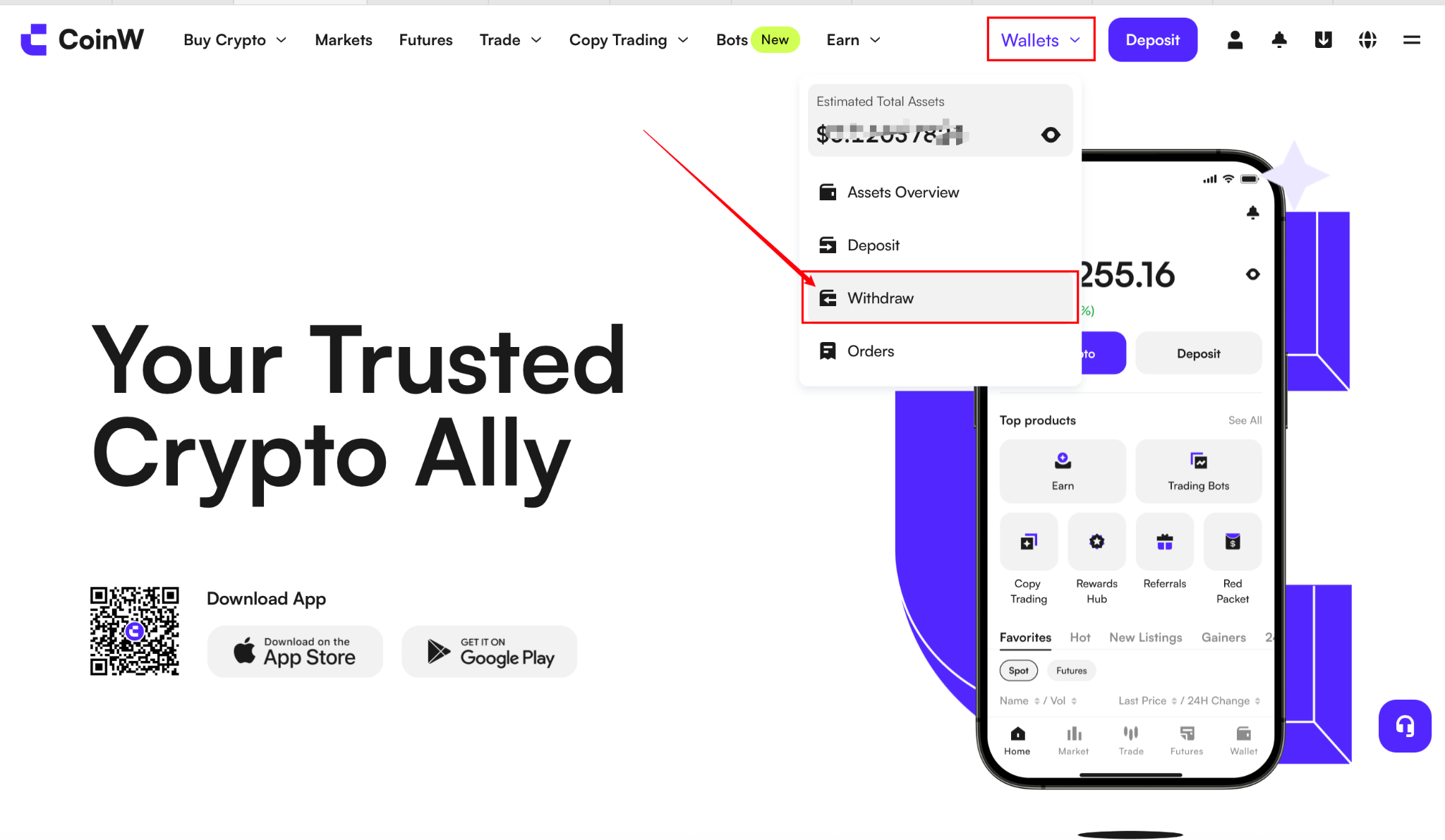
1. On the CoinW official website, click Wallet, then select the 【Withdraw】 button.
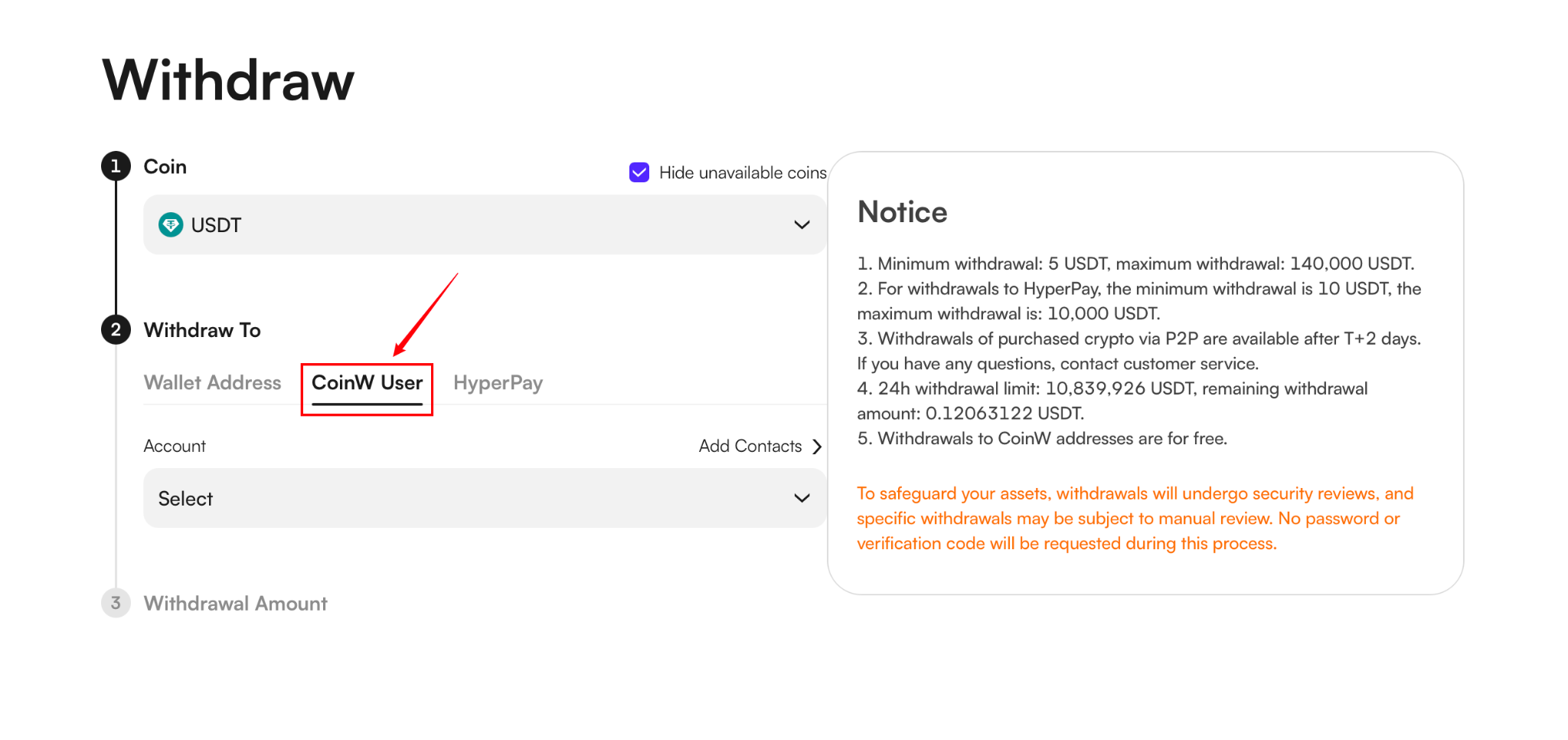
2. On the withdrawal page, select 【CoinW Internal Transfer】
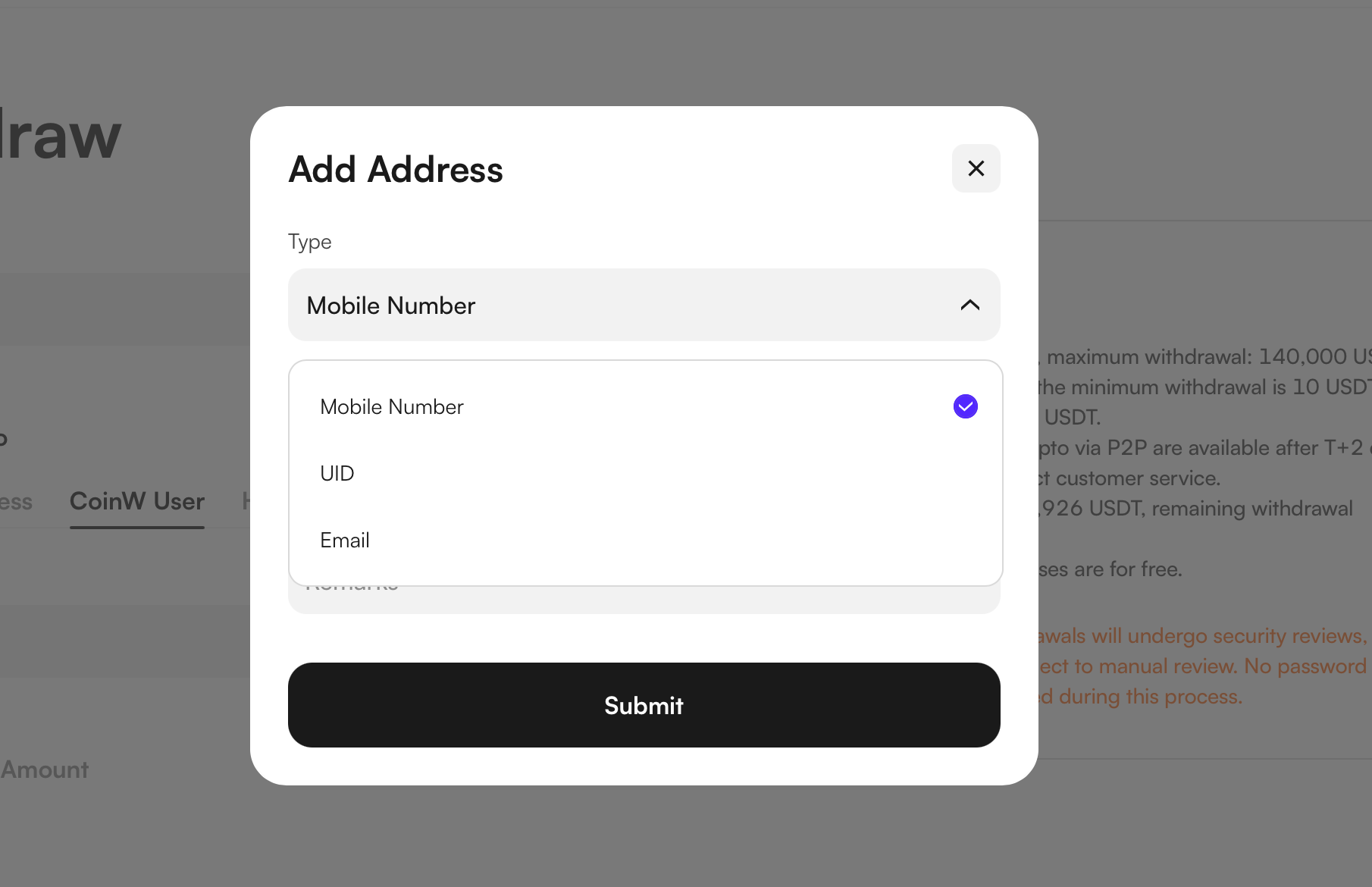
3. After clicking "Add Account," you can choose to bind a phone number, UID, or email address. Once the binding is successful, you can proceed with the withdrawal.
APP
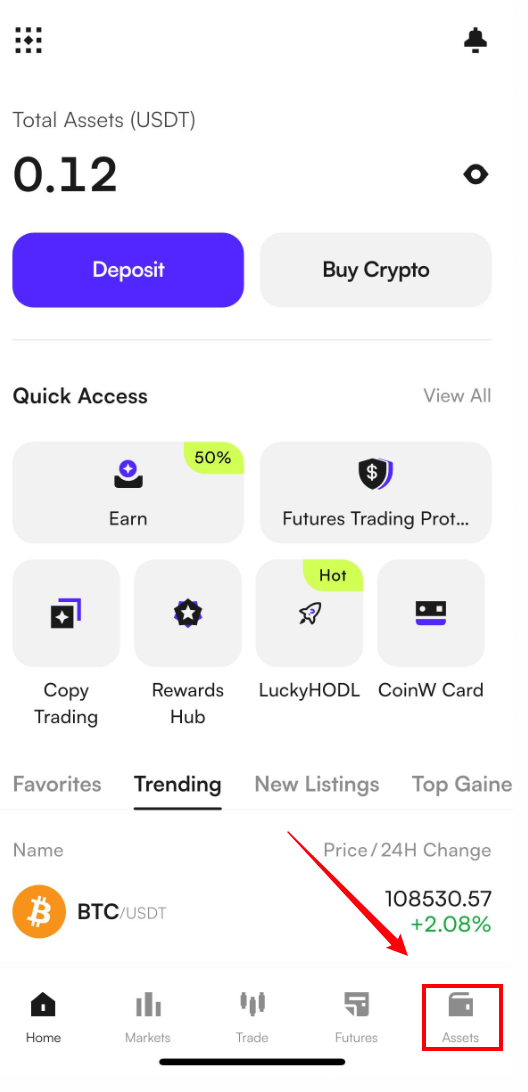
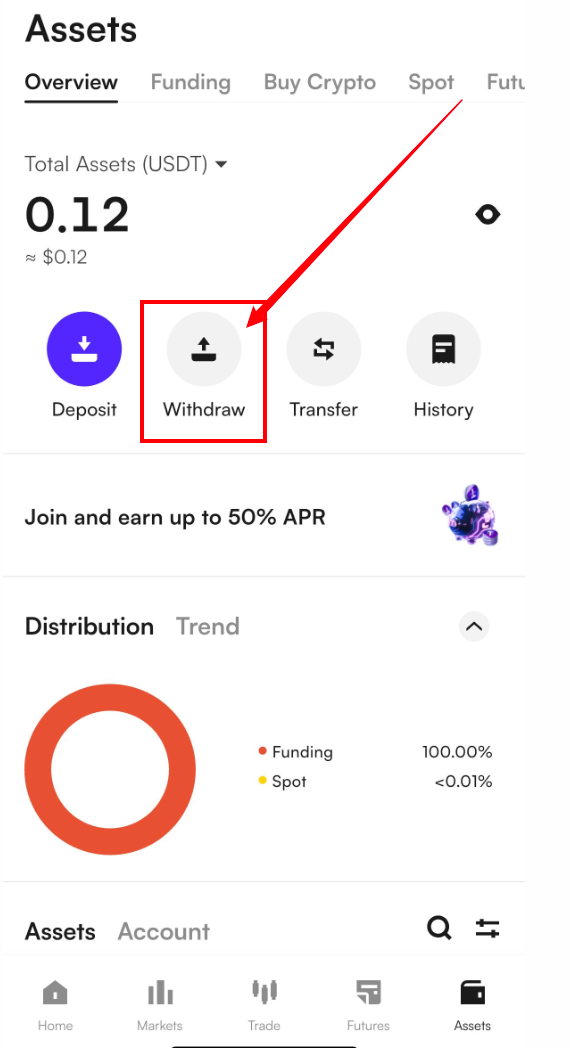
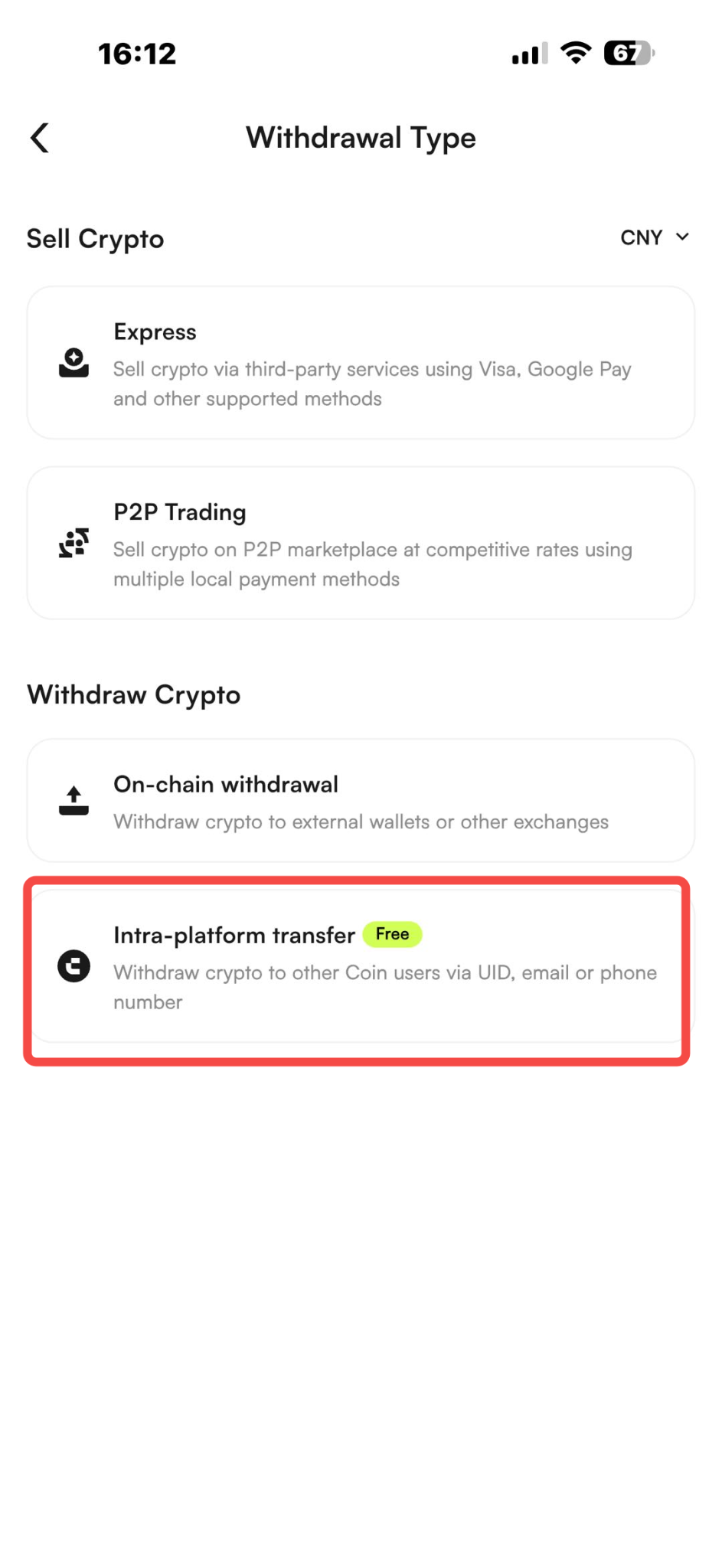
1. In the CoinW App, you can complete internal transfers via the following path: [Assets] → [Withdrawal] → [Internal Transfer]
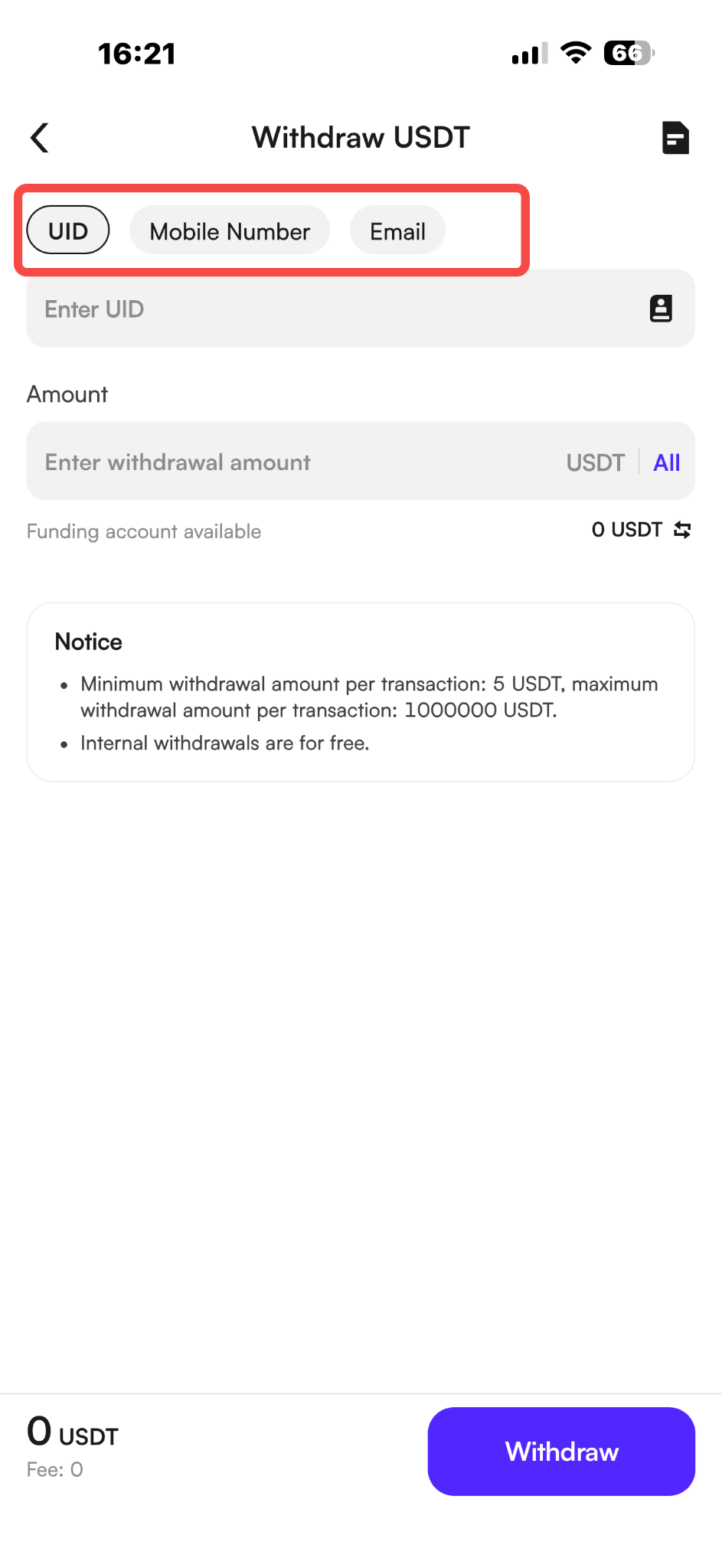
2. After entering the withdrawal interface, you can choose to enter your UID, mobile phone number, or email address to make the transfer.
Important Note:
Please carefully check the transfer information before making a transfer, such as whether the UID is entered in the correct order or if any numbers are missing.
If the recipient has already completed real-name authentication, their authentication information will be displayed during the withdrawal process. Please check carefully to avoid any loss of funds.
The Internal Transfer feature allows users to move assets between different accounts within the CoinW platform—for example, from a main account to a contract account, or to a financial (Earn) account. These transfers do not require blockchain confirmation, are processed instantly, and incur no fees, offering users a more convenient asset management experience.
Important Notes:
1. Always double-check the transfer information before proceeding, especially when transferring between different account types or to another user’s account.
2. If incorrect information is entered (such as a wrong UID or account type), the transferred assets may be irretrievable, and CoinW will not be liable for losses caused by user input errors.
3. For your asset safety, we strongly recommend verifying the target account details before initiating any transfer.
WEB
1. On the CoinW official website, click Wallet, then select the 【Withdraw】 button.
2. On the withdrawal page, select 【CoinW Internal Transfer】
3. After clicking "Add Account," you can choose to bind a phone number, UID, or email address. Once the binding is successful, you can proceed with the withdrawal.
APP
1. In the CoinW App, you can complete internal transfers via the following path: [Assets] → [Withdrawal] → [Internal Transfer]
2. After entering the withdrawal interface, you can choose to enter your UID, mobile phone number, or email address to make the transfer.
Important Note:
Please carefully check the transfer information before making a transfer, such as whether the UID is entered in the correct order or if any numbers are missing.
If the recipient has already completed real-name authentication, their authentication information will be displayed during the withdrawal process. Please check carefully to avoid any loss of funds.