FAQ
WEB
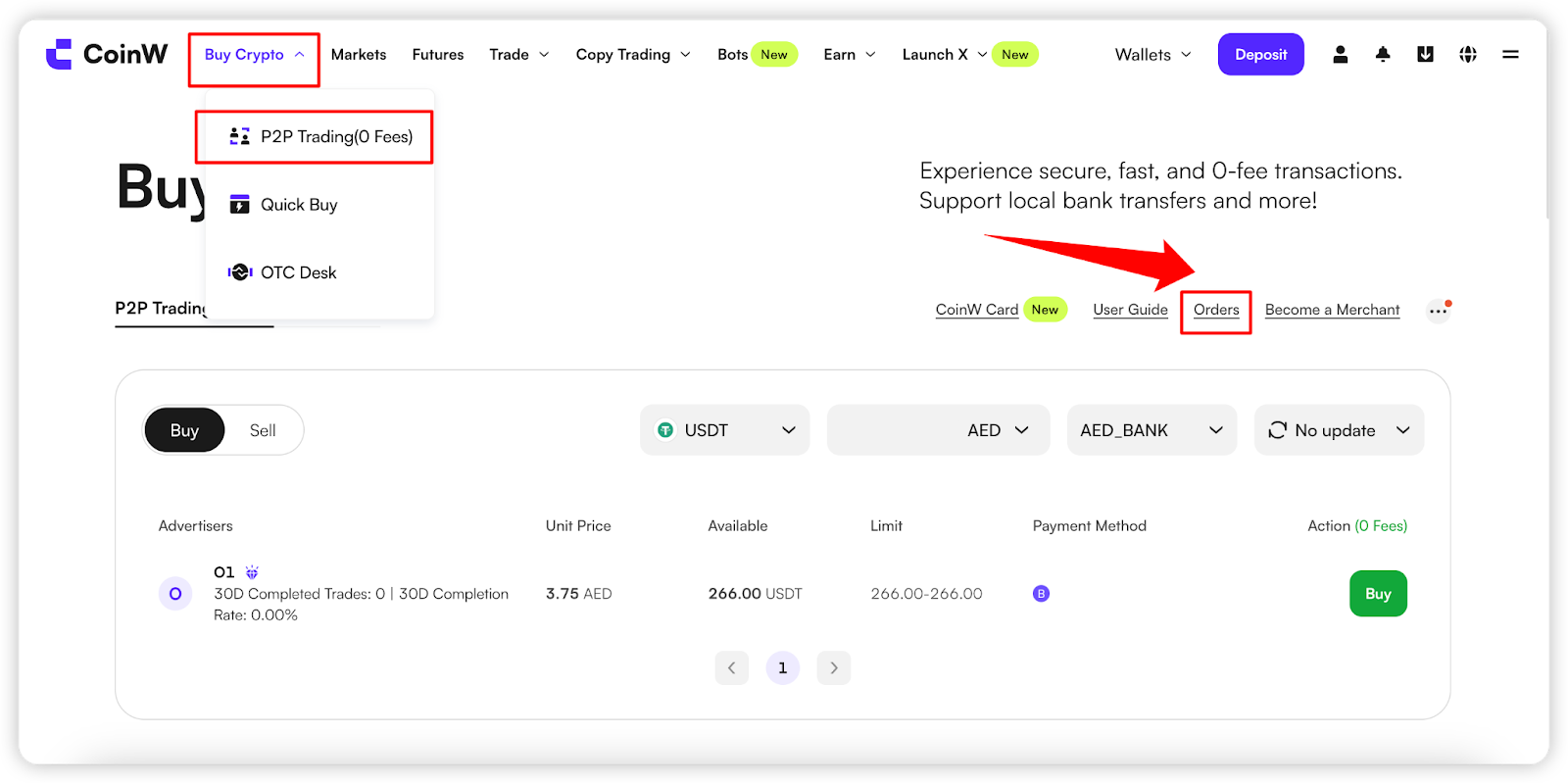
(1) Go to the CoinW homepage and click the "Buy Crypto" button in the top navigation bar to enter the buy crypto trading page.
(2) Click the Orders icon in the top right corner of the screen to access the Order Center.
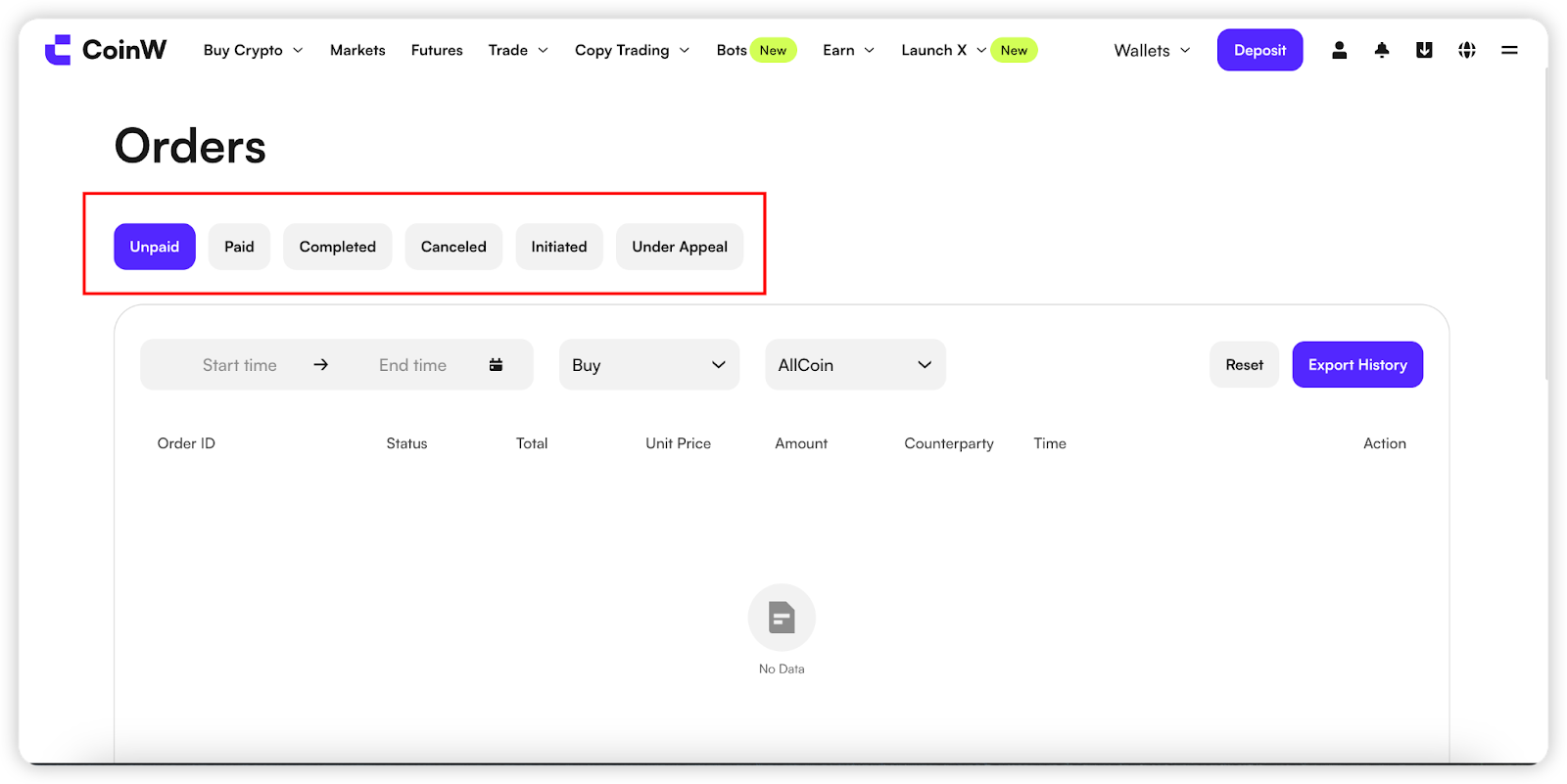
(3) In the Order Center, you can filter and view your orders under the following statuses:
Unpaid
Paid
Completed
Cancelled
Initiateed
Under Appeal
APP
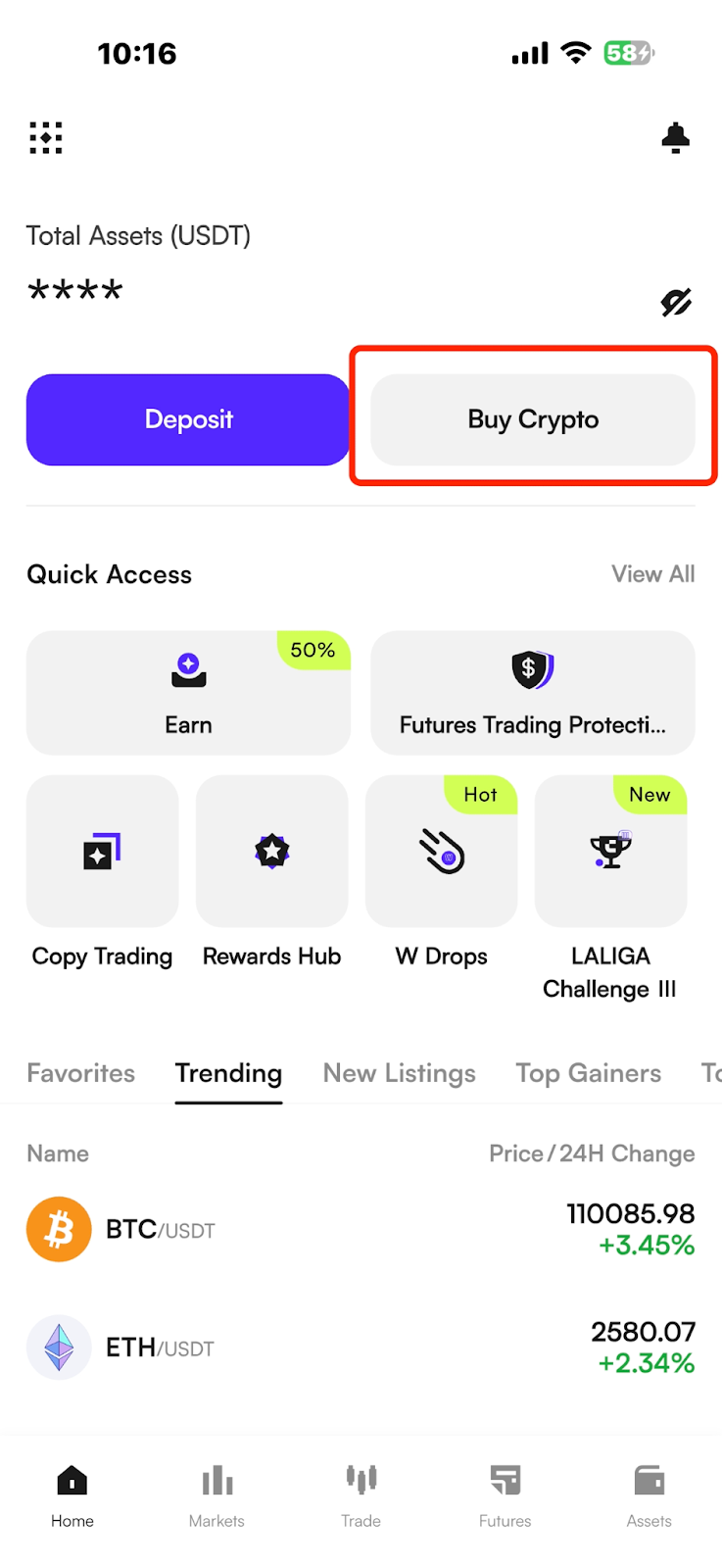
(1) On the CoinW App homepage, tap the "Buy Crypto" button at the top to enter the buy crypto trading page.
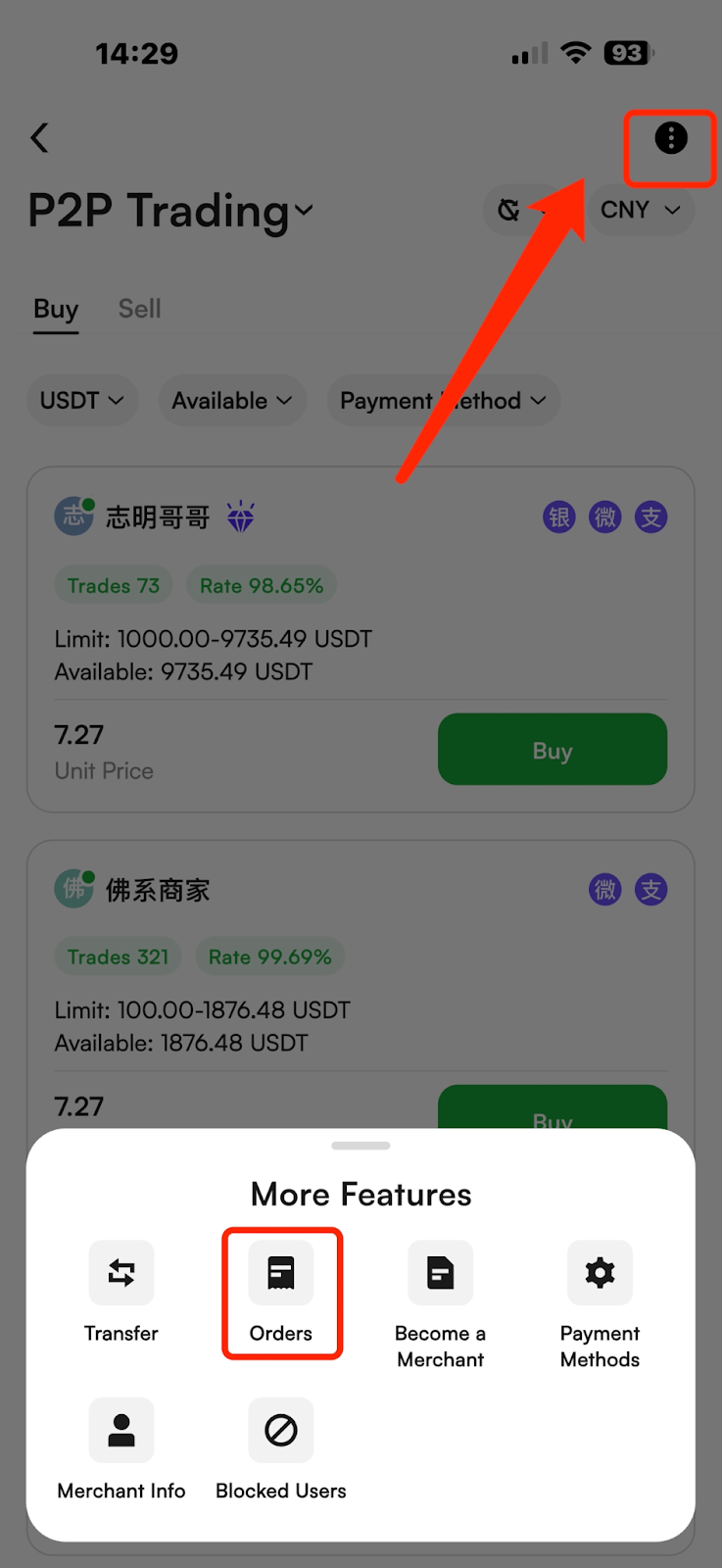
(2) Tap the three dots (···) in the top right corner, then select "Orders" to enter the Order Center.
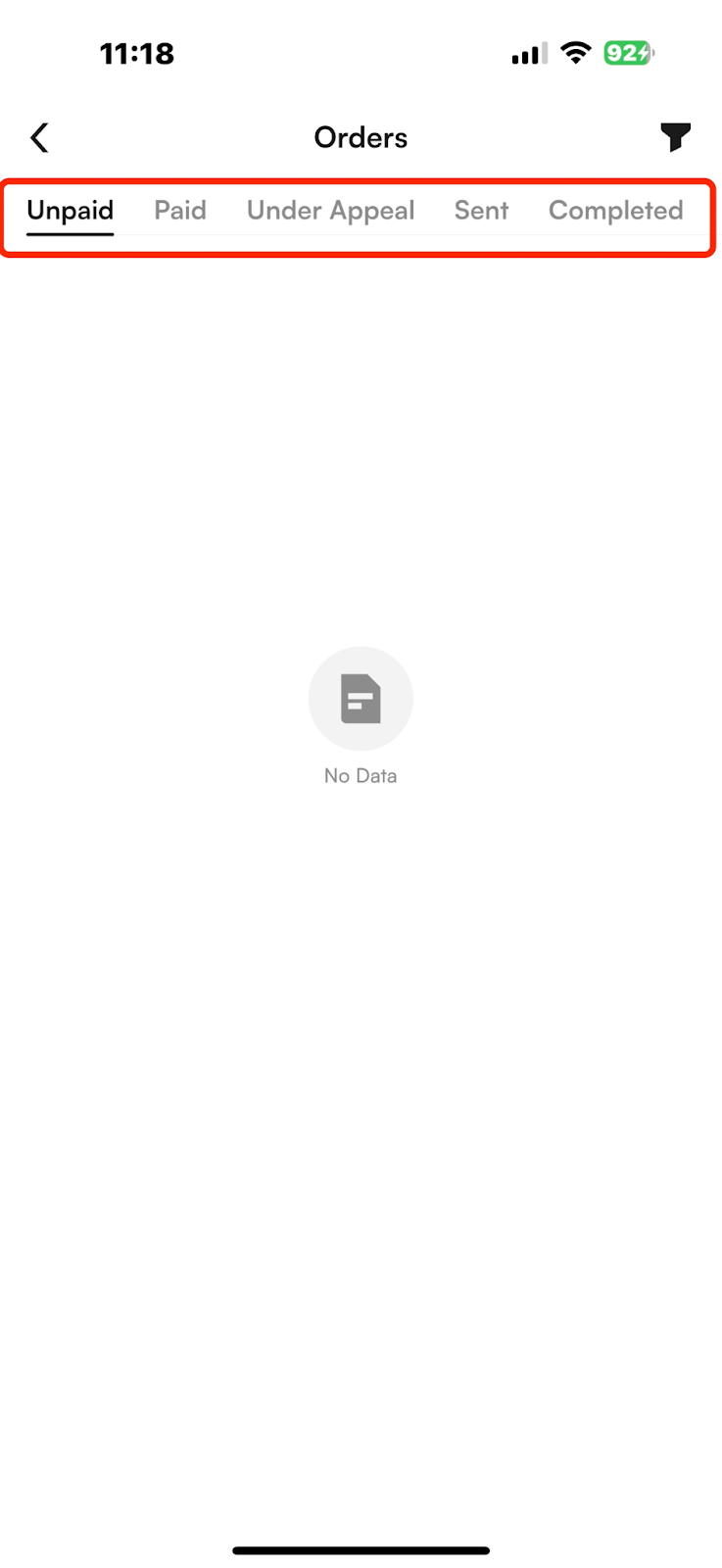
(3) In the Order Center, you can filter and view your orders under the following statuses:
Unpaid
Paid
Under Appeal
Sent
Completed
Cancelled
WEB
(1) Go to the CoinW homepage and click the "Buy Crypto" button in the top navigation bar to enter the buy crypto trading page.
(2) Click the Orders icon in the top right corner of the screen to access the Order Center.
(3) In the Order Center, you can filter and view your orders under the following statuses:
Unpaid
Paid
Completed
Cancelled
Initiateed
Under Appeal
APP
(1) On the CoinW App homepage, tap the "Buy Crypto" button at the top to enter the buy crypto trading page.
(2) Tap the three dots (···) in the top right corner, then select "Orders" to enter the Order Center.
(3) In the Order Center, you can filter and view your orders under the following statuses:
Unpaid
Paid
Under Appeal
Sent
Completed
Cancelled