FAQ
Forgot Login Password
Published on: 2025/08/13 10:19|Last Update: 2025/08/13 10:19
WEB
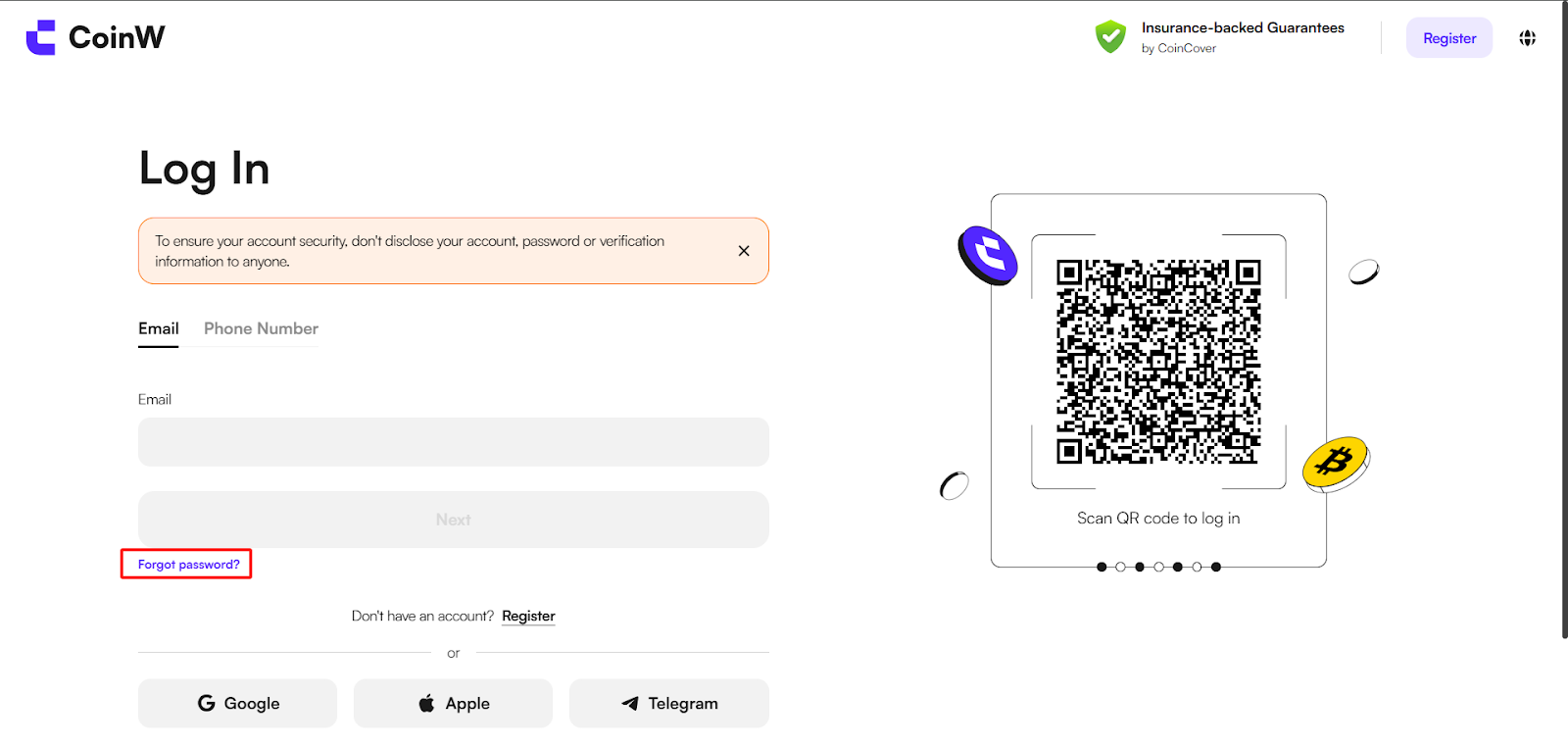
(1) Go to the web version and click the “Log In” button at the top right. Then click “Forgot Password?” below to enter the password recovery page.
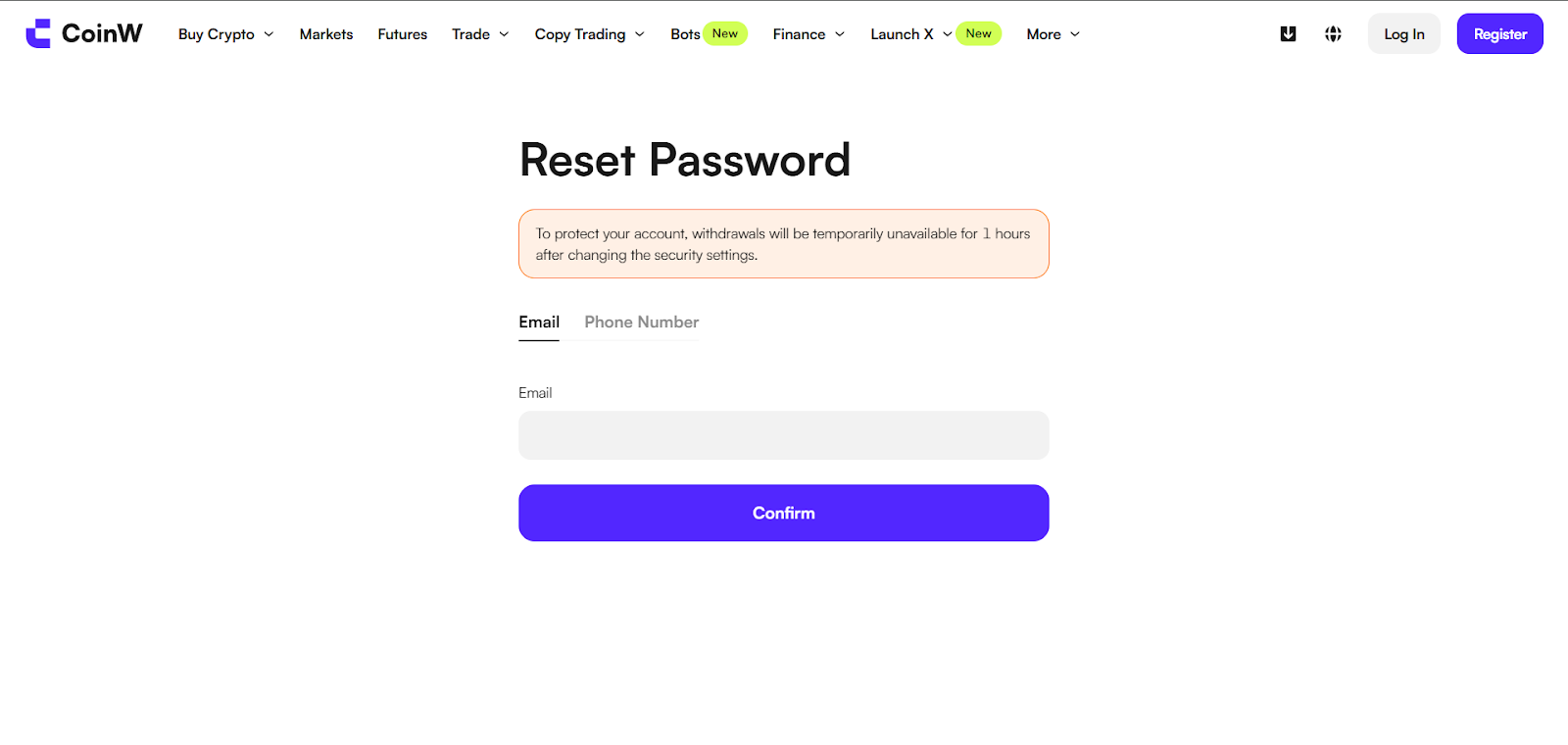
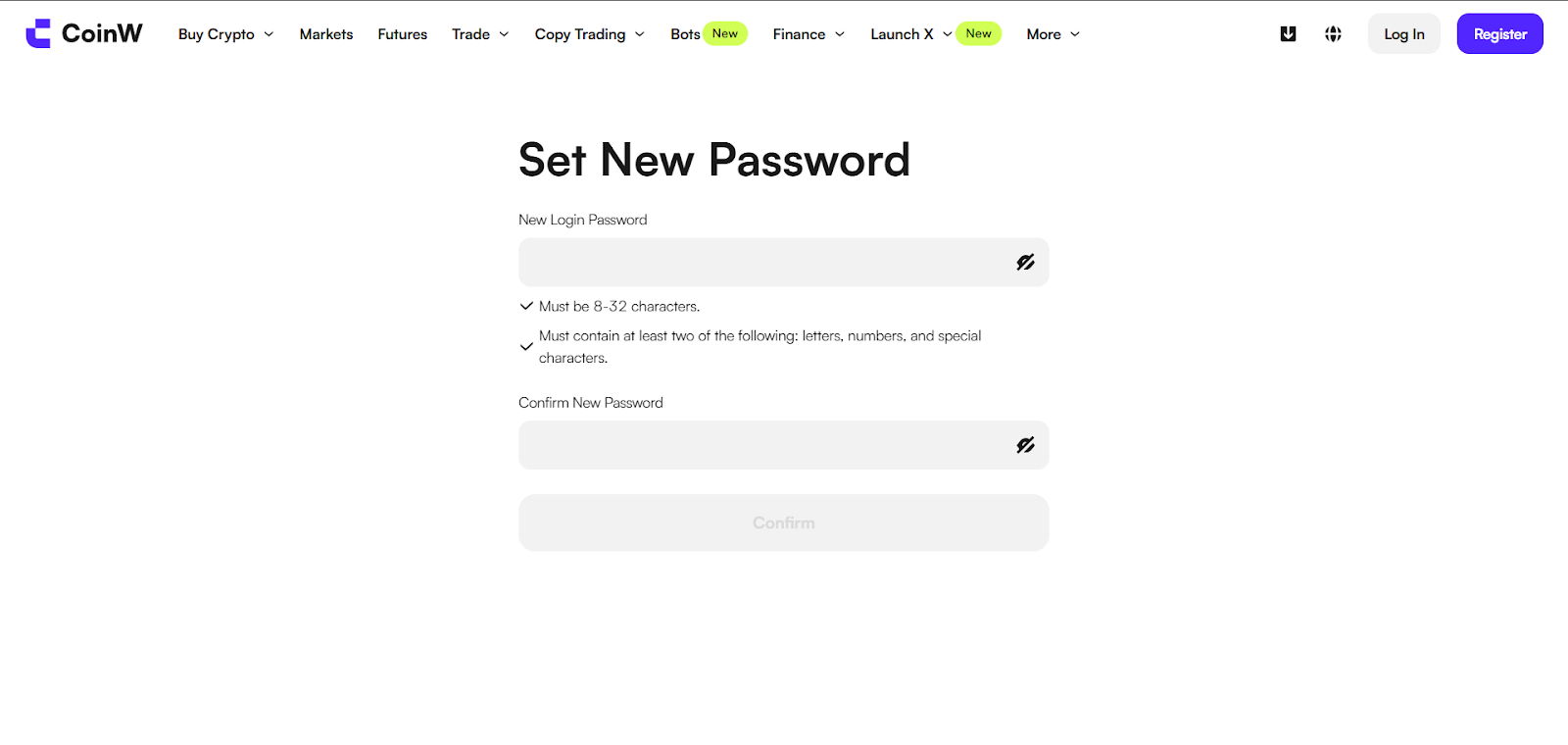
(2) On the password recovery page, enter the account you want to recover, then follow the prompts to enter the verification code and your new password to reset your login password.
APP
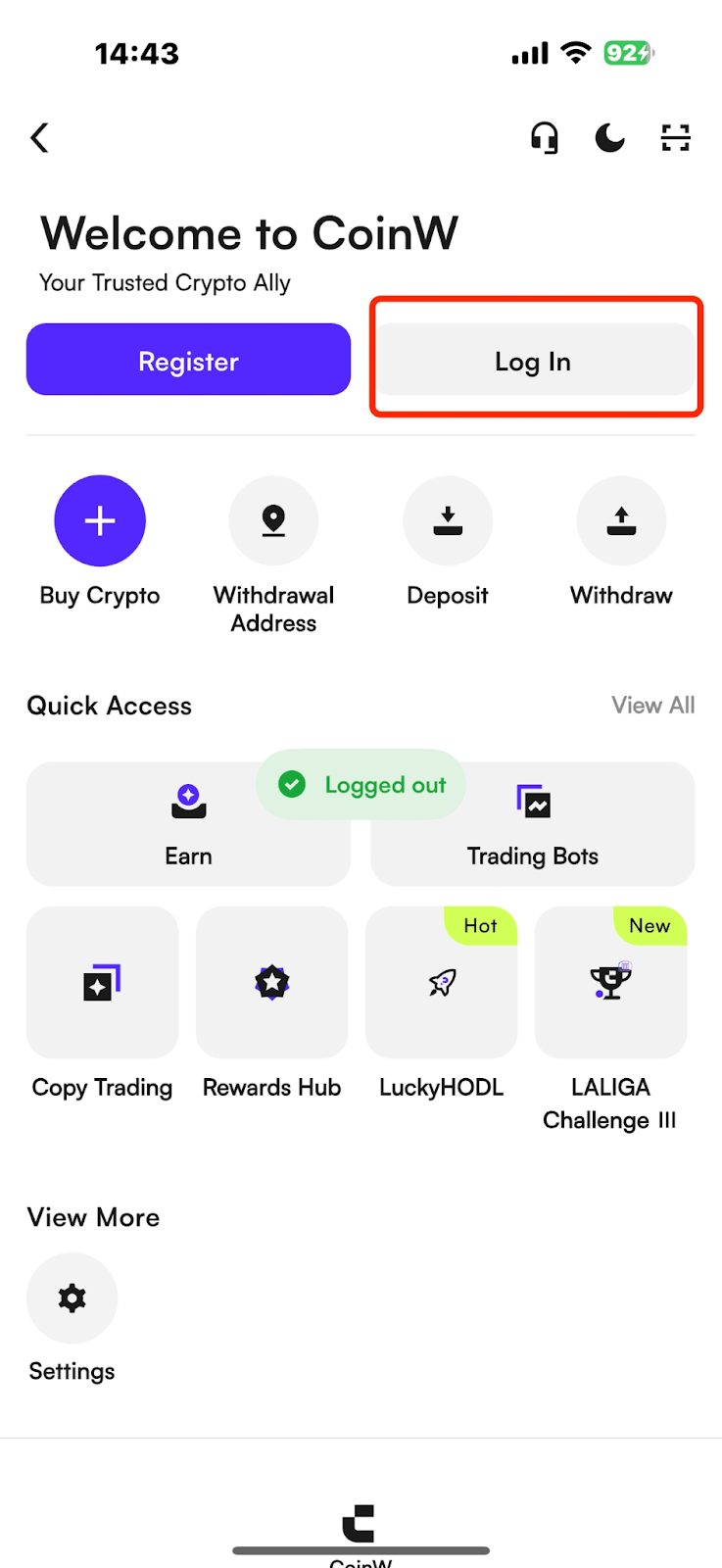
(1) Open the CoinW App, tap the account icon in the top left corner to enter the Security Center, then tap the “Log In” button at the top.
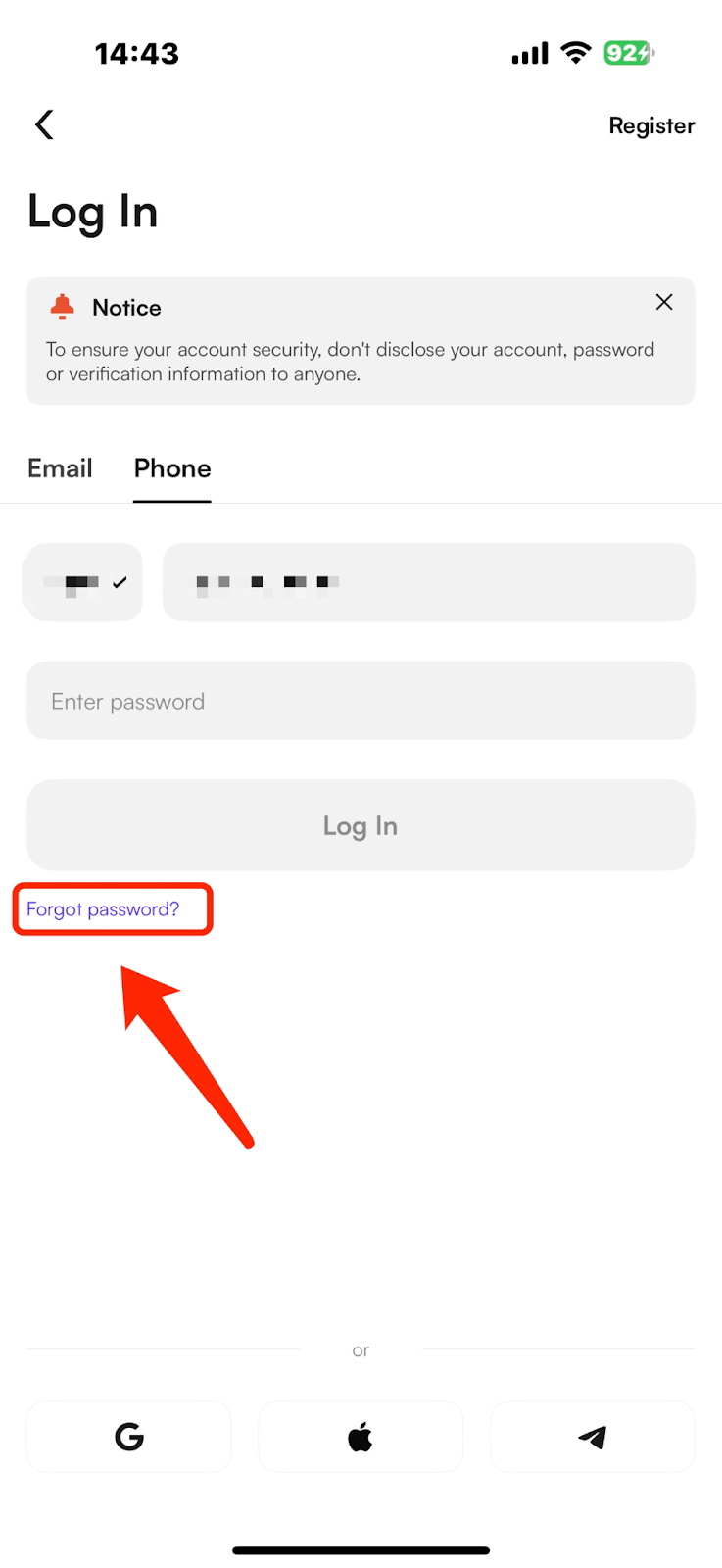
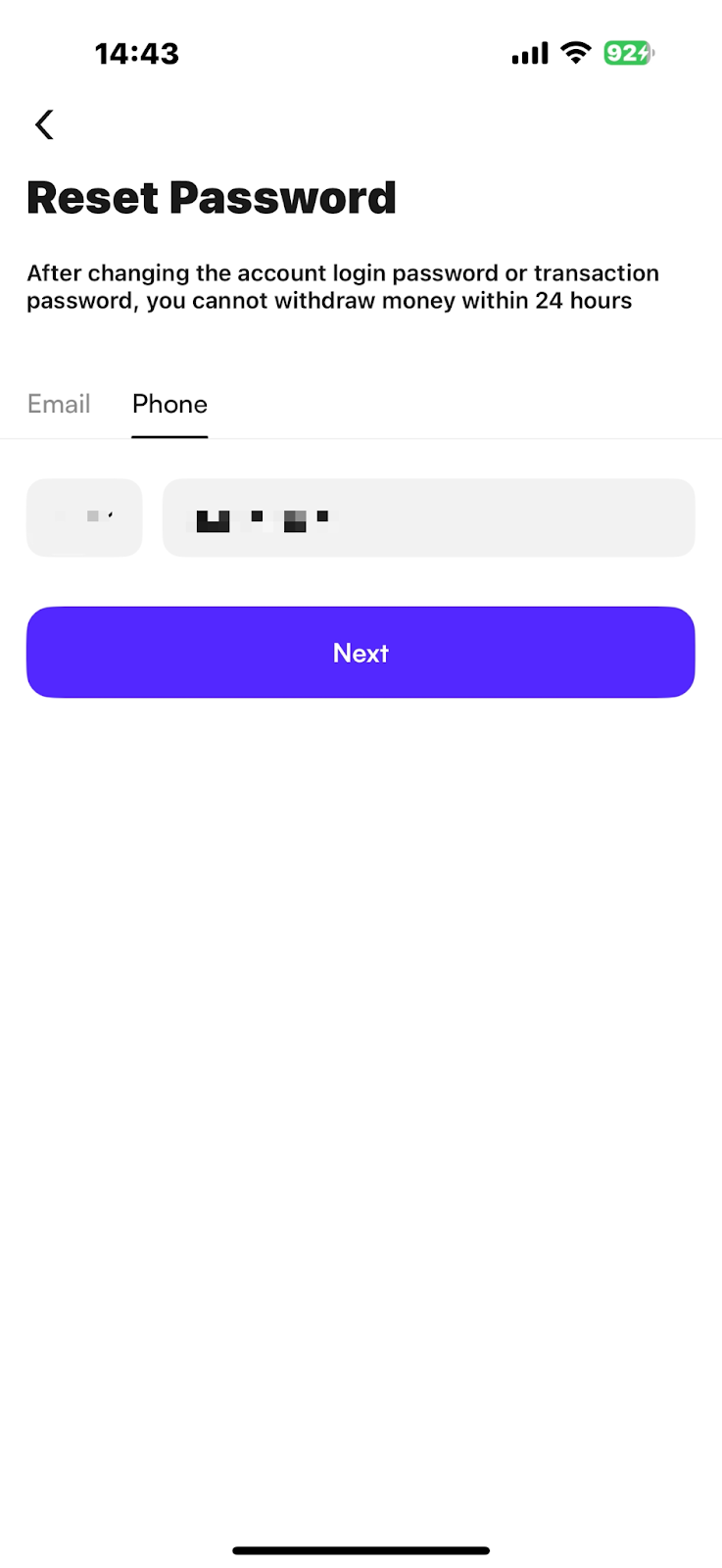
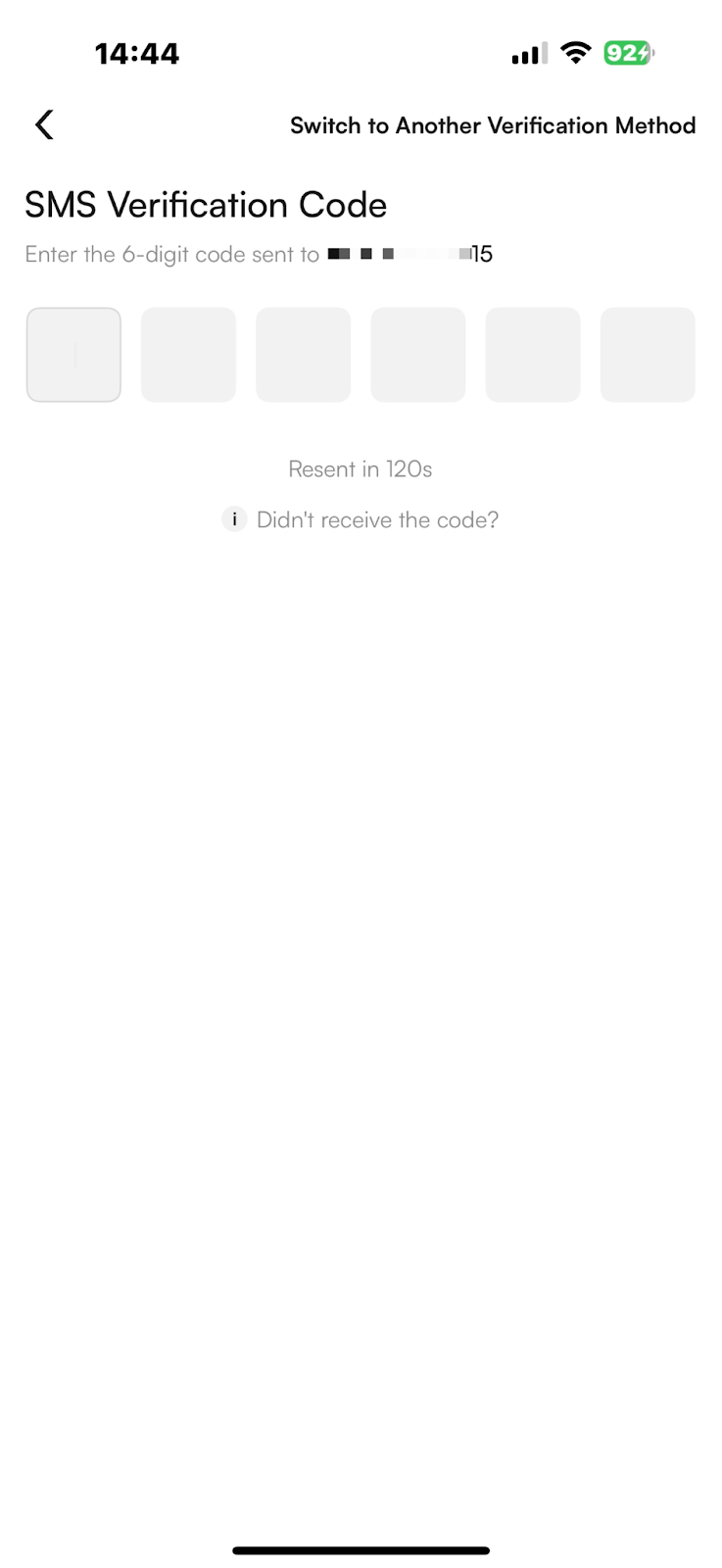
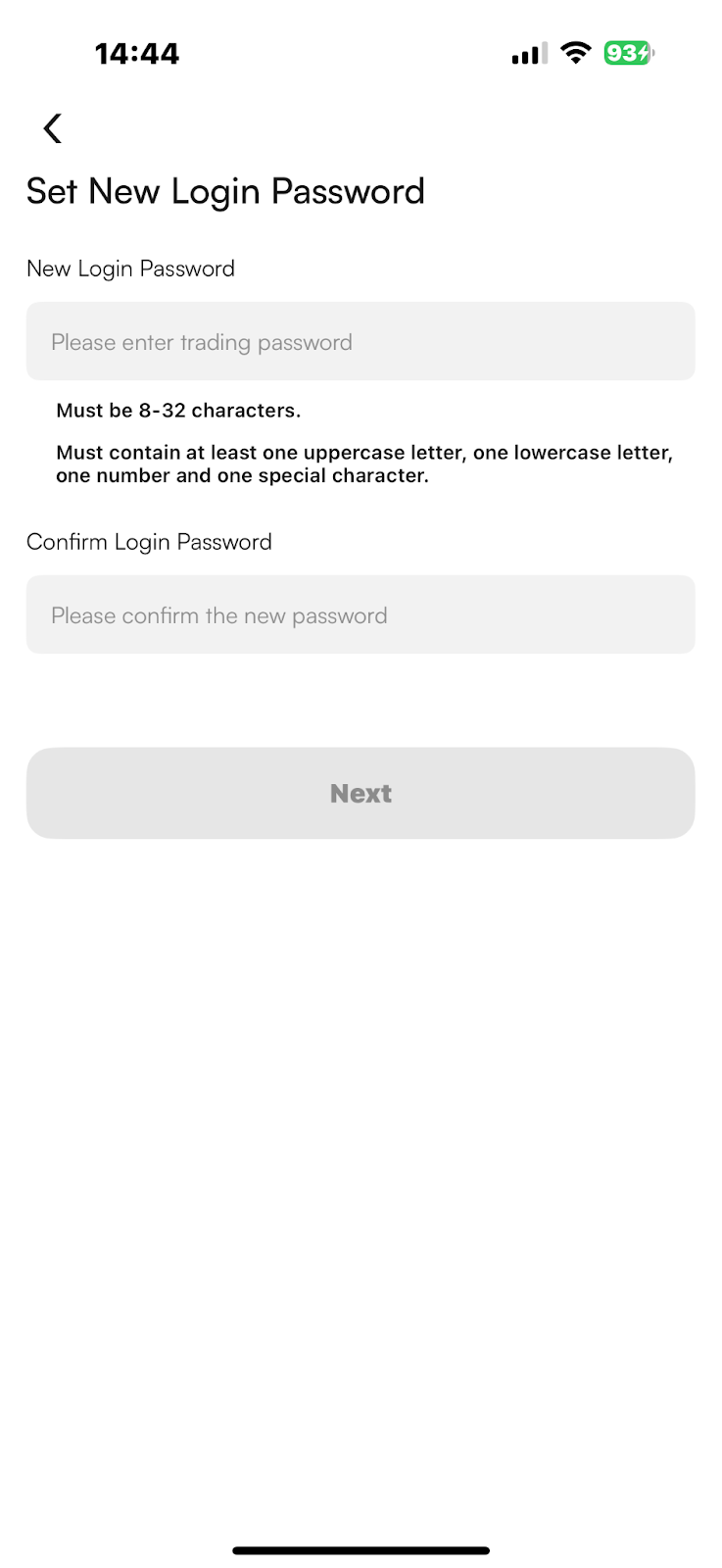
(2) On the login page, tap “Forgot Password?” at the bottom left. Enter your account, verification code, and new password to reset your login password.
Notes
(1) Withdrawals and sell orders will be disabled for 24 hours after changing the login password.
(2) The password must be 8–32 characters, including at least two of the following: letters, numbers, or special characters. If these requirements are not met, the password cannot be set successfully.
Was this article helpful?
Limited-Time New User Offer!
Sign up now to claim your exclusive 12000 USDT gift pack!
Already have an account?Log In
Popular Articles
Forgot Login Password
Published on: 2025/08/13 10:19|Last Update: 2025/08/13 10:19
WEB
(1) Go to the web version and click the “Log In” button at the top right. Then click “Forgot Password?” below to enter the password recovery page.
(2) On the password recovery page, enter the account you want to recover, then follow the prompts to enter the verification code and your new password to reset your login password.
APP
(1) Open the CoinW App, tap the account icon in the top left corner to enter the Security Center, then tap the “Log In” button at the top.
(2) On the login page, tap “Forgot Password?” at the bottom left. Enter your account, verification code, and new password to reset your login password.
Notes
(1) Withdrawals and sell orders will be disabled for 24 hours after changing the login password.
(2) The password must be 8–32 characters, including at least two of the following: letters, numbers, or special characters. If these requirements are not met, the password cannot be set successfully.
Was this article helpful?
Limited-Time New User Offer!
Sign up now to claim your exclusive 12000 USDT gift pack!
Already have an account?Log In
Popular Articles