FAQ
Mega Coupon Usage Rules
The new Mega Coupon has been fully upgraded. The Web version now supports all features and you can directly use Mega Coupon on the web anytime. The App version will support these features after updating to version 10.1.21.
The upgraded Mega Coupon can be claimed in the following three ways:
I. Auto-Claim: The system will automatically trigger the claim process at around 00:00, 08:00, and 16:00 (UTC+8) every day. The claimable amount is calculated based on the available funds in your futures account and distributed automatically.
I. Auto-Claim: After enabling the Mega Coupon feature, the system will automatically claim Mega Coupons for you. The claimable amount is calculated based on your available futures account funds and will be automatically credited to your futures account.
To enable the Mega Coupon feature, please follow the steps below. For detailed instructions, please refer to the manual claim guide images.
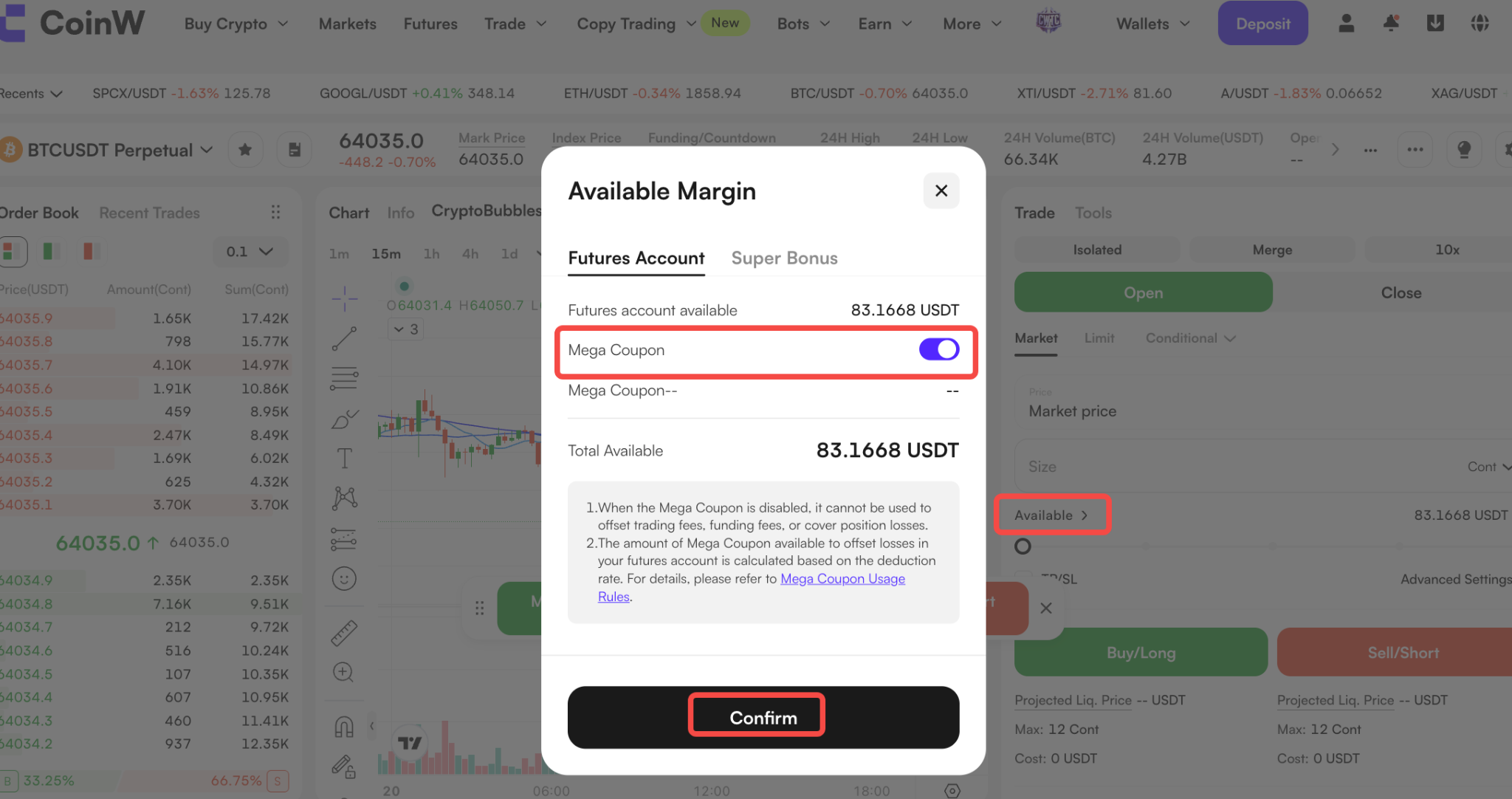
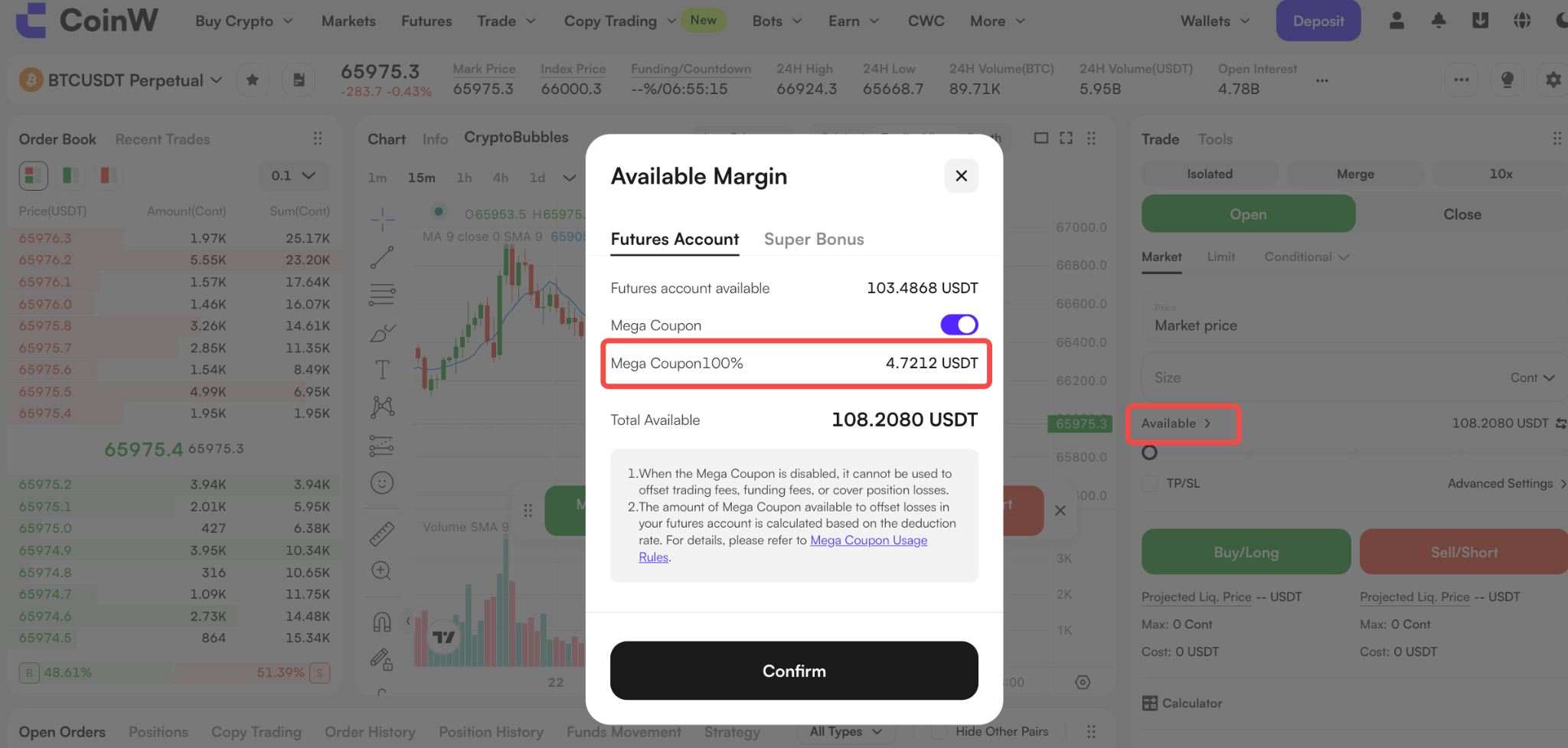
Web: Go to the futures trading page, click Available and toggle on the Mega Coupon to activate the feature.
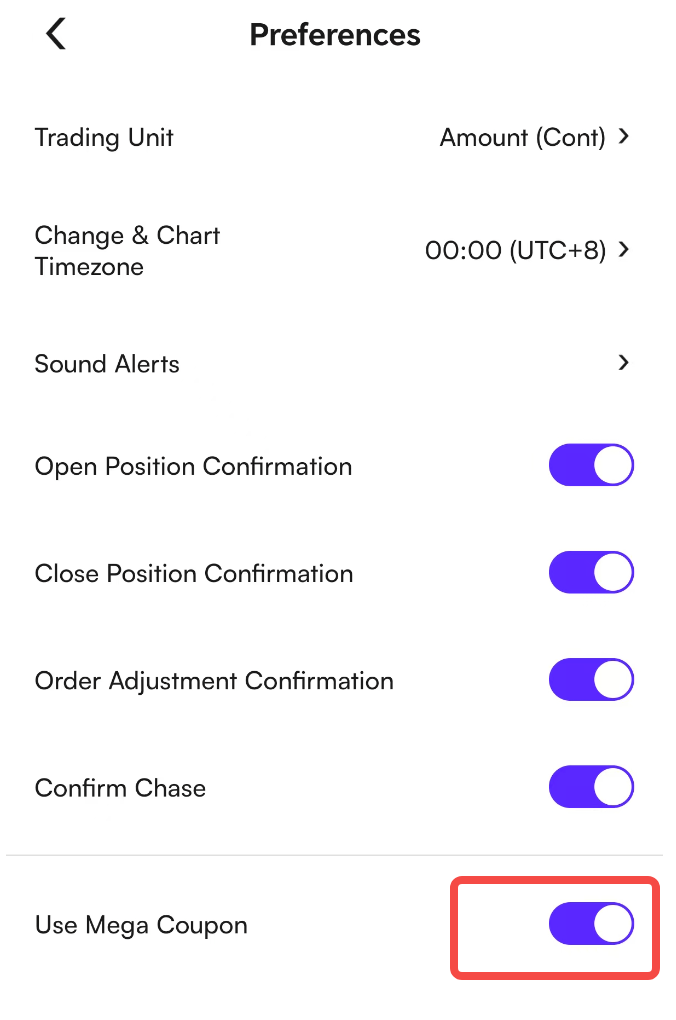
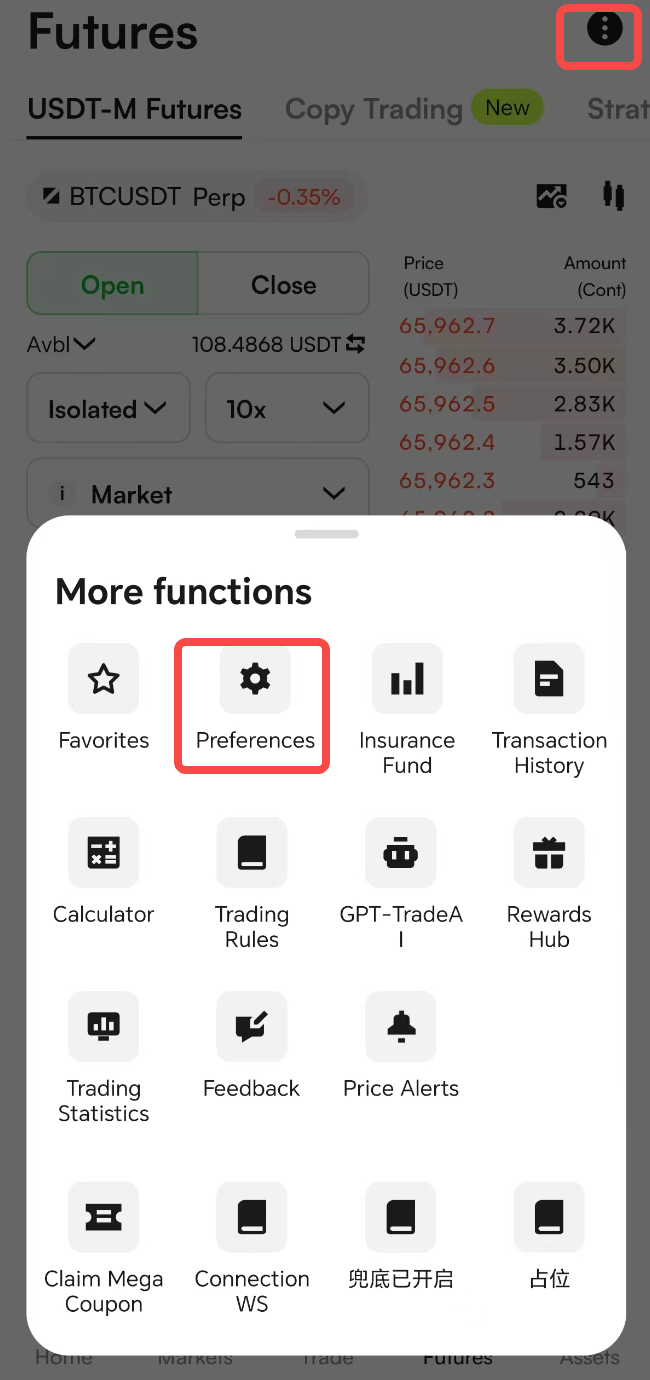
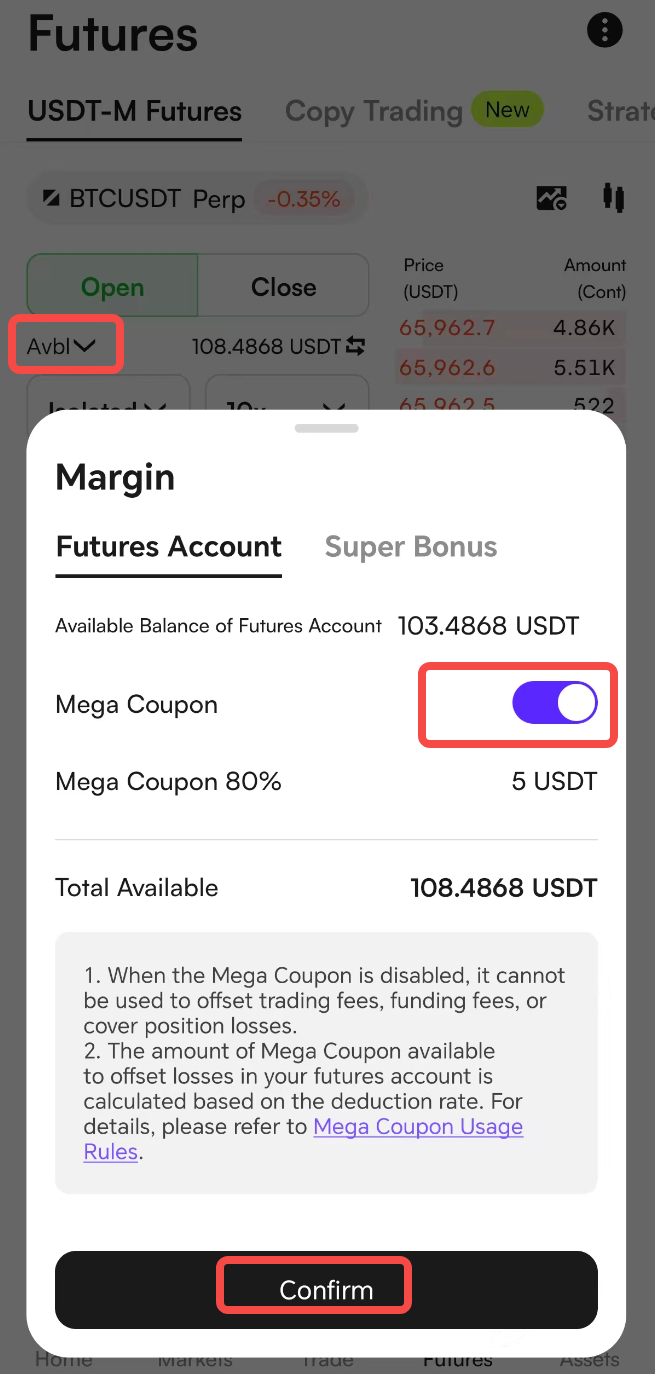
App: Please update to App version 10.1.21 or above. Go to Futures, then enable Mega Coupon/Use Mega Coupon in Preferences under Avbl or More Functions in the upper-right corner.
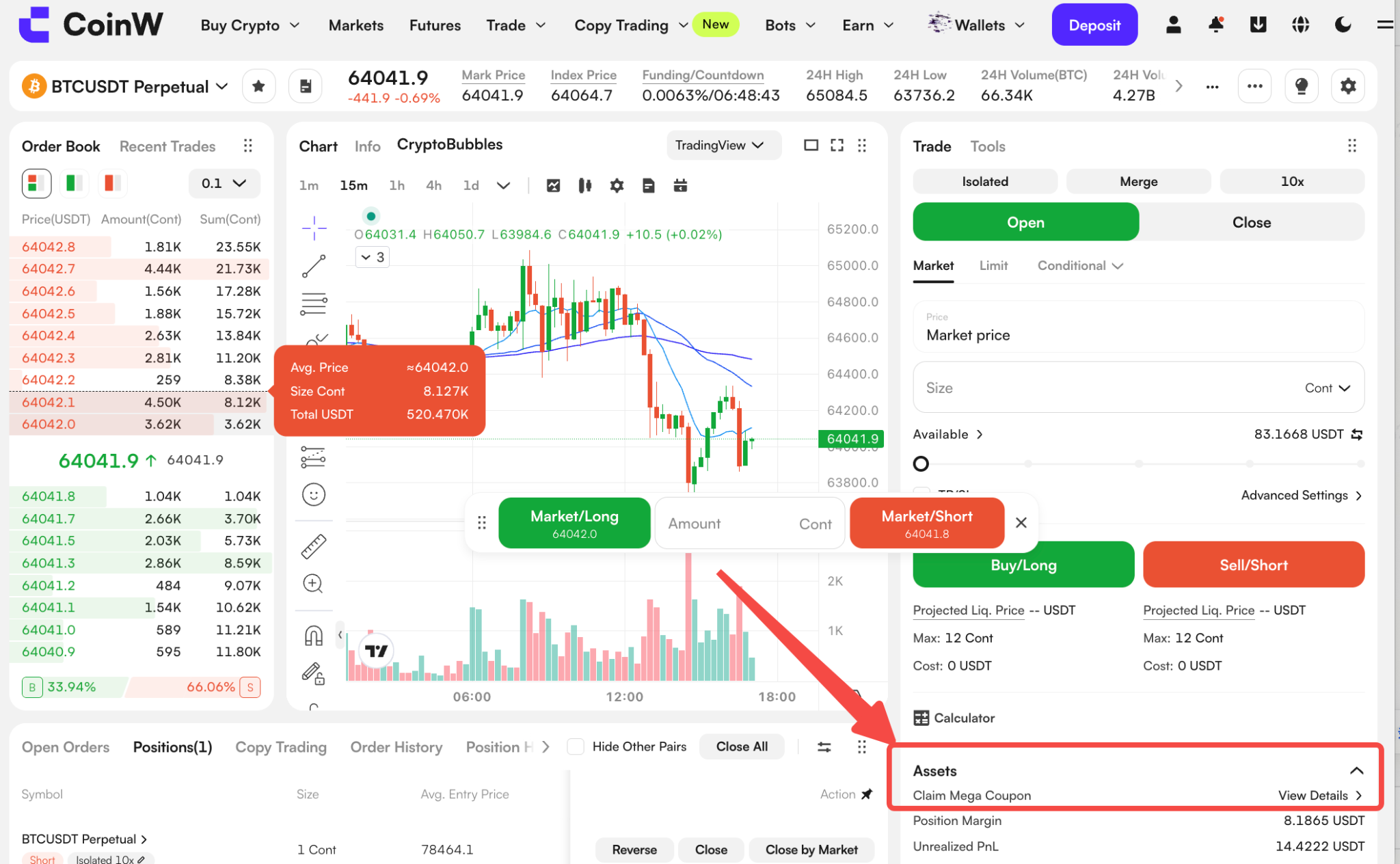
II. Manual Claim: Users can manually claim Mega Coupon by clicking Claim Mega Coupon > View Details in the Assets panel at the bottom of the futures trading page. The system will calculate the claimable amount based on the available funds in your futures account.
Web Version Operation Example
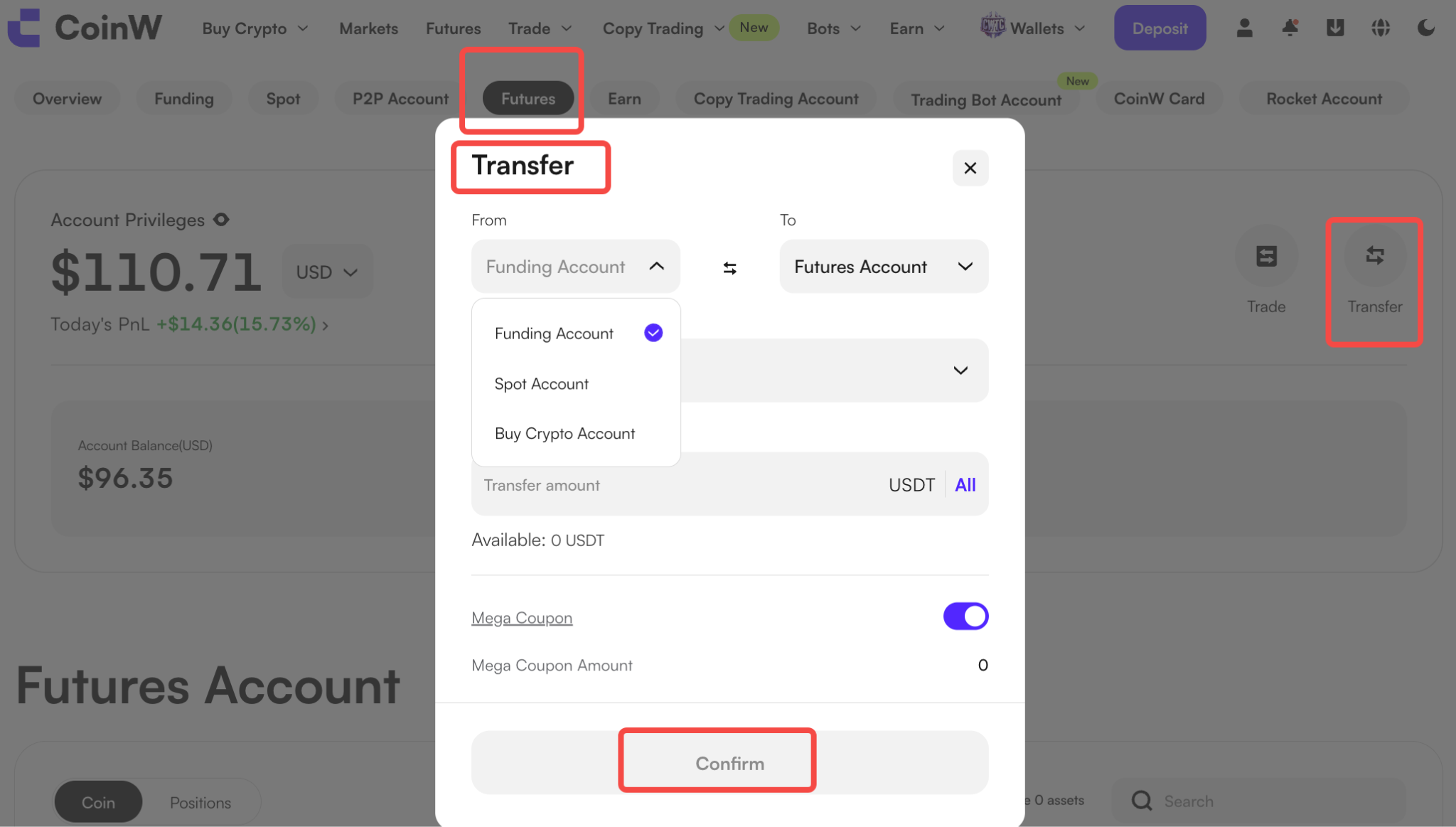
1. Go to the futures trading page and make sure your futures account has sufficient funds in the Available section before using Mega Coupons with ratios below 100%. You can click Transfer to transfer funds if needed.
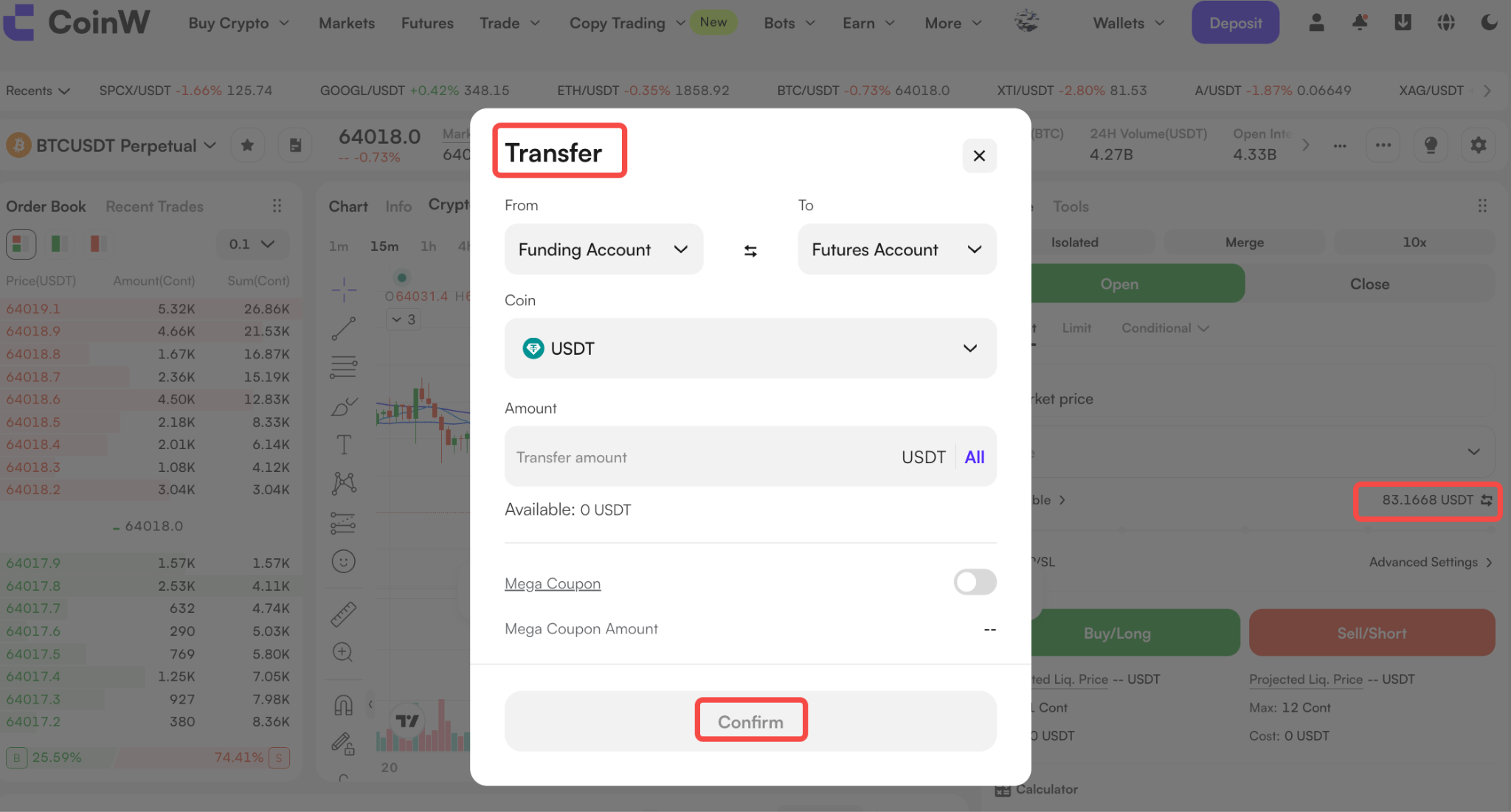
2. In Available Margin, toggle on Mega Coupon, and click Confirm to enable Mega Coupon usage.
3. In the Claim Mega Coupon section at the lower-right corner of the page, click View Details.
4. In the Mega Coupon claim pop-up window, select a Deduction Ratio, and click Claim Now to claim a Mega Coupon.
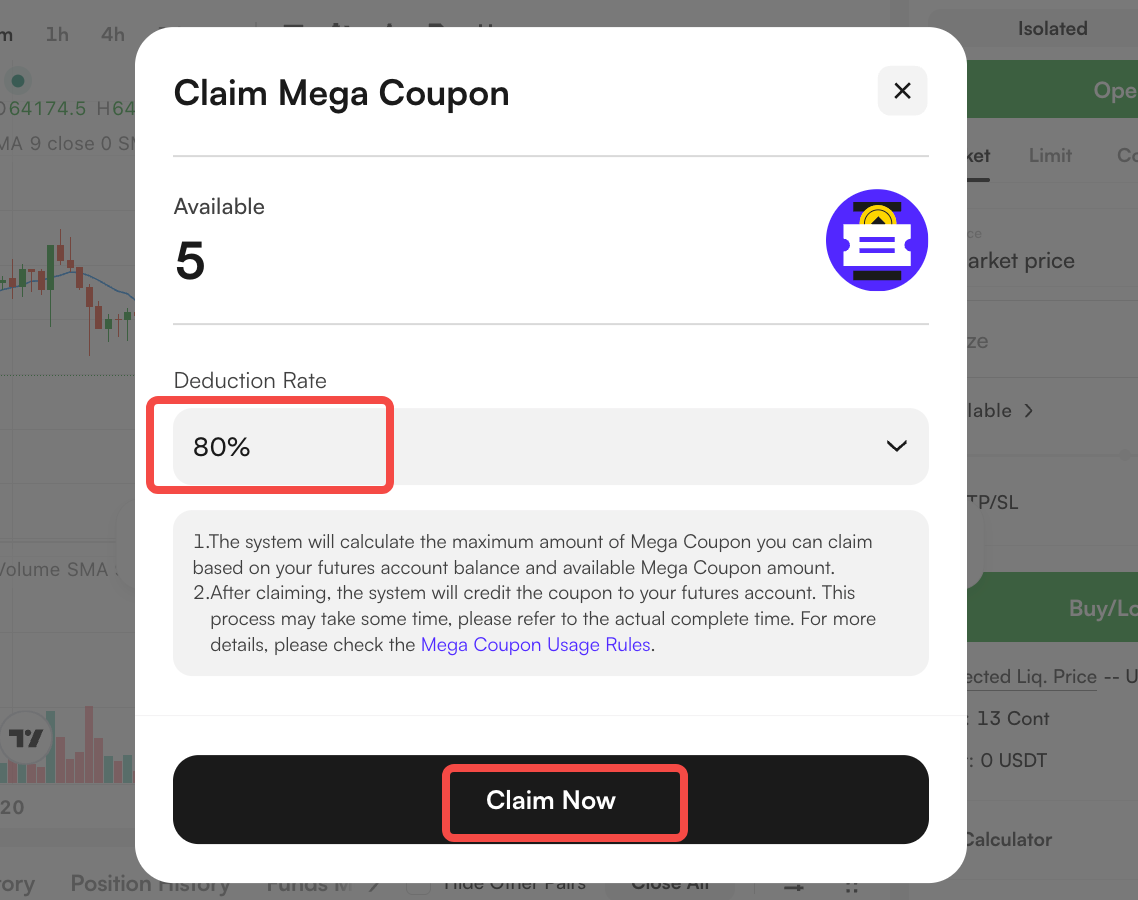
5. If your futures account balance is 0, you can only claim 100% ratio Mega Coupon. If your account balance is greater than 0 and you have Mega Coupons with other ratios, more ratio options will be displayed in the claim pop-up window. Please note that you can only claim Mega Coupon with one ratio at a time.
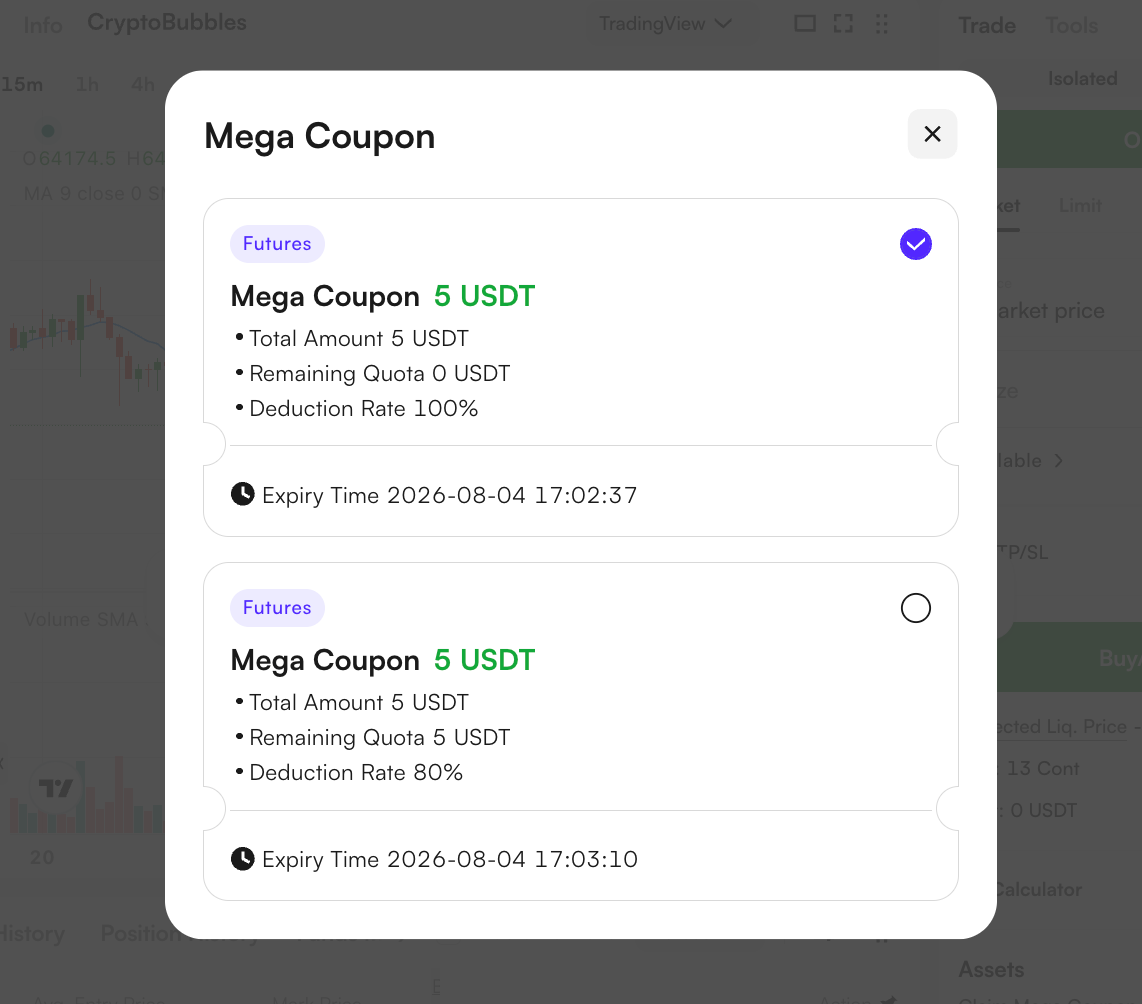
6. After claiming the coupon, you can click Available in the trading page to view and use your Mega Coupon.
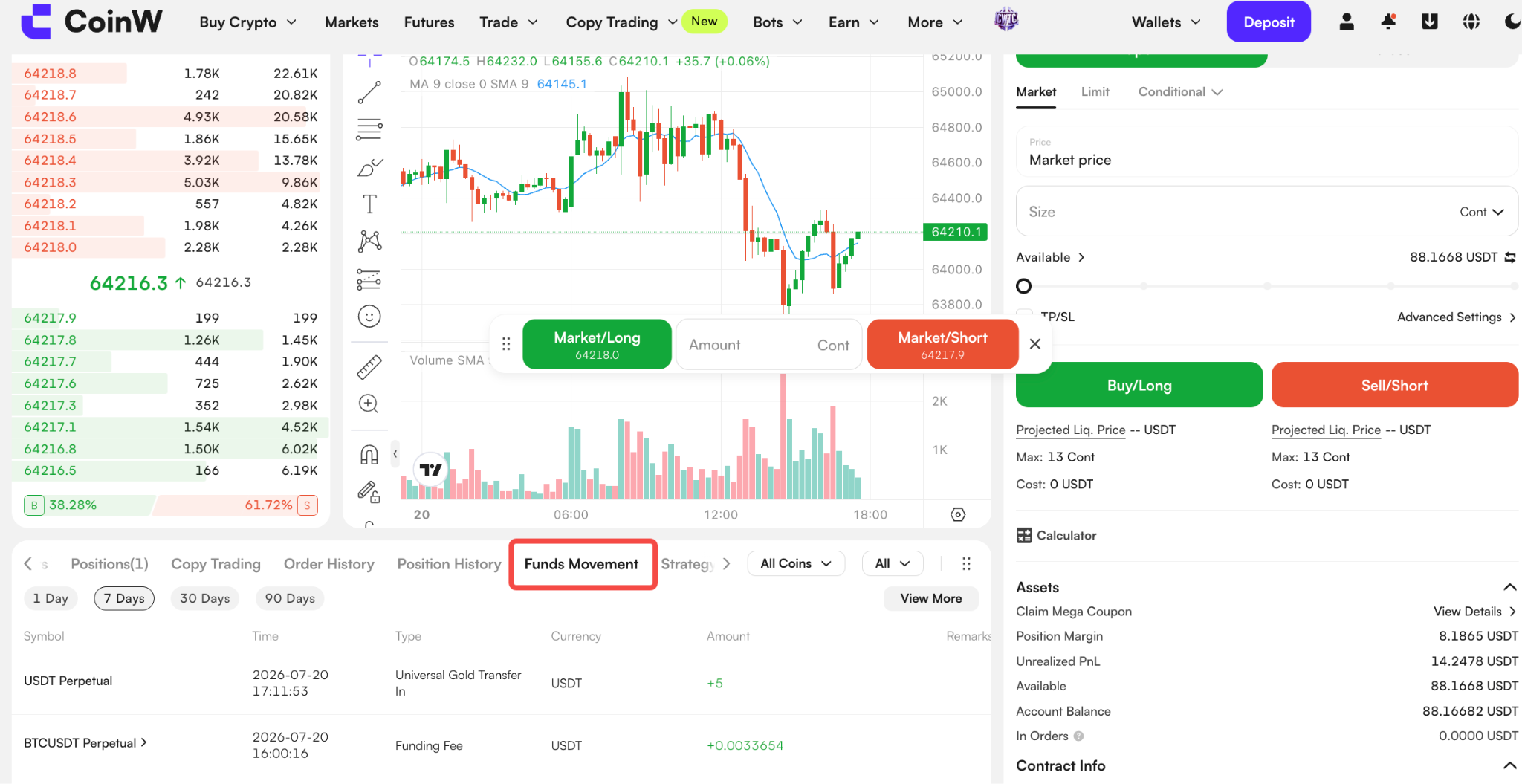
7. To view the transaction details of your Mega Coupon, go to Funds Movement on the futures trading page.
App Version Operation Example:
1. Log in to the App version 10.1.21 or above. Tap Futures to enter the futures trading page. Before using Mega Coupon, enable Mega Coupon/Use Mega Coupon in Preferences under Avbl or More Functions in the upper-right corner.
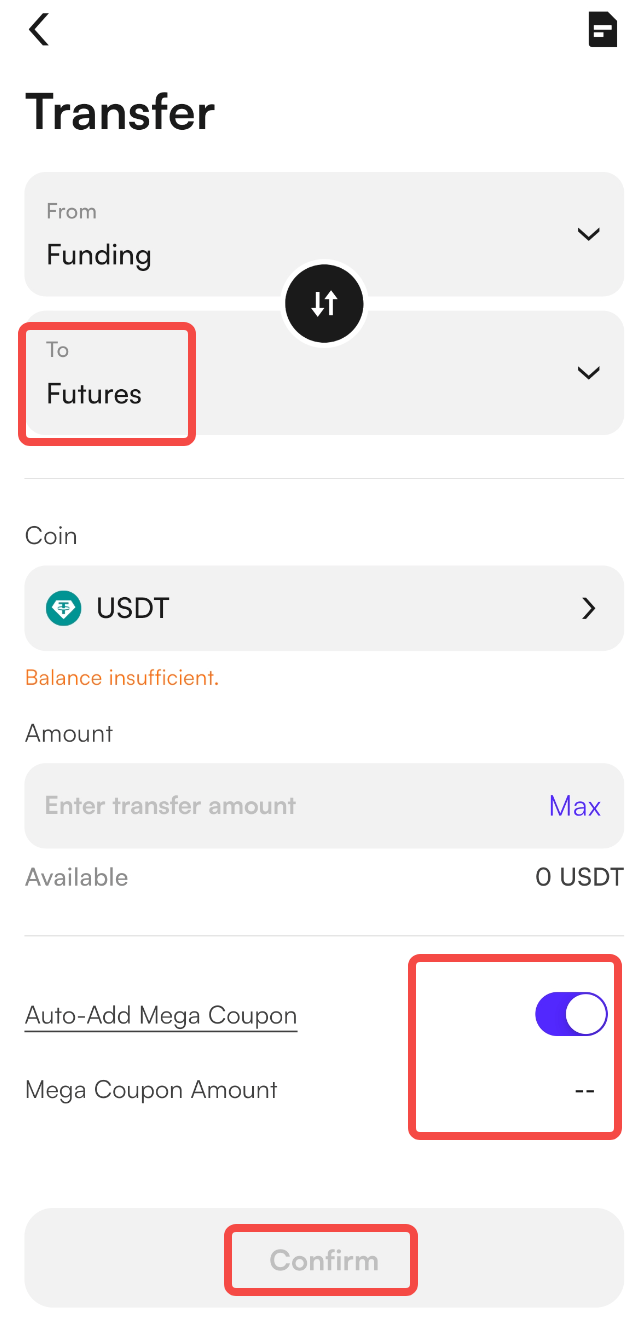
2. Make sure your futures account has sufficient funds in the Available section before using Mega Coupons with ratios below 100%. You can click Transfer to transfer funds if needed.
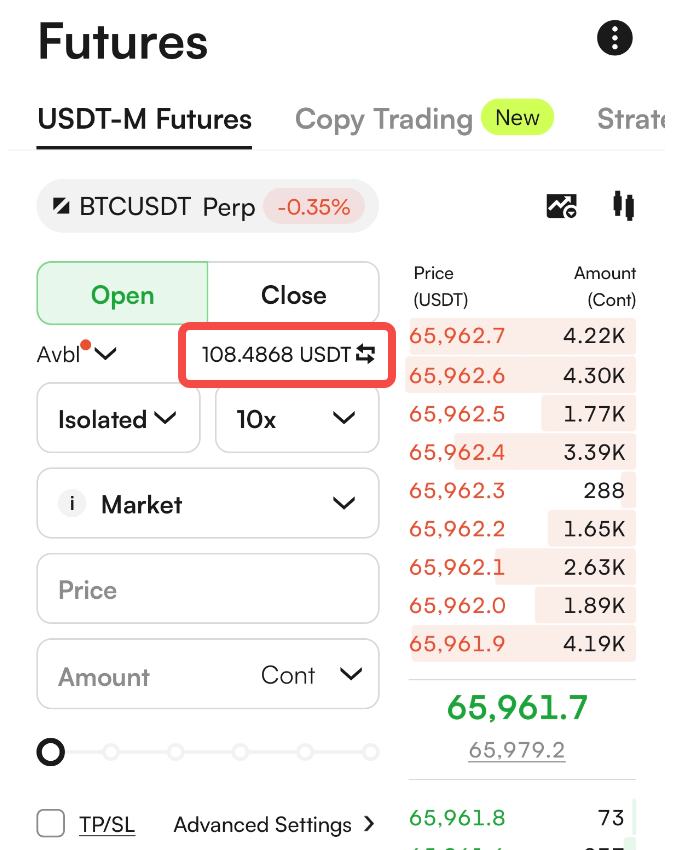
3. Tap More Functions in the upper-right corner of the futures trading page, then tap Claim Mega Coupon to select and use Mega Coupons with different ratios.
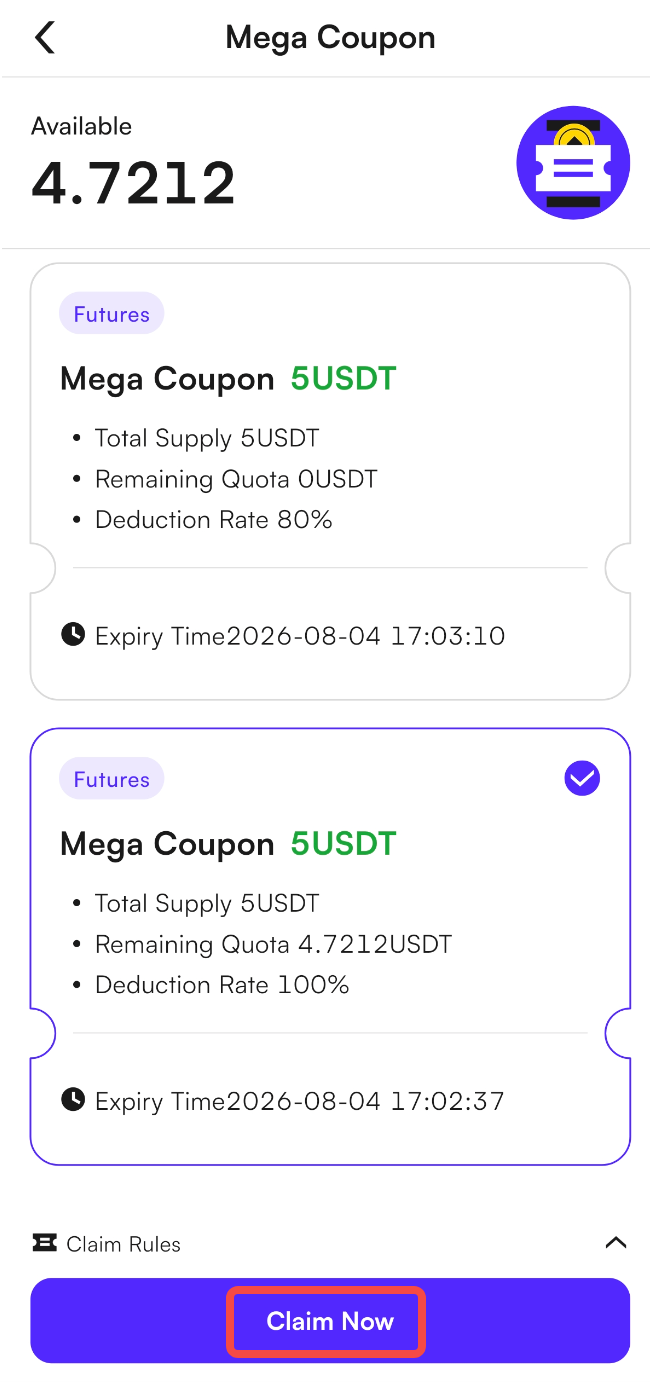
4. If your futures account balance is 0, you can only claim 100% ratio Mega Coupon. If your account balance is greater than 0 and you have Mega Coupons with other ratios, more ratio options will be displayed in the claim pop-up window. Please note that you can only claim Mega Coupon with one ratio at a time.
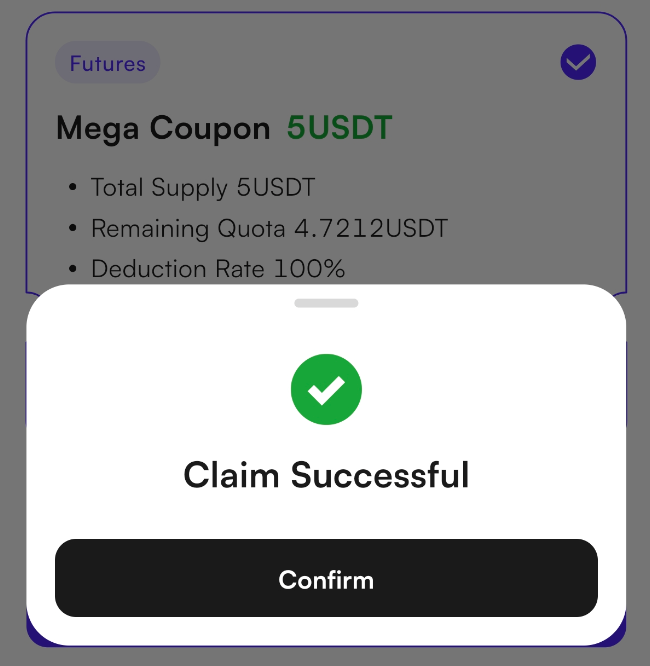
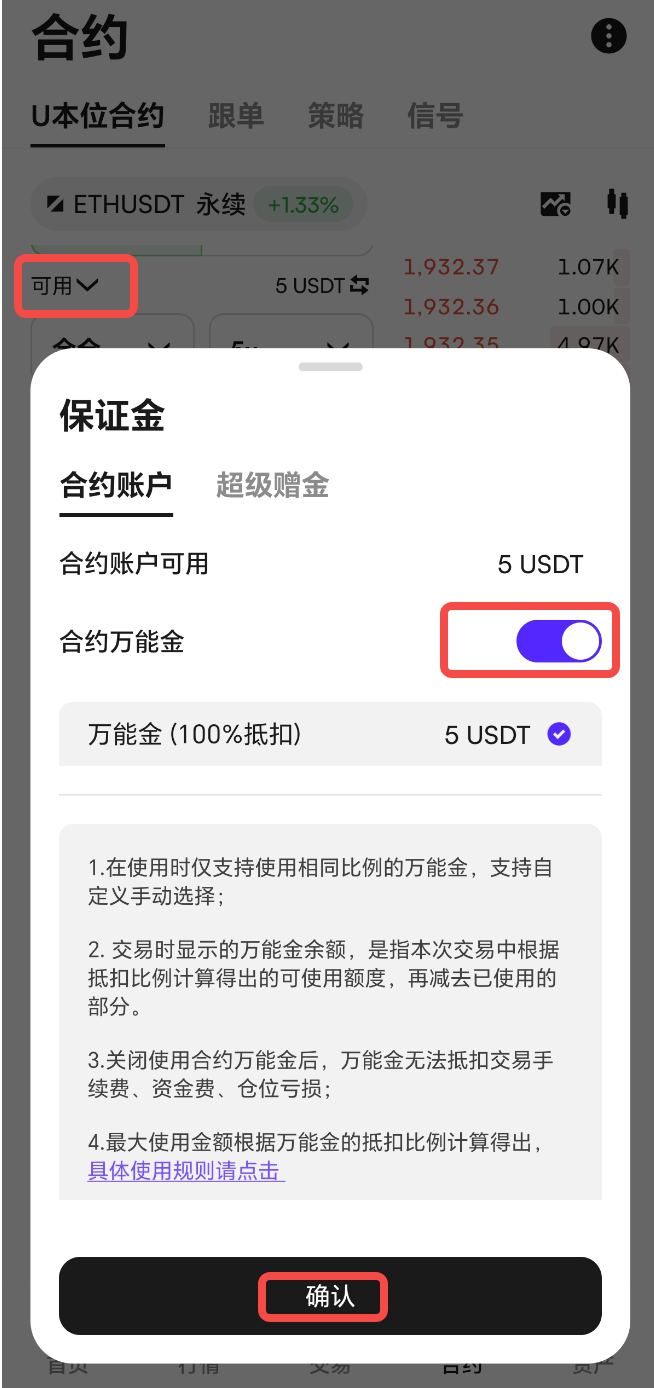
5. After claiming the coupon, you can click Avbl in the trading page to view and use your Mega Coupon.
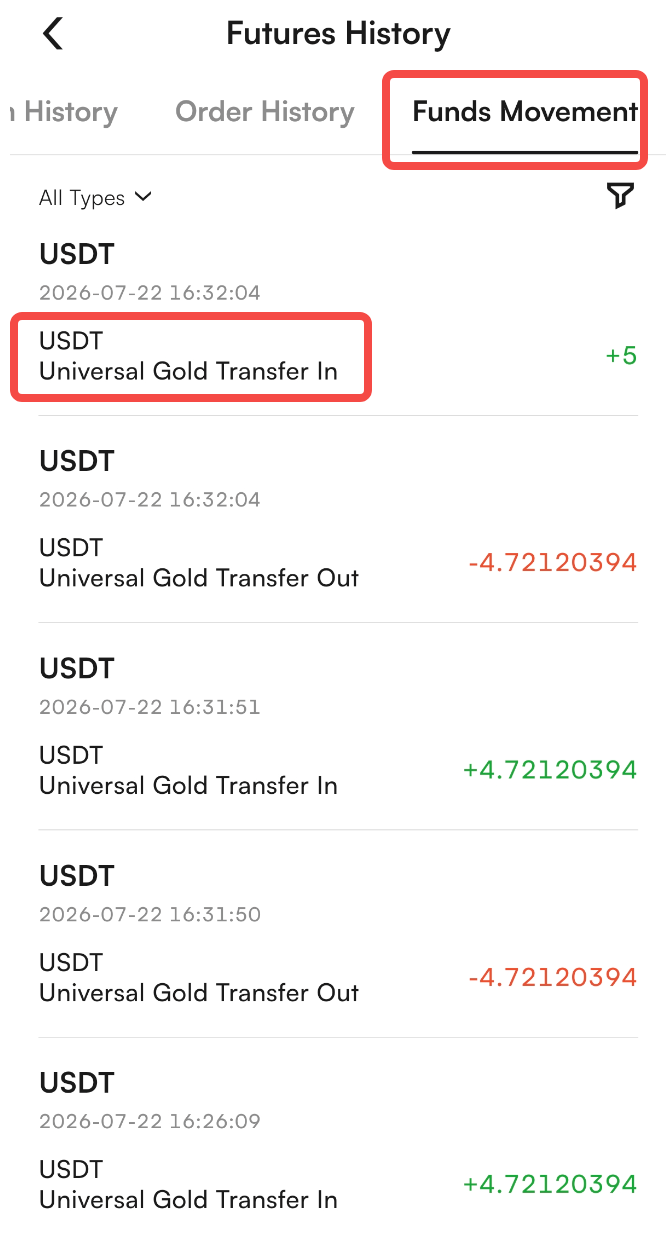
6. To view the transaction details of your Mega Coupon, go to Futures History > Funds Movement in the lower-right corner of the futures trading page.
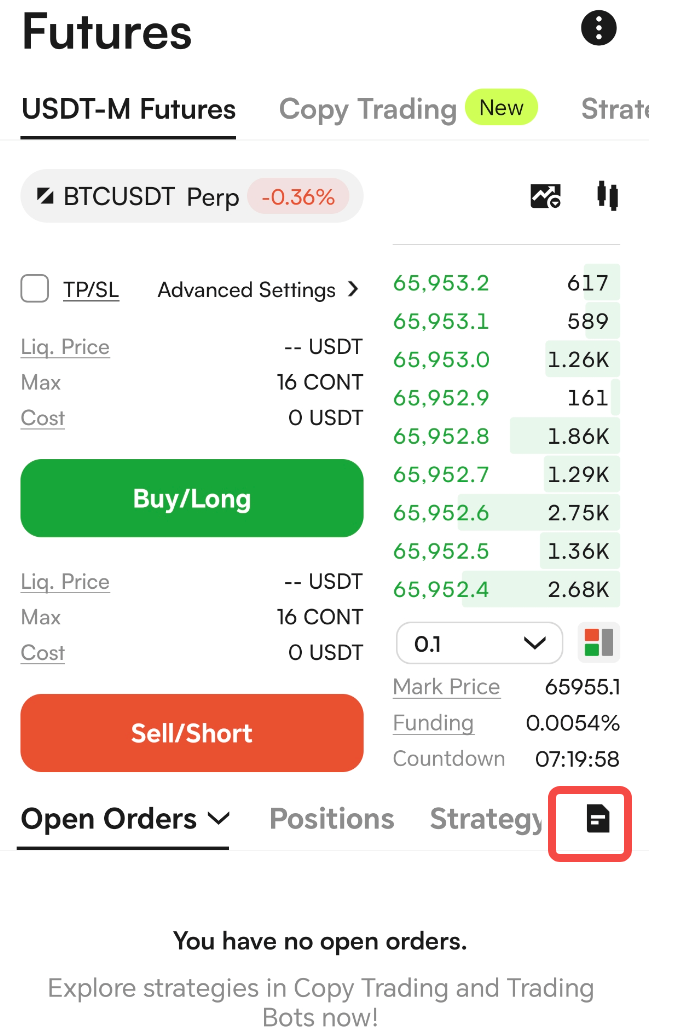
III. Transfer-Triggered Claim: When users transfer assets from other accounts to their futures account, the system will calculate the claimable Mega Coupon amount based on the real-time asset balance in the futures account. The system will automatically claim the Mega Coupon with the highest ratio by default. If a Mega Coupon already exists in the futures account, the existing Mega Coupon ratio will apply.
Mega Coupon Usage Rules
The new Mega Coupon has been fully upgraded. The Web version now supports all features and you can directly use Mega Coupon on the web anytime. The App version will support these features after updating to version 10.1.21.
The upgraded Mega Coupon can be claimed in the following three ways:
I. Auto-Claim: The system will automatically trigger the claim process at around 00:00, 08:00, and 16:00 (UTC+8) every day. The claimable amount is calculated based on the available funds in your futures account and distributed automatically.
I. Auto-Claim: After enabling the Mega Coupon feature, the system will automatically claim Mega Coupons for you. The claimable amount is calculated based on your available futures account funds and will be automatically credited to your futures account.
To enable the Mega Coupon feature, please follow the steps below. For detailed instructions, please refer to the manual claim guide images.
Web: Go to the futures trading page, click Available and toggle on the Mega Coupon to activate the feature.
App: Please update to App version 10.1.21 or above. Go to Futures, then enable Mega Coupon/Use Mega Coupon in Preferences under Avbl or More Functions in the upper-right corner.
II. Manual Claim: Users can manually claim Mega Coupon by clicking Claim Mega Coupon > View Details in the Assets panel at the bottom of the futures trading page. The system will calculate the claimable amount based on the available funds in your futures account.
Web Version Operation Example
1. Go to the futures trading page and make sure your futures account has sufficient funds in the Available section before using Mega Coupons with ratios below 100%. You can click Transfer to transfer funds if needed.
2. In Available Margin, toggle on Mega Coupon, and click Confirm to enable Mega Coupon usage.
3. In the Claim Mega Coupon section at the lower-right corner of the page, click View Details.
4. In the Mega Coupon claim pop-up window, select a Deduction Ratio, and click Claim Now to claim a Mega Coupon.
5. If your futures account balance is 0, you can only claim 100% ratio Mega Coupon. If your account balance is greater than 0 and you have Mega Coupons with other ratios, more ratio options will be displayed in the claim pop-up window. Please note that you can only claim Mega Coupon with one ratio at a time.
6. After claiming the coupon, you can click Available in the trading page to view and use your Mega Coupon.
7. To view the transaction details of your Mega Coupon, go to Funds Movement on the futures trading page.
App Version Operation Example:
1. Log in to the App version 10.1.21 or above. Tap Futures to enter the futures trading page. Before using Mega Coupon, enable Mega Coupon/Use Mega Coupon in Preferences under Avbl or More Functions in the upper-right corner.
2. Make sure your futures account has sufficient funds in the Available section before using Mega Coupons with ratios below 100%. You can click Transfer to transfer funds if needed.
3. Tap More Functions in the upper-right corner of the futures trading page, then tap Claim Mega Coupon to select and use Mega Coupons with different ratios.
4. If your futures account balance is 0, you can only claim 100% ratio Mega Coupon. If your account balance is greater than 0 and you have Mega Coupons with other ratios, more ratio options will be displayed in the claim pop-up window. Please note that you can only claim Mega Coupon with one ratio at a time.
5. After claiming the coupon, you can click Avbl in the trading page to view and use your Mega Coupon.
6. To view the transaction details of your Mega Coupon, go to Futures History > Funds Movement in the lower-right corner of the futures trading page.
III. Transfer-Triggered Claim: When users transfer assets from other accounts to their futures account, the system will calculate the claimable Mega Coupon amount based on the real-time asset balance in the futures account. The system will automatically claim the Mega Coupon with the highest ratio by default. If a Mega Coupon already exists in the futures account, the existing Mega Coupon ratio will apply.