FAQ
1. What is the Arbitrage Bot?
The CoinW Funding Fee Arbitrage Bot is an innovative trading strategy designed for traders to arbitrage between perpetual contracts and their corresponding spot markets. By simultaneously holding spot positions and short perpetual contract positions, the arbitrage bot helps users earn contract funding fees with extremely low risk.
2. Arbitrage Bot User Guide
Step 1: Go to the Arbitrage Bot page
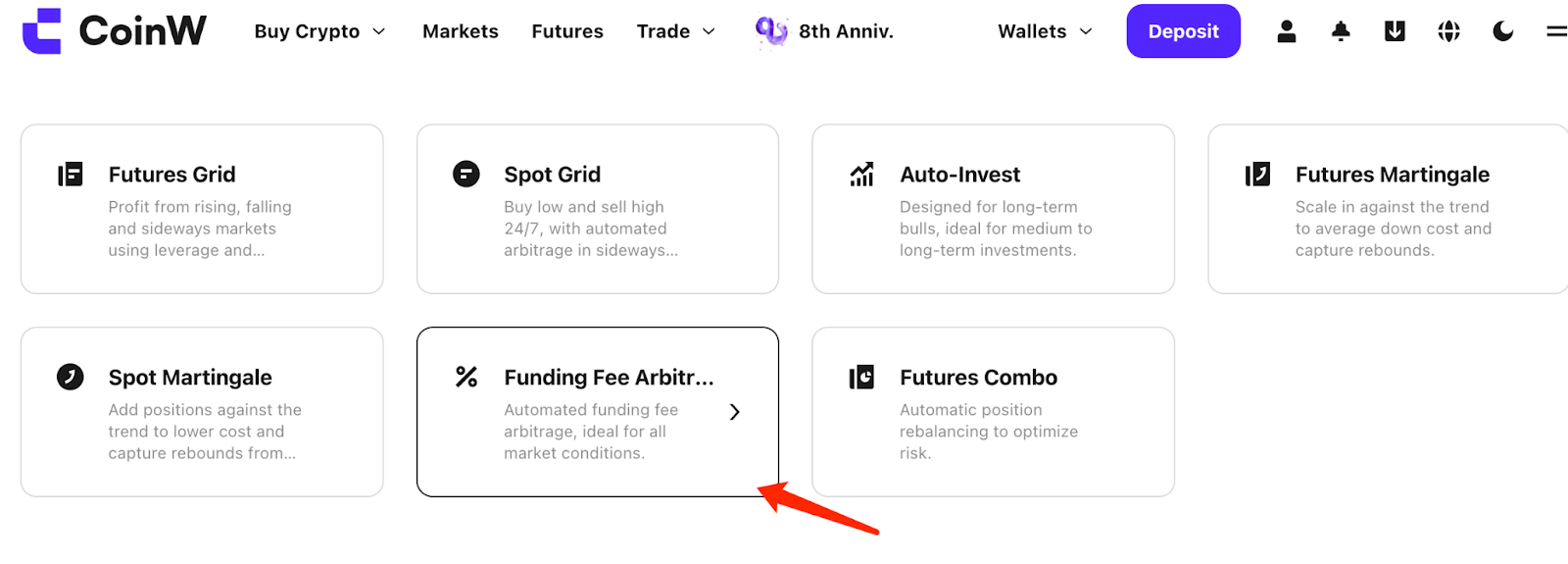
On the CoinW official website, select [Strategy], then click [Funding Fee Arbitrage].
Step 2: Choose a strategy
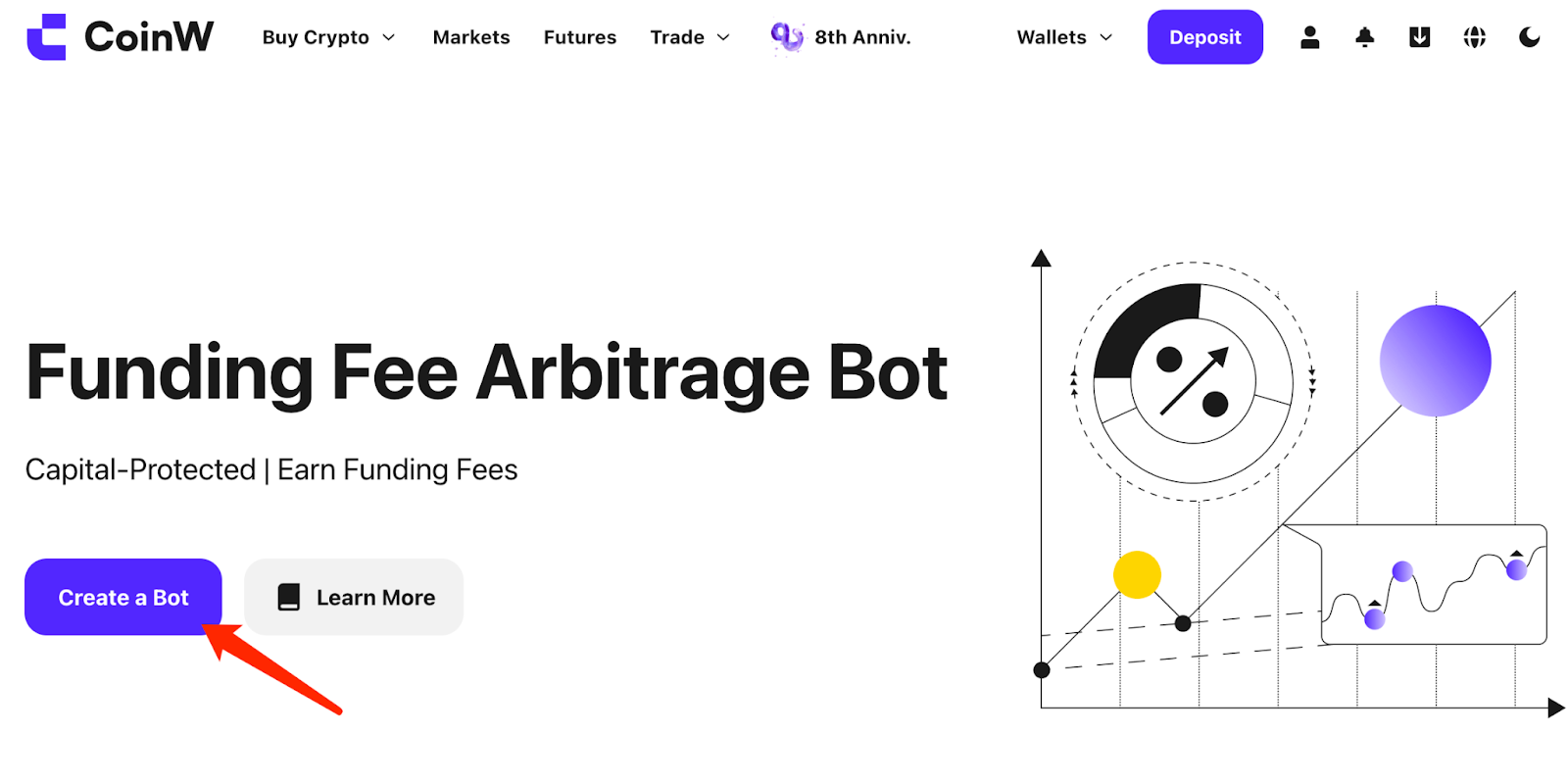
On the Funding Fee Arbitrage Bot page, click [Create a Bot].
Step 3: Choose token and amount
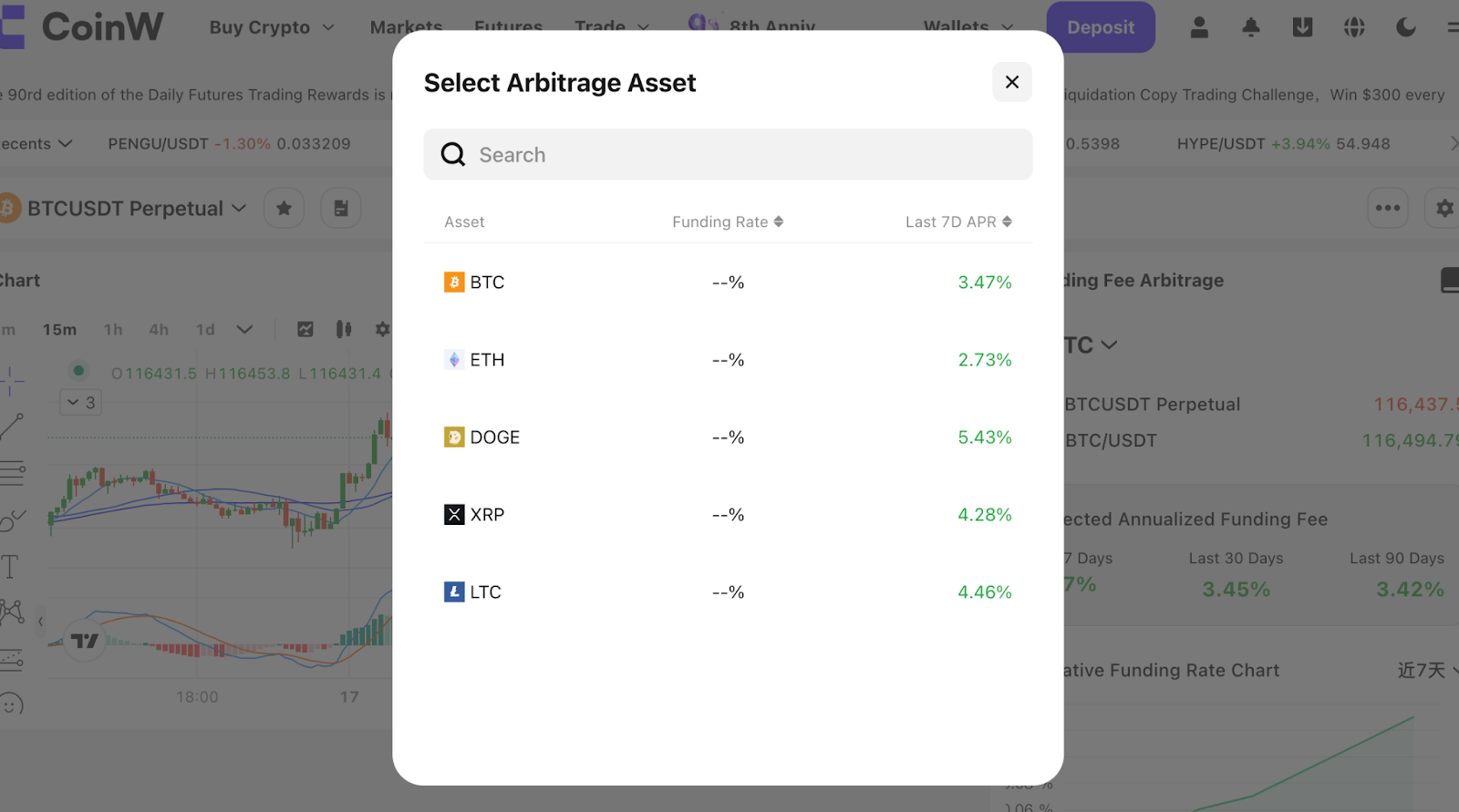
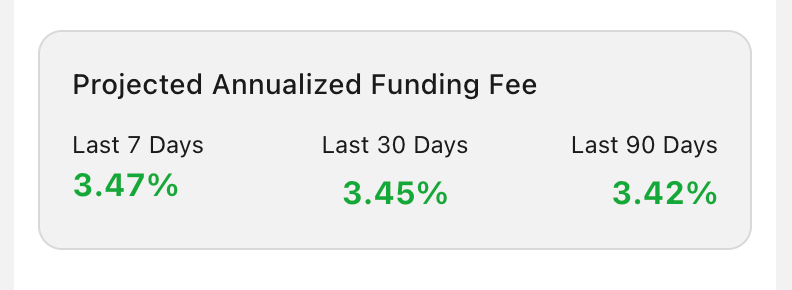
First, go to the token page and click on the [Token Name] to select the token for your arbitrage strategy. You can view the [Expected Annualized Funding Fee].
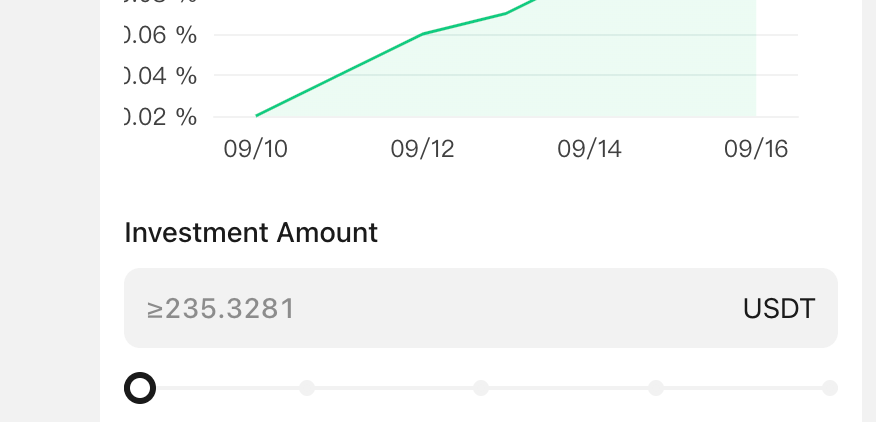
Step 4: Enter your investment amount under [Investment Amount].
Step 5: Run the strategy
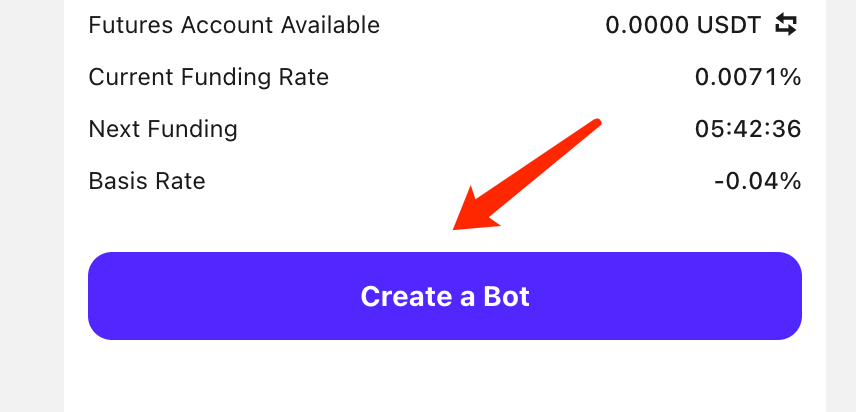
Click [Create a Bot] to create the strategy and confirm the order. By confirming, you agree to place simultaneous trades in both the spot market and USDT-margined contracts.
Note: This strategy uses 1x leverage to minimize risk.
Step 6: Stop the strategy
You can stop the funding fee arbitrage strategy at any time. If the arbitrage strategy no longer fits the current market conditions and the funding rate remains negative, you should stop the strategy. When stopping, the system will automatically close both the short futures and spot positions at market price.
Risk Warning:
1.Perpetual contract funding rates change continuously and may flip between positive and negative values. You need to monitor rate changes regularly and adjust your strategy accordingly.
2.Opening and closing positions requires time for market execution, and costs may be affected by market fluctuations.
1. What is the Arbitrage Bot?
The CoinW Funding Fee Arbitrage Bot is an innovative trading strategy designed for traders to arbitrage between perpetual contracts and their corresponding spot markets. By simultaneously holding spot positions and short perpetual contract positions, the arbitrage bot helps users earn contract funding fees with extremely low risk.
2. Arbitrage Bot User Guide
Step 1: Go to the Arbitrage Bot page
On the CoinW official website, select [Strategy], then click [Funding Fee Arbitrage].
Step 2: Choose a strategy
On the Funding Fee Arbitrage Bot page, click [Create a Bot].
Step 3: Choose token and amount
First, go to the token page and click on the [Token Name] to select the token for your arbitrage strategy. You can view the [Expected Annualized Funding Fee].
Step 4: Enter your investment amount under [Investment Amount].
Step 5: Run the strategy
Click [Create a Bot] to create the strategy and confirm the order. By confirming, you agree to place simultaneous trades in both the spot market and USDT-margined contracts.
Note: This strategy uses 1x leverage to minimize risk.
Step 6: Stop the strategy
You can stop the funding fee arbitrage strategy at any time. If the arbitrage strategy no longer fits the current market conditions and the funding rate remains negative, you should stop the strategy. When stopping, the system will automatically close both the short futures and spot positions at market price.
Risk Warning:
1.Perpetual contract funding rates change continuously and may flip between positive and negative values. You need to monitor rate changes regularly and adjust your strategy accordingly.
2.Opening and closing positions requires time for market execution, and costs may be affected by market fluctuations.