CoinW Identity Verification Process Explained
Identity verification (often called KYC—Know Your Customer) is the process of confirming a user’s identity to help keep accounts secure and support compliance requirements. CoinW explains its identity verification workflow in the official Help Center, including the operational steps for completing KYC and guidance on why real-name verification may fail.
Official References
For the most accurate and current requirements (supported documents, interface steps, and any region-specific prompts), always follow the on-screen instructions shown in the CoinW verification flow and consult the official Help Center pages above.
How CoinW’s Identity Verification Is Structured
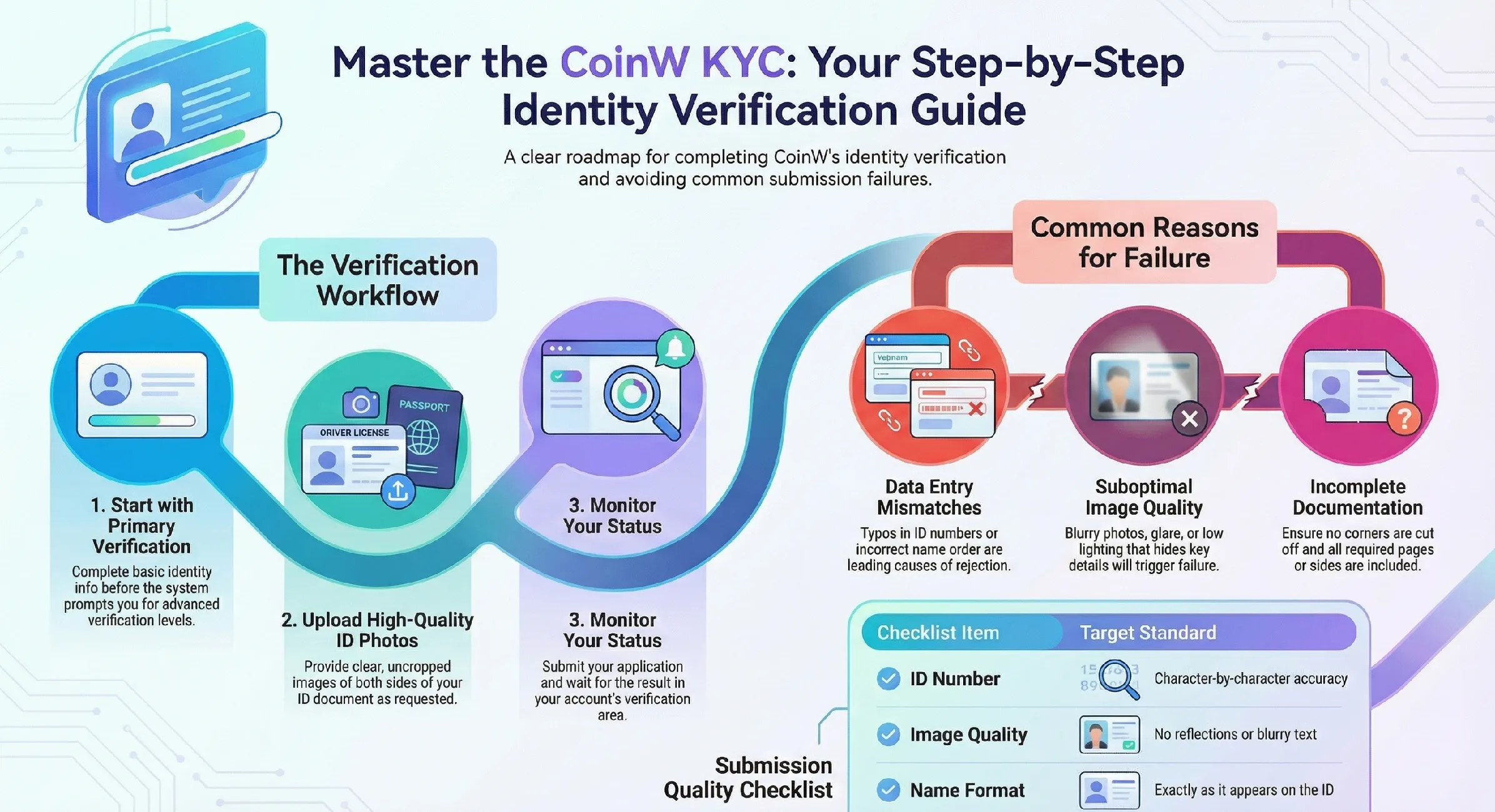
CoinW’s KYC guidance indicates that identity verification is completed in stages, starting with a basic (primary) verification step and then moving to advanced verification. This staged approach helps confirm key identity details first, then requests additional information where needed.
Primary verification comes first
CoinW’s operational guide emphasizes that users begin with primary verification before completing advanced verification. In general, that means you’ll be asked to fill in identity information and then follow the prompts to submit the required materials.
Prepare your identification materials
CoinW’s KYC operation guidance notes that you should prepare your identification documents in advance. Depending on the document type and your verification level, you may be prompted to provide clear images of the document (for example, front and back where applicable) and ensure all details are readable.
Step-by-Step: CoinW Identity Verification (KYC) Flow
Below is a practical, user-friendly walkthrough that aligns with CoinW’s official KYC operation guidance. Your exact screens may vary by app version, device, or region.
- Open the CoinW identity verification (KYC) page from your account settings or verification section.
- Start with primary verification (basic identity information), then continue to advanced verification if prompted or required.
- Enter your identity details carefully and exactly as shown on your identification document.
- Upload the required document images (ensure the photo is clear, complete, and readable; include both sides if the flow requests it).
- Submit your application and wait for the verification result shown in your account’s verification status area.
Why CoinW Real-Name Verification Fails
If your submission is rejected, CoinW’s Help Center lists common issues that can cause real-name verification failure. These typically fall into two categories: (1) incorrect data entry and (2) document or image issues.
Common data-entry mistakes
- ID number errors (for example: wrong digits, extra digits, or missing digits).
- Name issues (for example: spelling mistakes or incorrect name order, depending on local naming formats).
Document and photo issues
- Unclear images (blurry, cropped, glare, or low light that hides key information).
- Incomplete images (missing corners, missing required sides, or missing required pages if applicable).
- Information mismatch between what you typed and what is visible on the document.
Tips to Pass CoinW Identity Verification Faster
- Type exactly what your ID shows (including spacing and name order where relevant).
- Double-check the ID number character-by-character before submitting.
- Use a high-quality photo with good lighting and no reflections; keep the entire document in frame.
- Submit the correct sides/pages if the flow asks for both front and back (or other required images).
- Re-submit carefully if rejected, correcting only what the rejection reason indicates.
FAQ: CoinW Identity Verification
Do I have to complete primary verification before advanced verification?
Yes. CoinW’s KYC operation guidance indicates identity verification starts with primary verification, then proceeds to advanced verification where applicable.
What’s the most common reason for KYC rejection?
CoinW’s real-name verification failure guidance highlights issues like incorrect ID numbers (extra/missing/wrong digits) and name errors (including incorrect order in some cases). Blurry or incomplete document photos are also common causes of rejection.
Where can I re-check the official rules?
Use CoinW’s official Help Center pages: The operation process of KYC and Reasons for Real-Name Verification Failure.
Key Takeaways
- CoinW KYC is completed in stages, starting with primary verification before advanced verification.
- Prepare your ID documents in advance and upload clear, complete images when prompted.
- Many verification failures are caused by ID number mistakes, name/order errors, or unclear/incomplete document photos.