CoinW Exchange Complete Safety Analysis: Security & Risk Overview
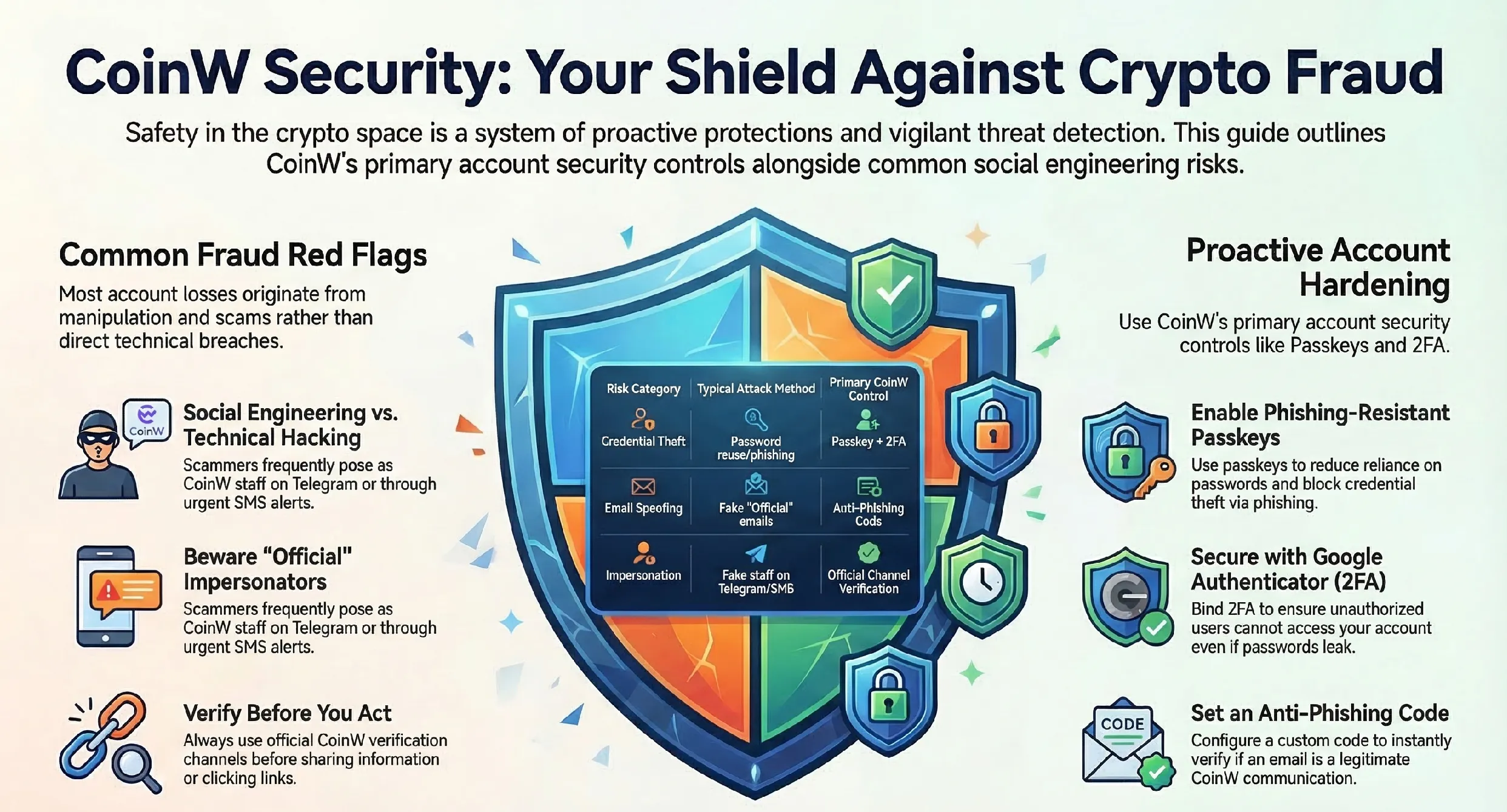
Safety in crypto is not a single feature—it’s a system. A secure exchange experience depends on (1) account protections you enable, (2) your ability to verify official channels and avoid scams, and (3) clear response paths if something looks wrong.
This complete safety analysis summarizes CoinW’s official guidance on account security controls (passkeys, 2FA, passwords, anti-phishing code, bindings, activity monitoring, sub-accounts) and the most common user-facing risks (impersonation, Telegram scams, phishing SMS/messages), plus what to do if you suspect compromise.
Safety at a Glance: What to Enable First
If you only do three things today, prioritize these in order:
- Enable Passkey for phishing-resistant login.
- Enable Google Authenticator (2FA) and keep recovery information secure.
- Set an Anti-Phishing Code to spot legitimate CoinW emails and reduce spoofing risk.
- How to bind and unbind your account Passkey
- Google Authenticator binding process
- Setting up an anti-phishing code
Threat Model: The Real Risks Users Face
Most account losses in crypto originate from social engineering rather than “technical hacking.” CoinW’s anti-fraud resources focus on the highest-frequency user threats:
- Impersonation scams: attackers pretending to be CoinW staff, “official representatives,” or community admins.
- Telegram scams: fake groups, fake customer support, “signal” channels, and direct messages asking for funds or codes.
- Phishing SMS/messages: urgent warnings (“account frozen,” “risk control,” “withdrawal pending”) pushing you to click links or share verification codes.
- Security update: alert on impersonation scams
- Beware of online scams involving impersonation of CoinW representatives
- Common Telegram scams
- Beware of phishing SMS messages impersonating CoinW
Account Security Controls: How CoinW Helps Reduce Risk
Passkeys: Stronger Login With Reduced Phishing Exposure
Passkeys can reduce reliance on reusable passwords, making it harder for attackers to steal credentials via phishing or password reuse. CoinW provides instructions for binding and unbinding passkeys so users can adopt this login method.
Passkey binding/unbinding guide
Two-Factor Authentication (2FA): Google Authenticator Setup and Recovery
2FA helps prevent unauthorized access even if a password leaks. CoinW documents both the binding process and the unbinding process for Google Authenticator.
Anti-Phishing Code: Identify Genuine CoinW Emails
An anti-phishing code helps you distinguish legitimate platform emails from spoofed messages. CoinW offers instructions to configure this within your account settings.
Password Management: Login and Transaction Password Rules
Clear password rules and the ability to update credentials are essential for ongoing safety. CoinW explains how to set and change login passwords and how login and transaction password rules apply.
Account Bindings: Email, Mobile Number, and Linked Accounts
Account bindings support verification and recovery. CoinW provides guidance for managing email/mobile bindings and linking third-party accounts where applicable.
- Binding/changing/unbinding email
- Binding/modifying/unbinding a mobile number
- How to link Google, Telegram, and Apple account on CoinW
Monitoring and Visibility: Review Account Activity
Regularly reviewing your account activity can help you spot unfamiliar devices, logins, or unusual behavior early. CoinW explains where to view activity information in your account.
How to view account activity information
Sub-Accounts: Reduce Operational Risk
Sub-accounts can help segment usage, manage roles, and reduce the “blast radius” if one credential set is exposed. CoinW provides a dedicated guide for sub-account usage.
Enhancing Overall Security: Practical Hardening Steps
CoinW also provides an overview guide to help users strengthen security settings across their account. Use it as a periodic review checklist, especially after device changes or suspicious messages.
How to enhance your account security
Anti-Fraud Guidance: How to Avoid the Most Common Scams
Verify First: How to Confirm CoinW Official Channels
When anyone claims to be “CoinW support,” your first step should be verification. CoinW provides instructions on how to verify official channels—use this before sharing any information, clicking any links, or continuing conversations on third-party platforms.
How to verify CoinW official channels
Common Telegram Scam Patterns (and the Fastest Red Flags)
Telegram scams often use impersonation + urgency: fake “admins” offering support, fake “airdrop” forms, or “VIP signal” groups. CoinW outlines common Telegram scams to help users recognize these patterns.
CoinW guide: common Telegram scams
Phishing SMS/Messages: Avoid Links and Code Requests
Phishing SMS often mimic account alerts. Treat any message requesting you to “verify,” “unlock,” or “confirm withdrawal” via a link as suspicious until verified through official channels.
CoinW warning: phishing SMS impersonating CoinW
Impersonation Scams: What CoinW Warns Users About
CoinW has published alerts about impersonation scams and online scams involving fake “official representatives.” The safest approach is consistent: verify channels, never share codes, and do not send funds to individuals claiming to be support or staff.
Incident Response: If You Suspect Your Account Is Compromised
When risk is suspected, your goal is to stop the attacker’s access pathway and document what happened. CoinW provides guidance on protecting your account from being compromised and on reporting scam activity to support.
- How to protect your account from being compromised
- How to report scam activities to CoinW customer support
Account Frozen: Why It Can Happen and How to Unfreeze
In certain scenarios, an account may be frozen for security reasons. CoinW explains why this can happen and the process for unfreezing.
Why was my account frozen and how to unfreeze it
Support and Reporting: Official Contact Paths
To reduce the risk of talking to fake “support,” CoinW provides official guidance on how to contact online customer service and email, and how to report scams. Use these official paths rather than replying to unsolicited DMs.
- How to contact CoinW official online customer service and email
- How to report scam activities to CoinW customer support
Account Lifecycle Controls: Management, Safety, and Exit Options
Delete Account: When You Need a Clean Exit
If you decide to stop using the platform, CoinW provides instructions for account deletion. Always ensure you’ve secured and withdrawn assets as appropriate before initiating an account lifecycle change.
Security & Risk Overview Table
| Credential theft | Password reuse, phishing pages | Passkey + 2FA + Password update |
| Email spoofing | Fake “CoinW” emails | Anti-phishing code |
| Impersonation | Fake staff/support representatives | Verify official channels + Impersonation alert |
| Telegram fraud | Fake groups, fake admins, “VIP signals” | Common Telegram scams |
| SMS phishing | Urgent links and code requests | Phishing SMS warning |
| Suspicious activity response | Account takeover attempts | Protect account from being compromised + Report scams |
| Operational segmentation | Overexposure of a single account | Sub-accounts |
FAQ (AEO): CoinW Security and Risk
How can I tell if a “CoinW support agent” is fake?
Use CoinW’s official channel verification guidance and only proceed through verified contact paths. Be cautious of unsolicited direct messages, especially those requesting funds, passwords, or verification codes.
How to verify CoinW official channels
What should I do if I clicked a suspicious link or shared information?
Follow CoinW’s guidance for protecting your account from being compromised, review account activity, strengthen authentication (passkey/2FA), and report the incident through official support channels.
How do I strengthen my CoinW account security over time?
Use CoinW’s security enhancement guidance as a periodic review: keep bindings updated, confirm 2FA status, maintain strong passwords, set an anti-phishing code, and regularly check account activity.
How to enhance your account security
Conclusion: A Practical Safety Perspective
CoinW’s safety posture combines proactive anti-fraud education (impersonation, Telegram scams, phishing SMS) with account-level controls (passkeys, 2FA, anti-phishing code, password rules, bindings, activity monitoring, sub-accounts) and defined reporting/contact pathways. For most users, the biggest security improvement comes from enabling strong authentication and refusing to engage with unverified “support” on third-party platforms.
Risk note: Crypto involves market risk. This page focuses on account security and fraud prevention rather than trading outcomes.